Freedom251 › AI Background Removers

ClearBackdrop
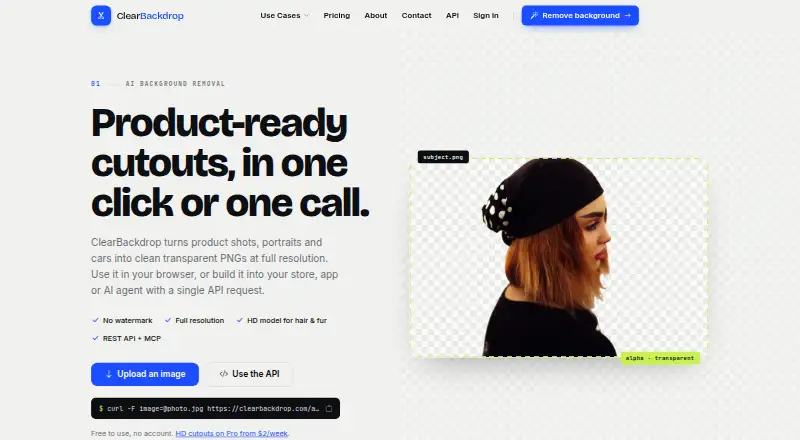
What ClearBackdrop is
ClearBackdrop is an API service for replacing image backgrounds and processing several files in a batch. Its listed platform is API, and it provides API access for sending image work through a service. The Free plan allows up to 5 files in each batch, with a maximum size of 15 MB per file. API usage is limited to 100 images per hour. Processed images can be exported as PNG, and commercial use is permitted. The plan costs nothing, is billed 100% free, and has no subscription. These limits describe the stated batch and API capacity for the free offering. ClearBackdrop’s feature set brings background replacement and batch processing together with API access, making it suitable for workflows that submit image files programmatically. The website is clearbackdrop.com.
Who it suits
ClearBackdrop suits people who need to replace image backgrounds through an API, especially when they process files in batches. It may also suit commercial workflows that can work within the free plan’s file, batch, and hourly limits.
What it does well
- Free plan has no subscription.
- Replaces image backgrounds.
- Processes up to 5 files per batch.
- Provides API access.
- Permits commercial use and PNG exports.
What to know first
- Each file is limited to 15 MB.
- API use is limited to 100 images per hour.
- PNG is the listed export format.
Limits
The free plan allows 5 files per batch and 15 MB per file. API usage is capped at 100 images per hour.
Plans
| Plan | Billed and limits | Price |
|---|---|---|
| Free | No card · Fast model · API key: 80 images a day · Web tool with no account · No watermark | Free |
| Pro Weekly | Pay once; nothing renews automatically · HD model · 1,000 images · Your own API key · Card or M-Pesa | $27, paid once |
| Pro Monthly | Pay once; nothing renews automatically · HD model · 5,000 images · Your own API key · Unused images carry over | $630, paid once |
As clearbackdrop.com lists them, read 11 Oct 2026. The maker's own page has the final word.
Getting started
- Visit clearbackdrop.com.
- Use the API platform to access the service.
- Submit up to 5 files per batch, each no larger than 15 MB.
- Export processed images as PNG.
Verdict
Choose ClearBackdrop for free API-based background replacement and batch processing, including commercial use. Look elsewhere if your workflow needs files over 15 MB, more than 5 files in a batch, or over 100 API images per hour.
Questions
How much does ClearBackdrop cost?
The Free plan costs nothing and is billed 100% free, with no subscription.
Does ClearBackdrop have a free plan?
Yes. Its listed plan is Free.
What platform does ClearBackdrop support?
The listed platform is API, and API access is available.
What export format does it provide?
PNG is the listed export format.
Can I use ClearBackdrop commercially?
Yes, commercial use is permitted.
Facts from ClearBackdrop's own pages
- API access
- Yes · clearbackdrop.com, 21 Sept 2026
- API limits
- The API documentation lists a 15 MB maximum upload and free-key limits of 80 images a day and 40 an hour. · clearbackdrop.com, 11 Oct 2026
- API sunset
- The maker says unauthenticated API calls are limited to 20 images a day until November 5, 2026, after which the API requires a key. · clearbackdrop.com, 11 Oct 2026
- Batch processing
- Yes · clearbackdrop.com, 21 Sept 2026
- Commercial use
- Yes · clearbackdrop.com, 21 Sept 2026
- Data sharing
- The privacy policy says the maker does not sell, trade or share personal information or uploaded images with third parties except where required by law. · clearbackdrop.com, 11 Oct 2026
- Export formats
- PNG · clearbackdrop.com, 21 Sept 2026
- Fast model
- The Fast model is the default and is described as suitable for most product, car and portrait photos. · clearbackdrop.com, 11 Oct 2026
- Founder
- The About page names the founder as Morris. · clearbackdrop.com, 11 Oct 2026
- Free plan
- Yes · clearbackdrop.com, 21 Sept 2026
- HD model
- The Pro HD model is intended for fine details such as wispy hair, fur, lace and busy backgrounds, and may switch to Fast if GPU capacity is unavailable. · clearbackdrop.com, 11 Oct 2026
- Image retention
- The privacy policy says uploaded images are automatically deleted after processing and are not retained beyond what is needed to provide the service. · clearbackdrop.com, 11 Oct 2026
- Input formats
- The web tool accepts JPG, PNG, WEBP, HEIC, AVIF, TIFF and video formats including MP4, MOV and AVI. · clearbackdrop.com, 11 Oct 2026
- Integrations
- The API docs describe native MCP support for Claude, Cursor and other MCP clients through a Streamable HTTP endpoint. · clearbackdrop.com, 11 Oct 2026
- Intended users
- The maker describes the product for e-commerce sellers, apps and marketplaces, car dealers, designers, marketers, photographers and AI agents. · clearbackdrop.com, 11 Oct 2026
- Replacement backgrounds
- Yes · clearbackdrop.com, 21 Sept 2026
- Security
- The privacy policy says security measures are implemented but cautions that internet data transmission cannot be guaranteed completely secure. · clearbackdrop.com, 11 Oct 2026
- Support
- The site says support replies within 24 hours. · clearbackdrop.com, 11 Oct 2026
- Upload limits
- The browser supports up to five files at once, while the API batch endpoint supports up to 10 images per call. · clearbackdrop.com, 11 Oct 2026
- What it does
- ClearBackdrop removes image backgrounds and returns transparent PNGs at the original resolution. · clearbackdrop.com, 11 Oct 2026
Where ClearBackdrop stands on Freedom251
- AI Background Removers#26 of 94
- Background removers#24 of 70