Freedom251 › AI Background Removers

Pixeroom
What Pixeroom is
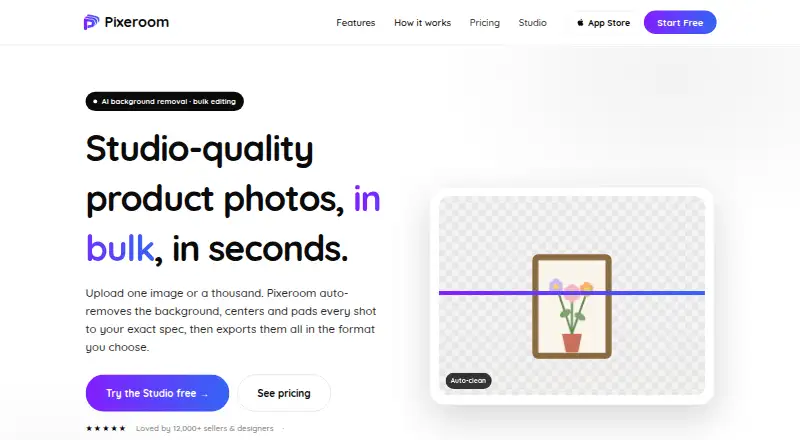
Pixeroom is a bulk product-photo editor for making catalog images consistent across marketplaces and online stores. Its browser Studio uses AI to remove backgrounds from images of products, people, hair, and glass. Users can upload hundreds of images and apply a shared look, center subjects or offset them by percentages from an edge, and keep margins consistent across a batch. Settings can be saved as reusable templates, and e-commerce templates are available for marketplaces and stores. The web Studio imports JPG, PNG, and WEBP files and exports in a selected format and size. Users can download one image or a named, sized ZIP containing a batch. Pixeroom displays Shopify, Etsy, Amazon, eBay, WooCommerce, and Depop as marketplace or store names. Its maker says web background removal and compositing run client-side, so images are not uploaded to its servers for editing. The Web free plan costs nothing and includes three single-image exports plus one bulk ZIP export every day, with no card required. Native iPhone, iPad, and Mac apps are separate products sold and billed through the App Store.
Who it suits
It suits e-commerce sellers, product photographers, and small studios aiming for a consistent catalog look. The web workflow may also suit users who want to process batches without uploading images to Pixeroom’s servers for editing, as described by its maker.
What it does well
- Processes hundreds of images in a batch
- Reusable settings and e-commerce templates
- Exports individual images or a named ZIP
- Free daily exports without a card
- Maker says web editing runs client-side
What to know first
- Free plan allows three single-image exports daily
- Free plan includes one bulk ZIP export daily
- Native iPhone, iPad, and Mac apps are separate App Store products
Limits
The Web free plan costs nothing and includes three single-image exports plus one bulk ZIP export every day. No card is required for this plan.
Plans
| Plan | Billed and limits | Price |
|---|---|---|
| Web free plan | 3 free single-image exports + 1 bulk ZIP export every day · no card required | Free |
As pixeroom.com lists them, read 11 Oct 2026. The maker's own page has the final word.
Getting started
- Open https://pixeroom.com/ in a browser
- Use the browser Studio or choose a separate iPhone, iPad, or Mac App Store app
- Upload JPG, PNG, or WEBP product images
- Apply background removal, framing settings, or an e-commerce template
- Save settings as a reusable template if needed
- Export individual images or download a named, sized batch ZIP
Verdict
Pixeroom focuses on consistent product imagery, with batch framing and reusable templates. Its free web plan has daily export limits, and the native apps are separate products.
Questions
Is Pixeroom free?
Yes. The Web free plan costs nothing, with no card required.
What does the Web free plan include?
It provides three free single-image exports and one bulk ZIP export every day.
Which platforms does Pixeroom support?
The Studio runs on the web, and native iPhone, iPad, and Mac apps are separate App Store products.
Which file formats can Pixeroom process?
The web Studio imports JPG, PNG, and WEBP and exports a selected format and size.
Does Pixeroom integrate with marketplaces?
Its homepage displays Shopify, Etsy, Amazon, eBay, WooCommerce, and Depop as marketplace or store names.
How does Pixeroom handle image privacy?
The maker says web background removal and compositing run client-side, so images are not uploaded to its servers for editing.
Facts from Pixeroom's own pages
- Account and payments
- The privacy policy says account passwords are stored securely and payment processors handle card details, which Pixeroom says it does not receive or store in full. · pixeroom.com, 11 Oct 2026
- Analytics and data
- Pixeroom says it tracks usage to enforce plan limits and uses Jetpack Stats and Google analytics; it says it does not sell personal information. · pixeroom.com, 11 Oct 2026
- Apps and billing
- The maker says native iPhone, iPad, and Mac apps are separate products sold and billed through the App Store. · pixeroom.com, 11 Oct 2026
- Background removal
- Its browser Studio uses AI to remove image backgrounds, including for products, people, hair, and glass. · pixeroom.com, 11 Oct 2026
- Batch export
- Users can download one image or a named, sized ZIP of the full batch. · pixeroom.com, 11 Oct 2026
- Batch processing
- Yes · pixeroom.com, 23 Sept 2026
- Batch workflow
- Users can upload hundreds of images and normalize them to one consistent look. · pixeroom.com, 11 Oct 2026
- Export formats
- JPG,PNG,WEBP · pixeroom.com, 23 Sept 2026
- File formats
- The web Studio imports JPG, PNG, and WEBP and exports to a chosen format and size. · pixeroom.com, 11 Oct 2026
- Framing
- Pixeroom can center subjects or offset them by percentages from an edge, with consistent margins across a batch. · pixeroom.com, 11 Oct 2026
- Free plan
- Yes · pixeroom.com, 23 Sept 2026
- Image privacy
- The maker says web background removal and compositing run client-side and images are not uploaded to its servers for editing. · pixeroom.com, 11 Oct 2026
- Integrations
- The homepage displays Shopify, Etsy, Amazon, eBay, WooCommerce, and Depop as marketplace or store names. · pixeroom.com, 11 Oct 2026
- Replacement backgrounds
- Yes · pixeroom.com, 23 Sept 2026
- Support
- Users can sign in to open a support ticket, and the contact page also invites feature requests. · pixeroom.com, 11 Oct 2026
- Templates
- Users can save settings as reusable templates or start from e-commerce templates for marketplaces and stores. · pixeroom.com, 11 Oct 2026
- What it does
- Pixeroom is a bulk product-photo editor that turns raw product shots into consistent, marketplace-ready images. · pixeroom.com, 11 Oct 2026
- Who it is for
- Pixeroom says it is built for e-commerce sellers, product photographers, and small studios seeking consistent catalog photos. · pixeroom.com, 11 Oct 2026
Where Pixeroom stands on Freedom251
- AI Background Removers#23 of 94