Freedom251 › AI Background Removers
Background Gone
What Background Gone is
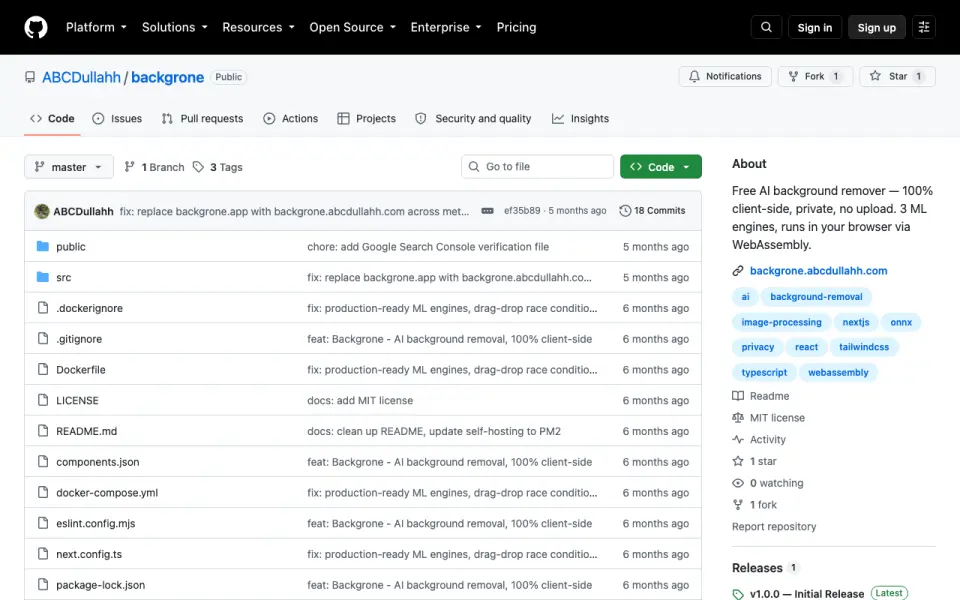
Background Gone is a free tool for removing image backgrounds in a browser, with options to leave the cutout transparent or put it over a replacement background. It offers three AI engines—ISNet Precision, ISNet Lightweight, and RMBG-1.4—and can process batches of up to 20 images without watermarks on its free plan. Add JPEG, PNG, WebP, or HEIC images by dragging them in, choosing them with a click, or pasting from the clipboard. Processing takes place in the browser using WebAssembly or WebGPU; the project says images remain on the device. If WebGPU is unavailable, the engines can fall back to WebAssembly.
Results can use transparency, a solid color, a gradient, or a custom image. Downloads are lossless PNGs, with optional background replacement. After the first model download, the tool can work offline using a model cached in IndexedDB. It requires no account or cloud dependency and is designed for self-hosting without a backend, database, or API keys. Its listed browser requirements are Chrome 91+, Edge 91+, Firefox 89+, and Safari 16.4+.
Who it suits
Background Gone suits people who want to remove backgrounds and process batches of images in a browser, with several replacement styles and PNG export. It may also suit users who want local processing, offline use after the initial model download, or a self-hosted setup.
What it does well
- Three AI engines are available for background removal.
- Handles batches of up to 20 images on the free plan.
- Supports transparent, solid, gradient, and custom-image backgrounds.
- Runs locally and can work offline after the model download.
- No signup, backend, database, or API keys are required for the described setup.
What to know first
- The free plan processes up to 20 images per batch.
- The model must be downloaded once before offline use.
- Listed browser requirements start at Chrome 91+, Edge 91+, Firefox 89+, or Safari 16.4+.
Limits
The free plan supports up to 20 images per batch and has no watermarks. Offline use begins after the first model download.
Plans
| Plan | Billed and limits | Price |
|---|---|---|
| Free forever | Up to 20 images per batch · no watermarks | Free |
As github.com lists them, read 11 Oct 2026. The maker's own page has the final word.
Getting started
- Open the project website.
- Use a listed supported browser: Chrome 91+, Edge 91+, Firefox 89+, or Safari 16.4+.
- Add images by drag and drop, click, or clipboard paste.
- Choose one of the three AI engines and a transparent or replacement background.
- Download the result as a lossless PNG.
- For offline use, complete the first model download; the model is then cached in IndexedDB.
Verdict
Choose Background Gone for browser-based background removal with local processing, several replacement options, and a free batch allowance. Look elsewhere if you need a different export format or a browser outside its listed requirements.
Questions
How much does Background Gone cost?
The free plan is listed as free, and the pricing model is free.
Is there a free plan or free trial?
There is a free plan with up to 20 images per batch and no watermarks. There is no free trial.
Which browsers are listed?
The listed requirements are Chrome 91+, Edge 91+, Firefox 89+, and Safari 16.4+. Engines can use WebAssembly when WebGPU is unavailable.
What file types can I add and export?
Listed inputs are JPEG, PNG, WebP, and HEIC. Downloads are lossless PNGs, optionally with a replacement background.
Does it require an account or cloud processing?
The project says no signup or cloud dependency is required, and that images are processed locally in the browser.
Can I self-host it?
Yes. It is designed for self-hosting without a backend, database, or API keys.
Facts from Background Gone's own pages
- AI engines
- It offers three engines: ISNet Precision, ISNet Lightweight, and RMBG-1.4. · github.com, 11 Oct 2026
- Background options
- Results can use a transparent, solid color, gradient, or custom image background. · github.com, 11 Oct 2026
- Batch processing
- It can process up to 20 images at once and download the results as a ZIP. · github.com, 11 Oct 2026
- Browser requirements
- The README lists Chrome 91+, Edge 91+, Firefox 89+, and Safari 16.4+; engines fall back to WebAssembly when WebGPU is unavailable. · github.com, 11 Oct 2026
- Export
- The documented download result is a lossless transparent PNG with optional background replacement. · github.com, 11 Oct 2026
- Export formats
- PNG · github.com, 22 Sept 2026
- Free plan
- Yes · github.com, 22 Sept 2026
- Input methods
- Images can be added by drag and drop, click, or clipboard paste; listed formats include JPEG, PNG, WebP, and HEIC. · github.com, 11 Oct 2026
- Integrations and security
- The README describes client-side processing and a first-load model download from Hugging Face CDN, and does not list third-party app integrations or security certifications. · github.com, 11 Oct 2026
- Local processing
- Image inference runs locally in the browser using WebAssembly or WebGPU, and the README says images do not leave the device. · github.com, 11 Oct 2026
- No account required
- The README says the tool requires no signup or cloud dependency. · github.com, 11 Oct 2026
- Offline use
- The tool works offline after the first model download, which is cached in IndexedDB. · github.com, 11 Oct 2026
- Purpose
- Background Gone is a free AI tool for removing image backgrounds in a browser. · github.com, 11 Oct 2026
- Replacement backgrounds
- Yes · github.com, 22 Sept 2026
- Self-hosting
- The project is designed to be self-hosted and requires no backend, database, or API keys. · github.com, 11 Oct 2026
Where Background Gone stands on Freedom251
- AI Background Removers#22 of 94
- Background removers#19 of 70