Freedom251 › Citation generators
CitApp
What CitApp is
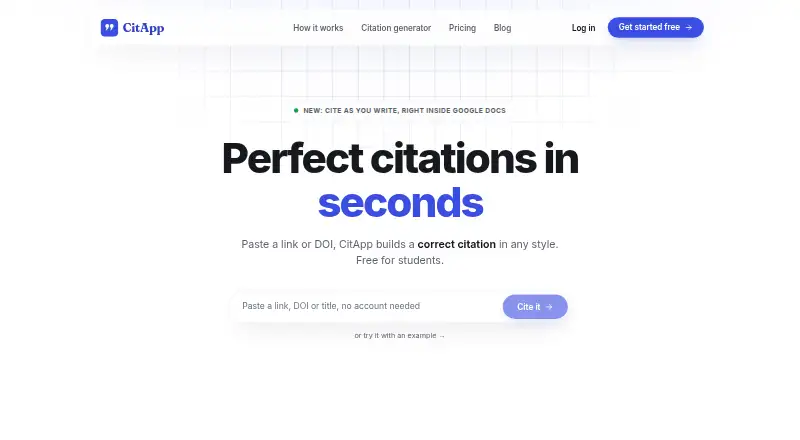
CitApp helps students create formatted citations from links or DOIs and keep sources organized. It supports websites, journal articles, books, PDFs, reports, Wikipedia, news, theses, and videos. Citation options include 17 built-in styles, more than 130 journal and university CSL styles, and custom styles. CitApp says it retrieves metadata from CrossRef, PubMed, arXiv, and Google Books. A Google Docs add-on inserts citations at the cursor and updates the reference list. The free plan imports libraries from Zotero, Mendeley, or EndNote and exports to Word, BibTeX, or RIS. Its Chrome extension saves pages and PDFs, including PDFs behind logins, to a project. Users can invite signed-in collaborators to view a project and add sources. Academic Shield checks whether paragraph wording is too close to a source, fits its academic section, and is supported by the cited source. The free plan has weekly limits on browser captures, Docs citation insertions, and Shield checks. Pro is 99 SEK, paid once and removes those weekly limits; the privacy policy says AI requests are processed in the EU and AI features use Google Gemini through Google Cloud.
Who it suits
CitApp suits students who need to collect sources, format citations, or work on shared research projects. Its Docs add-on and import and export options may help those already using Google Docs or reference libraries.
What it does well
- Generates citations from links or DOIs.
- Supports custom styles and 130+ CSL styles.
- Free plan imports Zotero, Mendeley, and EndNote libraries.
- Chrome extension saves pages and login-protected PDFs.
- Projects allow signed-in collaborators to add sources.
What to know first
- Free plan limits weekly captures and citation insertions.
- Free plan limits Academic Shield checks each week.
- Some school Google accounts may require administrator approval.
Limits
The free plan allows 10 browser captures, 30 Google Docs citation insertions and 10 Academic Shield checks per week. Pro removes the weekly limits and includes unlimited captures, Docs citations and Shield checks.
Plans
| Plan | Billed and limits | Price |
|---|---|---|
| Free | Unlimited in-app sources · 10 browser captures/week · 30 Google Docs citation insertions/week · 10 Academic Shield checks/week · 150+ styles · PDF uploads · Word/BibTeX/RIS export | Free |
| Pro | 99 kr / term; ≈ 16 kr / mo · Removes weekly limits · Unlimited browser captures, Google Docs citations and Academic Shield checks · AI source summaries · Page archive · Cancel any time | 99 SEK, paid once |
As citapp.org lists them, read 2 Oct 2026. The maker's own page has the final word.
Getting started
- Open citapp.org in a browser; the browser-based workflow needs nothing installed.
- Create or open a project for your sources.
- Add sources using a URL or DOI, or save web pages and PDFs with the Chrome extension.
- Import a library from Zotero, Mendeley or EndNote if needed.
- Add the Google Docs add-on to insert citations in a document; some school accounts may require administrator approval.
- Choose the Free plan or Pro, which costs 99 SEK, paid once.
CitApp is a citation manager and research workspace for students collecting sources in a browser and writing in Google Docs. It suits individual papers and shared projects that need broad style coverage, source capture, and document-ready exports. The main trade-off is clear: moderate users can stay on Free, while frequent capturing, inserting, or checking requires Pro.
Overview
CitApp turns URLs or DOIs into formatted references and keeps them in projects. It handles websites, journal articles, books, PDFs, reports, Wikipedia, news, theses, and videos, with metadata retrieved from CrossRef, PubMed, arXiv, and Google Books. URL import and identifier lookup reduce manual entry, but citations still deserve a check before submission because metadata can vary by source.
The browser workflow requires no installation. A Chrome extension saves pages and PDFs, including PDFs behind logins, directly to a CitApp project. Invite links let signed-in collaborators view a project and add sources, which is useful for group bibliographies. The Google Docs add-on inserts citations at the cursor and refreshes the document’s reference list; some school accounts may require administrator approval for that add-on.
Key features
Styles, imports, and exports
There are 17 built-in styles, more than 130 journal and university CSL styles, and custom styles, while the plans provide access to 150+ styles. That breadth is valuable for students working across departments or with a specific institutional format. Free users can import libraries from Zotero, Mendeley, or EndNote and export to Word, BibTeX, and RIS, so switching into or out of CitApp does not require rebuilding a library.
Academic Shield
Academic Shield checks whether a paragraph is too close in wording to its source, fits its academic section, and is supported by the cited source. It is a useful review step for drafting, not a substitute for the writer’s judgment about attribution and argument. Shield submissions are processed as account and usage data; the privacy policy says the submitted paragraph is not stored.
Privacy and support
Service data and AI requests are processed in the EU, and AI features use Google Gemini through Google Cloud. CitApp says it uses technical and organizational safeguards, does not sell personal information, and relies on an essential session cookie without analytics or advertising cookies. It still collects account and usage information, including submitted sources and text sent to Academic Shield. Email is the fastest support route, with replies usually arriving within a couple of days.
Pricing
| Plan | Price | What you get |
|---|---|---|
| Free | free | Unlimited in-app sources; 10 browser captures per week; 30 Google Docs citation insertions per week; 10 Academic Shield checks per week; 150+ styles; PDF uploads; Word, BibTeX, and RIS export. |
| Pro | 99 SEK, paid once (billed 99 kr / term; approximately 16 kr / month) | Removes weekly limits, with unlimited browser captures, Google Docs citations, and Academic Shield checks; adds AI source summaries and a page archive; cancel any time. |
Free is a sensible choice for a short paper or occasional assignments, especially when unlimited in-app storage matters more than capture volume. Its weekly quotas can interrupt a busy research week or repeated document revisions. Pro is aimed at sustained coursework, dissertation-scale collection, and writers who want summaries and page archiving; the recurring term billing and cancellation option matter more than a trial, since there is no free trial.
Platforms
CitApp is offered as a web service and browser extension. The Chrome extension is the route for saving pages and PDFs while browsing, whereas the web workflow runs without local installation. Google Docs use depends on the add-on, and administrator approval may be needed on managed school accounts.
Who it's for
Choose CitApp for student research that spans varied source types, requires a particular journal or university style, or involves collaborators building one bibliography. It is also a good fit for Google Docs users who want citations and the reference list maintained together. It is less suitable for heavy weekly capture on the Free plan, teams whose schools block add-ons, or anyone unwilling to send source text and Shield requests to an AI-backed service.
Pros and cons
Pros
- Broad coverage of source formats and metadata services reduces repetitive reference entry.
- 150+ styles, custom styles, and CSL coverage suit discipline-specific requirements.
- Free imports and exports connect with Zotero, Mendeley, EndNote, Word, BibTeX, and RIS.
- Chrome capture, shared projects, and Google Docs insertion connect collection to writing.
- EU processing, no sale of personal information, and no analytics or advertising cookies provide a comparatively restrained data setup.
Cons
- Free quotas of 10 captures, 30 Docs insertions, and 10 Shield checks per week can constrain active projects.
- Chrome is required for the extension, and managed Google accounts may need approval.
- Academic Shield involves sending submitted text for AI processing, even though the paragraph is not stored.
- There is no free trial, so Pro’s added workflow must be judged against its 99 kr-per-term charge.
Alternatives
Cite This For Me is the better pick for mobile coverage across Android and iOS, but its free account is limited to Harvard style, advertising, and seven-day citation saving. Bibcitation suits readers wanting a free extension and web generator whose homepage lists no usage limits. BibGuru is worth considering when educator access to Plus matters, with a free educator plan. bibliott fits a launch-stage workflow offering 200 citations a month, every citation style, and a retained library without a card. CASRAI Citation Generator is a free web alternative from a standards-focused research-administration community. Citation Machine is the alternative for a free three-day trial that includes plagiarism scans, grammar checks, and in-text citations. Citation.js is for developers who want MIT-licensed open-source software installable from npm. Citation[Z] offers a free extension and web generator with five styles, bulk pasting for up to five references, and saved citations and projects.
Browse the Citation Generator Tools list for additional options.
Verdict
CitApp is a strong choice for students who want one place to capture sources, collaborate, and keep Google Docs citations synchronized across a wide range of styles. Choose Free for bounded assignments; choose Pro when weekly limits, AI summaries, or page archiving would otherwise disrupt regular research. Look elsewhere if you need mobile apps, a permanently unrestricted free workflow, or a different privacy and installation model.
Verdict
CitApp combines citation formatting, source collection, and project sharing for students. The free plan has weekly usage limits, while Pro is 99 SEK, paid once.
Questions
Is CitApp free?
Yes. Its Free plan costs nothing and includes unlimited in-app sources, PDF uploads and Word, BibTeX and RIS export, along with weekly limits on browser captures, Docs citations and Academic Shield checks.
How much does Pro cost?
Pro costs 99 SEK, paid once, billed 99 kr / term; the listed equivalent is ≈ 16 kr / mo.
Which platforms does CitApp support?
CitApp is available on the web and as a browser extension. Its Chrome extension saves pages and PDFs to a project.
Can I use CitApp with Google Docs?
Yes. The Docs add-on inserts citations at the cursor and updates the reference list. A Google account administrator may need to approve the add-on for some school accounts.
Can I import or export reference libraries?
The free plan can import libraries from Zotero, Mendeley or EndNote and export to Word, BibTeX or RIS.
What does Academic Shield check?
It checks whether paragraph wording is too close to its source, fits its academic section and is supported by the cited source. The privacy policy says the submitted Shield paragraph is not stored.
Facts from CitApp's own pages
- Academic Shield
- Academic Shield checks whether a paragraph’s wording is too close to its source, fits its academic section, and is supported by the cited source. · citapp.org, 2 Oct 2026
- Browser extension
- The Chrome extension saves pages and PDFs, including PDFs behind logins, to a CitApp project. · citapp.org, 2 Oct 2026
- Citation styles
- It offers 17 built-in styles, 130+ journal and university CSL styles, and custom styles. · citapp.org, 2 Oct 2026
- Google Docs
- Its Docs add-on inserts citations at the cursor and updates the document’s reference list. · citapp.org, 2 Oct 2026
- Group projects
- Users can share a project by invite link so signed-in collaborators can view it and add sources. · citapp.org, 2 Oct 2026
- Integrations
- The free plan can import libraries from Zotero, Mendeley or EndNote and export to Word, BibTeX and RIS. · citapp.org, 2 Oct 2026
- Metadata sources
- CitApp says it retrieves metadata from CrossRef, PubMed, arXiv and Google Books. · citapp.org, 2 Oct 2026
- Platform requirement
- The site says its browser-based citation workflow needs nothing installed, while a Google account administrator may need to approve the Docs add-on for some school accounts. · citapp.org, 2 Oct 2026
- Privacy and processing
- The privacy policy says service data and AI requests are processed in the EU, and AI features use Google Gemini through Google Cloud. · citapp.org, 2 Oct 2026
- Privacy limits
- The privacy policy says it collects account and usage information, including submitted sources and text sent to Academic Shield; it states the submitted Shield paragraph is not stored. · citapp.org, 2 Oct 2026
- Purpose
- CitApp helps students generate formatted citations from links or DOIs and organize sources. · citapp.org, 2 Oct 2026
- Security and data handling
- CitApp says it uses technical and organizational security measures, does not sell personal information, and uses an essential session cookie without analytics or advertising cookies. · citapp.org, 2 Oct 2026
- Source coverage
- It supports websites, journal articles, books, PDFs, reports, Wikipedia, news, theses and videos. · citapp.org, 2 Oct 2026
- Support
- The contact page says email is the fastest support channel and replies usually arrive within a couple of days. · citapp.org, 2 Oct 2026
Where CitApp stands on Freedom251
- Citation generators#11 of 57
- Citation Generator Tools#6 of 29