Freedom251 › Invoice Processing Software
ChronoScan AP Invoice Processing
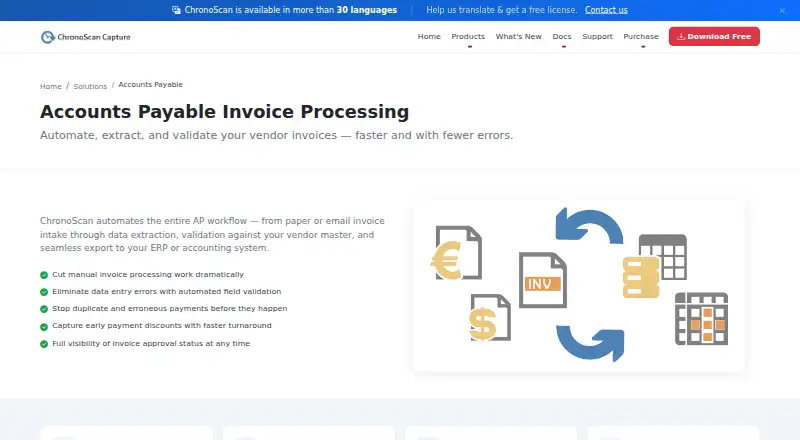
What ChronoScan AP Invoice Processing is
ChronoScan AP Invoice Processing automates accounts payable work from invoice intake through data capture, validation and export to ERP or accounting systems. It accepts paper, email attachments, MFPs, scanners and native PDFs, and captures invoice header fields as well as full line-item detail. Supplier data, purchase-order numbers and receipt references can be checked against existing databases, and field validation can use configurable rules.
Processing can run unattended through HotFolders or IMAP, including overnight. Enterprise supports team approval workflows with role-based access, alongside controls for access to documents and data. Listed export options include XML/CSV, databases, PDF/TIFF, CMIS, FTP/sFTP, M-Files, SharePoint and SMTP. The Advanced edition lists M-Files, SharePoint and SMTP connectors, while Enterprise includes IMAP email capture. The application is for Windows and is distributed through an .exe installer; listed Windows versions include Windows 11 and Windows Server 2025. The Free Version is intended for non-commercial home use and includes a nag screen. Professional costs €245, paid once as a perpetual license, and Advanced costs €595, paid once as a perpetual license. Enterprise pricing is custom. The maker describes Professional for individuals and small teams, Advanced for growing businesses and automation, and Enterprise for multi-user, high-volume deployments. The product is based in Collado Villalba, Madrid, Spain.
Who it suits
ChronoScan AP Invoice Processing suits individuals and small teams handling invoices, as well as growing businesses that want automation. Enterprise is aimed at multi-user, high-volume deployments that need role-based access and approval workflows.
What it does well
- Accepts paper, email attachments, scans and native PDFs.
- Captures invoice header fields and full line-item detail.
- Validates supplier, PO and receipt data against databases.
- Unattended processing can run through HotFolders or IMAP.
- Export options include XML/CSV, database and FTP/sFTP.
What to know first
- Free Version is for non-commercial home use and includes a nag screen.
- The application is listed for Windows.
- Enterprise pricing is custom.
Limits
The Free Version is limited to non-commercial home use and includes a nag screen. Professional costs €245, paid once and includes up to 2 CPU cores and 1 Capture Grid; Advanced costs €595, paid once and includes 6 Capture Grids and up to 500 suppliers.
Plans
| Plan | Billed and limits | Price |
|---|---|---|
| Free | No time limit; non-commercial use · Non-commercial use · feature limits by edition | Free |
| Advanced Pack | One-time bundle price · Advanced license · Nuance OCR plug-in · 2 hours expert configuration | €1,169, paid once |
| Professional | One-time perpetual license · Up to 2 CPU cores · 1 capture grid · OCR zone capture · database lookup/validation · AI integration | €245, paid once |
| AI/API Credits | Pack of 1,000,000 credits · Google Vision OCR · OpenAI · Document AI and other cloud services | €300, paid once |
| Professional maintenance | Per license per year · Updates and upgrades for 12 months · latest Windows compatibility · community forum support | €49 a year |
| Nuance OCR Plug-In | One-time purchase · High-precision OCR · complex layouts and languages · ultra-compressed PDF support | €499, paid once |
| Advanced | One-time perpetual license · Unlimited CPU cores · hot-folder automation · 6 capture grids · up to 500 suppliers · M-Files, SharePoint and SMTP connectors | €595, paid once |
| Advanced maintenance | Per license per year · Updates and upgrades for 12 months · priority email support · priority bug fixes and feature requests | €99 a year |
The first 8 of 9 plans, as chronoscan.org lists them, read 21 Oct 2026. The maker's own page has the final word. Every plan
Getting started
- Visit the ChronoScan AP application website.
- Download the Windows .exe installer from the download page.
- Use the Free Version for non-commercial home use, or choose a Professional or Advanced perpetual license.
- For a professional demo or trial license, contact sales.
- Configure invoice intake from paper, email attachments, MFPs, scanners or native PDFs.
- Set up validation and export options for your workflow.
Verdict
Choose ChronoScan if your accounts payable process needs invoice capture, validation and export, with unattended processing available. Professional offers a perpetual license for individuals and small teams; look elsewhere if you need a free commercial edition, or contact the maker about a professional trial or Enterprise pricing.
Questions
Is there a free version?
Yes. The Free Version is no charge for home use, intended for non-commercial use, and includes a nag screen.
How much do the paid licenses cost?
Professional is €245, paid once as a perpetual license. Advanced is €595, paid once as a perpetual license; Enterprise pricing is custom.
Is there a free trial?
The maker invites companies or users needing a professional trial to contact sales for a demo or trial license.
Which platform does it support?
ChronoScan is a Windows application distributed through an .exe installer. The download page lists Windows 11 and Windows Server 2025 among supported versions.
What invoice information can it capture and validate?
It captures invoice header fields and full line-item detail. It can validate supplier data, PO numbers and receipt references against existing databases.
Which integrations and export options are listed?
Advanced lists M-Files, SharePoint and SMTP connectors, and Enterprise includes IMAP email capture. Export options include XML/CSV, databases, PDF/TIFF, CMIS, FTP/sFTP, M-Files, SharePoint and SMTP.
Facts from ChronoScan AP Invoice Processing's own pages
- AI extraction
- AI extraction supports GPT, Gemini and on-premise models accessed through Ollama. · chronoscan.org, 21 Oct 2026
- API
- ChronoAPI provides REST API classes for requesting services, processing files and executing tasks programmatically. · chronoscan.org, 21 Oct 2026
- AP workflow
- ChronoScan describes automating invoice intake, data extraction, vendor-master validation, and export to ERP or accounting systems. · chronoscan.org, 7 Oct 2026
- Audience
- The maker describes Professional as suited to individuals and small teams, Advanced to growing businesses and automation, and Enterprise to multi-user, high-volume deployments. · chronoscan.org, 7 Oct 2026
- Automation
- Unattended invoice processing can run through HotFolders or IMAP, including overnight. · chronoscan.org, 7 Oct 2026
- Capture inputs
- Invoice jobs can ingest TWAIN scanners, multifunction devices, native PDFs, hot folders and Enterprise IMAP email attachments. · chronoscan.org, 21 Oct 2026
- CLI
- ChronoCMD can trigger jobs, process files and automate tasks from shell scripts, batch files or scheduled tasks. · chronoscan.org, 21 Oct 2026
- Company founded
- LinkedIn lists ChronoScan Capture as founded in 2013. · linkedin.com, 21 Oct 2026
- Company headquarters
- LinkedIn lists headquarters in Collado Villalba, Madrid, Spain. · linkedin.com, 21 Oct 2026
- Company ownership and size
- LinkedIn describes ChronoScan Capture as privately held and shows about 195 followers; a related Digital File S.L. listing places the company at 2–10 employees. · linkedin.com, 21 Oct 2026
- Deployment
- ChronoScan runs on customer Windows machines and servers, and Enterprise adds a thin web client over client/server infrastructure. · chronoscan.org, 21 Oct 2026
- Developer resources
- The maker publishes API and CLI documentation, VBScript object-model material and GitHub repositories containing open-source examples and integration scripts. · chronoscan.org, 21 Oct 2026
- Documentation depth
- Documentation includes user guides, configuration references, technical articles, AI quickstarts, scripting references, API/CLI material and Enterprise guides. · chronoscan.org, 21 Oct 2026
- Export options
- The license comparison lists XML/CSV, database, PDF/TIFF, CMIS, FTP/sFTP, M-Files, SharePoint, and SMTP export options. · chronoscan.org, 7 Oct 2026
- Extensibility
- Custom automation can be written with VBScript and PowerShell actions, alongside command-line execution. · chronoscan.org, 21 Oct 2026
- Free edition
- The Free Version is no charge for home use, includes a nag screen, and is intended for non-commercial use. · chronoscan.org, 7 Oct 2026
- Headquarters
- Collado Villalba, Madrid, Spain · chronoscan.org, 28 Sept 2026
- Input sources
- The AP application accepts paper, email attachments, MFPs, scanners, and native PDFs. · chronoscan.org, 7 Oct 2026
- Integrations
- Output options include ODBC databases, XML, CSV, REST JSON, SharePoint, M-Files, CMIS repositories, file systems, FTP/sFTP, Azure Storage, Google Drive, SMTP, VBScript and PowerShell. · chronoscan.org, 21 Oct 2026
- Invoice fields
- It captures invoice header fields and full line-item detail. · chronoscan.org, 7 Oct 2026
- Legal entity
- The EULA identifies Digital File S.L. as the software owner, while the website identifies ChronoScan Capture S.L. as the operating company. · chronoscan.org, 21 Oct 2026
- Licence
- ChronoScan is proprietary software owned by Digital File S.L.; its EULA grants a perpetual object-code licence and prohibits reverse engineering. · chronoscan.org, 21 Oct 2026
- Limit: Capterra setup
- A Capterra reviewer says initial setup on the device was challenging before becoming easier with continued use. · capterra.com, 21 Oct 2026
- Limit: G2 interface and setup
- G2 reviewers mention glitches, a dated or less polished interface and some difficulty learning the interface or getting started. · g2.com, 21 Oct 2026
Where ChronoScan AP Invoice Processing stands on Freedom251
- Invoice Processing Software#1 of 30