Freedom251 › Restaurant Payroll Software
CheckMark Payroll
What CheckMark Payroll is
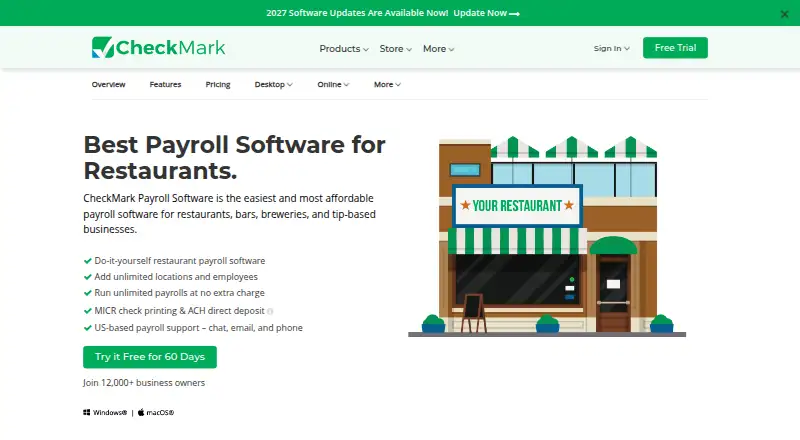
CheckMark Payroll is desktop, do-it-yourself payroll software for restaurants, bars, breweries, and other businesses with tipped employees. It calculates and tracks tipped wages, supports automated calculations and multiple pay schedules, and handles special checks, edits, reissues, and wage allocation. Payroll capacity includes unlimited employees, locations, and payroll runs without extra charges for frequency. Employers can print MICR checks or create ACH direct-deposit files for a bank or provider. Listed tax tools include federal form printing, W-2 and W-3 printing and e-filing, employer payroll tax filings, and more than 40 report types. Payroll data can be exported to CheckMark MultiLedger, QuickBooks, and other accounting software. The software runs on Windows and macOS, but internet access is required for installation, activation, and use. A 60-day trial does not require a credit card. CheckMark Payroll Pro costs $599 a year, and Pro+ costs $669 a year, with different subsequent-year billing shown for each plan. Each includes one company and one computer.
Who it suits
It is aimed at restaurants, bars, breweries, and other tip-based businesses needing desktop payroll tools. It may also suit employers wanting MICR checks, ACH files, tax filings, and accounting exports.
What it does well
- Calculates and tracks tipped wages
- Unlimited employees, locations, and payroll runs
- Supports MICR checks and ACH files
- W-2/W-3 e-filing and employer tax filings
- 60-day trial without a credit card
What to know first
- No free plan
- Internet required for installation, activation, and use
- Base license covers one company and computer
- Additional companies and installations cost extra
Limits
The 60-day trial is free. The base license includes one company and one computer; additional companies and installations cost extra, and annual updates are required. Pro includes up to 60 minutes of support per payroll year, while Pro+ includes up to 120 minutes.
Plans
| Plan | Billed and limits | Price |
|---|---|---|
| CheckMark Online Payroll | $20 monthly base fee plus $5 per active employee monthly · single company · unlimited payroll runs · employee self-service portal · document management | $20 a month |
| CheckMark Payroll Pro | 2026 version; annual license · unlimited employees · unlimited payrolls · one company included · one computer included · 60 minutes support | $579 a year |
| CheckMark Payroll Pro+ | 2026 version; annual license · unlimited employees · unlimited payrolls · one company included · one computer included · 120 minutes support · priority phone and live-chat support | $649 a year |
As checkmark.com lists them, read 21 Oct 2026. The maker's own page has the final word.
Getting started
- Visit the CheckMark restaurant payroll website.
- Choose Windows or macOS desktop software.
- Start the 60-day free trial; no credit card is required.
- Install and activate the software with an internet connection.
- Choose Pro or Pro+ if continuing after the trial.
Verdict
CheckMark Payroll provides broad payroll, tip, tax, reporting, and payment functions for desktop users. Its annual cost, internet requirement, and per-license limits should be weighed before choosing it.
Questions
Is CheckMark Payroll free?
No. It is paid software, with a 60-day free trial that does not require a credit card.
How much do the plans cost?
Pro is $599 a year, billed at $599 the first year and $419 from the second year. Pro+ is $669 a year, billed at $669 the first year and $489 from the second year.
Which platforms does it support?
The desktop software is available for Windows and macOS. An internet connection is required for installation, activation, and use.
Can it handle tipped payroll and taxes?
Yes. It calculates and tracks tipped wages and includes employer payroll tax filings, federal payroll forms, and W-2 and W-3 printing and e-filing.
Can employees receive direct deposit?
The software creates ACH direct deposit files for submission to a bank or ACH provider. It also supports MICR check printing.
What integrations are available?
Payroll data can be exported to CheckMark MultiLedger, QuickBooks, and other accounting software.
Facts from CheckMark Payroll's own pages
- Accounting integrations
- The product integrates with QuickBooks and CheckMark MultiLedger, and payroll data can be imported or exported through CSV or TXT files. · checkmark.com, 21 Oct 2026
- API documentation
- Official product pages describe file-based imports and accounting integrations but do not provide public API or SDK documentation. · checkmark.com, 21 Oct 2026
- Automated payroll
- The product calculates wages, tax withholdings, deductions and paychecks automatically. · checkmark.com, 21 Oct 2026
- Company
- CheckMark, Inc. says it has served small businesses since 1984 and is headquartered in Fort Collins, Colorado. · checkmark.com, 4 Oct 2026
- Company headquarters
- The company lists 323 W Drake Rd, Suite 100, Fort Collins, Colorado 80526 as its contact headquarters. · checkmark.com, 21 Oct 2026
- Company history
- CheckMark says it was founded in Fort Collins in 1984, launched Mac payroll in 1986, Windows payroll in 1994 and Online Payroll in 2023. · checkmark.com, 21 Oct 2026
- Company legal name
- The maker identifies itself as CheckMark, Inc. · checkmark.com, 21 Oct 2026
- Company ownership
- Crunchbase lists CheckMark as a private company and identifies Mohammed Ghani as founder, president and CEO. · crunchbase.com, 21 Oct 2026
- Company size
- Crunchbase places CheckMark in the 11–50 employee range. · crunchbase.com, 21 Oct 2026
- Custom pay items
- Users can configure income and deduction categories such as bonuses, commissions, tips, benefits, 401(k) and garnishments. · checkmark.com, 21 Oct 2026
- Direct deposit
- CheckMark creates ACH files that customers submit to their bank or ACH provider for payroll deposits. · checkmark.com, 21 Oct 2026
- Documentation
- CheckMark publishes a payroll manual, setup guides, FAQs and a searchable knowledge base. · kb.checkmark.com, 21 Oct 2026
- Employee self-service
- Online Payroll gives employees secure access to pay stubs, payroll history and W-2 forms. · checkmark.com, 21 Oct 2026
- Founded
- 1984 · checkmark.com, 28 Sept 2026
- Headquarters
- Fort Collins, Colorado, USA · checkmark.com, 28 Sept 2026
- Import sources
- The official site lists imports from providers including ADP, Paychex, Gusto, Rippling, Square Payroll, OnPay, Paycom, Workday, Patriot, Homebase and others when they export CSV or TXT. · checkmark.com, 21 Oct 2026
- Integrations
- The restaurant page says payroll data can be exported to CheckMark MultiLedger, QuickBooks, and other accounting software. · checkmark.com, 4 Oct 2026
- Licence
- The payroll manual describes proprietary copyrighted software, restricts copying and forbids modification, decompilation, reverse engineering and derivative works. · checkmark.com, 21 Oct 2026
- Limit: job costing
- A Capterra reviewer wanted job costing separated from MultiLedger rather than attached to that accounting product. · capterra.com, 21 Oct 2026
- Limit: payroll bugs
- Capterra reviewers report an instance of incorrect federal withholding and another year where vacation and sick accruals required manual calculation. · capterra.com, 21 Oct 2026
- Limit: reporting
- G2 reviewers report that custom reports can be difficult and request more report options. · g2.com, 21 Oct 2026
- MICR checks
- Users can print MICR-encoded checks on blank stock. · checkmark.com, 21 Oct 2026
- Notable limits
- The base desktop license includes one company and one computer; additional companies and computer installations cost extra, and annual updates are required. · checkmark.com, 4 Oct 2026
- Notable news: 2025 tax update
- A CheckMark notice dated for the 2025 tax year instructed Online Payroll users to update the payroll year and download current federal, state and local tax tables. · app.checkmark.com, 21 Oct 2026
Where CheckMark Payroll stands on Freedom251
- Restaurant Payroll Software#5 of 23