Freedom251 › Certificate Management Software
Certbot
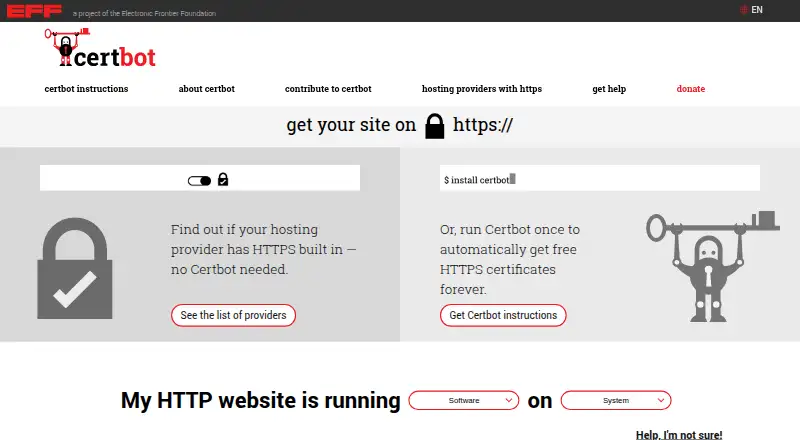
What Certbot is
Certbot is free, open-source software for administrators who want to enable HTTPS on websites they manage themselves. It can obtain Let’s Encrypt certificates and install them on a web server automatically in many cases, then renew them as their validity period runs down. Renewal is triggered when less than one-third of a certificate’s lifetime remains, or half its lifetime for certificates lasting 10 days or less. Certbot names Apache and Nginx integrations, plus webroot and standalone methods. DNS validation does not require an inbound connection from Let’s Encrypt, so that method does not depend on an existing HTTP site or open port 80. The tool runs from a command line, usually on a Unix-like server; many users connect to a remote server over SSH. It may suit people comfortable with command-line administration on a dedicated server, VPS or cloud-hosted server. It is less suitable for most shared hosting, where asking the provider to configure HTTPS is usually easier and more reliable. The Electronic Frontier Foundation makes Certbot; project documentation and the Let’s Encrypt community forum are listed for help.
Who it suits
Certbot suits people comfortable with command-line administration who manage a website on a dedicated server, VPS or cloud-hosted server. It is less suitable for most shared hosting environments.
What it does well
- Free and open source.
- Can install Let’s Encrypt certificates automatically in many cases.
- Supports Apache, Nginx, webroot and standalone methods.
- DNS validation does not require an inbound connection.
- Automatically renews certificates.
What to know first
- Runs from a command line.
- Less suitable for most shared hosting environments.
- Most users administer a remote server over SSH.
Plans
| Plan | Billed and limits | Price |
|---|---|---|
| Certbot | Free, open source software; automatically uses Let’s Encrypt certificates on manually administered websites | Free |
As certbot.eff.org lists them, read 3 Oct 2026. The maker's own page has the final word.
Getting started
- Visit the Certbot website.
- Choose the server platform you administer: Linux, macOS, self-hosted, or Windows.
- Use the command-line interface, typically on the server or through SSH.
- Select an applicable method: Apache, Nginx, webroot, standalone, or DNS validation.
- Use the project documentation or Let’s Encrypt community forum for help.
Overview
Certbot is free, open-source software for obtaining and installing Let’s Encrypt TLS certificates on websites you administer. It suits administrators who are comfortable working at a command line and want certificate setup and renewal to fit into server operations. Its strengths are automation and a zero-cost model; its dependence on server access makes it a poor fit for most shared hosting.
Key features
Certbot can obtain a certificate from a certificate authority and install it on a web server automatically in many cases. Apache and Nginx integrations, along with webroot and standalone methods, give administrators several ways to approach setup. That flexibility is useful when managing a server directly, but it does not remove the need to understand and operate that server.
Renewal is automatic. Certbot renews when less than one-third of a certificate’s lifetime remains, or when half remains for certificates lasting 10 days or less. This reduces the burden of tracking expiration dates, while deployment automation and revocation workflows support ongoing certificate management. Certificate discovery is not supported, so Certbot is not a tool for finding certificates across an environment.
DNS validation avoids requiring Let’s Encrypt to make an inbound connection to the server. That means this method does not require an existing HTTP site or an open port 80. Certbot runs through a command-line interface, usually on a Unix-like server; many users connect to a remote server over SSH. Documentation and the Let’s Encrypt community forum are the project’s support routes.
Pricing
Certbot is free and open source: its plan costs nothing. There is no paid tier or free-trial period to weigh against it. For an administrator running a manually managed website, that makes it a straightforward way to automate Let’s Encrypt certificate tasks without a software charge. The trade-off is that the price does not buy a more guided workflow: server access and command-line comfort remain necessary.
Platforms
Certbot’s listed platforms are Linux, macOS, self-hosted, and Windows. Its usual operating context is a Unix-like server, often reached remotely over SSH, so the platform range should not be mistaken for a browser-based or shared-hosting workflow.
Who it's for
Certbot is best suited to people administering a website on a dedicated server, VPS, or cloud-hosted server who are comfortable using command-line tools. It can make HTTPS certificate installation and renewal less manual for that audience. Most shared hosting users are better off asking their provider to configure HTTPS, which is usually easier and more reliable than trying to administer certificates themselves.
The Electronic Frontier Foundation, a San Francisco-based 501(c)(3) nonprofit, makes Certbot as part of its effort to encourage HTTPS adoption and a more private, safe, and censorship-resistant internet.
Pros and cons
- Pros: Free, open-source software keeps the cost at zero while providing certificate installation and automatic renewal for manually administered websites.
- Pros: Apache and Nginx integrations, webroot and standalone methods, and DNS validation offer several routes to certificate setup; DNS validation does not require an inbound connection or open port 80.
- Cons: The command-line workflow and need to administer the server make Certbot a poor fit for most shared hosting environments.
- Cons: It does not provide certificate discovery, limiting its usefulness for locating certificates across a wider environment.
Alternatives
Browse certificate management software if you want to compare tools across the category. Certify The Web is worth considering if you want a free evaluation with no feature limitations and no time limit, or a freemium option across platforms including web and API. Qualys External Attack Surface Management may suit readers looking for a 30-day no-cost trial of its CyberSecurity Asset Management with External Attack Surface Management, rather than a permanent free plan.
AWS Certificate Manager is an option for public certificates used with integrated AWS services; its free public certificates are non-exportable. Oracle Cloud Infrastructure Secret Management is another free option for readers seeking secret management. Entrust Certificate Manager is a paid alternative. KeyTalk CKMS may fit readers seeking S/MIME on-premise service, priced at €5 a month, billed per user per month. ManageEngine Key Manager Plus offers a freemium alternative, including an on-premises license for 25 managed keys at $59 a month, billed monthly. Keyfactor Platform is a paid certificate-lifecycle automation option with no per-certificate fees.
Verdict
Choose Certbot if you administer a dedicated server, VPS, or cloud-hosted website and want a free way to automate Let’s Encrypt certificate installation and renewal.
Verdict
Certbot can automate certificate installation and renewal for manually administered websites. Its command-line workflow is aimed at server administrators, while shared hosting users may be better served by asking their provider to configure HTTPS.
Questions
How much does Certbot cost?
Certbot is free and open source. Its listed plan is free.
Which platforms does Certbot list?
The listed platforms are Linux, macOS, self-hosted, and Windows.
Does Certbot renew certificates automatically?
Yes. It renews when less than one-third of a certificate’s lifetime remains, or half the lifetime for certificates lasting 10 days or less.
Which web server methods does Certbot name?
It names Apache and Nginx integrations, as well as webroot and standalone methods.
Who makes Certbot?
Certbot is made by the Electronic Frontier Foundation, a 501(c)(3) nonprofit based in San Francisco, California.
Where can users get help?
Certbot points users to its project documentation and the Let’s Encrypt community forum.
Facts from Certbot's own pages
- Certificate renewal
- Certbot renews certificates when less than one-third of their lifetime remains, or half their lifetime for certificates lasting 10 days or less. · certbot.eff.org, 3 Oct 2026
- Command line
- Certbot runs from a command-line interface, usually on a Unix-like server, and most users run it on a remote server over SSH. · certbot.eff.org, 3 Oct 2026
- DNS validation
- DNS validation does not require Let’s Encrypt to make an inbound connection to the server, so an existing HTTP site or open port 80 is not required for this method. · certbot.eff.org, 3 Oct 2026
- Headquarters
- San Francisco, California, United States · certbot.eff.org, 28 Sept 2026
- HTTPS automation
- Certbot can help obtain a certificate from a certificate authority and install it onto a web server automatically in many cases. · certbot.eff.org, 3 Oct 2026
- Intended users
- Certbot may suit people comfortable with the command line who administer a website on a dedicated server, VPS, or cloud-hosted server. · certbot.eff.org, 3 Oct 2026
- Maker
- Certbot is made by the Electronic Frontier Foundation, which the site describes as a 501(c)(3) nonprofit based in San Francisco, California. · certbot.eff.org, 3 Oct 2026
- Open source
- Certbot is free, open source software. · certbot.eff.org, 3 Oct 2026
- Purpose
- Certbot automatically uses Let’s Encrypt certificates on manually administered websites to enable HTTPS. · certbot.eff.org, 3 Oct 2026
- Security purpose
- The project says it aims to help make the internet more structurally private, safe, and protected against censorship through HTTPS adoption. · certbot.eff.org, 3 Oct 2026
- Shared hosting limitation
- Certbot is less suitable for most shared hosting environments, where asking the provider to set up HTTPS is usually easier and more reliable. · certbot.eff.org, 3 Oct 2026
- Support
- The site points users to project documentation and the Let’s Encrypt community forum for help. · certbot.eff.org, 3 Oct 2026
- Web server integration
- The site names Apache and Nginx integrations and also describes webroot and standalone usage methods. · certbot.eff.org, 3 Oct 2026
Where Certbot stands on Freedom251
- Certificate Management Software#4 of 31