Freedom251 › Video Player Software
Celluloid
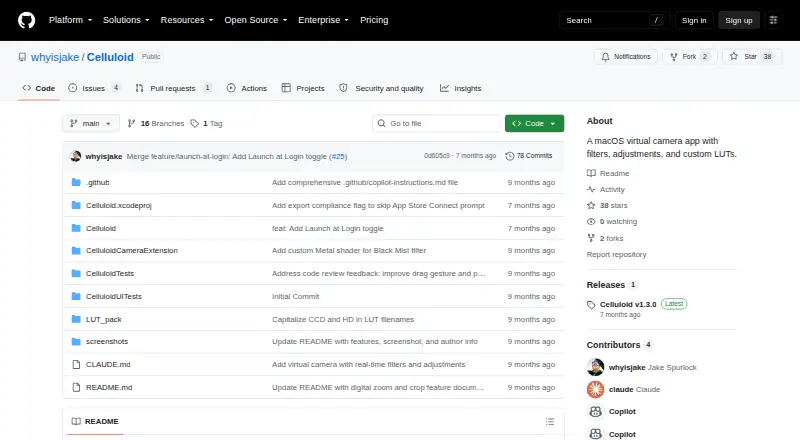
What Celluloid is
Celluloid is a macOS app that turns a webcam feed into a virtual camera for video conferencing apps. It applies filters in real time and provides controls for brightness, contrast, saturation, exposure, color temperature, and sharpness. Built-in looks include Noir, Chrome, Fade, Instant, Mono, Process, Tonal, Transfer, and Black Mist. Digital zoom ranges from 1.0x to 4.0x, with a movable crop window for shifting the view.
Celluloid remembers the chosen filter, image adjustments, zoom, and crop position between sessions. The camera runs while the preview is open or while an external app is using its virtual camera. Listed destinations include Zoom, Google Meet, FaceTime, Photo Booth, and other apps that accept camera input. The app requires macOS 15.0 or later and permission to access the camera. The repository is MIT licensed, and its README credits Jake Spurlock. Getting started requires building the Release configuration in Xcode, launching Celluloid, approving the system extension, and selecting “Celluloid Camera” in the video app. The latest listed release is v1.3.0, which includes a vignette slider, Launch at Login, performance improvements, and clearer setup guidance.
Who it suits
Celluloid suits Mac users who want to adjust and frame a webcam image before sending it to a video app. It is a fit for people comfortable building a project with Xcode and using a virtual camera in apps such as Zoom, Google Meet, FaceTime, or Photo Booth.
What it does well
- Applies built-in filters to webcam video in real time.
- Includes six image adjustment controls.
- Digital zoom spans 1.0x to 4.0x with movable cropping.
- Saves filter, adjustments, zoom, and crop between sessions.
- Works with listed video apps and other camera-input apps.
- MIT licensed and free.
What to know first
- Available only for macOS.
- Requires macOS 15.0 or later and camera permission.
- Getting started requires building with Xcode.
- Open reports include high battery use and unresponsiveness if a selected camera becomes unavailable.
Plans
| Plan | Billed and limits | Price |
|---|---|---|
| Free | MIT-licensed · macOS 15.0 or later · build from source with Xcode | Free |
As github.com lists them, read 11 Oct 2026. The maker's own page has the final word.
Getting started
- Use a Mac running macOS 15.0 or later and allow camera access.
- Build the Release configuration in Xcode.
- Launch Celluloid and approve the system extension.
- Open a video app that accepts camera input.
- Select “Celluloid Camera” as the camera in that app.
Verdict
Choose Celluloid if you use a recent Mac and want live webcam filters, image controls, and a virtual camera for video apps. Look elsewhere if you need another operating system or want an installation route that does not involve building with Xcode.
Questions
How much does Celluloid cost?
Celluloid is free. Its Free plan is listed as free.
Which platforms does it support?
Celluloid supports macOS and requires macOS 15.0 or later.
How do I install it?
The README instructs users to build the Release configuration in Xcode, launch the app, approve the system extension, and select “Celluloid Camera” in a video app.
Which video apps can use its virtual camera?
The project lists Zoom, Google Meet, FaceTime, Photo Booth, and any app that supports camera input.
Is Celluloid open source?
Yes. The repository is MIT licensed.
Who made Celluloid?
The README credits Jake Spurlock and says the app was made in California.
Facts from Celluloid's own pages
- Camera behavior
- The camera runs only while the preview is open or an external app is using the virtual camera. · github.com, 11 Oct 2026
- Filters
- Built-in filters include Noir, Chrome, Fade, Instant, Mono, Process, Tonal, Transfer, and Black Mist. · github.com, 11 Oct 2026
- Framing
- Digital zoom ranges from 1.0x to 4.0x and includes a movable crop window for panning the view. · github.com, 11 Oct 2026
- Image controls
- The app provides brightness, contrast, saturation, exposure, color temperature, and sharpness adjustments. · github.com, 11 Oct 2026
- Installation
- The README instructs users to build the Release configuration in Xcode, launch the app, approve the system extension, and select “Celluloid Camera” in their video app. · github.com, 11 Oct 2026
- Integrations
- The project lists Zoom, Google Meet, FaceTime, Photo Booth, and any app that supports camera input as compatible destinations. · github.com, 11 Oct 2026
- Latest release
- The releases page lists Celluloid v1.3.0 with a vignette slider, Launch at Login, performance improvements, and clearer virtual camera setup guidance. · github.com, 11 Oct 2026
- License
- The repository is MIT licensed. · github.com, 11 Oct 2026
- Maker
- The README credits Jake Spurlock and says the app was made in California. · github.com, 11 Oct 2026
- Purpose
- Celluloid captures a webcam feed, applies real-time filters, and outputs it as a virtual camera for video conferencing apps. · github.com, 11 Oct 2026
- Settings
- Adjustments, filter selection, zoom, and crop position are saved between sessions. · github.com, 11 Oct 2026
- Support and known issues
- The GitHub repository has an issues page, where open reports include high battery use and the app becoming unresponsive when a selected camera becomes unavailable. · github.com, 11 Oct 2026
- System requirements
- Celluloid requires macOS 15.0 or later and camera access permission. · github.com, 11 Oct 2026
Where Celluloid stands on Freedom251
- Video Player Software#11 of 42
- Virtual Camera Software#16 of 34