CAPE Sandbox
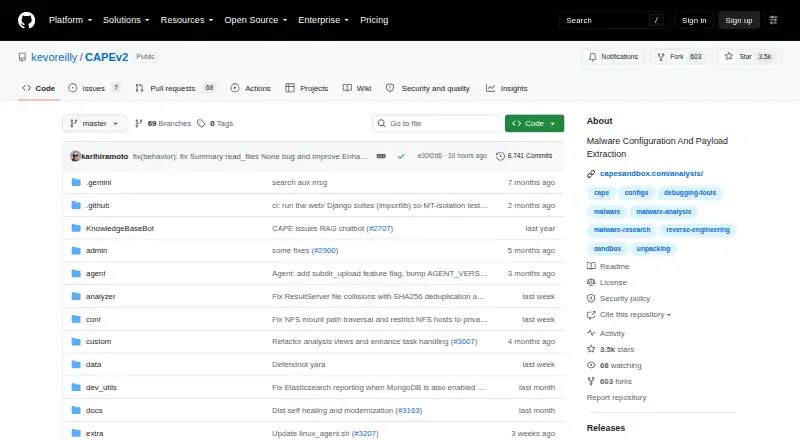
What CAPE Sandbox is
CAPE Sandbox is an open-source malware analysis system that runs suspicious files in isolation while collecting behavior and forensic artifacts. Its outputs include API-hook activity, file changes, network captures, desktop screenshots, and full memory dumps. It can classify malware using YARA scans, Suricata scans, and behavioral signatures, and it supports dynamic unpacking plus static and dynamic configuration extraction. A programmable debugger supports custom extractors, anti-sandbox countermeasures, and instruction traces. Configuration parsing works with CAPE's framework and several listed parser projects. Documentation covers a REST API, distributed setup, and endpoints for tasks, reports, files, PCAPs, and machines. The project recommends Ubuntu 24.04 LTS for installation, Windows 10 or Windows 11 23H2 as a target, and KVM as the hypervisor. CAPE is free and self-hosted, with an online demonstration instance. Active unpacking is disabled by default because it can affect detonation quality; the security policy marks 5.1.x and 4.0.x as supported, while 5.0.x and earlier versions below 4.0 are unsupported.
Who it suits
CAPE Sandbox is aimed at malware analysts and researchers who need isolated execution, behavioral capture, and forensic outputs. It also invites contributions of signatures, parsers, and bypasses for additional malware families.
What it does well
- Captures behavior, network traffic, screenshots, and memory.
- Supports dynamic unpacking and configuration extraction.
- Offers a REST API and distributed setup guidance.
- Free, open-source, and self-hosted.
What to know first
- Active unpacking is off by default.
- The project recommends specific installation, target, and hypervisor choices.
- Versions 5.0.x and below 4.0 are marked unsupported.
Limits
Active unpacking is off by default because it may affect detonation quality.
Plans
| Plan | Billed and limits | Price |
|---|---|---|
| CAPE Sandbox | Open-source project; self-hosted installation; free online demonstration instance | Free |
As github.com lists them, read 7 Oct 2026. The maker's own page has the final word.
Getting started
- Open the CAPE Sandbox project website.
- Use the online demonstration instance or prepare a self-hosted installation.
- For installation, use the recommended Ubuntu 24.04 LTS environment and KVM hypervisor.
- Set Windows 10 or Windows 11 23H2 as the analysis target.
- Use the REST API or web interface to work with tasks, reports, files, PCAPs, and machines.
Verdict
CAPE Sandbox combines isolated execution with behavioral instrumentation, artifact collection, unpacking, and classification tools. Teams should account for its recommended environment and the disabled-by-default active unpacking behavior.
Questions
Is CAPE Sandbox free?
Yes. The CAPE Sandbox plan is free, and the project is open source.
Can I try CAPE without installing it?
A free online demonstration instance is available.
Which platforms does CAPE support?
The listed platforms are API, Linux, self-hosted, and web.
What environment does the project recommend?
It recommends Ubuntu 24.04 LTS for installation, Windows 10 or Windows 11 23H2 as the target, and KVM as the hypervisor.
Does CAPE provide an API?
Yes. Its documentation includes a REST API and endpoints for tasks, reports, files, PCAPs, and machines.
Which versions are supported?
The published security policy marks versions 5.1.x and 4.0.x as supported. It marks 5.0.x and versions below 4.0 as unsupported.
Facts from CAPE Sandbox's own pages
- Analysis output
- Its core capabilities include API-hook behavioral instrumentation, file-change capture, PCAP network capture, malware classification, desktop screenshots, and full memory dumps. · github.com, 7 Oct 2026
- API and distributed use
- The documentation includes a REST API, distributed CAPE setup, and API endpoints for tasks, reports, files, PCAPs, and machines. · capev2.readthedocs.io, 7 Oct 2026
- Classification
- Malware classification can use YARA scans of unpacked payloads, Suricata scans of network captures, and behavioral signatures over API-hook output. · github.com, 7 Oct 2026
- Debugger
- A debugger programmable through YARA signatures supports custom unpacking and config extractors, anti-sandbox countermeasures, and instruction traces. · github.com, 7 Oct 2026
- Deployment requirements
- The project recommends Ubuntu 24.04 LTS for installation, Windows 10 or Windows 11 23H2 as the target, and KVM as the hypervisor. · github.com, 7 Oct 2026
- Founded
- 2016 · github.com, 28 Sept 2026
- Intended users
- The project invites contributions of signatures, parsers, and bypasses for additional malware families, indicating a community of malware analysts and researchers. · github.com, 7 Oct 2026
- Other integrations
- The documentation lists integrations for Box-js, Curtain, LibreNMS, and Suricata. · capev2.readthedocs.io, 7 Oct 2026
- Parser integrations
- Configuration parsing supports CAPE's framework as well as RATDecoders, DC3-MWCP, MalDuck, and MaCo. · github.com, 7 Oct 2026
- Purpose
- CAPE is a malware sandbox that executes malicious files in an isolated environment while recording behavior and collecting forensic artifacts. · github.com, 7 Oct 2026
- Security reporting
- The repository security policy directs vulnerability reports to [email protected] or the CAPE Sandbox Twitter account. · github.com, 7 Oct 2026
- Supported versions
- The published security policy marks versions 5.1.x and 4.0.x as supported and 5.0.x and versions below 4.0 as unsupported. · github.com, 7 Oct 2026
- Unpacking and extraction
- CAPE adds automated dynamic malware unpacking and static and dynamic malware configuration extraction. · github.com, 7 Oct 2026
- Unpacking limitation
- Active unpacking is off by default because it may affect detonation quality. · github.com, 7 Oct 2026
Where CAPE Sandbox stands on Freedom251
- Sandbox Software#4 of 26