Freedom251 › Video LUT Libraries

Canon LUT Library
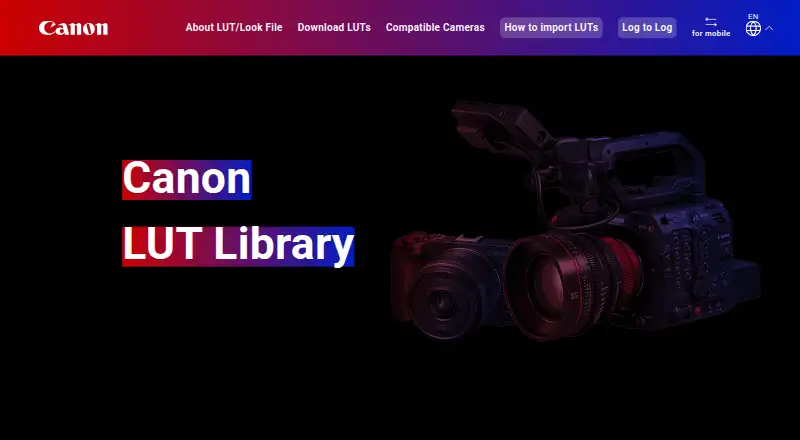
What Canon LUT Library is
Canon LUT Library provides downloadable Look Files for changing color tone and contrast in video grading. Its .cube files work with compatible non-linear editing software and supported cameras. The PC library groups LUTs into eight categories, including Bleach Bypass, Black and White, Color, Contrast, History, Times of Day, Teal and Orange, and Color Filter. For computer-based grading, users download and extract a LUT, then apply it in compatible software according to the image gamma setting. The library distinguishes Log to 709 LUTs, which convert Canon Log 2 or Log 3 to BT.709, from Log to Log LUTs, which preserve Log data for later grading. Users can also copy LUTs to a camera memory card and register them through its Custom Picture menu; some supported cameras can receive LUTs through Camera Connect. Listed camera examples include EOS R1, EOS R5 Mark II, EOS C70, EOS C400, XF605, and CR-N700. The library is free, with no free trial.
Who it suits
It suits video makers who want downloadable LUTs for compatible editing software or supported Canon cameras. Log to Log options are relevant to users who plan to adjust footage later while retaining Log data.
What it does well
- Free downloadable .cube Look Files.
- Eight categories organize the PC library.
- Supports Log to 709 and Log to Log LUTs.
- Camera registration and Camera Connect instructions are provided.
What to know first
- Some cameras display a maximum of 20 LUTs.
- LUTs require compatible software or supported cameras.
Limits
Some camera models show only up to 20 LUTs, even if more than 20 are registered on the memory card. Software use requires compatible color grading software.
Plans
| Plan | Billed and limits | Price |
|---|---|---|
| Canon LUT Library | free download · 41 LUTs announced at launch · compatible Canon cameras and grading software | Free |
As color.ssw.imaging-saas.canon lists them, read 14 Oct 2026. The maker's own page has the final word.
Getting started
- Open the Canon LUT Library website.
- Browse the PC library’s categories and choose a Look File.
- Download and extract the LUT zip file on a PC.
- Use the .cube file with compatible grading software according to the image gamma setting, or copy it to a camera memory card and register it in the Custom Picture menu.
- For a camera that supports Camera Connect registration, follow the mobile site instructions to download a LUT without a PC.
Overview
Canon LUT Library is a collection of downloadable .cube Look Files for grading video in compatible editing software or applying looks in supported Canon cameras. It suits Canon shooters and editors who want free looks that can also fit a Log-footage workflow. Its strongest advantage is the choice between conversion to BT.709 and looks that preserve Log data; camera compatibility and the 20-LUT display ceiling on some models narrow the in-camera option.
Key features
The PC library groups looks into eight categories, from Black and White and Bleach Bypass to Times of Day and Teal and Orange. The Color category includes options such as Arctic Blue, Deep Forest and Fireside, giving editors a way to browse by intended look rather than start with an undifferentiated file collection.
All files use the .cube format and can be used with compatible non-linear editing software. The library distinguishes Log to 709 LUTs, which convert Canon Log 2 or Canon Log 3 footage to BT.709, from Log to Log LUTs, which retain Log data. Canon recommends the latter when the goal is to adjust color and contrast while leaving room for further grading. Choosing the wrong type for the intended workflow can lead to an unsuitable starting point, so editors should match the LUT to their gamma setting.
For supported cameras, a LUT can be copied to a memory card and registered in the Custom Picture menu for use while recording. The mobile site also explains registration through Camera Connect for cameras that support it, avoiding the PC transfer route. Some models display only 20 LUTs even if the card contains more, which makes a large collection less practical to browse in-camera.
Pricing
Canon LUT Library is free: the Canon LUT Library plan costs nothing and includes downloadable .cube Look Files for compatible color grading software or supported cameras. There is no paid tier or trial to weigh against that offer. Its trade-off is not a subscription cap but compatibility: software must support the files, and in-camera use depends on a supported model and its registration limits.
Platforms
The library is accessible on the web, with downloadable files intended for use on Linux, macOS and Windows systems running compatible grading software. Supported cameras provide a separate in-camera workflow, and Camera Connect offers a mobile route for compatible models. Platform access alone does not guarantee camera compatibility.
Who it's for
This is a good fit for Canon Log shooters who want free starting looks and can select between a BT.709 conversion and a Log-preserving option. It also suits camera operators who want to register looks before recording, provided their model supports the workflow. Editors seeking a standalone grading application, broad camera-agnostic in-camera support, or the ability to browse more than 20 registered looks on a limited model should look elsewhere.
Pros and cons
- Pros: Free .cube downloads work with compatible grading software, and the split between Log to 709 and Log to Log supports distinct delivery and continued-grading workflows.
- Pros: Supported cameras can apply registered looks while recording, with Camera Connect instructions for compatible mobile workflows.
- Cons: Camera registration is model-dependent, and some cameras show only 20 LUTs even when more are stored on the card.
- Cons: The files are looks rather than grading software, so users need a compatible editor or camera workflow to use them.
Alternatives
For a broader directory of options, see Video LUT Libraries. Pick ARRI Look Library if its 87 looks and free Log-to-Log versions better match your needs; camera compatibility still depends on the model. LUTify.me is a freemium alternative with mobile, desktop and web platforms, plus one-time Cine world Pro Warm and Cold packs at 15.00 USD each.
Choose IWLTBAP LUTs if you want a larger downloadable pack: its 25.00 USD one-time LUTs Color Grading Pack includes 325+ LUTs. CinePacks suits buyers seeking a much broader asset bundle, with its 300.00 USD one-time Master Bundle covering 57 packs and 4,700+ assets.
CineColor LUT Library offers full catalog access and unlimited downloads for $29 a month, auto-renewing with the option to skip or cancel. Luttie LUT Packs sells individual LUTs for 3.50 USD one-time. For film-emulation options, Juan Melara Print Film Emulation LUTs offers free PFE LUTs and a 29.99 USD one-time Kodak 2393 RCM PowerGrade. Gamut LUTs is another freemium alternative.
Verdict
Canon LUT Library is an easy recommendation for Canon Log editors and camera users who want free, categorized looks without paying for a pack. The Log-preserving choices and supported in-camera workflow are meaningful strengths. Choose another library if your camera is unsupported, you need more than 20 selectable looks on a limited model, or you want a larger paid collection.
Verdict
Canon LUT Library offers free color and contrast looks for software grading and supported in-camera workflows. Check camera compatibility and the 20-LUT display limit before relying on a large memory-card collection.
Questions
How much does Canon LUT Library cost?
It is free, with a free plan.
What file format do the Look Files use?
They use the universal .cube format.
What is the difference between Log to 709 and Log to Log LUTs?
Log to 709 LUTs convert Canon Log 2 or Canon Log 3 to BT.709. Log to Log LUTs preserve Log data for further grading.
Can I use the LUTs in a camera?
Yes, on supported cameras. The site explains copying a LUT to a memory card and registering it through the Custom Picture menu.
Which platforms are listed?
Linux, macOS, web, and Windows.
What camera compatibility examples are listed?
EOS R1, EOS R5 Mark II, EOS C70, EOS C400, XF605, and CR-N700 are examples.
Facts from Canon LUT Library's own pages
- API and SDK
- The public product pages document downloadable ZIP/.cube files and camera workflows but provide no API, SDK, webhook, or plugin interface. · color.ssw.imaging-saas.canon, 14 Oct 2026
- Bleach Bypass looks
- The Bleach Bypass category includes Bleach Bypass Green and Bleach Bypass Sumi. · color.ssw.imaging-saas.canon, 14 Oct 2026
- Camera coverage
- The launch announcement said the library supported 11 camera models and planned Camera Connect support for EOS R50 V. · prtimes.jp, 14 Oct 2026
- Camera display limit
- Some camera models display no more than 20 registered LUTs even when more are stored on the card. · color.ssw.imaging-saas.canon, 14 Oct 2026
- Camera installation
- Camera users copy a 33-grid LUT to a memory-card root folder and register it through the Custom Picture and Look File Setup menus. · color.ssw.imaging-saas.canon, 14 Oct 2026
- Camera limit
- Some camera models display only up to 20 LUTs even when more than 20 are registered on the memory card. · color.ssw.imaging-saas.canon, 3 Oct 2026
- Camera workflow
- The site explains how to copy a LUT to a camera memory card and register it through the camera’s Custom Picture menu for in-camera use while recording. · color.ssw.imaging-saas.canon, 3 Oct 2026
- Categories
- The PC library organizes LUTs into eight categories, including Bleach Bypass, Black and White, Color, Contrast, History, Times of Day, Teal and Orange, and Color Filter. · color.ssw.imaging-saas.canon, 3 Oct 2026
- Color Filter looks
- The Color Filter category includes StoryTeal&Orange, StoryMagenta, StoryBlue, PaleTeal&Orange, RetroGreen, Sepiatone, AccentRed, TastyWarm, TastyCool, BrightAmber, BrightWhite, ClearLightBlue, ClearPurple, and ClearAmber. · color.ssw.imaging-saas.canon, 14 Oct 2026
- Color looks
- The Color category includes Arctic Blue, Deep Forest, Elegant Portrait, Emerald Glow, Fireside, and Pastel. · color.ssw.imaging-saas.canon, 14 Oct 2026
- Company founding
- Canon Inc. was founded on August 10, 1937. · global.canon, 14 Oct 2026
- Company headquarters
- Canon Inc. headquarters are at 3-30-2 Shimomaruko, Ota-ku, Tokyo 146-8501, Japan. · global.canon, 14 Oct 2026
- Company legal name
- The maker is Canon Inc. · global.canon, 14 Oct 2026
- Company size
- Canon reported 165,547 employees and 321 consolidated subsidiaries as of December 31, 2025. · global.canon, 14 Oct 2026
- Editor compatibility
- The .cube files can be used with compatible non-linear video-editing software. · color.ssw.imaging-saas.canon, 14 Oct 2026
- File format
- Look Files use the universal .cube format. · color.ssw.imaging-saas.canon, 14 Oct 2026
- Founded
- 1937 · color.ssw.imaging-saas.canon, 28 Sept 2026
- Further grading
- Canon recommends Log to Log LUTs when users want to adjust color tones and contrast while keeping footage in Log for grading later. · color.ssw.imaging-saas.canon, 3 Oct 2026
- Headquarters
- 3-30-2 Shimomaruko, Ota-ku, Tokyo 146-8501, Japan · color.ssw.imaging-saas.canon, 28 Sept 2026
- History looks
- The History category includes Faded Sepia, Memories, Rich Sepia, and Vintage. · color.ssw.imaging-saas.canon, 14 Oct 2026
- Launch scope
- Canon announced 41 free LUTs at launch, consisting of 14 existing PowerShot V1 filters and 27 new Canon LUTs. · prtimes.jp, 14 Oct 2026
- Library example
- The Color category lists Arctic Blue, Deep Forest, Elegant Portrait, Emerald Glow, Fireside, and Pastel LUTs with download links. · color.ssw.imaging-saas.canon, 3 Oct 2026
- License
- The Look File license is non-exclusive and limited to adjusting image color in Canon-designated software or camera products. · color.ssw.imaging-saas.canon, 14 Oct 2026
- License restrictions
- The license forbids sublicensing, selling, transferring, modifying, disassembling, decompiling, and reverse engineering the Look File. · color.ssw.imaging-saas.canon, 14 Oct 2026
Where Canon LUT Library stands on Freedom251
- Video LUT Libraries#1 of 20