Freedom251 › Financial Forecasting Software
Calxa
by Calxa
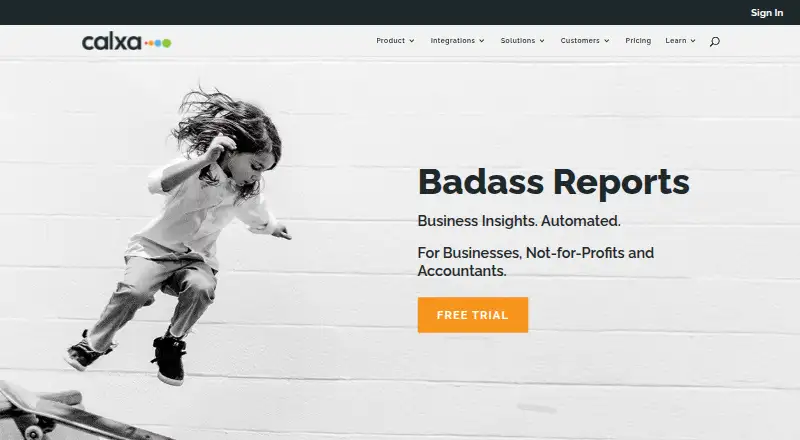
What Calxa is
Calxa is a browser-based tool for automating budgeting, cash flow forecasting, KPI reporting, and group consolidations for businesses, not-for-profits, and accountants. Users can import budgets from accounting systems or spreadsheets, build budgets with formulas, and manage multiple versions. More than 150 report templates can be customised and combined into scheduled report bundles. Forecasting includes cash flow and three-way forecasts using balance sheet and profit and loss budgets. Calxa connects directly to Xero, QuickBooks Online, and MYOB, with ERP integrations for MYOB Acumatica, NetSuite, Sage Intacct, and Microsoft Business Central. It does not work with locally stored accounting files or desktop accounting versions; Calxa Unplugged supports manual imports for bespoke systems. The 30-day trial requires no credit card and can use demo or connected accounting data. Premier1 costs $18 a month for one organisation and unlimited users. Subscriptions are billed monthly in advance, carry no long-term contract, and can be cancelled before the next month's charge.
Who it suits
Calxa suits businesses, not-for-profits, and accountants that need budgeting, forecasts, reporting, or consolidation. It is a better fit for organisations using supported online accounting connections than desktop or locally stored accounting files.
What it does well
- More than 150 customisable report templates
- Cash flow and three-way forecasting
- Direct connections to Xero, QuickBooks Online, and MYOB
- 30-day trial requires no credit card
- Monthly subscriptions have no long-term contract
What to know first
- No free plan
- Does not work with desktop accounting versions
- Browser app works best with four listed browsers
Limits
There is no free plan. The lowest listed plan, Premier1, costs $18 a month for one organisation; extra organisations cost $18/mo. The 30-day trial requires no credit card.
Plans
| Plan | Billed and limits | Price |
|---|---|---|
| Premier1 | Monthly · 1 organisation · unlimited users · extra organisations $18/mo | $18 a month |
| Premier5 | Monthly · 5 organisations · unlimited users · extra organisations $18/mo | $225 a month |
| Premier50 | Monthly · 50 organisations · unlimited users · extra organisations $18/mo | $675 a month |
| Premier100 | Monthly · 100 organisations · unlimited users · extra organisations $18/mo | $1,125 a month |
| Premier200 | Monthly · 200 organisations · unlimited users · extra organisations $18/mo | $2,033 a month |
| Enterprise | Monthly · Per tenant · includes all Premier features | $1,200 a month |
| Implementation | One off fee · Base configuration done for you | $2,000, paid once |
As calxa.com lists them, read 30 Sept 2026. The maker's own page has the final word.
Getting started
- Visit the Calxa website and start the 30-day free trial.
- Choose demo data or connect accounting data for the trial.
- Use Calxa in a browser; the site says it works best with Chrome, Firefox, Edge, and Safari.
- Select a monthly Premier plan based on the number of organisations, or Enterprise.
Verdict
Calxa combines budgeting, forecasting, reporting, and consolidation with integrations for several accounting systems. Its trial lasts 30 days, while paid plans are billed monthly and vary by organisation count.
Questions
Does Calxa have a free plan or trial?
Calxa has no free plan, but offers a 30-day free trial. The trial requires no credit card and can use demo data or connected accounting data.
How much does Premier1 cost?
Premier1 costs $18 a month, billed monthly. It includes one organisation and unlimited users; extra organisations cost $18/mo.
Which accounting integrations does Calxa support?
It connects directly to Xero, QuickBooks Online, and MYOB. ERP integrations include MYOB Acumatica, NetSuite, Sage Intacct, and Microsoft Business Central.
Can Calxa use desktop accounting files?
Calxa does not work with locally stored accounting files or desktop accounting versions. Calxa Unplugged supports manual imports for bespoke systems.
Which browsers work with Calxa?
Calxa is a browser app and its site says it works best with Chrome, Firefox, Edge, and Safari.
Can a Calxa subscription be cancelled?
Subscriptions are billed monthly in advance and have no long-term contract. They can be cancelled so the next month is not charged.
Facts from Calxa's own pages
- Billing
- Subscriptions are billed monthly in advance, have no long-term contract, and can be cancelled so the next month is not charged. · calxa.com, 30 Sept 2026
- Browser app
- Calxa is a browser app, and its site says it works best with Chrome, Firefox, Edge, and Safari. · calxa.com, 30 Sept 2026
- Budgeting
- Users can import accounting system budgets or spreadsheets, build budgets with formulas, and manage multiple budget versions. · calxa.com, 30 Sept 2026
- Company history
- Calxa says it celebrated its 10-year anniversary on 1 July 2020. · calxa.com, 30 Sept 2026
- Data retention
- After a subscription ends, Calxa keeps data for at least one year for free trials and two years for paid subscriptions; users can export or request deletion. · calxa.com, 30 Sept 2026
- Financial consolidation
- Yes · calxa.com, 20 Sept 2026
- Forecasting
- Calxa supports cash flow forecasts and three-way forecasts using balance sheet and profit and loss budgets. · calxa.com, 30 Sept 2026
- Founded
- 2008 · calxa.com, 28 Sept 2026
- Free plan
- No · calxa.com, 20 Sept 2026
- Headquarters
- Townsville, Queensland, Australia · calxa.com, 28 Sept 2026
- Integration limit
- Calxa does not work with locally stored accounting files or desktop accounting versions; Calxa Unplugged supports manual imports for bespoke systems. · calxa.com, 30 Sept 2026
- Integrations
- It connects directly to Xero, QuickBooks Online, and MYOB, and supports ERP integrations including MYOB Acumatica, NetSuite, Sage Intacct, and Microsoft Business Central. · calxa.com, 30 Sept 2026
- Purpose
- Calxa automates budgeting, cash flow forecasting, KPI reporting, and group consolidations for businesses, not-for-profits, and accountants. · calxa.com, 30 Sept 2026
- Reports
- Calxa offers more than 150 report templates that users can customise and group into scheduled report bundles. · calxa.com, 30 Sept 2026
- Security
- Calxa says customer information is stored in Microsoft Azure data centres in Australia, its security processes are audited annually by Xero and Intuit, and it holds ISO 27001 certification. · calxa.com, 30 Sept 2026
- Support
- Support is offered through phone, email, in-app chat, an online help centre, webinars, and expert sessions. · calxa.com, 30 Sept 2026
- Trial
- The 30-day free trial requires no credit card and can use demo data or connected accounting data. · calxa.com, 30 Sept 2026
- Variance analysis
- Yes · calxa.com, 20 Sept 2026
Where Calxa stands on Freedom251
- Financial Forecasting Software#8 of 75
- Management Reporting Software#6 of 32
- Cash Forecasting Software#6 of 26
- Financial Dashboards#8 of 20
- Financial Planning & Analysis Software#44 of 91