Freedom251 › 3D File Converter Software

Cadster 3D Converter Core
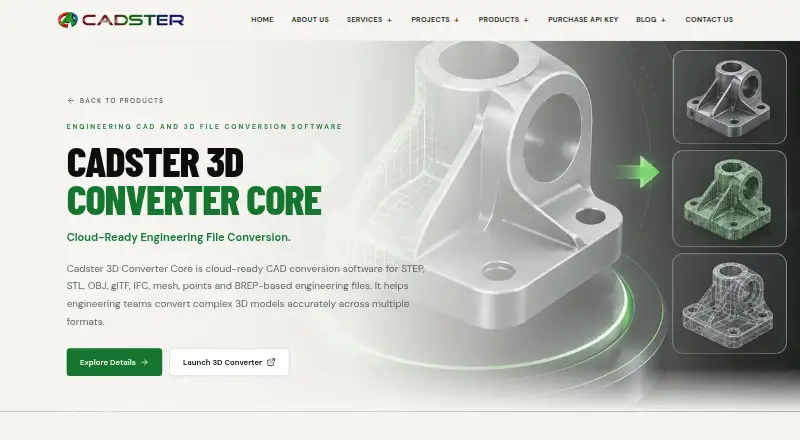
What Cadster 3D Converter Core is
Cadster 3D Converter Core is a cloud-ready conversion tool for engineering files across CAD, BIM, mesh, point-cloud, and other 3D formats. It can create one output format or several formats from a single input file. Input options include IFC, STEP, IGES, BREP, 3DM, STL, OBJ, FBX, glTF, and GLB; outputs include OBJ, PLY, GLB, glTF, STEP, IGES, IFC, STL, FBX, and PDF, among others. Standard mode retains the source model’s geometry and structure. Instanced mode is designed for models with repeated components and may reduce file size where supported.
The product is described for CAD, BIM coordination, manufacturing, prototyping, digital twins, visualization, and browser-based viewers. Users can run conversions through a browser by uploading a file, choosing an output format, and starting the job. API access is also available. Its purchase page describes a 30-day API license with payment and license validation; customers can renew early without forfeiting remaining paid days and keep the same API key while the license is active. The Basic plan is labeled free. CADSTER Technologies Pvt. Ltd. describes its work as engineering software development focused on CAD, CAM, BIM, and PLM customization, automation, and integration.
Who it suits
It suits engineering teams that need to convert files across CAD, BIM, mesh, point-cloud, and 3D formats, including teams working in manufacturing or visualization. It may also fit workflows that use either browser-based conversion or API access.
What it does well
- Converts one input into one or multiple output formats.
- Supports a broad range of listed CAD and 3D formats.
- Standard mode preserves model geometry and structure.
- Instanced mode can reduce file size for supported repeated components.
- Offers both browser-based conversion and API access.
What to know first
- The API license is described as lasting 30 days.
- Instanced mode’s file-size reduction applies only where supported.
Limits
The Basic plan is labeled free, with no additional limits stated. The CADSTER Converter License is described as providing API access for 30 days; the Pro and Full plan limits are not provided in the listed plan details.
Plans
| Plan | Billed and limits | Price |
|---|---|---|
| Basic | Labeled “Basic Free”; no additional limits stated | Free |
| Pro | Labeled “Pro”; no price or limits stated | On request |
| Full | Labeled “Full”; no price or limits stated | On request |
| CADSTER Converter License | 30 days · Price not configured; API access; continue conversions after free allowance | On request |
As cadster.in lists them, read 9 Oct 2026. The maker's own page has the final word.
Getting started
- Open the Cadster browser-based converter.
- Upload an engineering file.
- Choose a single output format or multiple formats.
- Select Standard or Instanced preparation mode as appropriate.
- Run the conversion.
- For API use, obtain a CADSTER Converter License with 30-day access.
Verdict
Choose Cadster 3D Converter Core if your engineering workflow needs format conversion through a browser or API, with options for standard and repeated-component models. Look elsewhere if you need a clearly stated Pro or Full plan price before choosing.
Questions
Is Cadster 3D Converter Core free?
A Basic plan is labeled “Basic Free” at no cost. The listed plan details state no additional limits for Basic.
Which platforms does it support?
The listed platforms are web and API. The product provides a browser-based converter and API access.
What formats can it convert?
Listed inputs include IFC, STEP, IGES, BREP, 3DM, STL, OBJ, FBX, glTF, and GLB. Outputs include OBJ, PLY, GLB, glTF, STEP, IGES, IFC, STL, FBX, and PDF, among others.
What does the API license include?
The purchase page describes 30-day API access with payment and license validation. Early renewal preserves remaining paid days, and the same API key can be used while the license is active.
Who makes Cadster 3D Converter Core?
The maker is CADSTER Technologies Pvt. Ltd., which describes itself as an engineering software-development company focused on CAD, CAM, BIM, and PLM customization, automation, and integration.
Facts from Cadster 3D Converter Core's own pages
- Access
- The maker provides a browser-based converter where users upload files, select an output format, and run conversions. · cadster.in, 9 Oct 2026
- API license
- The purchase page describes 30-day API access, with server-verified payment and license validation. · cadster.in, 9 Oct 2026
- Company age
- The About page states “3+ Years of CAD Excellence.” · cadster.in, 9 Oct 2026
- Conversion
- The product can convert one engineering file to a single output format or multiple formats in one workflow. · cadster.in, 9 Oct 2026
- Headquarters
- Anakaputhur, Chennai, Tamil Nadu, India · cadster.in, 28 Sept 2026
- Input formats
- The converter lists input formats including IFC, STEP, IGES, BREP, 3DM, STL, OBJ, FBX, glTF, GLB, and many others. · converter.cadster.in, 9 Oct 2026
- Integration
- Cadster describes the converter as part of engineering workflows spanning CAD, BIM, manufacturing, and visualization; the product page does not name specific third-party integrations. · cadster.in, 9 Oct 2026
- License renewal
- The purchase page says customers may renew early without losing remaining paid days and can use the same API key while the license remains active. · cadster.in, 9 Oct 2026
- Maker
- The company describes CADSTER Technologies Pvt. Ltd. as an engineering software-development company specializing in CAD, CAM, BIM, and PLM customization, automation, and integration. · cadster.in, 9 Oct 2026
- Output formats
- Listed output formats include OBJ, PLY, GLB, glTF, STEP, IGES, IFC, STL, FBX, PDF, and many others. · converter.cadster.in, 9 Oct 2026
- Preparation modes
- Standard mode preserves the model’s original geometry and structure, while Instanced mode is intended for models with repeated components and can reduce file size where supported. · converter.cadster.in, 9 Oct 2026
- Purpose
- Cadster 3D Converter Core is cloud-ready CAD conversion software for engineering teams working with CAD, BIM, mesh, point-cloud, and 3D files. · cadster.in, 9 Oct 2026
- Security
- The converter site labels the service “100% Secure & Fast,” without naming a security standard or compliance certification. · converter.cadster.in, 9 Oct 2026
- Support
- Cadster invites users to contact its team to discuss an engineering workflow and lists email and phone contact details. · cadster.in, 9 Oct 2026
- Workflows
- The product is described for CAD, BIM coordination, manufacturing, prototyping, digital twins, visualization, and browser-based viewers. · cadster.in, 9 Oct 2026
Where Cadster 3D Converter Core stands on Freedom251
- 3D File Converter Software#5 of 31