Freedom251 › Shopping List Apps
Buy Me a Pie!
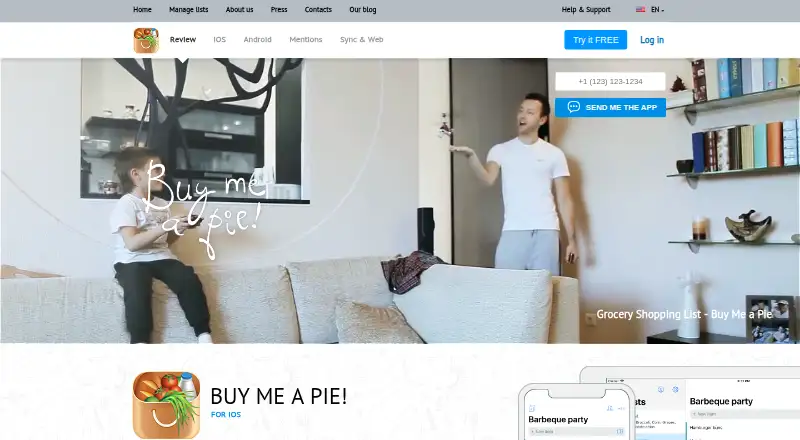
What Buy Me a Pie! is
Buy Me a Pie! is a shopping-list service for making, organizing, and sharing lists across Android, iOS, macOS, and the web. Website lists appear on users' devices in real time. People can keep lists synchronized by sharing an account or inviting others to individual lists; email invitations are available for people without registered accounts. A predefined grocery-item dictionary and color groups help organize list contents. Accounts use a login name and PIN, and user data is stored in the cloud for access from supported devices or the website. The Free plan costs nothing and includes 3 shopping lists, sharing with 2 other accounts, and 8 color groups. Pro allows unlimited lists and sharing users, additional color groups, an ad-free experience, and premium support. Pro costs $2.99 a month, $29.99 a year, or $49.99, paid once. A 30-day trial is listed. The privacy policy says the service may collect account login and PIN, email, list names and contents, and subscription receipts.
Who it suits
Buy Me a Pie! suits individuals or households who want shopping lists available across supported devices and shared with other people. The free plan may fit users who need no more than 3 lists and sharing with 2 other accounts.
What it does well
- Lists sync across supported devices in real time.
- Can invite unregistered people by email.
- Includes a grocery-item dictionary and color groups.
- Pro supports unlimited lists and sharing users.
- Available on Android, iOS, macOS, and web.
What to know first
- Free plan is limited to 3 lists.
- Free plan allows sharing with 2 other accounts.
- Service stores list data in the cloud.
- Terms state a 97% average availability target, excluding maintenance.
Limits
The Free plan allows 3 shopping lists, sharing with 2 other accounts and 8 color groups. Pro plans include unlimited lists and sharing, additional color groups, an ad-free experience and premium support.
Plans
| Plan | Billed and limits | Price |
|---|---|---|
| Free | 3 shopping lists · share with 2 other accounts · 8 color groups | Free |
| Buy Me a Pie! Pro monthly | $2.99 a month · Unlimited shopping lists · share lists with unlimited users · additional color groups · ads-free · premium support | $2.99 a month |
| Buy Me a Pie! Pro yearly | $29.99 a year · Unlimited shopping lists · share lists with unlimited users · additional color groups · ads-free · premium support | $29.99 a year |
| Buy Me a Pie! Pro lifetime license | $49.99 with a one-time payment · Unlimited shopping lists · share lists with unlimited users · additional color groups · ads-free · premium support | $49.99, paid once |
As buymeapie.com lists them, read 3 Oct 2026. The maker's own page has the final word.
Getting started
- Open https://buymeapie.com/.
- Choose the web service or an app for Android, iOS or macOS.
- Create an account with a login name and PIN.
- Start with the Free plan or use the listed 30-day trial.
- Create a list and invite people to the account or an individual list.
Buy Me a Pie! is a shopping-list service for households that want to coordinate grocery lists across phones, Mac and the web. It is most compelling for people who value flexible sharing and real-time syncing; its free tier works for a small set of lists, while larger households will need Pro.
Overview
The service keeps shopping lists in cloud storage so they can be retrieved from supported devices and the website. Lists sync in real time, and users can either share a whole account or invite people to individual lists. Email invitations can include people who have not registered, a useful option for occasional collaborators. The trade-off is that free accounts stop at three lists and sharing with two other accounts.
Organization stays focused on grocery shopping: a predefined item dictionary and color groups help sort list contents without adding complexity. Each account uses a login name and PIN. The privacy policy says the service may collect account credentials, email, list names and contents, and subscription receipts. It describes reasonable steps to protect personal data and encryption on pages where payment information is provided. The terms set an average availability target of 97%, with maintenance excluded, so users should not treat access as uninterrupted.
Key features
- Flexible sharing: Share a single list or the entire account, and invite unregistered people by email. This accommodates both household members and occasional helpers, although the free plan's two-account sharing cap narrows that flexibility.
- Live access across devices: Multiple lists created on the website appear on users' devices in real time. That is useful when shoppers need a current list, but depends on service availability.
- Grocery-focused organization: A built-in grocery dictionary and color categories help group items. These are practical sorting aids rather than a broad planning toolkit.
- Support: The support site provides a knowledge base, ticket submission and ticket-status checks. Pro adds premium support, making it the better fit for users who want a higher support tier.
Pricing
Buy Me a Pie! is freemium, with a free plan and a 30-day trial. The free plan costs nothing and includes three shopping lists, sharing with two other accounts and eight color groups. It is a reasonable starting point for a small household with limited lists, but list-making or collaboration beyond those caps means upgrading.
All three Pro options include unlimited shopping lists, sharing with unlimited users, additional color groups, an ad-free experience and premium support:
- Pro monthly: $2.99 a month, billed $2.99 a month. This suits users who want the expanded limits without an annual or one-time commitment.
- Pro yearly: $29.99 a year, billed $29.99 a year. It lowers the cost compared with paying monthly for a full year, in exchange for an annual billing term.
- Pro lifetime license: $49.99, paid once, billed $49.99 with a one-time payment. It avoids recurring billing, but requires paying more upfront.
The free tier gives up unlimited lists and collaborators, additional color groups, ad removal and premium support. Pro is the practical choice when those limits get in the way; users who only need a few shared lists can stay free.
Platforms
Buy Me a Pie! supports Android, iOS, macOS and the web. The cross-platform range makes it suitable for households mixing phones and computers, while real-time syncing keeps the same lists accessible across those surfaces.
Who it's for
Choose Buy Me a Pie! if grocery coordination is the main need and your household wants shared lists that stay current across devices. The free plan is best for a small group with no more than three lists; Pro suits larger groups or people who want unlimited lists and collaborators. It is less suitable for anyone who needs guaranteed uninterrupted availability or wants more than basic grocery sorting.
Pros and cons
- Pros: Real-time syncing across Android, iOS, macOS and web gives collaborators a shared, current view.
- Pros: Individual-list invitations and whole-account sharing, including email invitations to unregistered people, offer more than one way to include helpers.
- Pros: Pro offers unlimited lists and users, plus additional color groups, ad-free use and premium support across monthly, yearly and one-time payment options.
- Cons: The free plan's three-list and two-account sharing caps can be restrictive for busy households.
- Cons: The terms' 97% average availability target excludes maintenance downtime, which may matter to users who rely on continuous access.
- Cons: The privacy policy says list names and contents may be collected, a consideration for users who prefer not to store shopping information in a cloud service.
Alternatives
For a wider range of shopping-list choices, browse Shopping List Apps.
- KitchenOwl is a better fit for users who want a free, open-source option with self-hosting and support across desktop, mobile and web platforms.
- OurGroceries suits people who want all features and list sharing in the free plan and are willing to accept ads or pay $1 a month to remove them.
- AnyList is worth considering for users who want core list creation and sharing for free alongside support for up to five imported web recipes.
- BuyBye offers a free plan with up to five lists, two people per list, a recipe box and current-week meal planning; it may suit people who also want those planning tools.
- Listonic is an option for users who prioritize unlimited lists on a free plan.
- mitlist may suit households looking for self-hosting and generous active-list capacity, with up to four household members on its free plan.
- Bring! is an alternative for people who want free shared lists alongside recipes and special offers.
- Grocery Buddy is a free alternative for Android and iOS users.
Verdict
Buy Me a Pie! is a strong match for households that want shared grocery lists with real-time access across a mix of phones, Mac and web. Its flexible invitation options and straightforward free plan make it easy to start, while Pro removes the core capacity limits. Look elsewhere if unlimited lists must be free, self-hosting is important, or a 97% average availability target is not enough for your needs.
Verdict
Buy Me a Pie! focuses on shared shopping lists with real-time access across its supported platforms. The free plan has list and sharing caps; Pro removes those limits and costs $2.99 a month, $29.99 a year, or $49.99, paid once.
Questions
Is there a free plan?
Yes. The Free plan costs nothing and includes 3 shopping lists, sharing with 2 other accounts and 8 color groups.
How much does Pro cost?
Buy Me a Pie! Pro costs $2.99 a month, $29.99 a year or $49.99, paid once.
Which platforms does it support?
The listed platforms are Android, iOS, macOS and web.
Can I share a list with someone without an account?
Yes. Invitations can be sent by email to people who are not registered.
Who makes Buy Me a Pie!?
The terms identify Buzzworthy Vibe Co., Ltd as the maker.
Facts from Buy Me a Pie!'s own pages
- Account access
- Each user account has its own login name and PIN. · buymeapie.com, 3 Oct 2026
- Availability
- The terms state an average availability target of 97%, with maintenance downtime excluded from the SLA. · buymeapie.com, 3 Oct 2026
- Cloud storage
- The terms state that user data is stored in the cloud and can be retrieved through different devices or the website. · buymeapie.com, 3 Oct 2026
- Headquarters
- Bangkok, Thailand · buymeapie.com, 28 Sept 2026
- Maker and location
- The terms identify Buzzworthy Vibe Co., Ltd as the maker, and the about page says the team has been based in Bangkok, Thailand since 2022. · buymeapie.com, 3 Oct 2026
- Mobile platforms
- The maker links to Buy Me a Pie! apps for iOS and Android. · buymeapie.com, 3 Oct 2026
- Privacy data
- The privacy policy says the service may collect account login and PIN, email, shopping list names and contents, and subscription receipts. · buymeapie.com, 3 Oct 2026
- Product organization
- The service includes a predefined grocery item dictionary and color categories for sorting list items. · buymeapie.com, 3 Oct 2026
- Purpose
- Buy Me a Pie! is a tool for creating, managing and sharing shopping lists. · buymeapie.com, 3 Oct 2026
- Security
- The privacy policy says the company takes reasonable steps to protect personal data and encrypts transmission on pages where payment information is provided. · buymeapie.com, 3 Oct 2026
- Shared lists
- Users can invite other people to their lists, and can also invite unregistered people by email. · buymeapie.com, 3 Oct 2026
- Support
- The support site offers a knowledge base, new support tickets and ticket status checks; Pro includes premium support. · support.buymeapie.com, 3 Oct 2026
- Synchronization
- Users can share their whole account or invite people to individual lists to keep lists in sync. · buymeapie.com, 3 Oct 2026
- Web lists
- The website lets users create multiple shopping lists and see them on their devices in real time. · buymeapie.com, 3 Oct 2026
Where Buy Me a Pie! stands on Freedom251
- Shopping List Apps#2 of 31