Freedom251 › Electrical Estimating Software

BuildOps
What BuildOps is
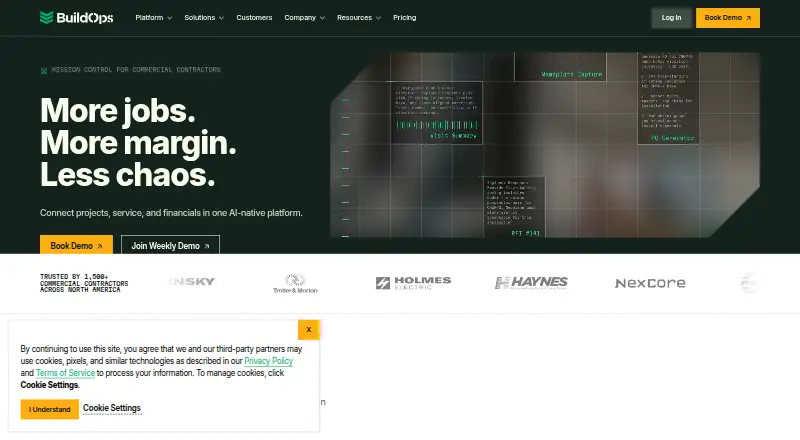
BuildOps is an operations platform for commercial contractors that brings service work, construction projects, and financial workflows together. The company describes its audience as commercial contractors, including multi-trade service and construction businesses. Service management covers work order closeout, asset management, preventive maintenance, scheduling and dispatch, purchasing, and inventory. Project tools include field execution, resource planning, document control, materials and subcontracts, and project financials.
The platform also handles invoicing, procurement and inventory, time tracking, quoting, CRM, pipeline management, and the handoff from sales to operations. Its built-in OpsAI is described as taking on busywork, flagging risks, and supporting field, service, finance, and sales workflows. BuildOps connects with tools such as QuickBooks, Sage, NetSuite, Viewpoint Spectrum, Viewpoint Vista, Bluon, Inspect Point, ServiceChannel, Coast, Miter, Avalara, and Kojo; integrations support two-way data syncing.
Technicians can use the mobile app for work orders, asset history, time tracking, quotes, invoices, photos, and reports. It supports offline work and syncs after reconnecting. The browser version needs no desktop installer. The mobile app requires iOS 16 or newer or Android 9 or newer. Plans can cover service, projects, or both, though project features depend on the plan. Pricing is tailored to crew size, trades, modules, and integrations, and every plan includes implementation and onboarding support.
Who it suits
BuildOps is aimed at commercial contractors managing service operations, construction projects, or both. Its field app and connected financial and sales workflows may suit businesses coordinating technicians with office teams.
What it does well
- Combines service, project, financial, and sales workflows.
- Technician app supports offline work and later syncing.
- Integrations support bidirectional data syncing.
- Implementation and onboarding support come with every plan.
- Subcontractors can be managed without their own licenses.
What to know first
- No free plan is offered.
- Pricing requires a custom quote.
- Project features depend on the selected plan.
- Mobile app requires iOS 16 or newer or Android 9 or newer.
Limits
There is no free plan. Pricing is customized by crew size, trades, modules, and integrations; project features depend on the plan.
Plans
| Plan | Billed and limits | Price |
|---|---|---|
| Custom BuildOps plan | Pricing tailored to crew size, trades, modules, and integrations · Custom quote required · Pricing based on field and office users | On request |
As buildops.com lists them, read 4 Oct 2026. The maker's own page has the final word.
Getting started
- Visit the BuildOps website and request pricing.
- Discuss a plan covering service, projects, or both.
- Use the browser product without a desktop installer.
- Install the technician app on a device running iOS 16 or newer or Android 9 or newer.
- Use the included implementation and onboarding support.
Verdict
Choose BuildOps if your commercial contracting business wants service, project, and financial workflows connected in one platform, with a technician app for offline work. It may be less suitable if you need a published price or a free plan, since pricing is customized and requires a quote.
Questions
Who is BuildOps for?
BuildOps says it is built for commercial contractors, including multi-trade service and construction businesses.
Is there a free plan?
No. BuildOps is a paid product, with pricing provided by custom quote.
Can a plan cover projects and service?
Plans can cover service, projects, or both. Project features depend on the plan.
Which devices can run the technician app?
The app requires iOS 16 or newer or Android 9 or newer. It supports offline work that syncs after reconnecting.
Does BuildOps work in a browser?
Yes. It runs in a browser without a desktop installer.
Does BuildOps integrate with QuickBooks?
Yes. QuickBooks is among the listed integrations, and BuildOps says connected tools can sync data in both directions.
Facts from BuildOps's own pages
- Audience
- BuildOps says its platform is built for commercial contractors, including multi-trade service and construction businesses. · buildops.com, 4 Oct 2026
- Company
- BuildOps says it was co-founded by Alok Chanani and Steve Chew in Los Angeles in 2018. · buildops.com, 4 Oct 2026
- Financials and sales
- The platform includes invoicing, procurement and inventory, time tracking, quoting, CRM, pipeline management, and sales-to-operations handoff. · buildops.com, 4 Oct 2026
- Founded
- 2018 · buildops.com, 28 Sept 2026
- Implementation
- The pricing page says implementation and onboarding support are included with every plan. · buildops.com, 4 Oct 2026
- Integrations
- Listed integrations include QuickBooks, Sage, NetSuite, Viewpoint Spectrum, Viewpoint Vista, Bluon, Inspect Point, ServiceChannel, Coast, Miter, Avalara, and Kojo. · buildops.com, 4 Oct 2026
- Integration sync
- BuildOps says its integrations support bidirectional data syncing between connected tools. · buildops.com, 4 Oct 2026
- Mobile app
- The technician app provides work orders, asset history, time tracking, quoting, invoicing, photos, and reports, and supports offline work that syncs after reconnecting. · buildops.com, 4 Oct 2026
- OpsAI
- OpsAI is built into BuildOps and is described as handling busywork, flagging risks, and supporting field, service, finance, and sales workflows. · buildops.com, 4 Oct 2026
- Plan scope
- The pricing FAQ says plans can cover service, projects, or both, and that project features depend on the plan. · buildops.com, 4 Oct 2026
- Product
- BuildOps is an AI-enabled operations platform connecting commercial contractors’ projects, service work, and financials. · buildops.com, 4 Oct 2026
- Project management
- Project tools include field execution, resource planning, document control, materials and subcontracts, and project financials. · buildops.com, 4 Oct 2026
- Security
- BuildOps’ About page links to a Trust Center and lists a company article titled “Trust is part of the work: BuildOps completes its SOC 2 Type II audit.” · buildops.com, 4 Oct 2026
- Service management
- Service features include work order closeout, asset management, preventative maintenance, scheduling and dispatch, and purchasing and inventory. · buildops.com, 4 Oct 2026
- Subcontractors
- BuildOps says subcontractors can be managed without requiring their own licenses. · buildops.com, 4 Oct 2026
- Web and device requirements
- The product runs in a browser without a desktop installer, and the technician app requires iOS 16 or newer or Android 9 or newer. · buildops.com, 4 Oct 2026
Where BuildOps stands on Freedom251
- Electrical Estimating Software#5 of 25
- Security System Installer Software#8 of 27
- Electrical Contractor Software#13 of 28
- HVAC Software#14 of 30
- Plumbing Software#17 of 34
- Contractor CRM software#16 of 29