Freedom251 › Continuous Integration Software

Buildbot
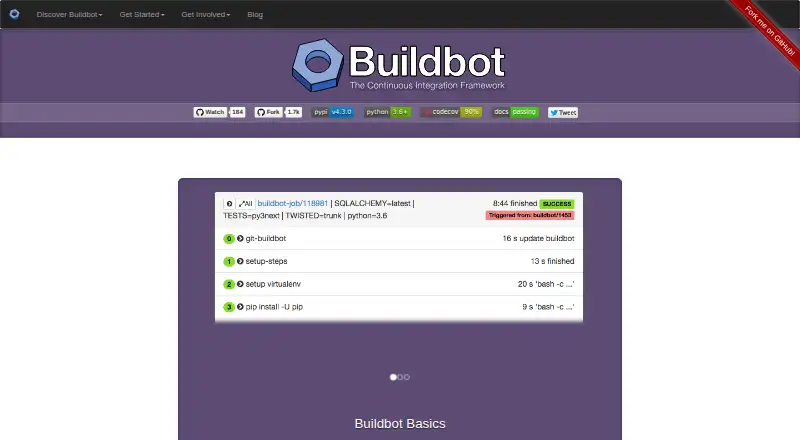
What Buildbot is
Buildbot is a free, open-source framework for automating software builds, tests, and releases. It can handle continuous integration, continuous deployment, release management, and other configurable processes. Buildbot queues jobs, runs them when resources are available, and reports results, including jobs distributed in parallel across platforms. An installation uses one or more masters to monitor repositories and coordinate workers that execute jobs. Users configure the system with Python scripts, which can generate configurations dynamically and define custom components. Documentation describes version-control change sources and reporters that send build status to GitHub or email. The project recommends installing master and worker as separate pip packages. Both run natively on Windows, while workers also run on Cygwin. Buildbot is intended for teams with configurable automation needs, including complex builds, mixed-language applications, and release tasks. It supports Linux, macOS, Windows, web, API, and self-hosted platforms, and is licensed under GPL version 2. The web interface does not require authentication by default, so setup must include authentication and authorization rules; documentation also recommends an access-controlled reverse proxy to reduce exposure.
Who it suits
Buildbot suits teams that need customizable automation for complex builds, mixed-language applications, or release tasks. It offers distributed job execution and configuration through Python scripts.
What it does well
- Free and open-source under GPL version 2
- Supports distributed parallel jobs across platforms
- Python scripts can generate configurations dynamically
- Status reporters can send updates to GitHub or email
What to know first
- Web interface has no authentication by default
- Authorization cannot securely deny read access to the bot
- Securing access requires additional configuration
Limits
The free plan is listed as free, with open-source software under GPL version 2. The web interface requires additional security configuration because authentication is not required by default, and the authorization framework cannot securely deny read access to the bot.
Plans
| Plan | Billed and limits | Price |
|---|---|---|
| Buildbot | Open-source software; GPL version 2 | Free |
As buildbot.net lists them, read 9 Oct 2026. The maker's own page has the final word.
Getting started
- Visit https://buildbot.net/ for the project.
- Install the master and worker as separate packages with pip.
- Configure Buildbot using Python scripts.
- Set up masters to monitor repositories and coordinate workers.
- Configure authentication and authorization rules for the web interface.
Verdict
Buildbot offers configurable automation for teams prepared to manage its master-and-worker setup. Security needs particular attention: configure authentication and authorization, and consider the recommended access-controlled reverse proxy.
Questions
How much does Buildbot cost?
The listed Buildbot plan costs nothing. The pricing model is free.
Is Buildbot open source?
Yes. It is open-source software licensed under GPL version 2.
Which platforms does Buildbot support?
Its listed platforms are API, Linux, macOS, self-hosted, web, and Windows. The master and worker run natively on Windows; the worker also runs on Cygwin.
What does Buildbot integrate with?
Its documentation describes change sources for version-control systems and reporters that can send build status to GitHub or email.
How is Buildbot installed?
The project recommends installing the master and worker as separate packages with pip.
Does Buildbot's web interface require authentication by default?
No. Administrators need to configure an authentication plugin and authorization rules; the documentation recommends an access-controlled reverse proxy to reduce the attack surface.
Facts from Buildbot's own pages
- Architecture
- An installation uses one or more masters to monitor repositories and coordinate workers that execute jobs. · buildbot.net, 9 Oct 2026
- Configuration
- Users configure Buildbot with Python scripts, which can generate configurations dynamically and define custom components. · buildbot.net, 9 Oct 2026
- Installation
- The project recommends installing the master and worker with pip as separate packages. · docs.buildbot.net, 9 Oct 2026
- Integrations
- Its documentation describes change sources for version-control systems and reporters that can send build status to GitHub or email. · docs.buildbot.net, 9 Oct 2026
- Intended users
- Buildbot is designed for teams that need configurable automation, including complex builds, mixed-language applications, and software-release tasks. · buildbot.net, 9 Oct 2026
- Job execution
- Buildbot queues jobs, runs them when resources are available, and reports the results. · buildbot.net, 9 Oct 2026
- Parallel jobs
- Buildbot supports distributed, parallel job execution across multiple platforms. · buildbot.net, 9 Oct 2026
- Purpose
- Buildbot is an open-source framework for automating software builds, tests, and releases. · buildbot.net, 9 Oct 2026
- Security configuration
- The web interface does not require authentication by default, so the documentation says users need to configure an authentication plugin and authorization rules to secure it. · docs.buildbot.net, 9 Oct 2026
- Security limits
- The documentation warns that its authorization framework cannot securely deny read access to the bot and recommends an access-controlled reverse proxy to reduce attack surface. · docs.buildbot.net, 9 Oct 2026
- Support
- The project directs users to its mailing list, Libera.Chat IRC channel, GitHub organization, and issue tracker for open communication. · buildbot.net, 9 Oct 2026
- Windows support
- The documentation says both master and worker run natively on Windows, while the worker also runs on Cygwin. · docs.buildbot.net, 9 Oct 2026
- Workflows
- It supports continuous integration, continuous deployment, release management, and other customizable processes. · buildbot.net, 9 Oct 2026
Where Buildbot stands on Freedom251
- Continuous Integration Software#8 of 58
- Ci Cd Platforms#5 of 28
- Game Build Automation Software#8 of 43