Freedom251 › Network Packet Analyzer Software
BruteShark
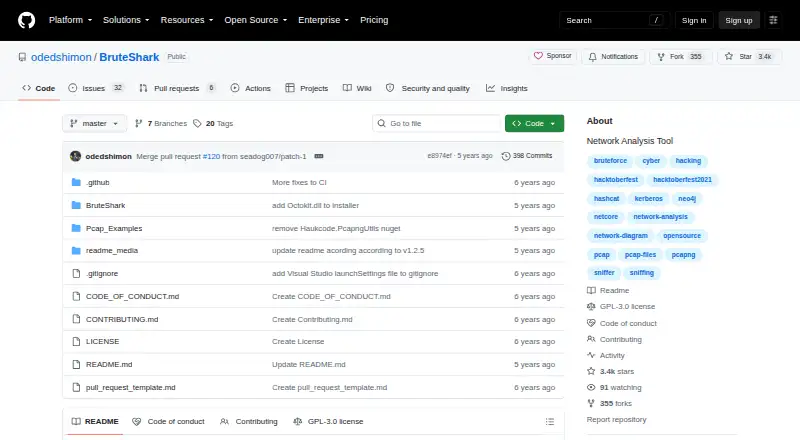
What BruteShark is
BruteShark is a network forensic analysis tool for examining PCAP and PCAPNG files and capturing traffic from a network interface. It is aimed at security researchers and network administrators investigating traffic for network weaknesses. The tool extracts usernames and passwords from HTTP, FTP, Telnet, IMAP, and SMTP traffic, and extracts authentication hashes including Kerberos, NTLM, CRAM-MD5, and HTTP-Digest. Supported hashes can be converted to Hashcat input format. BruteShark can also create a visual network diagram showing nodes, open ports, and domain users, and export connection and endpoint information as JSON for analysis with external tools such as Neo4j. Other capabilities include DNS query extraction, TCP and UDP session reconstruction, and SIP/RTP VoIP call extraction. Its file carving uses header and footer markers, which the project describes as effective for formats such as JPG, PNG, and PDF. BruteShark provides a Windows graphical interface and a command-line interface for Windows and Linux; the CLI is described as having the desktop version’s features. It is free under the GPL-3.0 license. Windows capture requires Npcap and the appropriate .NET Core runtime, while Linux capture requires libpcap.
Who it suits
BruteShark suits security researchers and network administrators who need to inspect captured traffic or capture it from a network interface. Its credential extraction, hash handling, network diagrams, and traffic reconstruction functions support a range of network analysis tasks.
What it does well
- Free software licensed under GPL-3.0.
- Windows GUI and Windows/Linux command-line interfaces.
- Analyzes PCAP and PCAPNG files and supports live capture.
- Extracts credentials and authentication hashes from listed protocols.
- Exports network connection and endpoint data as JSON.
What to know first
- Windows capture requires Npcap and the appropriate .NET Core runtime.
- Linux capture requires libpcap.
- Large-file analysis can consume time and resources.
- File carving is described as effective for formats with known headers and footers.
Plans
| Plan | Billed and limits | Price |
|---|---|---|
| BruteShark | GPL-3.0 licensed · Windows GUI and Windows/Linux CLI · requires packet capture drivers | Free |
As github.com lists them, read 2 Oct 2026. The maker's own page has the final word.
Getting started
- Open the BruteShark GitHub project page.
- Choose the Windows GUI or the command-line interface for Windows or Linux.
- For Windows capture, install Npcap and the appropriate .NET Core runtime.
- For Linux capture, install libpcap.
- Select PCAP or PCAPNG traffic to analyze, or capture traffic from a network interface.
- For large files, select only the required analysis modules.
Verdict
Choose BruteShark if you need a free tool for network traffic analysis, credential and hash extraction, or network mapping on Windows or Linux. Consider its capture prerequisites and the resource demands of large files when planning its use.
Questions
Is BruteShark free?
Yes. BruteShark is free and is identified as GPL-3.0 licensed.
Which operating systems does it support?
It provides a Windows GUI and a command-line interface for Windows and Linux.
Can it capture live network traffic?
Yes. It can capture traffic from a network interface.
Which capture files can it analyze?
Its listed capture file formats are PCAP and PCAPNG.
What does it require for traffic capture?
Windows capture requires Npcap and the appropriate .NET Core runtime; Linux capture requires libpcap.
Can it prepare hashes for Hashcat?
Yes. It can convert supported extracted hashes to Hashcat input format.
Facts from BruteShark's own pages
- Authentication hashes
- It extracts authentication hashes including Kerberos, NTLM, CRAM-MD5, and HTTP-Digest hashes, and can convert supported hashes to Hashcat input format. · github.com, 2 Oct 2026
- Capture prerequisites
- The download instructions list Npcap and the appropriate .NET Core runtime for Windows, and libpcap for Linux. · github.com, 2 Oct 2026
- Credentials
- It extracts and encodes usernames and passwords from protocols including HTTP, FTP, Telnet, IMAP, and SMTP. · github.com, 2 Oct 2026
- File carving limit
- File extraction uses a header-footer carving method and the README describes it as effective for files with known headers and footers, such as JPG, PNG, and PDF. · github.com, 2 Oct 2026
- Integrations
- The README identifies Hashcat for preparing extracted hashes and Neo4j as an example external tool for analyzing exported network-map JSON. · github.com, 2 Oct 2026
- Intended users
- The project describes its intended users as security researchers and network administrators analyzing traffic for network weaknesses. · github.com, 2 Oct 2026
- Interfaces
- The project offers a Windows GUI and a command-line interface for Windows and Linux; the CLI is described as having the desktop version's features. · github.com, 2 Oct 2026
- Large-file guidance
- The usage instructions say traffic analysis consumes time and resources and recommend selecting only required modules for large files. · github.com, 2 Oct 2026
- License
- The GitHub repository identifies the project as GPL-3.0 licensed. · github.com, 2 Oct 2026
- Network mapping
- It builds a visual network diagram with nodes, open ports, and domain users, and can export network connections and endpoint data as JSON for analysis with tools such as Neo4j. · github.com, 2 Oct 2026
- Other analysis
- Its listed capabilities include DNS query extraction, TCP and UDP session reconstruction, file carving, and extracting SIP/RTP VoIP calls. · github.com, 2 Oct 2026
- Purpose
- BruteShark is a network forensic analysis tool for inspecting network traffic, mainly PCAP files, and capturing traffic from a network interface. · github.com, 2 Oct 2026
- Support
- The maintainer invites feedback by email at [email protected] or through a GitHub issue. · github.com, 2 Oct 2026
Where BruteShark stands on Freedom251
- Network Packet Analyzer Software#8 of 32