Freedom251 › Legal Workflow Automation Software
BriefBox
What BriefBox is
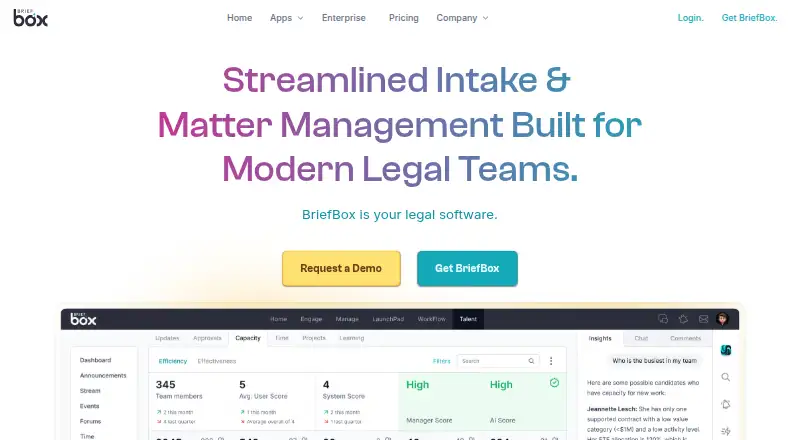
BriefBox is an enterprise legal management system for General Counsels and legal service providers, with apps for legal intake, matters, reporting, recruiting, and team collaboration. Workflow collects legal service requests through forms, centralizes intake, automates triage, sends notifications, and provides real-time reports. Matters aggregates department work with auditable updates, custom fields, risk links, and role-based editing. BriefBox Updates and Workflow include reporting dashboards and can connect with other reporting solutions. Modular apps can integrate with existing legal or enterprise applications; Outlook integration syncs messages, files, and updates. Talent supports legal recruiting, hiring, onboarding, development, evaluation, and analytics, including LinkedIn-integrated CV building. Team offers announcements, events, streams, groups, workrooms, and chat. BriefBox says it maintains SOC 2 compliance and uses SSL/TLS for web traffic and AES-256 for stored data. Its stated controls also include multifactor authentication, role-based access, monitoring, logging, alerting, and regular penetration tests. A free account has no credit card requirement, time limit, or commitment. BriefBox Core is free; LaunchPad pricing is by request. It is available on Android, iOS, and web.
Who it suits
BriefBox suits legal departments and legal service providers seeking intake, matter tracking, reporting, talent, or team tools. Its FAQ says it supports organizations of various sizes.
What it does well
- Free account has no credit card requirement or time limit.
- Workflow handles legal intake and automated triage.
- Matters includes auditable updates and role-based editing.
- Outlook integration syncs messages, files, and updates.
- Lists access controls and encryption for data.
What to know first
- LaunchPad pricing is by request.
- Free Core is the only plan with a listed price.
- Available platforms are Android, iOS, and web.
Plans
| Plan | Billed and limits | Price |
|---|---|---|
| BriefBox Core | Free to sign up | Free |
| LaunchPad | Request Pricing; sales team will call · Pricing by request | On request |
As briefbox.com lists them, read 29 Sept 2026. The maker's own page has the final word.
Getting started
- Open the BriefBox website.
- Choose the BriefBox Core free plan to sign up, or request LaunchPad pricing from the sales team.
- Create a free account without entering a credit card.
- Access BriefBox on Android, iOS, or the web.
Overview
BriefBox is an enterprise legal management system that brings intake, matter management, recruiting and team collaboration together for in-house legal departments and legal service providers. It suits teams looking to coordinate several department workflows in one modular system; the free Core account makes it possible to start without a fee, while LaunchPad requires a pricing request.
Key features
Intake and matters
Workflow combines request forms, centralized intake, automated triage, notifications and real-time reporting. That makes it a fit for legal teams that need a consistent path for incoming work rather than a standalone intake form. Client intake, approval routing and document assembly are also supported. Matters gathers department work, with auditable updates, custom fields, risk links and role-based editing; the audit trail and editing controls are useful when multiple people need to manage matters without sharing identical permissions.
Reporting, integrations and security
BriefBox Updates and Workflow provide reporting dashboards and can connect with other reporting solutions. Its modular apps can also integrate with existing legal or enterprise applications, while Outlook integrations sync messages, files and updates. These connections are a practical advantage for departments that want legal workflows alongside their existing tools, though the product's modular approach means buyers should identify which apps and connections they need.
BriefBox says it maintains SOC 2 compliance, encrypts web traffic with SSL/TLS and stored data with AES-256, and uses multi-factor authentication, role-based access controls, monitoring, logging, alerting and regular penetration tests. It also says it follows data protection regulations including GDPR and CCPA. These measures address important security and access-control needs for legal work.
Talent and collaboration
BriefBox Talent covers recruiting, hiring, onboarding, development, evaluation and analytics, including LinkedIn-integrated CV building. The Team app adds announcements, events, streams, groups, workrooms and chat; announcements and events can integrate with Outlook. This breadth may appeal to organizations seeking more than matter and intake software, but teams that only need one focused legal workflow may not benefit from the full suite.
Pricing
BriefBox Core: free (Free to sign up). The free account requires no credit card, has no time limit and carries no commitments. That makes it a low-risk starting point, though the free-plan terms do not state its feature or usage caps. BriefBox says it has no minimum or maximum organization size and supports legal teams of varied sizes.
LaunchPad: custom pricing; billed by request, with the sales team calling. There is no free trial. Organizations considering LaunchPad should be prepared to contact sales rather than compare a published price or trial period. BriefBox offers customer support for user issues and questions.
Platforms
BriefBox supports Android, iOS and web, giving users mobile and browser access.
Who it's for
BriefBox is best suited to legal departments and service providers that want a broad set of connected tools for intake, matters, reporting and, if needed, recruiting and team communication. A free account with no time limit is useful for organizations beginning without a software budget. Buyers needing defined plan limits or a price before engaging sales may find LaunchPad harder to evaluate.
Pros and cons
- Pros: Workflow covers intake through triage and reporting, while Matters adds auditable updates and role-based editing.
- Pros: Outlook and other legal or enterprise integrations can connect the apps with existing work environments.
- Pros: The free Core account has no credit-card requirement, time limit or commitment.
- Cons: LaunchPad uses custom pricing by request, and BriefBox offers no free trial.
- Cons: Core's feature and usage caps are not defined in its terms, making it difficult to know whether it will cover a team's needs.
Alternatives
For a workflow-focused comparison, browse Legal Workflow Automation Software. Choose DocJuris if its paid platform's annual contract-volume pricing, unlimited users and 25+ standard apps, agents and enterprise integrations suit your requirements. Openfront Law Firm is a freemium option with a self-deploy free plan and full source-code access. Docassemble is a free web-based alternative. Consider Intapp Intake if you want a paid intake product with Android, iOS and web support and are willing to schedule a demo. Lawcadia is another paid web option with pricing by request and a demo invitation. PerfectLaw DMS is worth comparing if you need document-management options across web, desktop and mobile platforms. MyLegal LOOP may suit teams seeking a paid web subscription with unlimited users and up to 30 automated work processes. Litify is another paid web-based alternative.
Verdict
Choose BriefBox if your legal team wants one modular system spanning intake, matters and wider department needs, with a free account that has no time limit. Its broad scope and integration options are the main draw; look elsewhere if you need clear published LaunchPad pricing or defined Core limits before committing to an evaluation.
Verdict
BriefBox covers legal work from intake and matters to recruiting and team collaboration, with a free Core account. Organizations considering LaunchPad need to request pricing.
Questions
Is BriefBox free?
Yes. BriefBox Core is free. The site advertises a free account with no credit card required, no time limit, and no commitments.
Does BriefBox offer a free trial?
No. BriefBox lists no free trial; its Core plan is free.
How much does LaunchPad cost?
LaunchPad pricing is by request. The sales team will call.
Which platforms support BriefBox?
BriefBox is available on Android, iOS, and web.
What does BriefBox integrate with?
Its modular apps can integrate with existing legal or enterprise applications. BriefBox also integrates with Outlook to sync messages, files, and updates; Team announcements and events can integrate with Outlook.
Who is BriefBox for?
BriefBox describes itself as an enterprise legal management system for General Counsels and legal service providers. Its pricing FAQ says there is no minimum or maximum organization size.
Facts from BriefBox's own pages
- Access controls
- BriefBox says it uses multi-factor authentication, role-based access controls, continuous monitoring, logging, alerting, and regular penetration tests. · briefbox.com, 29 Sept 2026
- Data protection
- BriefBox says it follows data protection regulations including GDPR and CCPA. · briefbox.com, 29 Sept 2026
- Free account terms
- The site advertises a free account with no credit card required, no time limit, and no commitments. · briefbox.com, 29 Sept 2026
- Integrations
- BriefBox says its modular apps can integrate with existing legal or enterprise applications and that its apps integrate with Outlook to sync messages, files, and updates. · briefbox.com, 29 Sept 2026
- Legal intake
- Workflow provides legal service request forms, centralized intake, automated triage, notifications, and real-time reports. · briefbox.com, 29 Sept 2026
- Matter management
- Matters aggregates department work and includes auditable updates, custom fields, risk links, and role-based editing. · briefbox.com, 29 Sept 2026
- Product
- BriefBox describes itself as an enterprise legal management system for General Counsels and legal service providers. · briefbox.com, 29 Sept 2026
- Reporting
- BriefBox Updates and Workflow include reporting dashboards and can integrate with other reporting solutions. · briefbox.com, 29 Sept 2026
- Security
- The company says it maintains SOC 2 compliance and uses SSL/TLS for web traffic and AES-256 for stored data. · briefbox.com, 29 Sept 2026
- Support
- The pricing FAQ says BriefBox offers customer support for user issues and questions. · briefbox.com, 29 Sept 2026
- Talent tools
- BriefBox Talent covers legal recruiting, hiring, onboarding, development, evaluation, and analytics, and includes LinkedIn-integrated CV building. · briefbox.com, 29 Sept 2026
- Team collaboration
- The Team app includes announcements, events, streams, groups, workrooms, and chat; its announcements and events can integrate with Outlook. · briefbox.com, 29 Sept 2026
- Who it serves
- The pricing FAQ says BriefBox has no minimum or maximum organization size and is suitable for legal teams of various sizes. · briefbox.com, 29 Sept 2026