Freedom251 › Legal Document Management Software
PerfectLaw DMS
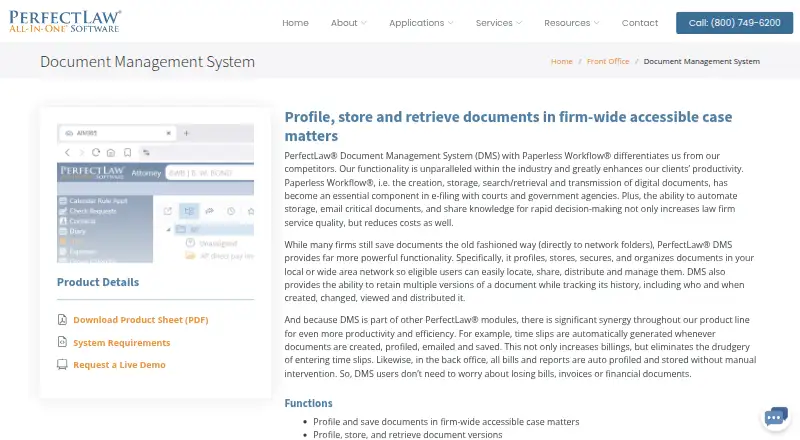
What PerfectLaw DMS is
PerfectLaw DMS organizes documents within law firm case matters so eligible users can find, share, distribute, and manage them. It supports document versioning, comparisons and redlining, check-in and check-out, and links that associate one document with multiple matters. The system records document creation and access history, and its permissions can update Microsoft Windows Active Directory.
Users can drag Outlook emails onto matters for profiling, create or reply to emails from a matter, and automatically add time slips while profiling or saving documents. PerfectLaw describes integration with Microsoft Office, including Outlook, its All-in-One suite, and Adobe Acrobat. Its webDMS browser access supports document creation, search, retrieval, preview, and offline access, with mobile and cloud use in mind. Hosting options include on-premises and cloud configurations. PerfectLaw says webDMS syncs access permissions with Active Directory and provides encryption and Microsoft Azure business continuity and disaster recovery. The maker, PerfectLaw DMS, is based in Miami, Florida, and says it was incorporated in 1979. Listed plans include a webDMS subscription with 200 GB of storage and an on-premises installation with document version management, full-text search, automatic OCR, and user and group permissions.
Who it suits
PerfectLaw DMS suits law firms and legal departments that need to organize case documents with version controls, access history, and matter-based email workflows. Firms can consider browser access through webDMS or an on-premises installation, depending on their hosting needs.
What it does well
- Versions, comparisons, redlining, and check-in/check-out for documents.
- Links can associate a document with multiple matters.
- Outlook emails can be profiled onto matters.
- Profiling and saving documents can add time slips automatically.
- webDMS offers document search, preview, retrieval, and offline access.
- Permission updates can sync with Active Directory.
What to know first
- The pricing model is paid.
- The listed workstation platform is Microsoft Windows 10/11.
- webDMS requires Windows Server 2016 or later and SQL Server 2017 or later.
Limits
The webDMS Subscription plan lists 200 GB of storage. The webDMS On-premises plan lists document version management, full-text search, automatic OCR, and user and group permissions.
Plans
| Plan | Billed and limits | Price |
|---|---|---|
| webDMS On-premises | On-premises installation · Document version management · Full-text search · Automatic OCR · User and group permissions | On request |
| Basic | Flat Rate, One Time · Capterra-listed PerfectLaw plan | $295, paid once |
| webDMS subscription | 200 GB storage shown in comparison table | $45 |
As perfectlaw.com lists them, read 20 Sept 2026. The maker's own page has the final word.
Getting started
- Visit the PerfectLaw DMS website.
- Choose between webDMS subscription and on-premises installation.
- For webDMS, contact PerfectLaw for cloud configuration details.
- For an on-premises setup, check the listed Windows, Windows Server, SQL Server, IIS, and SSL requirements.
- Use PerfectLaw's help desk or listed remote support connections for assistance.
Overview
PerfectLaw DMS is a legal document management system that organizes files around case matters for law firms and legal departments. It is best suited to teams that want document control connected to Outlook and timekeeping; the tradeoff is custom pricing and a workstation setup centered on Windows.
Its matter-based structure gives eligible users a place to find, share, distribute, and manage case documents. Version controls and links between documents and multiple matters make it a more focused fit for legal files than a general-purpose document store, particularly for firms already working with PerfectLaw’s broader suite.
Key features
- Document control: Versioning, comparisons, redlining, and check-in/check-out help teams manage successive drafts and identify the working document. These tools suit firms where several people handle the same matter files, but they do not replace consistent document practices.
- Matter links and audit history: A document can be linked to multiple matters, and the system keeps creation and access history. This supports cross-matter work and provides a record of document activity.
- Permissions: Document permissions can update Microsoft Windows Active Directory. webDMS also syncs access permissions with Active Directory, which is useful for firms managing access through that system.
- Email and timekeeping: Users can drag Outlook emails onto matters for profiling, create or reply to email from a matter, and automatically add time slips while profiling or saving documents. This connects document work to routine case administration, with the strongest fit for teams using Outlook.
- Browser access and recovery: webDMS supports document creation, search, retrieval, preview, and offline access. PerfectLaw also describes high-level encryption and Microsoft Azure business continuity and disaster recovery; firms should weigh these capabilities alongside their hosting and configuration needs.
- Integrations: PerfectLaw describes integration with Microsoft Office, Outlook, Adobe Acrobat, and its All-in-One suite. That is a clear fit for firms using those tools, but it is a narrower stated integration picture than a platform-neutral workflow.
Pricing
Both plans have custom pricing, so firms need to contact PerfectLaw to establish cost.
- webDMS Subscription: Includes 200 GB of storage. This is the option to consider for firms seeking the webDMS subscription; the storage allocation should be weighed against the firm’s document volume.
- webDMS On-premises: Includes on-premises installation, document version management, full-text search, automatic OCR, and user and group permissions. It suits firms that want a locally installed system with those document-management capabilities, but its price is also custom.
Hosting is available on-premises or in the cloud. Firms considering cloud deployment should contact PerfectLaw for configuration details.
Platforms
PerfectLaw lists Android, iOS, macOS, self-hosted, web, and Windows platforms, and says mobile apps are available. The workstation requirement is Microsoft Windows 10 or 11; webDMS requires Windows Server 2016 or later, SQL Server 2017 or later, IIS, and an SSL certificate. That makes the Windows environment and supporting server components important considerations for deployment.
Support includes a help desk and remote connections through Microsoft Remote Desktop, WebEx, and TeamViewer.
Who it's for
PerfectLaw DMS is aimed at law firms and legal departments organizing case documents across a firm. It is most compelling for teams that rely on Outlook, want matter-level document controls, and can accommodate its Windows workstation requirements. Firms seeking a different platform footprint or wanting cloud configuration settled before evaluating costs should look elsewhere or clarify those needs with PerfectLaw first.
Pros and cons
Pros
- Legal work is built into the organization: Matter links, document history, and permission controls make the system relevant to case-file management rather than basic file storage.
- Document work connects to email and timekeeping: Outlook profiling and automatic time slips can keep routine steps tied to matter activity.
- Multiple access and hosting approaches: Browser access with offline document access complements on-premises and cloud options.
Cons
- Custom pricing: Neither plan has a published price, so firms cannot compare costs without contacting PerfectLaw.
- Windows requirements shape deployment: Workstations require Windows 10 or 11, and webDMS depends on specified server software and an SSL certificate.
- Cloud configuration needs follow-up: Firms must contact PerfectLaw to establish cloud setup requirements.
Alternatives
- LexNebulis is a better fit for teams seeking a free, open-source, self-hosted option: its plan is free under Apache 2.0, with web and Linux among its platforms.
- Tussman Program is worth considering for firms that want a free starting point: its free version has no time limit and caps use at five clients and ten matters; a full version is also offered with custom pricing.
- Orion ePay is another paid option for firms comparing legal software with Android, iOS, macOS, web, and Windows support; pricing is custom.
- Aderant Expert Sierra is an alternative for firms considering a paid product across Android, iOS, and web, with pricing available by request for a demo.
- Affinity is a paid alternative with API, web, and Windows platforms.
- Dye & Durham Legal Accounts is a paid option with Android, iOS, and web platforms; its price is custom.
- LawPracticeZA is another paid alternative, with Android, API, iOS, and web platforms and a subscription quoted after a demo.
- PCLaw is a paid alternative with Android, iOS, self-hosted, and Windows platforms; pricing is by customized quote.
For broader category comparisons, see Legal Accounting Software, Legal Workflow Automation Software, and Legal Practice Management Software.
Verdict
Choose PerfectLaw DMS if your firm needs matter-centered document controls and wants Outlook email and timekeeping workflows connected to case files. Its strongest reasons to choose it are version management, matter links, and webDMS access; look elsewhere if published pricing or a less Windows-centered setup is essential.
Verdict
Choose PerfectLaw DMS if your firm needs matter-based document organization, version controls, and Microsoft Office workflows. Its webDMS adds browser access and offline document access, while firms needing cloud configuration details must contact PerfectLaw. The listed workstation requirements center on Windows.
Questions
What does PerfectLaw DMS do?
It profiles, stores, secures, and organizes documents in law firm case matters for eligible users to find, share, distribute, and manage.
Which platforms are listed?
The platforms listed are Android, iOS, macOS, self-hosted, web, and Windows. The workstation requirements list Microsoft Windows 10/11.
What hosting options are available?
PerfectLaw offers on-premises and cloud options. Firms are directed to contact PerfectLaw for cloud configuration details.
What integrations does it include?
PerfectLaw describes integration with Microsoft Office, including Outlook, its All-in-One suite, and Adobe Acrobat.
What plans are listed?
The webDMS Subscription plan lists 200 GB of storage. The webDMS On-premises plan lists version management, full-text search, automatic OCR, and user and group permissions.
Who makes PerfectLaw DMS?
The maker is PerfectLaw DMS, headquartered in Miami, Florida. The company says it was incorporated in 1979.
Facts from PerfectLaw DMS's own pages
- API and extensibility
- PerfectLaw job postings require experience implementing REST and web-service APIs, but no public API reference or SDK download was found. · perfectlaw.com, 14 Oct 2026
- Audit and permissions
- DMS maintains document creation and access history and can assign permissions that update Microsoft Windows Active Directory. · perfectlaw.com, 8 Oct 2026
- Audit trail
- The system keeps history of document creation and access activity. · perfectlaw.com, 14 Oct 2026
- Automated time capture
- Creating, profiling, emailing or saving documents can automatically create time slips. · perfectlaw.com, 14 Oct 2026
- Bulk import
- Files can be imported and profiled individually or in bulk with drag and drop. · perfectlaw.com, 14 Oct 2026
- Cloud network requirements
- PerfectLaw SaaS specifies 100–200 Mbit bandwidth, latency below 70 ms and packet loss below 0.1%. · perfectlaw.com, 14 Oct 2026
- Company headquarters
- LinkedIn lists headquarters at 6100 Blue Lagoon Drive, Suite 350, Miami, Florida 33126. · linkedin.com, 14 Oct 2026
- Company history
- PerfectLaw Software/Executive Data Systems, Inc. says it was founded in 1979. · linkedin.com, 14 Oct 2026
- Company legal name
- Crunchbase identifies the company’s legal name as Executive Data Systems, Inc. · crunchbase.com, 14 Oct 2026
- Company size
- LinkedIn lists the company size as 11–50 employees. · linkedin.com, 14 Oct 2026
- Documentation
- The vendor offers product documentation, how-to guides, videos, training videos and a virtual classroom through its service operation. · perfectlaw.com, 14 Oct 2026
- Document comparison
- Users can compare and red-line two documents or versions. · perfectlaw.com, 14 Oct 2026
- Document controls
- DMS supports document versioning, comparisons and redlining, check-in/check-out, and links from one document to multiple matters. · perfectlaw.com, 8 Oct 2026
- Email and timekeeping
- Users can drag Outlook emails onto matters for profiling, create and reply to emails from a matter, and automatically add time slips while profiling or saving documents. · perfectlaw.com, 8 Oct 2026
- Email filing
- Outlook messages can be dragged onto matters for automatic profiling and saving. · perfectlaw.com, 14 Oct 2026
- Founded
- 1979 · perfectlaw.com, 28 Sept 2026
- Headquarters
- Miami, Florida, United States · perfectlaw.com, 28 Sept 2026
- Hosting
- PerfectLaw offers on-premises and cloud options; its system requirements say firms should contact PerfectLaw for cloud configuration details. · perfectlaw.com, 8 Oct 2026
- Integrations
- PerfectLaw describes integration with Microsoft Office, including Outlook, and its All-in-One suite; its about page also says Adobe Acrobat integration is provided. · perfectlaw.com, 8 Oct 2026
- Intended users
- PerfectLaw says it serves law firms and legal departments nationwide and describes its DMS for organizing firm-wide case documents. · perfectlaw.com, 8 Oct 2026
- Licence
- PerfectLaw literature identifies PerfectLaw, AIM, Paperless Workflow and PLMobile as registered trademarks of Executive Data Systems, indicating a proprietary commercial product. · perfectlaw.com, 14 Oct 2026
- Limit: Capterra reviewers
- Capterra reviewers describe the software as less user-friendly, difficult to learn initially, limited in report writing and lacking convenient phone or tablet time entry for some users. · capterra.com, 14 Oct 2026
- Limit: G2 reviewers
- G2 reviewers report a cluttered or dated interface, substantial training needs, slow performance with many documents, difficult searches and reports, limited report customization and higher cost. · g2.com, 14 Oct 2026
- Limit: iSlips review
- An Apple reviewer calls iSlips archaic, asks for updates and criticizes customer support. · apps.apple.com, 14 Oct 2026
Where PerfectLaw DMS stands on Freedom251
- Legal Document Management Software#17 of 33
- Legal Accounting Software#17 of 24
- Legal Practice Management Software#109 of 140
- Legal Workflow Automation Software#20 of 22