
BotCity
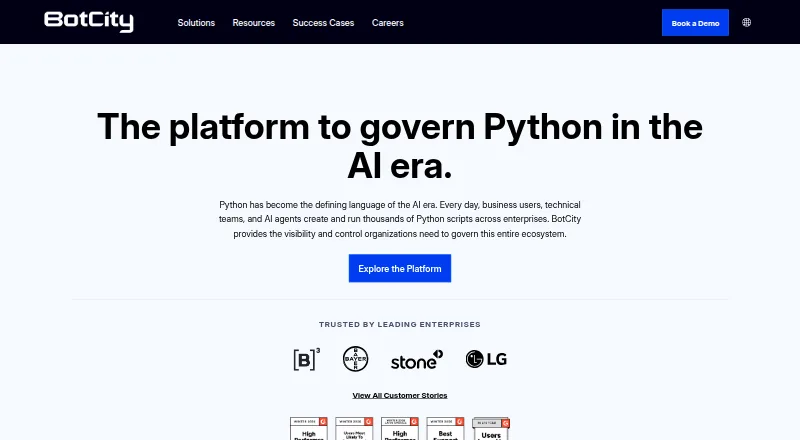
What BotCity is
BotCity provides tools to govern Python scripts and code-based automations across enterprise environments. Sentinel monitors Python script executions on company endpoints, supplying execution context, alerts, policies, and audit evidence. Orchestrator centralizes scheduling, monitoring, queue management, alerts, and control; Runner can execute automations on virtual or physical machines, containers, or AWS Lambda. Studio supports Python, Java, and JavaScript automation code, with computer vision tools for inspecting interface elements. Orchestrator runs in the cloud, while agents and automations execute inside the customer's infrastructure. APIs can trigger bots, and notifications can go through Teams, email, or WhatsApp. Listed integrations include AWS, Google Suite, Microsoft Office, Slack, Jenkins, GitLab CI/CD, and GitHub Actions. BotCity offers a free Community plan and a 30-day trial. Once the trial ends, Community accounts are limited to one automation, one Runner, and 10 tasks per day; Datapool, Schedules, Credentials, Insights, and Audit are disabled. BotCity describes its intended audience as developers and technology teams building enterprise automations.
Who it suits
BotCity is aimed at developers and technology teams building and maintaining enterprise automations. Its mix of orchestration and execution options may suit teams that need centralized oversight while running automations in their own infrastructure.
What it does well
- Centralizes scheduling, monitoring, and queue management
- Runner supports machines, containers, and AWS Lambda
- Studio supports Python, Java, and JavaScript
- APIs can trigger bots
- Lists a free Community plan and 30-day trial
What to know first
- Community is limited to one automation after trial
- Community allows 10 tasks per day after trial
- Several Community features are disabled after trial
Limits
After the 30-day trial, Community accounts are limited to one automation, one Runner, and 10 tasks per day. Datapool, Schedules, Credentials, Insights, and Audit are disabled on Community after the trial.
Plans
| Plan | Billed and limits | Price |
|---|---|---|
| Community | 1 automation · 10 tasks per day · 1 Runner · Datapool, Schedules, Credentials, Insights, and Audit disabled after trial | Free |
As botcity.dev lists them, read 29 Sept 2026. The maker's own page has the final word.
Getting started
- Visit the BotCity website
- Start with the free Community plan or use the 30-day trial
- Choose the hybrid deployment approach
- Use Studio to create automation code in Python, Java, or JavaScript
- Use Orchestrator to schedule, monitor, and control automations
Overview
BotCity is an enterprise automation platform for teams building Python scripts and other code-based workflows. It is best suited to developers who need to govern, schedule, and monitor automations that run within company infrastructure. Its broad runtime options and oversight tools are compelling; the Community plan’s sharp post-trial caps make it a poor basis for sustained team use.
Founded in Brazil in 2018, BotCity lists an address in Miami, Florida. Teams comparing tools in this category can browse Robotic Process Automation Software.
Key features
Execution oversight and orchestration
Sentinel monitors Python scripts running on company endpoints, adding execution context, alerts, policies, and audit evidence. That makes it relevant for teams that need visibility and governance over scripts beyond a single developer’s workstation. Orchestrator centralizes scheduling, monitoring, alerts, queue management, and control for code-based automations, and can trigger bots through APIs.
Orchestrator runs in the cloud, while agents and automations execute in the customer’s infrastructure behind its firewall and security layers. BotCity Runner supports virtual machines, physical machines, containers, and AWS Lambda. This hybrid arrangement gives teams several execution choices while keeping automation agents within their environment.
Building automations and integrations
BotCity Studio supports Python, Java, and JavaScript automation code and includes computer vision tools for inspecting interface elements. The platform also supports attended and unattended automation, browser automation, and document processing. These capabilities make it broader than a Python-script monitor, though teams should expect a developer-oriented approach rather than a tool aimed only at nontechnical users.
Documented plugins cover AWS, Google Suite, Microsoft Office, and Slack; CI/CD integrations include Jenkins, GitLab CI/CD, and GitHub Actions. Orchestrator notifications can arrive in Teams, email, and WhatsApp. The range connects automation work with common development and communication systems without requiring every bot to be launched manually.
Security and support
BotCity says customer databases and S3 buckets are encrypted at rest, and data in transit uses TLS 1.2 or higher. Its security page lists AICPA SOC, ISO 27001, and SOC 2 Type 2 among its certifications and compliance information. Non-free plans can use AWS data residency regions in South America, the United States, and the European Union, which may matter to organizations with location requirements. BotCity directs users to a support channel and offers courses through BotCity Academy.
Pricing
BotCity uses a freemium model, with a free plan and a 30-day trial. The Community plan costs nothing. During the trial, teams can assess the platform; afterward, Community is limited to one automation, one Runner, and 10 tasks per day. Datapool, Schedules, Credentials, Insights, and Audit are disabled after the trial. Those restrictions significantly narrow the plan’s usefulness for ongoing operations: it is better for an initial evaluation or a small, low-volume setup than for an enterprise team relying on scheduled, auditable automation.
BotCity’s non-free plans have custom pricing. They are the relevant route for teams that need more capacity, the disabled Community functions, or AWS data residency options, but the cost should be weighed against the scale and governance requirements of the deployment.
Platforms
BotCity supports API, Linux, macOS, web, and Windows environments, as well as self-hosted deployment. It is cross-platform, and its hybrid deployment model separates cloud orchestration from execution inside customer infrastructure. That combination suits organizations that want centralized controls without moving their automation agents outside their security perimeter.
Who it's for
BotCity is a strong fit for developers and technology teams building and maintaining enterprise automations at scale, particularly those who want centralized control over Python scripts and several choices for where automations run. Teams looking for a free plan to support multiple automations, higher daily volume, or ongoing scheduling and audit features should look elsewhere or budget for a paid plan.
Pros and cons
- Pros: Sentinel and Orchestrator combine endpoint script oversight with centralized scheduling, queues, alerts, and control, giving technical teams a joined-up way to govern automation activity.
- Pros: Runner supports virtual machines, physical machines, containers, and AWS Lambda, while execution can remain inside the customer’s infrastructure.
- Pros: Studio supports three programming languages and computer vision tools, with integrations spanning cloud, office, CI/CD, and messaging services.
- Cons: Community falls to one automation, one Runner, and 10 tasks per day after the 30-day trial, with several operational features disabled; that is restrictive for continuing team use.
- Cons: Non-free plans use custom pricing, so teams must establish cost before committing to capabilities beyond Community.
Alternatives
Choose AutomationEdge if its free RPA tools or broader enterprise offering—RPA, conversational AI, ETL, and IT—better match the scope of your automation work.
Ui.Vision RPA is another freemium option, with a free edition and support for browser extensions alongside web and desktop platforms.
Zoho RPA offers a free plan capped at three executions per billing period, one production flow, and 30 days of history; consider it when those limits suit your needs.
Automation Anywhere Document Automation may suit eligible small businesses focused on document automation, with its free Community Edition covering up to five machines and 100 pages per month.
EdgeVerve AssistEdge offers a free single-user Community Edition for learning and building automations.
Laiye RPA offers a free Community Edition for Windows 10 or later (64-bit), as well as an Enterprise Edition.
OpenRPA is an open-source, free-to-use option for teams that prefer self-hosted Windows software.
Hyland AP Automation is an enterprise AP automation option.
Verdict
BotCity is worth considering for developer-led teams that need to monitor and orchestrate code-based enterprise automation while keeping execution inside their infrastructure. Its runtime flexibility and governance features are the main reasons to choose it. The Community plan’s low post-trial limits are the clearest reason to look elsewhere if you need sustained free use; teams that need broader capacity should be prepared for custom pricing.
Verdict
BotCity brings code-based automation oversight, execution, and developer tools into one platform. The free Community account has substantial limits after the 30-day trial, so teams should account for those before relying on it.
Questions
Is BotCity free?
Yes. Its Community plan costs nothing. A 30-day trial is also available.
What happens to Community after the trial?
Community accounts are limited to one automation, one Runner, and 10 tasks per day. Datapool, Schedules, Credentials, Insights, and Audit are disabled.
Where do BotCity automations run?
Orchestrator is cloud-based, while agents and automations run in the customer's infrastructure behind its firewall and security layers. BotCity Runner supports virtual machines, physical machines, containers, and AWS Lambda.
Which languages does BotCity Studio support?
Studio supports Python, Java, and JavaScript automation code.
What integrations and notifications are available?
Documented integrations include AWS, Google Suite, Microsoft Office, Slack, Jenkins, GitLab CI/CD, and GitHub Actions. Orchestrator can trigger bots through APIs and send real-time notifications through Teams, email, and WhatsApp.
Which platforms does BotCity support?
Its listed platforms are API, Linux, macOS, self-hosted, web, and Windows.
Facts from BotCity's own pages
- APIs and alerts
- Orchestrator can trigger bots through APIs and send real-time notifications through Teams, email, and WhatsApp. · botcity.dev, 29 Sept 2026
- Audience
- BotCity describes its platform as designed for developers and technology teams building and maintaining enterprise automations at scale. · botcity.dev, 29 Sept 2026
- Automation runtimes
- BotCity Runner can run automations on virtual machines, physical machines, containers, or AWS Lambda. · botcity.dev, 29 Sept 2026
- Community limits
- After the 30-day trial, Community accounts are limited to one automation, one Runner, and 10 tasks per day, with Datapool, Schedules, Credentials, Insights, and Audit disabled. · documentation.botcity.dev, 29 Sept 2026
- Company
- BotCity says it was founded in Brazil in 2018 and lists its address as 1110 Brickell Ave, Miami, Florida. · botcity.dev, 29 Sept 2026
- Compliance
- BotCity's security page lists AICPA SOC, ISO 27001, and SOC 2 Type 2 among its certifications and compliance information. · botcity.dev, 29 Sept 2026
- Data residency
- BotCity says non-free plans can use AWS data residency regions in South America, the United States, and the European Union. · botcity.dev, 29 Sept 2026
- Developer tools
- BotCity Studio supports Python, Java, and JavaScript automation code and includes computer vision tools for inspecting interface elements. · botcity.dev, 29 Sept 2026
- Execution location
- Orchestrator is cloud-based, while agents and automations execute in the customer's infrastructure behind its firewall and security layers. · botcity.dev, 29 Sept 2026
- Founded
- 2018 · botcity.dev, 23 Sept 2026
- Headquarters
- Miami, Florida, United States · botcity.dev, 23 Sept 2026
- Integrations
- BotCity documentation names plugins for AWS, Google Suite, Microsoft Office, and Slack, and CI/CD integrations including Jenkins, GitLab CI/CD, and GitHub Actions. · documentation.botcity.dev, 29 Sept 2026
- Orchestrator
- Orchestrator provides centralized scheduling, monitoring, alerts, queue management, and control for code-based automations. · botcity.dev, 29 Sept 2026
- Purpose
- BotCity provides visibility and control for governing Python scripts created and run across enterprises. · botcity.dev, 29 Sept 2026
- Security
- BotCity states that customer databases and S3 buckets are encrypted at rest and that data in transit uses TLS 1.2 or higher. · botcity.dev, 29 Sept 2026
- Sentinel
- Sentinel monitors Python script executions on company endpoints and provides execution context, alerts, policies, and audit evidence. · botcity.dev, 29 Sept 2026
- Support
- BotCity documentation directs users to its support channel and provides courses through BotCity Academy. · documentation.botcity.dev, 29 Sept 2026
Where BotCity stands on Freedom251
- Software Rpa#1 of 22
- Robotic Process Automation Software#2 of 26