Freedom251 › Rich Text Editor Software

BlockNote
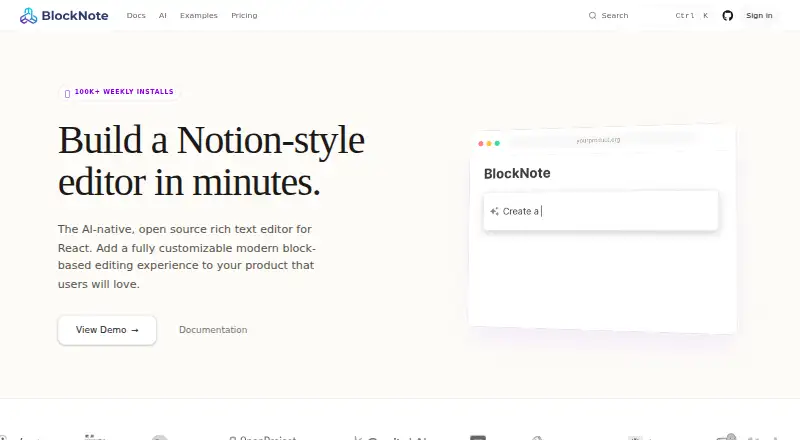
What BlockNote is
BlockNote is an open-source, modular rich-text editor for developers building web applications. It is intended for editing experiences in knowledge bases, note-taking apps, document editors and internal tools. A ready-made animated interface and block-based document structure provide a starting point, while developers can add custom block types, customize menus or build their own UI. The editor is built on ProseMirror and TipTap, and its real-time collaboration uses Yjs. Listed providers include Liveblocks, PartyKit, Y-Sweet, Hocuspocus, y-websocket and y-webrtc; documentation also lists y-indexeddb for offline storage. BlockNote imports and exports its JSON format and HTML, while conversions to standard HTML and Markdown are marked lossy. XL packages add AI integration, multi-column layouts and exports to PDF, DOCX, ODT and email. Closed-source use of XL packages requires a commercial license. The Community plan is free and includes all blocks and UI components, drag-and-drop editing and real-time collaboration; XL packages are free for OSS under GPL-3.0. Business is $195.00 per month, billed yearly.
Who it suits
BlockNote suits developers building web-based editors for knowledge bases, notes, documents or internal tools who want a block-based foundation they can customize.
What it does well
- Open-source editor with a ready-made UI
- Supports custom block types and menus
- Real-time collaboration uses Yjs
- No limits listed for documents or users
- Free Community plan includes real-time collaboration
What to know first
- Standard HTML and Markdown conversions are lossy
- Closed-source XL use requires a commercial license
- Business plan is billed yearly
Limits
The free Community plan includes XL packages for open-source projects under GPL-3.0. Closed-source use of XL packages requires a commercial license; the Business plan covers one application per license.
Plans
| Plan | Billed and limits | Price |
|---|---|---|
| Community | Free · All blocks & UI components · drag-and-drop editing · real-time collaboration · XL packages free for OSS under GPL-3.0 | Free |
| Business | $2,340 billed yearly; page also shows “$390/mo now -50%” · Commercial license for XL packages · one application per license · standard support | $195 a month |
| Enterprise | Custom · Custom licensing · dedicated support · feature development · onboarding and integration guidance | On request |
As blocknotejs.org lists them, read 3 Oct 2026. The maker's own page has the final word.
Getting started
- Choose the Community, Business, or Enterprise plan for your use.
- Use BlockNote in a supported framework or vanilla JavaScript project.
- Add its ready-made editor UI, or customize blocks, menus, or the full interface.
- For collaboration, connect a listed Yjs provider; use y-indexeddb for documented offline storage.
- Self-host the editor and keep documents and users on your own infrastructure.
BlockNote is an open-source editor foundation for developers building rich-text features into web applications. It suits teams that want a ready-made block editor they can customize, with real-time collaboration and offline-storage options. Its main trade-offs are lossy conversions to standard HTML and Markdown, and a commercial license for closed-source use of XL features.
Overview
BlockNote is designed to power knowledge bases, note-taking apps, document editors, and internal tools—not to serve as a standalone writing app. Its animated interface and block-based document structure give developers a working editor experience without requiring them to assemble every interaction from scratch. Teams can also replace that interface or extend it with custom blocks and menus.
Key features
The editor is built on ProseMirror and TipTap, with structured content, table editing, and image, video, audio, and file blocks. File uploads are configurable, which gives applications control over how media is handled. React, Next.js, vanilla JavaScript, Mantine, Shadcn, and Ariakit support make it relevant across several web stacks.
Collaboration uses Yjs, with providers including Liveblocks, PartyKit, Y-Sweet, Hocuspocus, y-websocket, and y-webrtc. The range gives developers choices for connecting collaborative editing to their application architecture. The documentation also lists y-indexeddb for offline storage, useful when an editor needs to retain data locally.
BlockNote imports and exports its own JSON format and HTML. Conversions to standard HTML and Markdown are lossy, so applications that depend on portable, faithful round-tripping should treat that as a significant limitation. XL packages add AI integration, multi-column layouts, and exports to PDF, DOCX, ODT, and email; closed-source use of those packages requires a commercial license.
Pricing
Community: free. It includes all blocks and UI components, drag-and-drop editing, and real-time collaboration. XL packages are free for open-source software under GPL-3.0, making this the natural starting point for qualifying open-source projects. The pricing FAQ says there are no limits on documents or users, and both remain on the customer's own infrastructure.
Business: $195 a month, with $2,340 billed yearly; the page also shows “$390/mo now -50%”. It includes a commercial license for XL packages, one application per license, and standard support. This is the paid fit for closed-source applications that need XL features; the one-application term matters for teams deploying the editor in multiple products.
Enterprise: custom pricing, with custom licensing, dedicated support, feature development, and onboarding and integration guidance. It is aimed at organizations that need tailored licensing or closer implementation support. Priority Support includes a 48-hour first-response time and access through GitHub, email, and a dedicated Slack channel.
Platforms
BlockNote is available for web applications and self-hosted deployment. Its developer-oriented framework support and customer-owned document and user infrastructure suit teams that want to keep the editor within their own application environment.
Who it's for
BlockNote is strongest for developers who want a customizable block editor with collaboration but do not want to build the basic editing UI themselves. It is a good fit for web products with structured documents, media blocks, and a need to choose a Yjs provider. It is less suitable when standard Markdown or HTML must preserve content exactly, or when a closed-source product needs XL features without the Business license.
Pros and cons
- Pros: Ready-made animated UI, block structure, and drag-and-drop editing reduce the work of creating a bespoke editor foundation.
- Pros: Custom blocks, menus, or a fully custom UI give teams room to fit the editor to their product.
- Pros: Real-time collaboration and listed offline storage options support collaborative editing architectures.
- Pros: The Community plan has no document or user caps, with content and users on the customer's infrastructure.
- Cons: Standard HTML and Markdown conversions are lossy, limiting dependable interchange with those formats.
- Cons: Closed-source use of XL packages requires a paid commercial license, and Business covers one application per license.
Alternatives
Rich Text Editor Software is the broader category for comparing editors. Consider AiEditor if Android or iOS support is a priority. CKEditor 5 is another freemium option, with a free trial and a published Essential plan priced at $160 a month monthly, or $144 per month annual, for 5,000 editor loads per month before overage charges. Editor.js is a free option from the non-profit team CodeX.
Jodit offers a free MIT-licensed core editor with built-in plugins, plus custom-priced enterprise licensing. MDXEditor is a free web-based React component for authoring Markdown, with features enabled through plugins. Milkdown is a fully free, MIT-licensed open-source editor framework. Plate has a free plan with all plugins and a Personal plan for €299, paid once. ProseMirror is a free, commercially usable open-source library for teams that want to build on that foundation directly.
Verdict
Choose BlockNote if you are building a web application and want a customizable, collaborative block editor with a ready-made UI and no document or user caps. Its strongest case is the combination of a practical starting interface and developer control over structure and integrations. Look elsewhere if faithful standard-format conversion is essential, or if you need XL features in a closed-source product but cannot accept the Business license and its one-application term.
Verdict
BlockNote offers a customizable editor foundation with collaboration and offline-storage options. Developers should account for lossy standard-format conversions and the commercial license requirement for closed-source XL use.
Questions
Is BlockNote free?
The Community plan is free. It includes all blocks and UI components, drag-and-drop editing, and real-time collaboration.
What does the Business plan cost?
Business costs $195/mo, billed yearly at $2,340. It includes a commercial license for XL packages for one application and standard support.
What do the XL packages include?
They include AI integration, multi-column layouts, and exports to PDF, DOCX, ODT, and email. They are free for open-source projects under GPL-3.0; closed-source use requires a commercial license.
Can BlockNote be self-hosted?
Yes. BlockNote supports self-hosted deployment, and its pricing FAQ says documents and users remain on the customer's own infrastructure.
What collaboration options does it support?
Collaboration uses Yjs, with listed providers including Liveblocks, PartyKit, Y-Sweet, Hocuspocus, y-websocket, and y-webrtc. The documentation lists y-indexeddb for offline storage.
What formats can BlockNote import and export?
It supports importing and exporting BlockNote JSON and HTML. Conversions to standard HTML and Markdown are marked lossy.
Facts from BlockNote's own pages
- Collaboration
- Yjs providers listed for collaboration include Liveblocks, PartyKit, Y-Sweet, Hocuspocus, y-websocket, and y-webrtc. · blocknotejs.org, 3 Oct 2026
- Customization
- Developers can create custom block types, customize menus, or build their own UI from scratch. · blocknotejs.org, 3 Oct 2026
- Editor experience
- BlockNote provides a ready-made animated UI with minimal setup and a block-based document structure. · blocknotejs.org, 3 Oct 2026
- Formats
- The editor supports importing and exporting BlockNote JSON and HTML, while standard HTML and Markdown conversions are marked lossy. · blocknotejs.org, 3 Oct 2026
- Integrations
- The editor is built on ProseMirror and TipTap, and its collaboration feature uses Yjs. · blocknotejs.org, 3 Oct 2026
- Limits
- The pricing FAQ says there are no limits on the number of documents or users, and that documents and users remain on the customer's own infrastructure. · blocknotejs.org, 3 Oct 2026
- Maker
- The about page says BlockNote is developed by engineers led by Matthew Lipski, Nick Perez, and Yousef El-Dardiry. · blocknotejs.org, 3 Oct 2026
- Offline use
- The collaboration documentation lists y-indexeddb for offline storage. · blocknotejs.org, 3 Oct 2026
- Paid features
- XL packages include AI integration, multi-column layouts, and exports to PDF, DOCX, ODT, and email; closed-source use requires a commercial license. · blocknotejs.org, 3 Oct 2026
- Privacy
- The privacy policy says personal data is handled in accordance with the GDPR and lists TLS or comparable secure connections and need-to-know employee access as safeguards. · blocknotejs.org, 3 Oct 2026
- Product
- BlockNote is an open-source, modular rich-text editor for developers building modern web applications. · blocknotejs.org, 3 Oct 2026
- Support
- Priority Support includes a 48-hour first-response time and direct access through GitHub, email, and a dedicated Slack channel. · blocknotejs.org, 3 Oct 2026
- Use cases
- The editor powers editing experiences for knowledge bases, note-taking apps, document editors, and internal tools. · blocknotejs.org, 3 Oct 2026
Where BlockNote stands on Freedom251
- Rich Text Editor Software#5 of 37