Freedom251 › Distraction Blocking Software
Blackout Lighting Console
What Blackout Lighting Console is
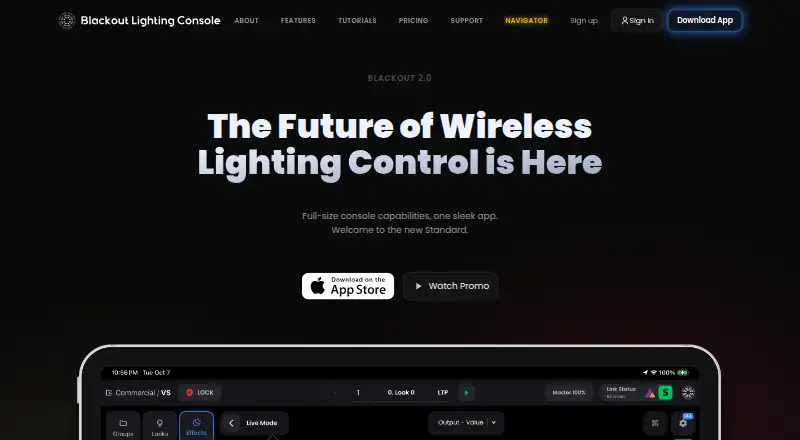
Blackout Lighting Console is a paid iOS lighting console designed to control fixtures from an iPad. It outputs sACN and Art-Net over Wi-Fi or Ethernet and supports DMX input, OSC, and MIDI. Lighting tools include visual patching, fixture color controls, effects, sequences, faders, macros, and pixel mapping. The fixture database contains more than 45,000 human-verified profiles, with daily updates and help-center requests for missing profiles. LivePlot shows a rig plot that can be shared by QR code with unlimited free browser viewers. Wireless output works with LumenRadio MoonLite and TimoTwo transmitters. Integrations include Astera, Cerise, LumenRadio Stardust, Elgato Stream Deck, and LIT Systems Lit Duo 1. Pro and above list NDI video input; Command adds an ACES color pipeline and per-fixture color trims. Showfiles can be backed up locally and in the cloud as often as every five minutes, with up to 15 timestamped copies. The console is presented for film, television, commercials, events, theater, clubs, worship, and installations.
Who it suits
Blackout suits lighting professionals working across production, events, venues, theater, and installations who need iPad-based fixture control. It is available on iOS with free and paid options.
What it does well
- Supports sACN, Art-Net, DMX, OSC, and MIDI
- More than 45,000 human-verified fixture profiles
- Visual patching, effects, sequences, and pixel mapping
- LivePlot sharing with unlimited free browser viewers
- Frequent local and cloud showfile backups
What to know first
- Pro and Command require three-month minimums
- Annual plans are non-refundable
- V3 plans and prices are still being finalized
Limits
Core provides 2 universes, 1 LivePlot page, 1 QuickPlot page, 500 MB cloud storage, and 1 collaborator. Advanced provides 8 universes and 1 GB storage; Pro requires a three-month minimum and Command adds uncapped universes with 4 GB storage.
Plans
| Plan | Billed and limits | Price |
|---|---|---|
| Command | $1,499.90 billed yearly; 3-month minimum billed upfront ($449.97 per quarter) · Uncapped universes · advanced output routing · ACES color pipeline · 4 GB cloud storage · 2 collaborators | $124.99 a month |
| Core | $299.90 billed yearly · 2 universes · 1 LivePlot page · 1 QuickPlot page · 500 MB cloud storage · 1 collaborator | $24.99 a month |
| Advanced | $599.90 billed yearly · 8 universes · unlimited LivePlot pages · 2 QuickPlot pages · 1 GB cloud storage · 1 collaborator | $49.99 a month |
| Pro | $999.90 billed yearly; 3-month minimum billed upfront ($299.97 per quarter) · 32 universes · unlimited LivePlot pages · 3 QuickPlot pages · 2 GB cloud storage · 2 collaborators | $83.33 a month |
As blackout-app.com lists them, read 11 Oct 2026. The maker's own page has the final word.
Getting started
- Open the Blackout website
- Use an iOS device or iPad
- Start the free trial
- Choose a Core, Advanced, Pro, or Command plan
- Connect compatible lighting output over Wi-Fi, Ethernet, or supported Bluetooth transmitters
Verdict
Blackout puts extensive fixture control, plotting, integrations, and backup tools on an iPad. Buyers should review plan commitments while version 3 pricing is finalized.
Questions
What platforms does Blackout support?
Blackout is listed for iOS and is described as bringing console capabilities to an iPad.
Is there a free plan or trial?
Yes. Blackout has a free plan and a free trial.
What does Core cost?
Core costs $24.99 a month, or 299.90 USD billed yearly.
Which protocols are supported?
The console supports sACN, Art-Net, DMX, OSC, and MIDI, with output over Wi-Fi or Ethernet.
What does Command add?
Command includes uncapped universes, advanced output routing, an ACES color pipeline, and per-fixture color trims.
Facts from Blackout Lighting Console's own pages
- Backups
- Showfiles can be backed up to the cloud and restored on any iPad, and local automatic backup intervals depend on the plan. · apps.apple.com, 11 Oct 2026
- Data handling
- The company says it does not sell personal data and that payment card information is handled by Stripe rather than stored by Blackout. · blackout-app.com, 11 Oct 2026
- Device detail
- The founder describes Blackout as bringing full-size console capabilities to an iPad. · blackout-app.com, 4 Oct 2026
- Fixture database
- Its in-house fixture database contains 40,000+ human-verified profiles, with daily updates and profile requests typically handled within hours of a spec sheet. · blackout-app.com, 4 Oct 2026
- Fixture profiles
- Its fixture database has more than 45,000 human-verified profiles, and users can request missing profiles through the help center. · blackout-app.com, 11 Oct 2026
- Free trial
- A free account includes a 14-day trial on any plan when output is needed, with no card up front. · blackout-app.com, 4 Oct 2026
- Integrations
- The product lists native integrations for Astera, Cerise, Stardust, and Stream Deck. · blackout-app.com, 11 Oct 2026
- Intended users
- The founder describes Blackout as a tool for lighting work on set, in theater, and at live events, and identifies himself as a working lighting programmer. · blackout-app.com, 11 Oct 2026
- Lighting control
- The console supports sACN, Art-Net, DMX, OSC, and MIDI control protocols. · blackout-app.com, 11 Oct 2026
- Lighting controls
- Features include visual patching, fixture color controls, effects, sequences, faders, macros and pixel mapping. · blackout-app.com, 4 Oct 2026
- LivePlot
- LivePlot displays a live plot of the rig and can be shared by QR code with unlimited free browser viewers. · apps.apple.com, 11 Oct 2026
- Media and color
- The site lists NDI video input on Pro and above and an ACES color-managed pipeline on Command. · blackout-app.com, 4 Oct 2026
- Notable limits
- Core and Advanced are month-to-month, while Pro and Command require a three-month minimum billed upfront; annual plans are non-refundable. · blackout-app.com, 11 Oct 2026
- Pixel mapping
- The console supports pixel mapping in fixture-native color models, with the Command plan adding an ACES color pipeline and per-fixture color trims. · blackout-app.com, 11 Oct 2026
- Pricing status
- The pricing page says Blackout v3 plans and prices are still being finalized. · blackout-app.com, 4 Oct 2026
- Privacy
- The company says it does not access or analyze showfile creative content except when the user requests technical support and consents to review. · blackout-app.com, 11 Oct 2026
- Protocols
- It outputs sACN and Art-Net over Wi-Fi or Ethernet and supports DMX input, OSC and MIDI. · blackout-app.com, 4 Oct 2026
- Purpose
- Blackout is a professional lighting console designed to run on iPad for lighting work on set, in theaters, and at live events. · blackout-app.com, 11 Oct 2026
- Security
- The privacy policy says optional Blackout Vault showfile storage is encrypted at rest and that the company uses industry-standard security measures. · blackout-app.com, 11 Oct 2026
- Support
- Blackout provides a help center, feature documentation, structured training, and a user community. · blackout-app.com, 11 Oct 2026
- Wireless output
- The app supports Bluetooth output to LumenRadio MoonLite and TimoTwo transmitters. · apps.apple.com, 11 Oct 2026
Where Blackout Lighting Console stands on Freedom251
- Distraction Blocking Software#9 of 29