
BIMvision
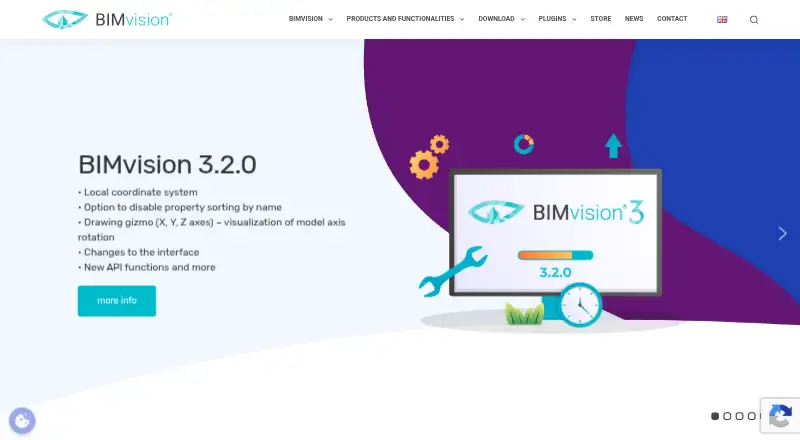
What BIMvision is
BIMvision is a free viewer for building information models in IFC 2×3 and IFC 4.0 formats. It supports models produced with CAD systems including Revit, Archicad, Tekla, Bentley, Allplan, and Vectorworks. A plugin interface lets users add functions for particular workflows, with listed plugins for Python automation, IFC checking and editing, quantity reports, clash detection, and model comparison. The BIMserver.center plugin connects the viewer with more than 60 applications in an Open BIM workflow. Users can create plugins themselves or ask Datacomp for help with a dedicated solution or integration into another system; the API supports plugin creation and system integration. The software is free for private and commercial use and requires Windows 10 or newer. Listed minimum requirements include a 2 GHz CPU, 4 GB RAM, a suitable graphics card, 1 GB free disk space, and OpenGL 4.6. The download page offers version 3.2.0 and sends the installation file to the email address provided. Stated audiences include investors, designers, contractors, inspectors, manufacturers, and cost estimators.
Who it suits
BIMvision suits people who need to view IFC building models, including designers, contractors, inspectors, manufacturers, investors, and cost estimators. Its plugins may also suit users who need specific checks, reports, or integrations.
What it does well
- Free for private and commercial use.
- Views IFC 2×3 and IFC 4.0 models.
- Plugin examples include clash detection and quantity reports.
- BIMserver.center plugin connects with more than 60 applications.
What to know first
- Runs on Windows 10 or newer.
- Requires OpenGL 4.6 and at least 4 GB RAM.
- Installation file is sent to the provided email address.
Plans
| Plan | Billed and limits | Price |
|---|---|---|
| BIMvision | Free for private and commercial use · Windows 10 or newer | Free |
As bimvision.eu lists them, read 8 Oct 2026. The maker's own page has the final word.
Getting started
- Visit the BIMvision website and open its download page.
- Provide an email address to receive the installation file.
- Install BIMvision on a Windows 10 or newer system that meets the minimum requirements.
- Install any needed plugins in demo form, or purchase their full licenses through the BIMvision store.
BIMvision is a freeware viewer for IFC building models, best suited to project participants who need to inspect or check shared models rather than author them. Its appeal is a free, multi-discipline viewer that can grow through plugins; its main constraint is that it requires a suitable Windows PC.
Overview
BIMvision opens IFC 2×3 and IFC 4.0 models created in systems including Revit, Archicad, Tekla, Bentley, Allplan, and Vectorworks. That makes it a useful common point for reviewing work across disciplines and authoring tools. It is a focused viewer, not a substitute for the systems used to create those models.
The plugin interface broadens its scope: users can add functions for particular tasks, build plugins themselves, or ask Datacomp to create a dedicated solution or connect BIMvision to another system. This flexibility is valuable when a standard viewer is not enough, but specialized workflows may require paid plugin licenses or custom work.
Key features
Review and analysis
BIMvision covers multiple disciplines and supports IFC, clash detection, and quantity takeoff. The plugin catalog includes IFC checking and editing, quantity reports, clash detection, model comparison, and Python automation. These options make the viewer relevant to designers, contractors, inspectors, manufacturers, investors, and cost estimators, though the functions beyond basic viewing depend on selecting suitable plugins.
Plugins and integration
The BIMserver.center plugin connects BIMvision with more than 60 applications in an Open BIM workflow. The API supports plugin creation and integration with other systems, giving technical teams room to adapt the viewer to existing processes. Demo versions of plugins can be installed for evaluation; full licenses are purchased through the BIMvision store.
Pricing
The BIMvision plan costs free and is free for private and commercial use. It includes the viewer, but users who need specialized plugin functions should account for separate plugin licenses. Demo versions provide a way to assess plugins before buying; there are no seat caps or usage quotas attached to the free plan.
This is a strong starting point for individuals and project teams that need IFC viewing without a software fee. It is less compelling if a workflow depends on paid extensions or custom integration, where the total cost will depend on the solution required.
Platforms
BIMvision is a Windows application. Minimum requirements are Windows 10 or newer, a 2 GHz CPU, 4 GB RAM, a suitable graphics card, 1 GB of free disk space, and OpenGL 4.6. Those requirements make checking the graphics hardware particularly important before adoption. The download page offers version 3.2.0 and sends the installation file to the email address provided.
Who it's for
Choose BIMvision if you need to inspect IFC models from several authoring systems, or want a free viewer that can be extended for checking, quantity reporting, clash detection, or comparison. Its API and plugin options also suit teams that can develop or commission workflow-specific integrations. Look elsewhere if collaborators need a viewer across varied device platforms or if the primary need is model authoring.
Pros and cons
- Pro: Free for private and commercial use, so basic IFC review does not require a software subscription.
- Pro: IFC 2×3 and 4.0 support spans models from several major CAD systems.
- Pro: Plugins, an API, and BIMserver.center connectivity offer routes to specialized functions and broader Open BIM workflows.
- Con: Plugin licenses are purchased separately, so advanced tasks may add cost beyond the free viewer.
- Con: Windows 10 or newer and OpenGL 4.6 requirements rule out devices that cannot meet the graphics and operating-system baseline.
- Con: The product is centered on viewing and review, not replacing BIM authoring software.
Alternatives
BIM Software and 3D Model Viewer Software are useful starting points for comparing products across those categories.
- Archicad is a paid option with a free educational license for eligible students and educators; choose it when the educational license and its broader platform support fit better than a Windows-focused viewer.
- usBIM.platform offers a free basic configuration with 10 GB of cloud storage and online applications; consider it when cloud storage and browser-based access matter.
- BIMserver is free, open-source, and self-managed; choose it if you want to run an open-source BIM server rather than use a focused viewer.
- Speckle has a free Explore plan for one project and up to three users, with importers, connectors, and 30-day version history; it is a better fit when that project collaboration setup is the priority.
- Bonsai is free and open-source software with Studio and Viewer; consider it if you want free software rather than BIMvision’s plugin-based viewer.
- Finch has a free single-user plan with editing tools and real-time building performance metrics; choose it when those design capabilities suit the work better than IFC review.
- Hypar offers a Personal plan with three owned projects and a Professional plan at $100 a month per user; it may fit teams seeking a project-based platform instead of a dedicated model viewer.
- Trimble Quadri has a free read-only viewer for model viewing, commenting, and measuring distances and areas; consider it when those review tools match your needs.
Verdict
BIMvision is a good choice for Windows users who need free, multi-discipline IFC viewing and value the option to add targeted plugins or integrations. Its free commercial use is the clearest reason to choose it; plugin licensing and the Windows graphics requirements are the main reasons to look elsewhere.
Verdict
BIMvision offers a free way to view IFC models, with optional plugins for specialized tasks and integrations. Check the Windows and graphics requirements before downloading.
Questions
How much does BIMvision cost?
The BIMvision plan is free. It is free for private and commercial use.
Which IFC formats does BIMvision support?
It supports IFC 2×3 and IFC 4.0 models.
Which systems can run BIMvision?
The listed desktop requirement is Windows 10 or newer. Minimum requirements also include a 2 GHz CPU, 4 GB RAM, a suitable graphics card, 1 GB free disk space, and OpenGL 4.6.
Can I use BIMvision with other applications?
The BIMserver.center plugin connects BIMvision with more than 60 applications in an Open BIM workflow. Its API also supports integration with other systems.
Are BIMvision plugins free?
Plugins can be installed as demo versions. Full plugin licenses are purchased through the BIMvision store.
Who makes BIMvision?
Datacomp IT Sp. z o.o. develops the platform and lists its headquarters in Krakow, Poland.
Facts from BIMvision's own pages
- API
- BIMvision’s API supports plugin creation and integration with other systems. · bimvision.eu, 8 Oct 2026
- Audience
- The site identifies investors, designers, contractors, inspectors, manufacturers, and cost estimators as users for BIMvision. · bimvision.eu, 8 Oct 2026
- Company
- Datacomp IT Sp. z o.o. develops the BIMvision platform and says it is a member of buildingSMART Polska. · bimvision.eu, 8 Oct 2026
- Customization
- Users can create plugins themselves or ask Datacomp for help creating a dedicated solution or integrating BIMvision into another system. · bimvision.eu, 8 Oct 2026
- Download
- The download page offers BIMvision 3.2.0 and says the installation file is sent to the email address provided. · bimvision.eu, 8 Oct 2026
- Headquarters
- Krakow, Poland · bimvision.eu, 28 Sept 2026
- Integrations
- The BIMserver.center plugin connects BIMvision with more than 60 applications in an Open BIM workflow. · bimvision.eu, 8 Oct 2026
- Plugin examples
- The download page lists plugins for Python automation, IFC checking and editing, quantity reports, clash detection, and model comparison. · bimvision.eu, 8 Oct 2026
- Plugin interface
- BIMvision has a plugin interface that lets users add functionality for specific needs. · bimvision.eu, 8 Oct 2026
- Plugin licensing
- Plugins can be installed as demo versions for testing, and full plugin licenses are purchased through the BIMvision store. · bimvision.eu, 8 Oct 2026
- Product
- BIMvision is a freeware IFC model viewer for viewing BIM models created in IFC 2×3 and 4.0 formats. · bimvision.eu, 8 Oct 2026
- Source models
- The viewer supports models from CAD systems including Revit, Archicad, Tekla, Bentley, Allplan, and Vectorworks. · bimvision.eu, 8 Oct 2026
- Support
- The maker lists Datacomp IT Sp. z o.o. at 101 Gromadzka St., Cracow, Poland, and provides a contact email and phone number. · bimvision.eu, 8 Oct 2026
- System requirements
- Minimum requirements include Windows 10 or newer, a 2 GHz CPU, 4 GB RAM, a suitable graphics card, 1 GB free disk space, and OpenGL 4.6. · bimvision.eu, 8 Oct 2026
Where BIMvision stands on Freedom251
- BIM Software#5 of 30
- 3D Model Viewer Software#8 of 29