Freedom251 › Music Learning Apps
Better Ears
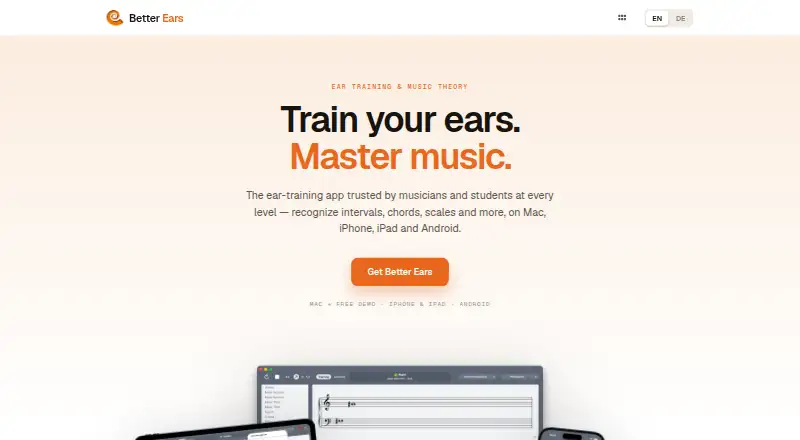
What Better Ears is
Better Ears is an ear-training and sight-reading app for musicians, students, and teachers. Its 15 exercises include listening and music-reading practice such as rhythm recognition and rhythm reading. Rhythm exercises can use a count-in, metronome, triplets, and time signatures including 3/4, 4/4, and 5/4. You can respond by singing, playing an instrument, using a virtual keyboard or guitar fretboard, or connecting a MIDI device. Four preset levels are available, along with an editor for custom levels, chords, scales, and chord progressions. The app includes six instruments and supports custom SoundFonts; the site says Mac supports more than 100 sounds via DLS SoftSynth. Better Ears tracks correct and incorrect answers for each exercise and question. The maker describes syncing levels, sounds, and statistics across Mac, iPhone, iPad, and Android, and syncing levels, statistics, and settings through Dropbox. The Mac Beginner version is limited to one level and one instrument and does not include custom exercises or microphone pitch detection. Listed purchases are 2.60 CHF, paid once for Android and $4.99, paid once for iPhone and iPad.
Who it suits
The app is aimed at musicians, students, and teachers, from beginners to those preparing for conservatory study. Its multiple answer methods and custom practice options suit learners who want varied ways to work on listening and music reading.
What it does well
- Includes 15 ear-training and sight-reading exercises.
- Answers can use voice, instruments, virtual controls, or MIDI.
- Custom levels, chords, scales, and progressions are supported.
- Tracks correct and incorrect answers.
What to know first
- Mac Beginner is limited to one level and instrument.
- Mac Beginner lacks custom exercises and microphone pitch detection.
- Android and iPhone/iPad purchases have different listed currencies.
Limits
The free Mac Beginner version provides one level and one instrument, without custom exercises or microphone pitch detection. The free macOS trial is listed with no duration stated.
Plans
| Plan | Billed and limits | Price |
|---|---|---|
| Better Ears macOS trial | trial duration not stated | Free |
| Better Ears Beginner — Mac | Free version; one level and one instrument; no custom exercises or microphone pitch detection | Free |
| Better Ears — macOS trial | Free macOS trial; trial duration not stated | Free |
| Better Ears Beginner (Mac) | one level · one instrument · no custom exercises · no microphone pitch detection | Free |
| Better Ears — Android | Phones and tablets | 2.60 CHF, paid once |
| Better Ears (Android) | phones and tablets · 1,000+ downloads shown | €2.99, paid once |
| Better Ears (iPhone/iPad) | universal iPhone and iPad app | $4.99, paid once |
| Better Ears — iPhone and iPad | One universal app | $4.99, paid once |
As better-ears.mamp.info lists them, read 15 Oct 2026. The maker's own page has the final word.
Getting started
- Visit the Better Ears website.
- Choose Android, iPhone and iPad, or macOS.
- Use the free plan or trial, or select a paid version.
- Start with one of the four preset levels or create custom practice in the editor.
- Answer using voice, an instrument, virtual controls, or a connected MIDI device.
Better Ears is an ear-training and sight-reading app for musicians, students, and teachers who want structured drills plus control over what they practise. It is strongest for learners who need varied input methods and custom exercises, while the free Mac edition is mainly an introduction rather than a complete solution.
Overview
Better Ears combines listening, rhythm, and music-reading work in a mixed curriculum aimed at beginners through conservatory preparation. Its 15 exercises and live feedback support regular skills practice instead of teaching a single instrument through a fixed course. That makes it a sensible companion for instrumental study or classroom work, but less suitable if you want a linear, instrument-specific teaching programme.
Key features
Rhythm activities can include a count-in, metronome, triplets, and 3/4, 4/4, or 5/4 time signatures. You can respond by singing, playing a real instrument, using the virtual keyboard or guitar fretboard, or connecting a MIDI device. This range accommodates different instruments and practice situations, although users without a suitable instrument or MIDI setup will rely on the virtual controls or voice.
Four preset levels provide immediate structure. An editor lets you build custom levels, chords, scales, and chord progressions, which is particularly useful for teachers assigning targeted work and musicians isolating a weakness. Beginners can start with presets, but the app expects you to decide how to use its breadth rather than supplying a single prescribed syllabus.
Six included instruments, custom SoundFont support, and more than 100 Mac sounds through DLS SoftSynth give the exercises a broad sonic palette. Better Ears records correct and incorrect answers for every exercise and question, so progress data can reveal recurring problem areas. Levels, sounds, statistics, and settings can sync between Mac, iPhone, iPad, and Android through the app's Dropbox-based syncing. Each exercise also displays a matching Wikipedia article, a convenient reference for terminology and concepts.
Pricing
Better Ears Beginner — Mac: free. This version is limited to one level and one instrument, with no custom exercises or microphone pitch detection. It is appropriate for a brief evaluation, not for learners who need the editor or broader instrument support.
Better Ears — macOS trial: free.
Better Ears — Android: 2.60 CHF, paid once for phones and tablets. Better Ears — iPhone and iPad: $4.99, paid once as one universal app. These one-time purchases avoid a recurring subscription and suit users who want the full mobile practice tool on one platform. The prices are separate by platform, so moving between ecosystems may require another purchase.
Platforms
Better Ears runs on Android, iOS, and macOS. Cross-device syncing is useful for moving practice between a computer and mobile device, while the Mac-only free edition has the sharpest feature restrictions. The app is therefore a better multi-platform purchase for users who will use more than the limited Beginner configuration.
Who it's for
Musicians can use the varied answer methods and custom drills to reinforce existing study. Students get preset levels, live feedback, and question-level accuracy tracking, from beginner work through conservatory preparation. Teachers benefit most from custom levels, chords, scales, and progressions. Choose another app if your priority is a complete, step-by-step piano or general instrument course rather than adaptable ear-training and sight-reading exercises.
Pros and cons
Pros
- Fifteen exercises cover both ear training and music reading, including rhythm recognition and reading.
- Singing, acoustic playing, virtual controls, and MIDI support let users answer in the way that matches their setup.
- Custom levels and musical materials give teachers and advanced learners control beyond the four presets.
- Per-question accuracy tracking and cross-device syncing support consistent practice.
- Mobile editions use one-time pricing rather than a stated recurring subscription.
Cons
- The free Mac version permits only one level and one instrument.
- Mac Beginner omits custom exercises and microphone pitch detection, limiting its usefulness for serious practice.
- Purchases are platform-specific, so a multi-device user may pay more than once.
- The broad, mixed curriculum offers flexibility but not the guided progression of a dedicated instrument course.
Alternatives
Piano Marvel is the better choice for piano-led learning, with a free tier containing 150+ songs, performance feedback, 200+ lesson exercises, and 25 video lessons, plus a $17.99 monthly Premium plan.
flowkey suits learners who want song and course lessons across Android, iOS, and web, with a free account and a free trial.
Hoffman Academy is aimed at video-led piano instruction, offering free lessons and tracking with a paid membership option.
Rocksmith+ is worth considering for music-learning content on Android, iOS, and Windows through subscription plans.
Skoove offers structured course lessons on Android, iOS, and web, including a free Basic tier and a 12-month Premium plan charged at $149.99.
Solfeg.io provides a broad free school tier with songs, theory quizzes, lesson plans, and instrument classes.
ChordIQ is another freemium option for Android, iOS, and macOS users.
Clefira focuses on intervals, chords, sight reading, and progress tracking across Android, web, and Windows.
Browse Music Learning Apps for more choices.
Verdict
Choose Better Ears if you want affordable, cross-platform ear training with multiple response methods, custom exercise design, and detailed accuracy tracking. Look elsewhere if you need a guided instrument curriculum or expect the free Mac version to include the app's full practice and customization range.
Verdict
Better Ears offers varied practice modes, custom exercise setup, and progress tracking across its listed platforms. Note the limits of the Mac Beginner version and the separate one-time purchase prices by platform.
Questions
Is Better Ears free?
A free Mac Beginner version and a free macOS trial are listed. The Beginner version is limited to one level and one instrument, and lacks custom exercises and microphone pitch detection.
How much does Better Ears cost?
The Android version is 2.60 CHF, paid once. The iPhone and iPad universal app is $4.99, paid once.
Which platforms does it support?
The listed platforms are Android, iOS, and macOS.
What does the app teach?
Its 15 exercises cover ear training and music reading, including rhythm recognition and rhythm reading.
Can I create my own exercises?
The editor supports custom levels, chords, scales, and chord progressions. Custom exercises are not included in the Mac Beginner version.
Does it sync between devices?
The maker describes syncing levels, sounds, and statistics across Mac, iPhone, iPad, and Android, and syncing levels, statistics, and settings through Dropbox.
Facts from Better Ears's own pages
- Answer methods
- Users can answer by singing, playing a real instrument, using a virtual keyboard or guitar fretboard, or connecting a MIDI device. · better-ears.mamp.info, 11 Oct 2026
- API and SDK
- The public product and store pages describe MIDI, SoundFonts and Dropbox as integrations but do not document a public API or SDK. · better-ears.mamp.info, 15 Oct 2026
- Changelog
- The App Store history records Dropbox-sync fixes, Apple-silicon optimization, SoundFont support, Dark Mode, pitch-detection improvements and the later rhythm-training release. · apps.apple.com, 15 Oct 2026
- Company size and founding
- LinkedIn lists MAMP GmbH at 2–10 employees, headquartered in Wörth am Rhein, and founded in 2019. · de.linkedin.com, 15 Oct 2026
- Custom levels
- Four preset levels are provided and users can create unlimited custom levels with the editor. · apps.apple.com, 15 Oct 2026
- Custom practice
- The app has four preset levels and an editor for creating custom levels, chords, scales, and chord progressions. · better-ears.mamp.info, 11 Oct 2026
- Custom sounds
- The app includes six sampled instruments and accepts user SoundFonts in .sf2 format. · better-ears.mamp.info, 15 Oct 2026
- Exercise coverage
- The current product page lists 15 exercises spanning interval, scale, chord, pitch, melodic, tempo, key-signature and rhythm training plus music-reading variants. · better-ears.mamp.info, 15 Oct 2026
- Exercises
- The app includes 15 exercises covering ear training and music reading, including rhythm recognition and rhythm reading. · better-ears.mamp.info, 11 Oct 2026
- Free version limit
- The Mac App Store listing says Better Ears Beginner is limited to one level and one instrument and lacks custom exercises and microphone pitch detection. · apps.apple.com, 11 Oct 2026
- Headquarters
- MAMP GmbH lists In den Niederwiesen 4a, 76744 Wörth am Rhein, Germany. · mamp.info, 15 Oct 2026
- Interface
- The maker advertises a redesigned interface, full Dark Mode and clearer music notation on iPhone, iPad and Mac. · better-ears.mamp.info, 15 Oct 2026
- Licence
- AlternativeTo classifies Better Ears as paid proprietary commercial software with a one-time purchase model. · alternativeto.net, 15 Oct 2026
- Limit: interface
- An Apple reviewer found the exercise-start control unintuitive, requiring trial and error to discover. · apps.apple.com, 15 Oct 2026
- Limit: missing practice control
- An Apple reviewer wanted the ability to play a piano freely before submitting an answer. · apps.apple.com, 15 Oct 2026
- Limit: notation accuracy
- Google Play reviewers reported that staff notation was sometimes too imprecise to identify lines and spaces reliably. · play.google.com, 15 Oct 2026
- Limit: stability
- Google Play reviewers reported recurring bugs, crashes and unresolved notation problems. · play.google.com, 15 Oct 2026
- Mac sound library
- The product page says Mac users can access more than 100 sounds through DLS SoftSynth. · better-ears.mamp.info, 15 Oct 2026
- Maker legal name
- The company imprint identifies the maker as MAMP GmbH. · mamp.info, 15 Oct 2026
- MIDI
- The app can route sound through an external MIDI device and accept control from a connected master keyboard. · apps.apple.com, 15 Oct 2026
- Payment data
- The privacy policy says purchases are processed through Paddle and that email, location, and payment information are transferred to Paddle. · better-ears.mamp.info, 11 Oct 2026
- Platforms
- The maker lists Mac with Apple silicon and Intel, iPhone/iPad as one universal app, and Android phones/tablets. · better-ears.mamp.info, 15 Oct 2026
- Praise: breadth
- A 2014 Northwest Accordion News article described Better Ears Beginner as a sophisticated ear-training program with exercises for notes, intervals and chords. · nwasnews.com, 15 Oct 2026
- Praise: learning value
- An Apple reviewer called the free beginner edition well made and useful for beginning ear training, while appreciating that it emphasizes learning over flashy presentation. · apps.apple.com, 15 Oct 2026
Where Better Ears stands on Freedom251
- Music Learning Apps#2 of 40