Freedom251 › Music Learning Apps
Skoove
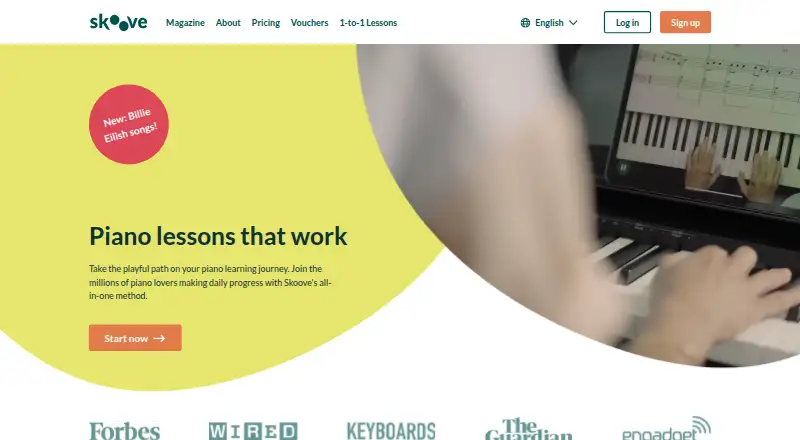
What Skoove is
Skoove is a piano-learning app from Learnfield GmbH that listens as learners play and gives real-time feedback. Its courses cover music theory, note reading, technique, and playing songs, and its advertised library contains more than 1,000 songs and lessons. A piano or keyboard can connect through MIDI, USB, or Bluetooth; Skoove says most Roland instruments with USB or MIDI connectivity work. Lessons and courses are accessible through the iOS and Android apps, but not the desktop website or Windows or Mac applications. The free Skoove Basic plan offers selected lessons. Premium includes unlimited access to courses, more than 400 lessons, and one-on-one support from piano instructors. The 12-month option is $12.49 per month, billed as $149.99 every 12 months; the three-month option is $19.99 per month, billed as $59.99 every three months; and the monthly option is $29.99 per month. A 7-day trial is available. Skoove says it is best suited to adults and teenagers aged 12 and over. Offline access is unavailable.
Who it suits
Skoove suits adults and teenagers aged 12 and over who want piano lessons with feedback while playing. Learners can connect a compatible piano or keyboard and use the iOS or Android app.
What it does well
- Provides real-time feedback while playing.
- Offers more than 1,000 songs and lessons.
- Supports MIDI, USB, and Bluetooth connections.
- Premium includes one-on-one instructor support.
- A 7-day trial is available.
What to know first
- Lessons are not available on the desktop website.
- Windows and Mac applications are not available.
- Offline access is unavailable.
- Learnfield may use de-identified performance data and audio recordings to improve AI features.
Limits
The free plan provides selected lessons from courses. Premium includes unlimited course access and over 400 lessons, but lessons and courses are not available through the desktop website or Windows and Mac applications, and offline access is unavailable.
Plans
| Plan | Billed and limits | Price |
|---|---|---|
| Skoove Basic | Selected lessons from courses | Free |
| Skoove Premium — 12 months | $149.99 charged every 12 months as a single upfront payment · Unlimited access to all courses · over 400 lessons · 1-on-1 instructor support | $12.49 a month |
| Skoove Premium — 3 months | $59.99 charged every 3 months · Unlimited access to all courses · over 400 lessons · 1-on-1 instructor support | $19.99 a month |
| Skoove Premium — 1 month | $29.99 charged monthly · Unlimited access to all courses · over 400 lessons · 1-on-1 instructor support | $29.99 a month |
| Lifetime Plan | One-time payment; contact support for pricing · Permanent access without recurring charges | On request |
As skoove.com lists them, read 1 Oct 2026. The maker's own page has the final word.
Getting started
- Visit the Skoove website.
- Choose the free Basic plan or a Premium plan; a seven-day trial is available.
- Open lessons and courses through the iOS or Android app.
- Connect a piano or keyboard through MIDI, USB, or Bluetooth.
Overview
Skoove is a piano-learning app built by Learnfield GmbH, a Berlin-based company founded in 2014. It is best suited to adults and teenagers aged 12 and over who want a guided course that responds to their playing. Its strongest appeal is the combination of structured lessons, live feedback, and instructor support; the phone-or-tablet-only lesson access is a meaningful constraint.
Key features
Skoove listens as you play and provides real-time feedback, while progress tracking gives learners a way to follow their development. That makes it a more interactive option than lessons that only present material, though learners need a piano or keyboard and a supported connection to use the feedback.
The curriculum spans music theory, note reading, technique, and songs. Skoove advertises more than 1,000 songs and lessons, while Premium specifies over 400 lessons and access to all courses. Premium also includes one-on-one support from Skoove piano instructors. That human help can matter when automated feedback is not enough, but it is reserved for paid plans.
A piano or keyboard can connect through MIDI, USB, or Bluetooth. Skoove says most Roland keyboards and pianos work if they have USB or MIDI connectivity. Lessons and courses are accessed through the iOS and Android apps, not the desktop website or Windows PC/Mac applications, and offline access is unavailable. Choose another format if you need to learn on a computer or practice without an internet connection.
Learnfield may use de-identified performance data and audio recordings to develop, train, and improve Skoove AI features. Its licensed musical works cannot be used for text or data mining or AI training without a separate license. Learnfield does not guarantee uninterrupted availability; support usually responds within one day, except on weekends.
Pricing
Skoove is freemium, with a free plan and a 7-day trial. Skoove Basic costs nothing and provides selected lessons from courses. It is a sensible way to start, but the selected-lesson limit does not provide the full course library or instructor support.
- Skoove Premium — 12 months: $12.49 a month, billed as $149.99 charged every 12 months as a single upfront payment. It includes unlimited access to all courses, over 400 lessons, and one-on-one instructor support. This is the lowest monthly rate, but requires paying a year at once.
- Skoove Premium — 3 months: $19.99 a month, billed $59.99 every 3 months. It includes the same Premium access and support, with a shorter commitment at a higher monthly rate.
- Skoove Premium — 1 month: $29.99 a month, billed $29.99 monthly. It offers the same Premium features without a multi-month billing term, but at the highest monthly rate.
- Lifetime Plan: custom pricing, with a one-time payment for permanent access without recurring charges. It suits learners who prefer not to renew, though the price depends on contacting support.
Platforms
Skoove is listed for Android, iOS, and web, but lessons and courses are available through the mobile apps rather than the desktop website. Windows PC and Mac applications are not supported, and there is no offline access. A compatible keyboard can connect by MIDI, USB, or Bluetooth; Skoove specifically says most Roland instruments work when equipped with USB or MIDI.
Who it's for
Skoove fits adults and teenagers aged 12 and over who want structured piano study, immediate playing feedback, and the option of instructor support. It is a stronger match for learners with a compatible piano or keyboard and a phone or tablet than for those who rely on desktop lessons or need offline practice.
Pros and cons
- Pros: Real-time feedback and progress tracking make practice responsive and easier to follow.
- Pros: Premium combines all courses, over 400 lessons, and one-on-one instructor support.
- Pros: MIDI, USB, and Bluetooth connections support a range of piano and keyboard setups.
- Cons: The free plan is limited to selected lessons, so learners need Premium for full course access.
- Cons: Lessons are mobile-app-only, with no desktop course access or offline use.
- Cons: The lowest Premium monthly price requires an upfront annual payment.
Alternatives
Piano Marvel is worth considering for learners who want piano study on Windows or Mac as well as mobile and web; its free plan includes 150+ songs, performance feedback and scoring, 200+ lesson exercises, and 25 video lessons.
flowkey is another freemium piano-learning option for Android, iOS, and web users who want a free account with a few songs and course lessons.
Hoffman Academy is an alternative for learners who want video lessons, lesson tracking, and some downloadable content in its free account.
Rocksmith+ is another freemium music-learning option, available on Android, iOS, and Windows.
Solfeg.io may suit learners looking for a broad music-learning free plan, including songs, theory quizzes, lesson plans, instrument classes, and workouts.
ChordIQ is another free-plan option for Android, iOS, and macOS.
Guitar Tricks is a better fit for guitar learners; its free Basic Membership includes 24 lessons and a limited technique reference library.
Musicca is suited to learners who want free access to all content, with a free account that unlocks content and removes ads.
Browse more options in Music Learning Apps.
Verdict
Skoove is a good choice for adults and teenagers aged 12 and over who want a structured piano course with live feedback and a route to instructor help. Premium’s broad course access is its main draw, while mobile-only lessons, no offline access, and the annual plan’s upfront charge are reasons to look elsewhere if flexibility matters more.
Verdict
Skoove offers structured piano courses, immediate playing feedback, and keyboard connections through mobile apps. Desktop lesson access and offline use are not available.
Questions
Is Skoove free?
Yes. Skoove Basic is free and includes selected lessons from courses.
How much does Skoove Premium cost?
The 12-month plan is $12.49 per month, billed $149.99 every 12 months. The three-month plan is $19.99 per month, billed $59.99 every three months, and the monthly plan is $29.99 per month.
Is there a free trial?
Yes. Skoove offers a seven-day trial.
Which devices can I use for lessons?
Lessons and courses are available through the iOS and Android apps. They are not accessible through the desktop website or Windows and Mac applications.
Can I connect my piano or keyboard?
Yes. Skoove supports MIDI, USB, and Bluetooth connections. It says most Roland keyboards and pianos work when they have USB or MIDI connectivity.
Who makes Skoove?
Skoove is built by Learnfield GmbH, founded in 2014 and headquartered in Berlin, Germany.
Facts from Skoove's own pages
- Audience
- Skoove says it is best suited for adults and teenagers aged 12 and over. · skoove.com, 1 Oct 2026
- Availability
- Learnfield does not guarantee uninterrupted availability of Skoove. · skoove.com, 1 Oct 2026
- Content library
- Skoove advertises more than 1000 songs and lessons. · skoove.com, 1 Oct 2026
- Content restrictions
- Skoove's licensed musical works may not be used for text or data mining or AI training without a separate license. · skoove.com, 1 Oct 2026
- Core method
- The app listens to playing and provides real-time feedback. · skoove.com, 1 Oct 2026
- Data use
- Learnfield may use de-identified user performance data and audio recordings to develop, train, and improve Skoove AI features. · skoove.com, 1 Oct 2026
- Device access
- Lessons and courses are accessible through the iOS and Android apps, not the desktop website or Windows PC/Mac applications. · help.skoove.com, 1 Oct 2026
- Founded
- 2014 · skoove.com, 28 Sept 2026
- Hardware compatibility
- Skoove says most Roland keyboards and pianos work with it when they have USB or MIDI connectivity. · skoove.com, 1 Oct 2026
- Headquarters
- Berlin, Germany · skoove.com, 28 Sept 2026
- Keyboard connections
- The app supports connecting a piano or keyboard through MIDI, USB, or Bluetooth. · help.skoove.com, 1 Oct 2026
- Learning content
- Its courses cover skills including music theory, note reading, technique, and playing songs. · skoove.com, 1 Oct 2026
- Premium support
- Premium includes 1-on-1 support from Skoove piano instructors. · help.skoove.com, 1 Oct 2026
- Product
- Skoove is a piano-learning app built by Learnfield GmbH. · skoove.com, 1 Oct 2026
- Support response
- Skoove says support usually responds within one day except on weekends. · skoove.com, 1 Oct 2026
Where Skoove stands on Freedom251
- Music Learning Apps#23 of 40