Freedom251 › Music Learning Apps
Clefira
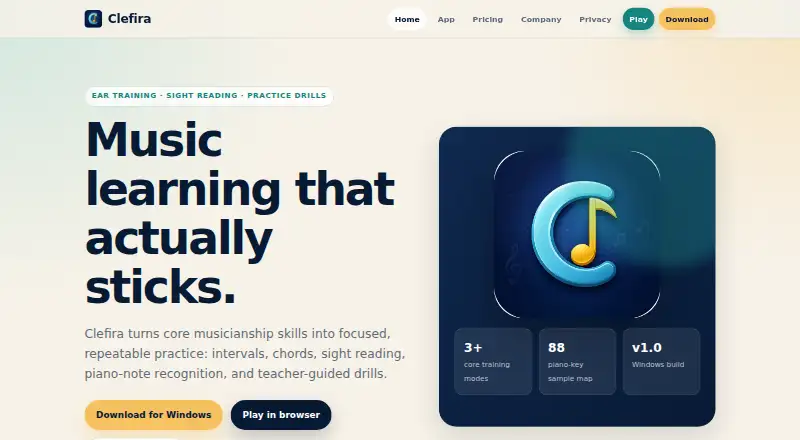
What Clefira is
Clefira is a music-practice app for interval and chord work, sight reading, piano-note recognition, and teacher-guided drills. Interval exercises offer three answer choices and scored sessions. Chord practice includes major, minor, augmented, diminished, suspended, and seventh chords. In sight-reading exercises, students identify treble- or bass-clef notes on a mini keyboard and get immediate visual feedback.
Sessions include lives, streaks, XP, scoring, replay, slow mode, restart and go-back controls, and summary overlays. The free Student edition includes intervals, chords, sight reading, and progress tracking. It is listed for Windows, Android, and web; Windows requires version 10 or 11, and ear-training playback needs speakers or headphones. The Android edition is described as self-contained, without sign-in, cloud sync, or internet access. Practice and profile data are stored locally by default, and the maker says the app has no analytics, trackers, or ads. Microphone and MIDI access are optional; when enabled, input is processed on-device and not transmitted. Cloud sync is opt-in. The Teacher edition is planned with rosters, lesson notes, assignments, reports, and progress review, but checkout and license delivery are not enabled.
Who it suits
Clefira’s Student edition suits learners aged 13 and older, as well as adult learners practicing music skills. Piano teachers, private studios, and music educators are the intended audience for the planned Teacher edition.
What it does well
- Covers intervals, chords, and sight reading.
- Immediate visual feedback for note-reading exercises.
- Progress tracking is included in the free Student edition.
- Practice and profile data are local by default.
- No analytics, trackers, or ads, according to the maker.
What to know first
- Teacher edition checkout and license delivery are not enabled.
- Windows lists version 10 or 11 requirements.
- Ear-training playback requires speakers or headphones.
- Cloud sync is opt-in.
Plans
| Plan | Billed and limits | Price |
|---|---|---|
| Clefira Student | Windows download · intervals · chords · sight reading · progress tracking · local progress by default | Free |
| Clefira Teacher | Paid teacher edition · student roster · lesson notes and assignments · practice review and reports · checkout and license delivery not enabled | On request |
As clefira.app lists them, read 11 Oct 2026. The maker's own page has the final word.
Getting started
- Download the free Clefira Student edition for Windows.
- Use Windows 10 or 11; 64-bit is recommended.
- Connect speakers or headphones for ear-training playback.
- Alternatively, use the Android Student edition, which requires no sign-in or internet access.
- Open the browser edition from the Clefira website.
- Enable microphone or MIDI access only if using the respective features.
- Opt in to cloud sync if you want practice and profile data transmitted to the configured cloud provider.
Verdict
Clefira’s free Student edition covers several practical music-reading and listening exercises with progress tracking. Teachers should note that the Teacher edition is still planned and cannot yet be purchased through checkout.
Questions
Is Clefira free?
Yes. Clefira Student is free and includes intervals, chords, sight reading, and progress tracking.
Which platforms are listed?
Clefira lists Windows, Android, and a browser edition.
What does the Student edition practise?
It covers interval and chord exercises, sight reading, piano-note recognition, and progress tracking.
Does Clefira collect practice data in the cloud by default?
No. Practice and profile data are stored locally by default. Cloud sync is opt-in.
Does Clefira use microphone or MIDI input?
Those permissions are optional and are used only when their respective features are enabled. Input is processed on-device and not transmitted.
Is there a Teacher edition?
A paid Teacher edition is planned with student rosters, lesson notes, assignments, practice review, and reports. Checkout and license delivery are not enabled.
Facts from Clefira's own pages
- Android edition
- The privacy policy describes a self-contained Android Student edition with no sign-in, cloud sync, or internet access. · clefira.app, 11 Oct 2026
- Cloud sync
- Cloud sync is opt-in and, if enabled, data is transmitted over TLS and stored with the configured cloud provider. · clefira.app, 11 Oct 2026
- Ear training
- Interval practice has three answer options and scored sessions, while chord practice covers major, minor, augmented, diminished, suspended, and seventh chords. · clefira.app, 11 Oct 2026
- Intended users
- The Student edition is for students age 13+ and adult learners, while the Teacher edition targets piano teachers, private studios, and music educators. · clefira.app, 11 Oct 2026
- Local data and privacy
- Practice and profile data are stored locally by default; the app says it has no analytics or trackers and does not show ads. · clefira.app, 11 Oct 2026
- Optional permissions
- Microphone and MIDI access are used only when their respective features are enabled; their input is processed on-device and not transmitted. · clefira.app, 11 Oct 2026
- Practice controls
- Sessions include lives, streaks, XP, scoring, replay, slow mode, restart, go-back controls, and summary overlays. · clefira.app, 11 Oct 2026
- Purpose
- Clefira provides music practice for intervals, chords, sight reading, piano-note recognition, and teacher-guided drills. · clefira.app, 11 Oct 2026
- Sight reading
- Students read treble or bass clef notes and answer using a mini keyboard with immediate visual feedback. · clefira.app, 11 Oct 2026
- Support
- Clefira directs sales, support, privacy, and partnership questions to its listed contact email. · clefira.app, 11 Oct 2026
- Teacher edition status
- Teacher Edition is described as planned around student rosters, lesson notes, assignments, reports, and progress review. · clefira.app, 11 Oct 2026
- Web edition
- The site links to a browser edition, but its page was not accessible during this research. · clefira.app, 11 Oct 2026
- Windows requirements
- The app lists Windows 10 or Windows 11, 64-bit recommended, and requires speakers or headphones for ear-training playback. · clefira.app, 11 Oct 2026
Where Clefira stands on Freedom251
- Music Learning Apps#7 of 40