Freedom251 › User Flow Software

BenchCanvas
What BenchCanvas is
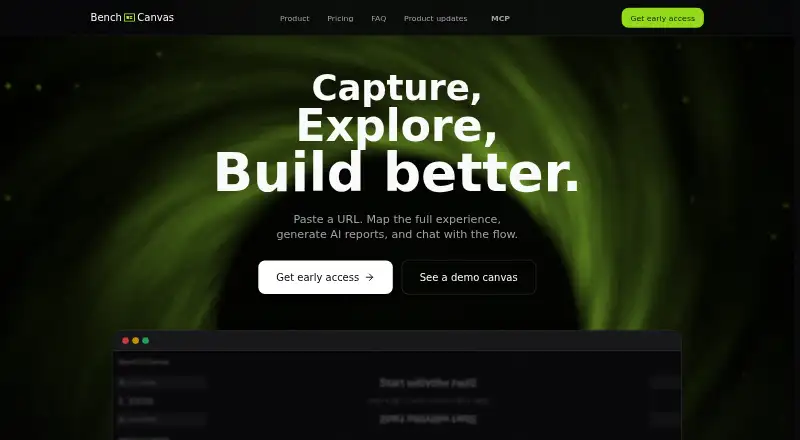
BenchCanvas is a visual benchmarking tool for mapping and comparing digital product journeys. It captures screens along a website’s navigation path, while its crawler can collect direct links from a page and is described as working well on most websites. A Chrome extension can record private flows behind a login. Users can place multiple flows on one canvas to compare URLs side by side, add sticky notes, comment on screens and add images by dragging, dropping or pasting. Shared links let teammates or clients edit the canvas. The tool can generate AI UX analysis and answer questions about screens or journeys. Cursor or Claude can use its MCP integration to read flows, screens, comments and notes; an example workflow organizes open comments into a task list. Users can export high-resolution PNG and PDF images of a canvas. BenchCanvas runs on the web and as a Chrome extension. Its Free plan is presented as a way to explore the service during its private beta. Free includes unlimited projects and screens, access to AI features and shared links with branding; prices for Pro and Team are marked Coming soon.
Who it suits
BenchCanvas suits design and product teams comparing website journeys, and freelancers or product teams seeking visual review workflows. It may also suit teams that want shared editing, AI analysis or MCP access to flows and comments.
What it does well
- Maps screens along a website navigation path.
- Compares multiple flows side by side.
- Chrome extension can record logged-in private flows.
- Shared links let others edit the canvas.
- Exports high-resolution PNG and PDF images.
What to know first
- Free plan is presented for a private beta.
- Free shared links include branding.
- Pro and Team pricing is marked Coming soon.
Limits
The Free plan's shared links include branding. Pro and Team are marked Coming soon, with no price listed.
Plans
| Plan | Billed and limits | Price |
|---|---|---|
| Pro | Coming soon · Unlimited projects · Unlimited screens · Comments & annotations · 20 AI analyses / month · PDF/PNG export · Share without branding | On request |
| Free | Unlimited projects · Unlimited screens · Full access to AI features · Shared links with branding | On request |
| Team | Coming soon · Everything in Pro · Real-time collaboration · Shared workspace · Roles & permissions · 100 AI analyses / month · Priority support | On request |
As benchcanvas.app lists them, read 4 Oct 2026. The maker's own page has the final word.
Getting started
- Open https://www.benchcanvas.app/ in a web browser.
- Use the Chrome extension to record a flow, including private flows behind a login.
- Capture website screens and connect them along the navigation path.
- Arrange flows on a canvas and add comments, notes, or images.
- Share an editable link or export the canvas as PNG or PDF.
BenchCanvas is a visual workspace for capturing website journeys, comparing competing flows, and turning screen feedback into analysis and tasks. It is most useful to designers, freelancers, and product teams reviewing several digital products together. The broad capture and collaboration toolkit is compelling, but teams choosing a paid plan must accept custom pricing.
Overview
BenchCanvas combines a web app with a Chrome extension. It maps a site’s experience by recording screens in the order people navigate, then places those screens on an editable canvas. That makes it a stronger fit for comparative UX work than for producing a single static flow diagram.
The product is aimed at visual benchmarking for design and product teams. Pro is framed for designers and freelancers, while Team adds the controls and shared environment that larger product groups generally need. The Free plan is intended for exploring BenchCanvas during its private beta.
Key features
Flow capture follows the real navigation path, preserving the sequence a visitor takes through a site. A fast crawl can also collect direct links from a page and is described as working well on most websites, giving users a quicker starting point for public journeys. For pages behind authentication, the Chrome extension can record a private flow after login, which is the practical option when a crawler cannot reach the experience.
Several flows can live on one canvas, allowing side-by-side URL comparisons without splitting a review across separate files. Sticky notes, comments attached to screens, and images added by dragging, dropping, or pasting turn the canvas into a critique space rather than just a visual archive. Shared links let teammates or clients edit the canvas, so feedback can remain with the screens instead of arriving as disconnected annotations.
AI can generate UX analysis and answer questions about individual screens or complete journeys. Cursor and Claude can connect through MCP to read flows, screens, comments, and notes. The demonstrated workflow of finding open comments by screen and converting bugs and ideas into a task list gives the integration a concrete role in review follow-up, not merely another chat interface.
High-resolution PNG and PDF exports make canvases suitable for reports and presentations. They provide portable snapshots, while the editable canvas and its comments remain in BenchCanvas. Real-time collaboration is supported on Team, where simultaneous work is part of the shared workspace.
Pricing
BenchCanvas follows a freemium model. The Free plan has custom pricing and includes unlimited projects, unlimited screens, and full access to AI features. Shared links carry branding, and the plan is positioned for private-beta exploration, making it a sensible way to evaluate the workflow before committing a team.
Pro has custom pricing and includes unlimited projects and screens, comments and annotations, PDF and PNG export, and sharing without branding. Its allowance of 20 AI analyses per month is generous for occasional benchmarking but can become a constraint for consultants running many reviews or teams asking repeated questions across large sets of flows. Pro is the natural fit for the designers and freelancers BenchCanvas names as its target audience.
Team has custom pricing and includes everything in Pro, plus real-time collaboration, a shared workspace, roles and permissions, priority support, and 100 AI analyses per month. The larger AI quota and administrative controls make it the appropriate tier for product organizations, while the extra collaboration features are difficult to justify for a solo reviewer.
Platforms
BenchCanvas runs on the web and through a Chrome extension. The web canvas suits arranging, commenting on, comparing, and exporting captured screens; the extension matters when recording authenticated journeys that a public crawl cannot access. Screen imports are supported.
Who it's for
Choose BenchCanvas if your work involves benchmarking several websites, documenting a journey behind login, or collecting design feedback directly on captured screens. It is particularly well suited to a designer or freelancer who needs branded-free exports on Pro, and to a product team that needs permissions, a shared workspace, and live collaboration on Team.
Look elsewhere if you need a clearly priced paid subscription before adopting the tool, or if your main requirement is a simple one-project flow map rather than comparative canvases, AI questioning, and review coordination.
Pros and cons
- Pros: Captures real navigation paths and can record authenticated pages through Chrome.
- Pros: Keeps multiple flows, comments, notes, and reference images on one editable canvas.
- Pros: Combines UX analysis with MCP access for Cursor and Claude, including a demonstrated comment-to-task workflow.
- Pros: Offers PDF and PNG exports and edit-enabled sharing for collaborative reviews.
- Cons: Pro and Team use custom pricing, so budgeting cannot be done from a published rate.
- Cons: Pro limits AI analysis to 20 per month; heavy review programs need Team's 100-analysis allowance.
- Cons: Free shared links include branding, reducing their suitability for polished client delivery.
Alternatives
For a conventional user-flow tool with a permanent free tier capped at one project and 20 pages, choose FlowMapp; its paid plan also has a stated monthly or annual rate. Marvel is a better match when Android, iOS, and API access matter, with a free one-user, one-project plan and a Pro tier offering unlimited projects.
Pick Software Ideas Modeler for desktop UML and basic diagramming, including free non-commercial use, rather than website-flow benchmarking. Zeplin Flows suits teams wanting cross-platform screen review with a free plan limited to one project and 100 screens, plus weekly AI review allowances.
FlowSnap is the simpler mobile-oriented choice, offering up to three free projects and PNG export with a watermark. Rheo is aimed at product experimentation and messaging rather than visual website-flow comparison. Cairn fits Mac users building scenario maps, with a free project limited to two scenarios and no file import or export. EVONX is the alternative for web-based repository and preview workflows, with its starter plan constrained by credits, scans, storage, and one team seat.
See more options in User Flow Software.
Verdict
BenchCanvas is a strong choice for designers and product teams that need to capture real or authenticated journeys, compare multiple URLs, and keep AI-assisted critique in a shared canvas. Choose it for that combination of flow evidence, editable collaboration, MCP access, and exports. Look elsewhere when a published paid price, a simpler diagramming workflow, or a platform-specific alternative matters more than this breadth.
Verdict
BenchCanvas brings flow capture, comparison, comments, AI analysis and exports into a shared canvas. Its free plan is described for private beta exploration, while Pro and Team pricing is not yet listed.
Questions
Is BenchCanvas free?
Yes. The Free plan includes unlimited projects and screens, full access to AI features, and shared links with branding.
What platforms does BenchCanvas support?
It is available on the web and as a Chrome extension.
Can it capture pages behind a login?
The Chrome extension can record private flows behind a login.
What can users export?
BenchCanvas lists high-resolution PNG and PDF canvas exports.
Does it support collaboration?
Shared links let teammates or clients edit a canvas. Real-time collaboration is listed for Team.
What do Pro and Team cost?
Their billing is marked Coming soon, and no price is listed.
Facts from BenchCanvas's own pages
- AI analysis
- Users can generate UX analysis and ask questions about screens or journeys. · benchcanvas.app, 4 Oct 2026
- Authenticated pages
- The site says the Chrome extension can record private flows behind a login. · benchcanvas.app, 4 Oct 2026
- Canvas tools
- The canvas supports sticky notes, comments on screens, and adding images by dragging, dropping, or pasting. · benchcanvas.app, 4 Oct 2026
- Comment workflow
- Its MCP example shows listing open comments by screen and turning bugs and ideas into a task list. · benchcanvas.app, 4 Oct 2026
- Comparison
- Users can keep multiple flows on one canvas and compare different URLs side by side. · benchcanvas.app, 4 Oct 2026
- Crawling
- Its fast crawl captures direct links from a page and is described as working well on most websites. · benchcanvas.app, 4 Oct 2026
- Exports
- The site says users can export high-resolution PNG and PDF images of their canvas. · benchcanvas.app, 4 Oct 2026
- Flow capture
- It captures screens in a flow and connects them along the real navigation path. · benchcanvas.app, 4 Oct 2026
- Intended users
- The site describes the product as visual benchmarking for design and product teams, with Pro aimed at designers and freelancers and Team aimed at product teams. · benchcanvas.app, 4 Oct 2026
- MCP integration
- The site says Cursor or Claude can use MCP to read flows, screens, comments, and notes. · benchcanvas.app, 4 Oct 2026
- Private beta
- The Free plan is described as a way to explore and try BenchCanvas during its private beta. · benchcanvas.app, 4 Oct 2026
- Purpose
- BenchCanvas describes itself as a visual benchmarking tool for digital products and says users can map a website’s experience, generate AI reports, and chat with the flow. · benchcanvas.app, 4 Oct 2026
- Sharing
- Users can share a link that lets teammates or clients edit the canvas. · benchcanvas.app, 4 Oct 2026
Where BenchCanvas stands on Freedom251
- User Flow Software#3 of 20