Freedom251 › 3D Slicer Software
BCN3D Stratos
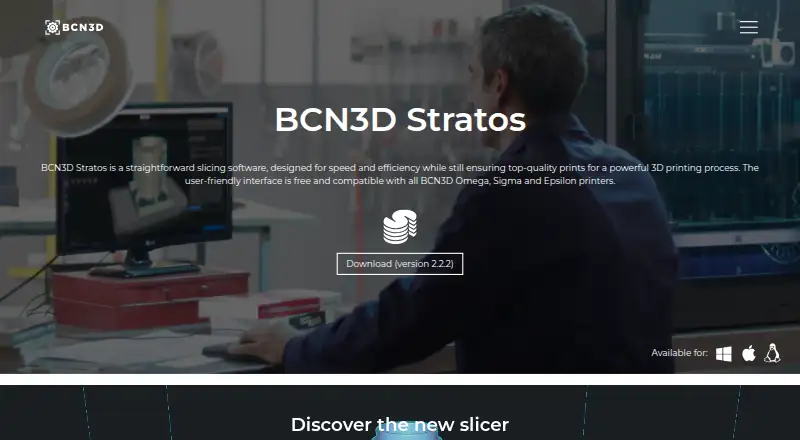
What BCN3D Stratos is
BCN3D Stratos is free slicing software for preparing 3D prints with BCN3D Omega, Sigma, and Epsilon printers. It imports STL, 3MF, OBJ, and AMF files, and offers tools to translate, scale, and rotate parts. Validated printing profiles are included; expert users can adjust more than 500 parameters. For IDEX printers, Stratos supports multi-material models, support structures, mirror mode, and duplication mode for two print heads. Layer View displays print sections, while X-ray View shows internal parts and hidden geometries. Users can send print files to a networked printer or save them to removable media such as an SD card. Other features include gyroid infill, brim and raft adhesion settings, and a bridges option. BCN3D says Stratos is based on Cura. It runs on 64-bit Windows 10 or higher, Mac OSX 10.11 or higher, and Linux; it is not available for older 32-bit systems. The product page links to a knowledge base, onboarding video, and feature tutorials.
Who it suits
Stratos suits BCN3D Omega, Sigma, and Epsilon printer owners who need to prepare print files. Its profiles and adjustable parameters serve both users who want validated settings and experts seeking more control.
What it does well
- Free software compatible with BCN3D Omega, Sigma, and Epsilon.
- Supports STL, 3MF, OBJ, and AMF input files.
- IDEX modes include mirroring and duplication for two print heads.
- Print files can go to a networked printer or removable media.
What to know first
- Not compatible with older 32-bit systems.
- Printer compatibility is listed for BCN3D Omega, Sigma, and Epsilon.
- Resin slicing is not supported.
Limits
Stratos is free slicing software for BCN3D Omega, Sigma, and Epsilon printers. It requires a 64-bit system and does not support resin slicing.
Plans
| Plan | Billed and limits | Price |
|---|---|---|
| BCN3D Stratos | Free slicing software; compatible with BCN3D Omega, Sigma and Epsilon printers | Free |
As bcn3d.com lists them, read 7 Oct 2026. The maker's own page has the final word.
Getting started
- Open the BCN3D Stratos product page.
- Use its linked onboarding video, knowledge base, or feature tutorials for guidance.
- Install the 64-bit version for Windows 10 or higher, Mac OSX 10.11 or higher, or Linux.
- Import an STL, 3MF, OBJ, or AMF model by browsing or dragging and dropping.
- Prepare the model with the available profile and print settings.
- Send the resulting G-code to a networked printer or save it to removable media.
Verdict
Stratos provides print preparation tools, previews, and IDEX features for its listed BCN3D printer range. Confirm the printer and 64-bit operating system requirements before using it.
Questions
How much does BCN3D Stratos cost?
The listed plan is free.
Which printers is it compatible with?
It is compatible with BCN3D Omega, Sigma, and Epsilon printers.
Which operating systems are supported?
The technical sheet lists 64-bit Windows 10 or higher, Mac OSX 10.11 or higher, and Linux. It is not available for older 32-bit systems.
Which file formats can it import and export?
Listed input formats are STL, 3MF, OBJ, and AMF. The output format is G-code.
Does Stratos support multi-material printing?
Yes. For IDEX technology, it supports multi-material models, support structures, mirror mode, and duplication mode for two print heads.
Is Stratos open source?
BCN3D says Stratos is based on the open-source slicer Cura.
Facts from BCN3D Stratos's own pages
- Additional features
- The listed features include gyroid infill, brim and raft adhesion settings, and a bridges option. · bcn3d.com, 7 Oct 2026
- Founded
- 2011 · bcn3d.com, 28 Sept 2026
- Headquarters
- Sant Feliu de Llobregat, Barcelona, Spain · bcn3d.com, 28 Sept 2026
- IDEX features
- The slicer supports multi-material models, support structures, mirror mode and duplication mode for two print heads. · bcn3d.com, 7 Oct 2026
- Import
- Users can import files by browsing or dragging and dropping, and the page describes support for a broad range of file formats. · bcn3d.com, 7 Oct 2026
- Intended users
- BCN3D describes its tools as serving professionals and industry-level users and names creators and innovators as its intended community. · bcn3d.com, 7 Oct 2026
- Operating systems
- The technical sheet lists 64-bit Windows 10 or higher, Mac OSX 10.11 or higher, and Linux as compatible operating systems. · bcn3d.com, 7 Oct 2026
- Preview
- Layer View displays print sections and X-ray View reveals internal parts and hidden geometries. · bcn3d.com, 7 Oct 2026
- Print delivery
- Users can send print files directly to a networked printer or save them to removable media such as an SD card. · bcn3d.com, 7 Oct 2026
- Printer compatibility
- The software is compatible with BCN3D Omega, Sigma and Epsilon printers. · bcn3d.com, 7 Oct 2026
- Print preparation
- Print preparation tools include translating, scaling and rotating parts, plus print modes for IDEX technology. · bcn3d.com, 7 Oct 2026
- Profiles
- Stratos includes validated printing profiles and lets expert users adjust more than 500 parameters. · bcn3d.com, 7 Oct 2026
- Purpose
- BCN3D Stratos is slicing software designed for speed and efficiency in preparing 3D prints. · bcn3d.com, 7 Oct 2026
- Software basis
- BCN3D says Stratos is based on the open-source slicer Cura. · bcn3d.com, 7 Oct 2026
- Support
- The product page links to a knowledge base, onboarding video and feature tutorials for Stratos. · bcn3d.com, 7 Oct 2026
- System limitation
- Stratos is 64-bit software and is not available for older 32-bit systems. · bcn3d.com, 7 Oct 2026
Where BCN3D Stratos stands on Freedom251
- 3D Slicer Software#2 of 27