Freedom251 › 3D Slicer Software

Anycubic Photon Workshop
What Anycubic Photon Workshop is
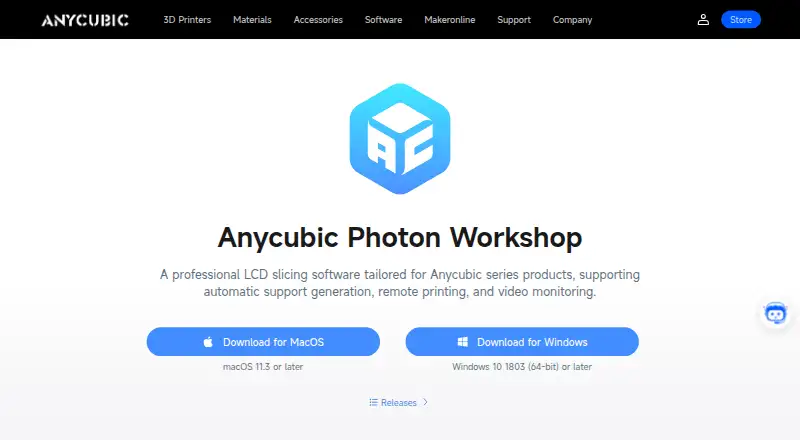
Anycubic Photon Workshop is a free slicer for preparing resin 3D prints. Anycubic describes it as LCD slicing software tailored to its printer series. It imports STL and OBJ files and offers automatic support generation, manual support placement, and custom support scripts. The product page also lists remote printing and video monitoring among its print controls. The software is available for Windows and macOS. The download page specifies Windows 10 version 1803 (64-bit) or later, or macOS 11.3 or later. Anycubic lists Photon Workshop V3.6.3 for Windows x64 and macOS, with an update dated July 8, 2025. The software can notify users about new versions when it launches, and users can also check through the Help menu. The listed plan is free. Anycubic describes its company as a desktop 3D printer maker serving enthusiasts, engineers, and artists, and says it was founded in 2015. Its privacy policy says related services and systems may be hosted on US servers, where information collected outside the US may also be processed and stored.
Who it suits
Photon Workshop suits resin 3D printing users who need to prepare models and supports, particularly those using Anycubic series products. It is available to users on supported Windows and macOS versions.
What it does well
- Free resin 3D slicer
- Imports STL and OBJ files
- Supports automatic, manual, and scripted supports
- Lists remote printing and video monitoring
- Available for Windows and macOS
What to know first
- Windows requires version 10 1803 (64-bit) or later
- macOS requires version 11.3 or later
- Described as tailored for Anycubic series products
- Associated services may process information on US servers
Plans
| Plan | Billed and limits | Price |
|---|---|---|
| Anycubic Photon Workshop | Free 3D slicer software · designed for resin 3D printing | Free |
As anycubic.com lists them, read 4 Oct 2026. The maker's own page has the final word.
Getting started
- Visit Anycubic’s software download page.
- Choose the Windows or macOS build for your computer.
- Confirm that your system meets the stated operating-system requirement.
- Import an STL or OBJ file.
- Prepare supports automatically, manually, or with custom support scripts.
Verdict
Photon Workshop provides resin-print preparation tools at no cost, including multiple support-generation options. Confirm your operating system meets the listed requirement before downloading.
Questions
Is Anycubic Photon Workshop free?
Yes. Its plan is listed as free, at no cost.
Which operating systems does it support?
It is available for Windows and macOS. Windows 10 version 1803 (64-bit) or later and macOS 11.3 or later are required.
What file types can I import?
The quick start guide says Photon Workshop supports STL and OBJ files.
Is Photon Workshop open source?
The listed facts do not establish whether it is open source.
Who makes Photon Workshop?
Anycubic makes Photon Workshop and says it was founded in 2015.
How can I check for updates?
The software can notify users about new versions on launch, and the Help menu has an option to check for updates.
Facts from Anycubic Photon Workshop's own pages
- Company history
- Anycubic says it was founded in 2015. · store.anycubic.com, 4 Oct 2026
- Input files
- The quick start guide says the software supports importing STL and OBJ files. · store.anycubic.com, 4 Oct 2026
- Intended users
- Anycubic describes Photon Workshop as resin-printing slicer software and its company as a desktop 3D printer maker serving enthusiasts, engineers, and artists. · store.anycubic.com, 4 Oct 2026
- Latest listed build
- The maker's firmware and software page lists Photon Workshop V3.6.3 for Windows x64 and macOS, with an update dated July 8, 2025. · store.anycubic.com, 4 Oct 2026
- macOS requirement
- The download page specifies macOS 11.3 or later. · anycubic.com, 4 Oct 2026
- Print controls
- The product page lists automatic support generation, remote printing, and video monitoring. · anycubic.com, 4 Oct 2026
- Printer focus
- The maker describes it as LCD slicing software tailored for Anycubic series products. · anycubic.com, 4 Oct 2026
- Privacy and data location
- Anycubic's privacy policy says associated services and systems may be hosted on US servers and information collected from outside the US may be processed and stored there. · anycubic.com, 4 Oct 2026
- Support tools
- Users can generate automatic supports, add manual supports, and create custom support scripts. · store.anycubic.com, 4 Oct 2026
- Update method
- The quick start guide says the software can notify users of new versions on launch and offers a Help menu option to check for updates. · store.anycubic.com, 4 Oct 2026
- What it does
- Photon Workshop is a 3D slicer for resin 3D printing. · store.anycubic.com, 4 Oct 2026
- Windows requirement
- The download page specifies Windows 10 1803 (64-bit) or later. · anycubic.com, 4 Oct 2026
Where Anycubic Photon Workshop stands on Freedom251
- 3D Slicer Software#5 of 27