Freedom251 › Teleprompter Software

Autoscript WinPlus-IP
What Autoscript WinPlus-IP is
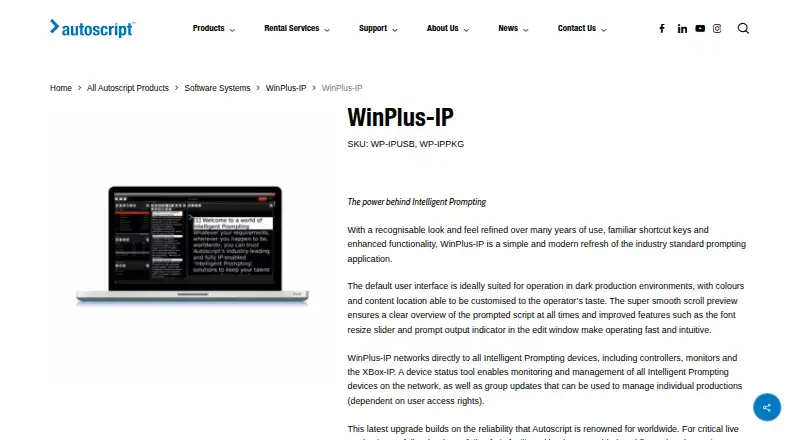
Autoscript WinPlus-IP is paid Windows software for operating teleprompters in an IP-enabled studio workflow. Operators can customize interface layout, colors, and content tiles while viewing a real-time scroll preview. Scripts support live editing, Word and RTF imports, and graphical scroll control. Run-order tools allow adding, removing, cloaking, dropping, printing, tracking the live story, and drag-and-drop reordering. A device manager discovers and monitors networked prompting devices, groups them, and remotely updates software and firmware. Compatible equipment listed includes HC-IP desktop scroll control, EVO-IP and EPIC-IP monitors, and the XBox-IP scroll engine; these devices are not included. Autoscript says a mirror PC can take over immediately if the primary fails. A downloadable demonstration permits script uploads, edits, and newsroom connections but locks prompting until a purchased version is registered. NRCS connectivity requires a Newsroom Licence. Pricing is on request, and a free trial is available. Minimum requirements include Windows 8.1, 10, or 11, 8 GB RAM, 5 GB disk space, and an i5 processor with at least three cores.
Who it suits
It suits studio operators and production teams running IP-enabled teleprompter workflows on Windows. Newsrooms connecting an NRCS need the separate Newsroom Licence.
What it does well
- Customizable operator interface
- Live script editing and preview
- Network device discovery and monitoring
- Mirror-PC failover support
- Free trial available
What to know first
- Windows only
- Compatible prompting devices are not included
- Demo cannot prompt until registered
- NRCS connection requires a licence
Verdict
WinPlus-IP combines script control, run-order handling, device management, and a stated mirror-PC failover workflow. Confirm Windows requirements, separate hardware, and licensing needs before deployment.
Facts from Autoscript WinPlus-IP's own pages
- Compatibility
- The listed compatible equipment includes HC-IP desktop scroll control, EVO-IP and EPIC-IP monitors, and the XBox-IP scroll engine; these are not included with the software listing. · autoscript.tv, 10 Oct 2026
- Demo and licensing
- The downloadable demonstration permits script uploads and edits and newsroom-system connections but is locked from prompting until a purchased version is registered. · autoscript.tv, 9 Oct 2026
- Demo limitation
- The downloadable demonstration lets users upload and edit scripts and connect to newsroom systems, but is locked to prevent prompting. · autoscript.tv, 10 Oct 2026
- Device management
- The device manager can discover or add networked prompting devices, monitor them, group them, and update them remotely. · autoscript.tv, 10 Oct 2026
- Founded
- 1984 · autoscript.tv, 28 Sept 2026
- Integrations
- The demonstration version can connect to all major newsroom systems; the page does not name them. · autoscript.tv, 10 Oct 2026
- Interface
- Operators can customize the interface layout, colors, and content tile positions, and preview scrolling script in real time. · autoscript.tv, 9 Oct 2026
- Live preview
- It provides an in-screen, real-time scroll preview of the script. · autoscript.tv, 10 Oct 2026
- Manufacturer
- Autoscript describes itself as a global provider of professional teleprompting equipment and says it is a Videndum Production Solutions brand. · autoscript.tv, 10 Oct 2026
- Minimum hardware
- Minimum requirements include 5 GB free disk space, 8 GB RAM, an i5 processor with at least 3 cores, and a graphics card supporting OpenGL 3. · autoscript.tv, 9 Oct 2026
- Newsroom connectivity
- A Newsroom Licence is required to connect WinPlus-IP to an NRCS, with maker tutorials covering iNews via FTP and newsroom connection via MOS. · autoscript.tv, 9 Oct 2026
- Platform requirements
- The stated minimum operating systems are Windows 8.1, Windows 10, and Windows 11, with 32-bit and 64-bit support. · autoscript.tv, 9 Oct 2026
- Purpose
- WinPlus-IP is prompting software for live production workflows. · autoscript.tv, 10 Oct 2026
- Redundancy
- The IP-enabled workflow lets a mirror PC take over from a failed PC without manual intervention. · autoscript.tv, 10 Oct 2026
- Run order
- The run order supports adding, removing, cloaking, and dropping stories, plus drag-and-drop ordering and printing. · autoscript.tv, 10 Oct 2026
- Run orders
- Run order tools include adding, removing, cloaking, and dropping stories, tracking the live story, printing, and drag-and-drop ordering. · autoscript.tv, 9 Oct 2026
- Script editing
- Operators can edit scripts during live prompting and import Word and RTF files. · autoscript.tv, 10 Oct 2026
- Security
- Autoscript describes its Intelligent Prompting workflow as designed to work securely in dynamic production environments. · autoscript.tv, 9 Oct 2026
- Support
- Autoscript directs service enquiries to its support page and says a Sales Specialist will reply to sales enquiries as soon as possible. · autoscript.tv, 10 Oct 2026
- System requirements
- The listed requirements include Windows 8.1, 10, or 11; 8 GB RAM; 5 GB free disk space; and an i5 processor with at least three cores. · autoscript.tv, 10 Oct 2026
Where Autoscript WinPlus-IP stands on Freedom251
- Teleprompter Software#30 of 32