
automixer.ai
What automixer.ai is
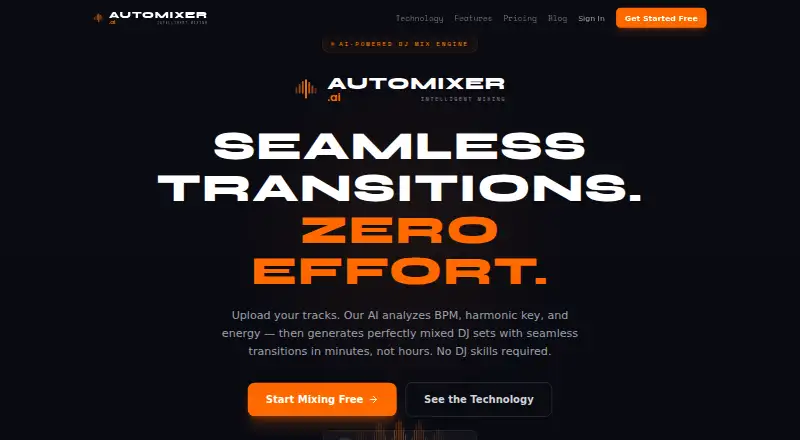
automixer.ai is a web service that analyzes uploaded tracks and builds DJ sets with automated transitions. It accepts MP3, WAV, FLAC, and AIFF files and examines BPM, key, energy, and musical structure. For each transition, it generates and ranks three to five complete options across seven mix styles: smooth blend, filter sweep, drop mix, echo out, stem swap, vocal ride, and quick cut. It checks transition zones for vocal overlap and says it can reject a mix point or use EQ automation to separate vocals. Exports include MP3 at 320 kbps; lossless WAV at 44.1 kHz is available on paid plans. The service says exports use EBU R128 loudness normalization. The Free plan costs $0 forever and permits 3 projects, 6 tracks per project, 5 exports per month, and 1 GB of storage. Pro costs $14.99 a month and Studio costs $29.99 a month. Beatport purchase access is included with Pro and Studio; that integration supports browsing purchases, importing metadata, and matching uploads by ISRC.
Who it suits
It suits DJs and other creators who want automated transitions between uploaded tracks. Pro is described for DJs, fitness instructors, and creators; Studio is aimed at professionals, studios, and high-volume users.
What it does well
- Analyzes BPM, key, energy, and musical structure.
- Ranks three to five options per transition.
- Offers seven mix styles.
- Pro and Studio include Beatport purchase access.
- Paid plans include lossless WAV exports.
What to know first
- Free plan is limited to 5 monthly exports.
- Free plan allows 3 projects and 6 tracks per project.
- WAV export is unavailable on the Free plan.
- Studio API access is listed as coming soon.
Limits
Free is limited to three projects, six tracks per project, five exports per month, and 1 GB of storage. It includes MP3 export; WAV export is available on paid plans.
Plans
| Plan | Billed and limits | Price |
|---|---|---|
| Free | $0 forever · 3 projects · 6 tracks per project · 5 exports/month · MP3 320kbps · 1 GB storage | Free |
| Pro | $14.99/month · 15 projects · 20 tracks/project · 50 exports/month · WAV + MP3 · 10 GB storage | $14.99 a month |
| Studio | $29.99/month · Unlimited projects · 50 tracks/project · unlimited exports · WAV + MP3 · 100 GB storage | $29.99 a month |
As automixer.ai lists them, read 30 Sept 2026. The maker's own page has the final word.
Getting started
- Visit https://automixer.ai/.
- Use the web service and upload MP3, WAV, FLAC, or AIFF tracks.
- Choose the Free plan or start the 7-day trial.
- Select a plan: Pro costs $14.99 a month, and Studio costs $29.99 a month.
- Review the generated transition options and export the mix; WAV exports require a paid plan.
automixer.ai is a browser-based mixing service that turns uploaded tracks into DJ sets with automated transitions. It suits DJs, fitness instructors, and creators who want ranked alternatives instead of a single automatic result. The main trade-off is clear: the free tier is restrictive, while regular exporting and lossless output require a paid plan.
Overview
Upload MP3, WAV, FLAC, or AIFF files and automixer.ai analyzes BPM, key, energy, and musical structure before assembling a set. For every transition it produces and ranks three to five complete mix options, so you can choose among different interpretations of the same pairing. Seven styles cover smooth blend, filter sweep, drop mix, echo out, stem swap, vocal ride, and quick cut.
Transition zones are checked for vocal overlap. The service says it can reject a problematic mix point or apply EQ automation to separate vocals, a useful safeguard when two vocal performances would otherwise compete. Exports include 320 kbps MP3; lossless 44.1 kHz WAV is reserved for paid plans. EBU R128 loudness normalization is applied to exports.
Key features
Analysis and ranked transitions
Using tempo, key, energy, and structure gives the generator more musical context than beat matching alone. Ranking several finished transitions is especially valuable when you want to compare a restrained blend with a more dramatic drop or cut. It is still an automated workflow, so users seeking frame-by-frame control may prefer a conventional deck or editor.
Stem and vocal handling
Stem separation, beat matching, AI track selection, and automated mixing are all part of the feature set. Vocal scanning can avoid crowded handoffs, while EQ separation offers a way to keep a selected transition point. These controls are practical for set building, but the service decides when to reject a point or alter the vocal balance.
Beatport connection
Beatport integration lets you browse purchases, import metadata, and match uploaded files by ISRC. Access to purchases is included with Pro and Studio, making those plans more useful for DJs whose libraries are managed through Beatport.
Pricing
A seven-day trial is available, and paid service starts at $14.99 per month. The free plan costs $0.00 forever, but its limits make it a testing tier rather than a dependable production workspace.
| Plan | Price | Included limits and output | Support |
|---|---|---|---|
| Free | $0.00 per free | 3 projects; 6 tracks per project; 5 exports per month; MP3 320 kbps; 1 GB storage | Community |
| Pro | $14.99 per month | 15 projects; 20 tracks per project; 50 exports per month; WAV and MP3; 10 GB storage | Email, 24-hour response |
| Studio | $29.99 per month | Unlimited projects; 50 tracks per project; unlimited exports; WAV and MP3; 100 GB storage | Dedicated |
Free is appropriate for occasional experiments or a small personal set, but five monthly exports and six tracks per project constrain repeated iteration. Pro is the practical fit for DJs, fitness instructors, and creators who need regular output and WAV files; it gives substantially more room without unlimited capacity. Studio is aimed at professionals, studios, and high-volume users, where unlimited exports and 100 GB storage justify the higher fee. Beatport purchase access is included with both paid plans. API access is listed as coming soon with Studio.
Platforms
automixer.ai runs on the web, so it does not require a particular desktop or mobile operating system. Your workflow depends on uploading supported audio files through the browser.
Who it's for
Choose it if you want automated set construction with several ranked transition choices, vocal-aware handling, and optional Beatport matching. Pro fits working DJs, instructors, and creators with recurring export needs. Studio suits teams or professionals producing at high volume. It is a weaker choice for anyone who needs unlimited free use, local-only operation, or detailed manual editing of every transition.
Pros and cons
Pros
- Three to five ranked transitions per handoff: gives you alternatives instead of locking you to one automatic blend.
- Broad musical analysis: BPM, key, energy, and structure inform the generated set.
- Vocal-overlap checks: rejection or EQ separation can prevent competing vocals.
- Paid WAV export: 44.1 kHz lossless output is available alongside 320 kbps MP3.
- Beatport matching: ISRC-based imports help connect purchased tracks to uploads on Pro and Studio.
Cons
- Strict free caps: three projects, six tracks per project, five exports monthly, and 1 GB storage limit experimentation.
- WAV is paywalled: free users are limited to MP3 output.
- Studio costs more for scale: unlimited exports and projects require $29.99 per month.
- Web-only access: there is no listed native desktop or mobile platform.
Alternatives
AI DJ Software is the broader category guide for comparing more automated DJ tools.
CortexDJ is the better pick if you need macOS, Windows, or web access, live decks, mashups, and exports to rekordbox and Serato on its free home-use plan.
CRATELAB suits users who prioritize a synced cloud library and streaming playback across Linux, macOS, Windows, and the web.
djay is preferable for mixing across Android, iOS, macOS, Windows, or Meta Quest, with core features in its free download and advanced tools in an optional subscription.
Offtrack is a free-plan alternative for users seeking a mobile-focused option on Android, iOS, or macOS.
SetPrep is cheaper for Mac and Windows users who only need three free mixes monthly or unlimited mixes on its £5.99 Pro Monthly plan.
AuraJam fits web users who can accept marked free exports and want unlimited exports on its $9.99 Pro plan.
Mixbridge is a free iOS and web option with no further plan limits stated.
MIXX Intelligence is a macOS choice centered on preparing and analyzing an entire crate on its free plan.
Verdict
automixer.ai is a strong match for DJs and creators who want AI-built sets but still want to select among several ranked transitions, with vocal handling and Beatport support adding useful control. Choose Pro for recurring exports and WAV output; choose Studio only when your project volume demands its larger quotas. Look elsewhere if you need a generous free tier, native apps, or deeper manual mixing control.
Verdict
automixer.ai combines track analysis with ranked transition choices and several export options. Its Free plan has project, track, export, and storage limits; higher-volume users can choose the listed paid plans.
Questions
Is there a free plan?
Yes. Free costs nothing, billed $0 forever. It includes three projects, six tracks per project, five exports per month, MP3 at 320 kbps, and 1 GB storage.
How much do the paid plans cost?
Pro costs $14.99 a month. Studio costs $29.99 a month.
Is there a free trial?
Yes. The pricing note lists a 7-day trial.
Which platforms does automixer.ai support?
The listed platform is web.
Can I export WAV files?
Lossless WAV at 44.1 kHz is available on paid plans. MP3 exports are 320 kbps.
What does Beatport integration include?
It supports browsing purchases, importing metadata, and matching uploads by ISRC. Purchase access is included with Pro and Studio.
Facts from automixer.ai's own pages
- API
- API access is listed as coming soon with the Studio plan. · automixer.ai, 30 Sept 2026
- Audio formats
- It accepts MP3, WAV, FLAC, and AIFF uploads. · automixer.ai, 30 Sept 2026
- Beatport integration
- Beatport integration supports browsing purchases, importing metadata, and matching uploads by ISRC; purchase access is included with Pro and Studio. · automixer.ai, 30 Sept 2026
- Export
- Exports include lossless WAV at 44.1 kHz and MP3 at 320 kbps, with WAV available on paid plans. · automixer.ai, 30 Sept 2026
- Intended users
- The site describes Pro as intended for DJs, fitness instructors, and creators, and Studio for professionals, studios, and high-volume users. · automixer.ai, 30 Sept 2026
- Loudness
- The site says exports use EBU R128 loudness normalization. · automixer.ai, 30 Sept 2026
- Mix styles
- It offers seven mix styles: smooth blend, filter sweep, drop mix, echo out, stem swap, vocal ride, and quick cut. · automixer.ai, 30 Sept 2026
- Plan limits
- Free is limited to 3 projects, 6 tracks per project, 5 monthly exports, and 1 GB storage. · automixer.ai, 30 Sept 2026
- Support
- The plan comparison lists community support for Free, email support with a 24-hour response for Pro, and dedicated support for Studio. · automixer.ai, 30 Sept 2026
- Track analysis
- Its analysis covers BPM, key, energy, and musical structure. · automixer.ai, 30 Sept 2026
- Transition options
- It generates and ranks three to five complete mix options for each transition. · automixer.ai, 30 Sept 2026
- Vocal handling
- It scans transition zones for vocal overlap and says it can reject a mix point or use EQ automation to separate vocals. · automixer.ai, 30 Sept 2026
- What it does
- The service analyzes uploaded tracks and generates DJ sets with automated transitions. · automixer.ai, 30 Sept 2026
Where automixer.ai stands on Freedom251
- AI DJ Software#6 of 17