Freedom251 › AI Speech Enhancement Software
AudioDenoise
What AudioDenoise is
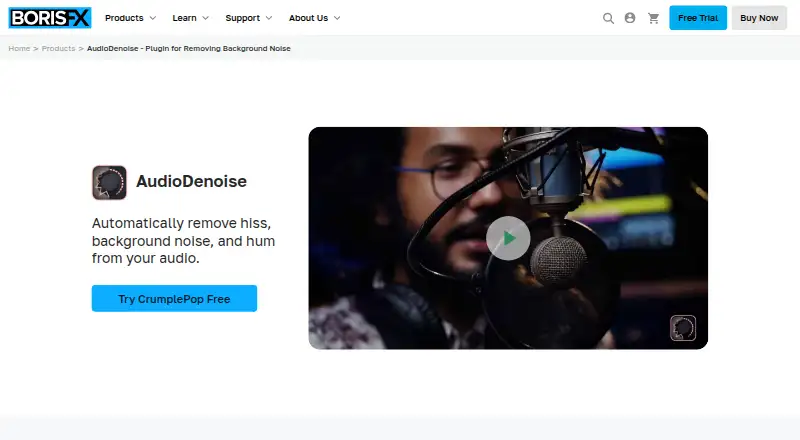
AudioDenoise is Boris FX software for cleaning unwanted sound from recordings. It targets hiss, background noise, hum, room noise, and more complex interference while aiming to keep voices clear and natural. Processing runs in real time. You can place the plugin on an audio track and adjust its Strength control to change the denoising effect.
CrumplePop supplies AudioDenoise as VST, AU, and AAX plugins, and as the standalone SoundApp for macOS and Windows. Listed host applications include Premiere Pro, Avid Media Composer, Pro Tools, Final Cut Pro, Audacity, Logic, GarageBand, Audition, and DaVinci Resolve. Boris FX describes it for video editors, podcasters, and other users who need a fast route to cleaner audio.
The AI filters run locally rather than uploading footage to the cloud. SoundApp has an unlimited 15-day trial with all features and no credit card requirement. The product is offered through Free, subscription, and perpetual-license plans, while pricing is available on request. SoundApp requires Windows 10/11 64-bit or macOS 14 and later; Mac use requires Apple Silicon. Boris FX provides documentation, a Help Center, and a support ticket form.
Who it suits
AudioDenoise suits video editors, podcasters, and others who need real-time cleanup of hiss, hum, room noise, or complex background sound. It is also useful for people working in the listed video, audio, and editing hosts or using the standalone SoundApp.
What it does well
- AI filtering targets hiss, hum, room, and complex noise
- Real-time processing
- VST, AU, and AAX plugin formats
- Works with many listed editing hosts
- Unlimited 15-day full-feature trial
- Local processing avoids cloud footage uploads
What to know first
- Pricing is available only on request
- SoundApp Mac use requires Apple Silicon
- Standalone app requires Windows 10/11 64-bit or macOS 14+
Limits
The SoundApp trial lasts 15 days, although it includes the full feature set. The listed standalone requirements restrict Windows use to 10/11 64-bit and Mac use to macOS 14 or later with Apple Silicon.
Getting started
- Open the AudioDenoise product website
- Choose the SoundApp trial or another available plan
- Use SoundApp on Windows 10/11 64-bit or macOS 14+
- Install the VST, AU, or AAX plugin for a supported host
- Place the plugin on audio and adjust the Strength control
Verdict
Choose AudioDenoise if you need quick, real-time voice and recording cleanup inside a supported host or SoundApp. Its local AI processing and broad plugin format support are useful for privacy-conscious workflows. Look elsewhere if your Mac lacks Apple Silicon or you need publicly stated pricing.
Questions
Is there a free plan?
Yes. The CrumplePop FAQ describes Free, subscription, and perpetual-license plans.
How long is the free trial?
SoundApp offers an unlimited 15-day trial with the full feature set and no credit card required.
What does AudioDenoise cost?
The pricing model is paid, with pricing available on request.
Which platforms are supported?
AudioDenoise supports macOS and Windows. SoundApp requires Windows 10/11 64-bit or macOS 14+; Mac requires Apple Silicon.
Which applications can host it?
Listed hosts include Premiere Pro, Avid Media Composer, Pro Tools, Final Cut Pro, Audacity, Logic, GarageBand, Audition, and DaVinci Resolve.
Does processing upload footage?
Boris FX says its AI filters run on the local system and do not upload footage to the cloud.
Facts from AudioDenoise's own pages
- AI denoising
- The product page describes an AI audio denoiser that removes room noise, hum, and complex noise while keeping voices clear and natural. · borisfx.com, 4 Oct 2026
- Controls
- Users can drag the plugin onto audio and adjust its Strength knob to denoise it. · borisfx.com, 4 Oct 2026
- Formats and app
- CrumplePop offers VST, AU, and AAX plugins, plus a standalone SoundApp application for macOS and Windows. · borisfx.com, 4 Oct 2026
- Free tier
- The CrumplePop FAQ says the product is available in Free, subscription, and perpetual-license plans. · borisfx.com, 4 Oct 2026
- Integrations
- The product page lists Premiere Pro, Avid Media Composer, Pro Tools, Final Cut Pro, Audacity, Logic, GarageBand, Audition, and DaVinci Resolve as supported hosts. · borisfx.com, 4 Oct 2026
- Intended users
- Boris FX says AudioDenoise is designed for video editors, podcasters, and others who need a high-quality result quickly. · borisfx.com, 4 Oct 2026
- Local processing
- Boris FX says its AI filters run on the local system and do not upload footage to the cloud. · support.borisfx.com, 4 Oct 2026
- Notable limits
- The listed standalone SoundApp system requirements specify Windows 10/11 64-bit or macOS 14 or later, with SoundApp requiring Apple Silicon on Mac. · borisfx.com, 4 Oct 2026
- Privacy safeguards
- Boris FX says it uses secure servers, limits access to information, and uses TLS to encrypt information submitted through website forms and payment transactions. · borisfx.com, 4 Oct 2026
- Purpose
- AudioDenoise automatically removes hiss, background noise, and hum from audio. · borisfx.com, 4 Oct 2026
- Support
- Boris FX provides a Help Center, product documentation, and a support ticket form. · borisfx.com, 4 Oct 2026
- Trial
- Boris FX offers an unlimited 15-day SoundApp free trial with the full feature set and no credit card required. · borisfx.com, 4 Oct 2026
Where AudioDenoise stands on Freedom251
- AI Speech Enhancement Software#13 of 35