Freedom251 › AAC Communication Software

Asterics AAC
What Asterics AAC is
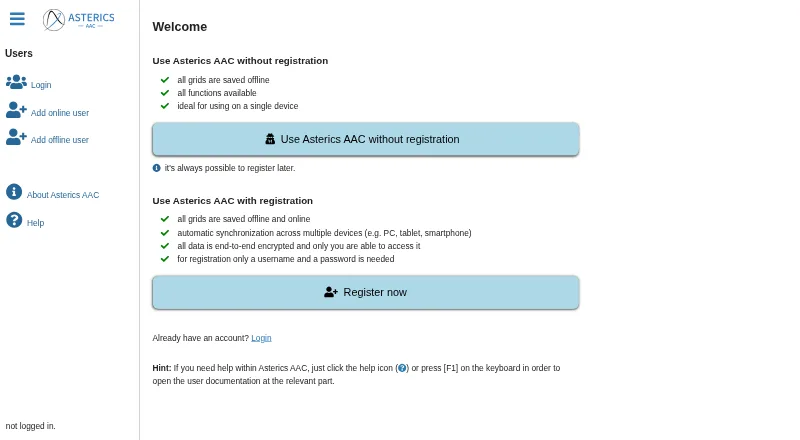
Asterics AAC is a web-based augmentative and alternative communication app for building customizable grids. Grid elements can display labels or images, speak labels or custom text, combine selected words into sentences, and offer word predictions. People can select elements through touch, mouse, keyboard, external switches, scanning, hovering, microphone input, or AsTeRICS Framework events such as eye or head movement. Computer voices are supported, though available voices vary by platform and browser. Grid actions can operate AsTeRICS Framework models, openHAB devices, and programs or devices with an HTTP REST API. The app also supports web radio, YouTube control, and podcasts. After the first browser visit caches it, the app can be used offline. Registered users can sync grids across devices; online personal data is encrypted with the user's password, while offline data stays in the browser. Asterics AAC is free and open-source. Online data is deleted after 365 days without a login.
Who it suits
Asterics AAC suits people who communicate using customizable grids and need varied input methods. It may also suit users who need offline browser use or cross-device grid synchronization.
What it does well
- Grids can combine words into sentences and predict words.
- Supports touch, switches, scanning, and other input methods.
- Can operate compatible smart-home devices and programs.
- Cached app can be used offline.
What to know first
- Available computer voices depend on platform and browser.
- Online data is deleted after 365 days without login.
- Lost passwords prevent recovery of account data.
Limits
The free plan costs nothing, and Asterics AAC will always remain free and open-source. Cross-device synchronization depends on funding for server costs; online user data is deleted after 365 days without a login, and a lost password means the account data cannot be recovered.
Plans
| Plan | Billed and limits | Price |
|---|---|---|
| Free | offline use · optional registration · cloud synchronization for online users | Free |
As grid.asterics.eu lists them, read 14 Oct 2026. The maker's own page has the final word.
Getting started
- Open https://grid.asterics.eu/ in a supported browser on Android, iOS, Windows, macOS, or Linux.
- Visit once while online so the app can download into the browser cache for later offline use.
- Create and customize grids with labels or images, phrases, sentence building, or word predictions.
- Choose the input method that suits the user, such as touch, mouse, keyboard, scanning, or an external switch.
- Register to synchronize grids across devices, or use the app offline with personalized data stored in the browser.
- Open help with the help icon or press F1 to reach the relevant documentation section.
Overview
Asterics AAC is a browser-based augmentative and alternative communication tool for people who need a configurable way to build and use communication grids. Its broad access options and ability to work offline suit users who need to tailor interaction to their abilities and devices. It is a strong free option for flexible grid-based communication, though losing an online account password also means losing its data.
The grids combine communication with practical controls: actions can operate running AsTeRICS Framework models, openHAB devices, or programs and devices that expose an HTTP REST API. Media functions add web radio, YouTube controls within the app, and podcast playback. These extras matter most to users who want communication and device interaction in one interface; they are less compelling for someone seeking only a straightforward phrase board.
Asterics AAC is made by the AsTeRICS Foundation, founded in 2017 to bring project results to people with disabilities, organize workshops, and coordinate projects. See AAC Communication Software for more choices.
Key features
Grids built around the user
Layouts are fully customizable and use a hybrid symbol system. Elements can show labels or images, speak a label or custom text, add chosen words to a sentence, and offer word predictions. That mix supports both direct phrase selection and composing longer messages, with room to adapt the grid rather than accept a fixed arrangement.
Broad access and speech options
Users can select elements by touch, mouse, keyboard, external switch, scanning, hovering, microphone input, or AsTeRICS Framework events such as eye or head movement. Direction, Huffman, and sequential input are also supported. This breadth makes the software relevant across varied access needs, although the available computer voices depend on the platform and browser, so speech options may differ between devices.
Connected controls and media
Grid actions can control compatible AsTeRICS Framework models, openHAB devices, and services or devices with an HTTP REST API. Users can also search for and play web radio, control YouTube videos inside the app, and play podcasts. These functions extend the grid beyond conversation, especially for users already working with compatible connected systems.
Offline operation and account safeguards
After the first browser visit caches the app, it can be reopened and used offline. Offline users keep personalized data in that browser; registered users can synchronize grids across devices. Online personalized data is end-to-end encrypted with the user’s password, and the foundation says it cannot access it in unencrypted form. The trade-off is consequential: a forgotten password cannot be recovered, and neither can the associated account data. Downloading backups is therefore important. Online data is deleted after 365 days without a login.
Help opens at the relevant documentation section through the help icon or F1, a useful route when configuring a specialized grid.
Pricing
Asterics AAC has one plan: Free — free (billed). The software remains free and open-source, with no free trial because there is no paid tier to trial. It fits individuals and organizations looking for customizable AAC without a subscription charge.
The main qualification is cross-device synchronization: it depends on funding for server costs. Offline use keeps personalized data local to the browser, so it does not provide that same cross-device continuity. Online accounts also carry the password-recovery risk and the 365-day inactivity deletion rule; keep backups if the grids matter. No seat or usage quota is stated.
Platforms
Asterics AAC runs in web browsers on Android, iOS, Windows, macOS, and Linux, and is also offered as self-hosted software. This browser-centered approach spans desktop and mobile systems, while speech voices can vary with the browser and platform. Offline use requires an initial visit to cache the app.
Who it's for
Choose Asterics AAC if you need a free, adaptable communication grid with multiple input methods, sentence building, word prediction, or links to compatible smart-home and assistive systems. It is also a good fit when browser-based offline use matters. Look elsewhere if recovering an online account without a password reset is essential, or if dependable cloud synchronization is a requirement; synchronization relies on server funding.
Pros and cons
- Pros: Fully customizable grids combine labels or images with speech, sentence building, and prediction, letting users shape the interface around communication needs.
- Pros: Touch, switch, scanning, hovering, microphone, and other input approaches support a wide range of access requirements.
- Pros: Cached browser use works offline, while online personalized data is end-to-end encrypted.
- Pros: Grid actions can connect communication to compatible assistive models, openHAB devices, and HTTP REST services.
- Cons: Lost passwords and account data cannot be recovered, so online users need to maintain backups.
- Cons: Cross-device synchronization depends on funding, limiting how confidently users can rely on it for continuity.
- Cons: Available voices vary by browser and platform, making speech output less consistent across devices.
Alternatives
Cboard is worth considering for users who want online neural voices, board sharing and publishing, tile copying, and usage analytics in a free plan across Android, iOS, macOS, web, and Windows.
Jellow offers a free downloadable AAC communicator and also provides a PDF booklet and flashcards; consider it if those materials suit your communication setup.
Speech Assistant AAC has a free Android basic version, with a full-version upgrade at $9.99, paid once (one-time payment, no subscription). Choose it if you prefer an Android app and are willing to pay once for the upgrade.
SymboTalk keeps core app features free on Android and web, but charges for cloud sharing, synchronization, and backup. It may suit users who want those cloud functions and accept paid access.
TD Snap is free to download on iOS and Windows, with speaking requiring a monthly subscription after a one-month free trial. It is an option for users comfortable with that subscription arrangement.
Spoken is another free-plan option for macOS, iOS, and Android.
Weave Chat AAC is a free option for iOS and Android.
Fast AAC is a freemium option for iOS.
Verdict
Asterics AAC is the right choice for people who need a free, highly adaptable AAC grid with varied access methods, offline browser use, and the option to connect compatible devices and services. Its strongest reason to choose it is the combination of customization and broad input support at no cost. Its clearest reason to look elsewhere is the lack of password recovery, compounded by synchronization that depends on server funding.
Verdict
Asterics AAC offers customizable communication grids with varied access methods and offline browser use. Online synchronization and encryption are available, but users who lose their password cannot recover their account data.
Questions
How much does Asterics AAC cost?
The Free plan costs nothing. Asterics AAC will always remain free and open-source.
Which platforms does it support?
It runs in web browsers on Android, iOS, Windows, macOS, and Linux. The listed platforms also include self-hosted.
Can it work offline?
Yes. After an initial browser visit downloads the app into the cache, it can be reopened and used offline.
What input methods are supported?
Options include touch, mouse, keyboard, external switch, scanning, hovering, microphone input, and AsTeRICS Framework events such as eye or head movement.
What happens if I lose my password?
For online users, the password and account data cannot be recovered. The documentation recommends downloading backups.
Who makes Asterics AAC?
The AsTeRICS Foundation says it was founded in February 2017 to bring project results to people with disabilities, organize workshops, and coordinate projects.
Facts from Asterics AAC's own pages
- AsTeRICS API
- The AsTeRICS Framework exposes REST and Server-Sent Events interfaces, with JavaScript and Java client libraries documented separately. · asterics.eu, 14 Oct 2026
- Browser limitation
- Bluetooth and serial hardware features require Chromium-based browsers such as Chrome, Edge or Chromium. · asterics.eu, 14 Oct 2026
- Cloud storage
- Offline users keep data on the device; online users synchronize IndexedDB data with an AsTeRICS Foundation CouchDB using PouchDB. · asterics.eu, 14 Oct 2026
- Custom grids
- Users can create flexible grid layouts and grid sets whose number of pages is not fixed. · github.com, 14 Oct 2026
- Data retention
- Online user data is deleted after 365 days without a login. · grid.asterics.eu, 28 Sept 2026
- Developer documentation
- Developer documentation covers project structure, tools, dynamic grids, Vue.js, data models, storage, internationalization, testing and deployment, while noting that JSDoc is imperfect and not all public methods are documented. · asterics.eu, 14 Oct 2026
- Funding model
- The project is developed through funded research projects, while the non-profit AsTeRICS Foundation pays server costs. · github.com, 14 Oct 2026
- Grid features
- Grid elements can show labels or images, speak phrases, collect selected words into sentences, and offer word predictions. · asterics.eu, 28 Sept 2026
- Headquarters
- Vienna, Austria · grid.asterics.eu, 23 Sept 2026
- HTTP API integration
- HTTP actions send arbitrary GET, POST, PUT, DELETE, HEAD, OPTIONS or PATCH requests to REST APIs. · asterics.eu, 14 Oct 2026
- Independent development fact
- UAS Technikum Wien says development began in 2018 and that ARASAAC collaboration started in early 2022. · technikum-wien.at, 14 Oct 2026
- Independent pilot
- The same university reported a third pilot phase at Klinik Floridsdorf after two successful test runs, with possible rollout to other Vienna healthcare facilities. · technikum-wien.at, 14 Oct 2026
- Independent usage evidence
- UAS Technikum Wien reported about 45,000 AsTeRICS Grid visits per week in an April 2024 article. · technikum-wien.at, 14 Oct 2026
- Input methods
- The app supports mouse, touch, keyboard, switches, scanning, hovering and advanced AsTeRICS Framework inputs such as eye tracking, head tracking and EMG sensors. · github.com, 14 Oct 2026
- Input options
- Users can select grid elements using mouse or touch, scanning, direction input, Huffman input, or sequential input. · asterics.eu, 28 Sept 2026
- iOS limitation
- The documentation says Apple restrictions reduce access to high-quality offline voices in web apps and advises against iPads for this use. · asterics.eu, 14 Oct 2026
- Licence
- The application source code is licensed under AGPL-3.0 and repository documentation is under CC BY-SA 4.0. · github.com, 14 Oct 2026
- Limit: setup effort
- An independent Wiener Bildungsserver evaluation says creating custom grids requires substantial familiarization and training time. · lehrerweb.wien, 14 Oct 2026
- Maker
- The AsTeRICS Foundation says it was founded in February 2017 to bring project results to people with disabilities, organize workshops, and coordinate projects. · asterics.eu, 28 Sept 2026
- Maker legal name
- The service identifies its responsible organization as AsTeRICS Foundation. · asterics-foundation.org, 14 Oct 2026
- Matrix messenger
- A built-in messenger supports text, emoji and pictogram conversations through Matrix. · github.com, 14 Oct 2026
- Media features
- Users can search for and play web radio, control YouTube videos inside the app, and play podcasts. · asterics.eu, 28 Sept 2026
- Media integrations
- The app can search and play YouTube videos, web radio stations through radio-browser.info and podcasts through podcastindex.org. · github.com, 14 Oct 2026
- Multilingual grids
- Communicators can be built for multiple languages and content language can be changed through an action. · github.com, 14 Oct 2026
Where Asterics AAC stands on Freedom251
- AAC Communication Software#1 of 25