Freedom251 › Game Texture Software
ArmorPaint
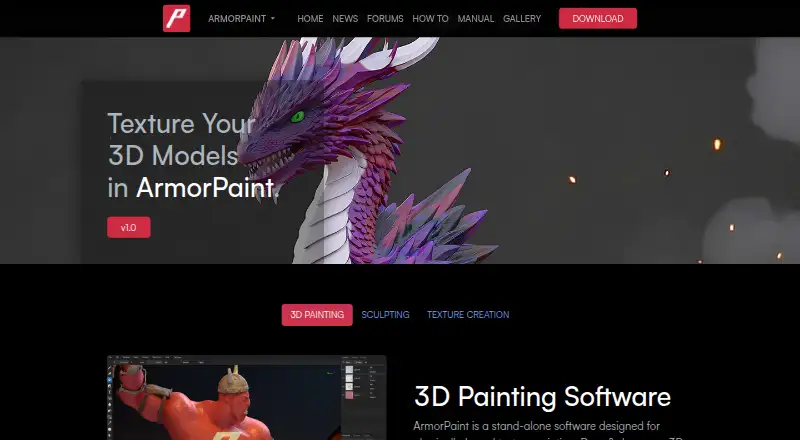
What ArmorPaint is
ArmorPaint is standalone software for painting physically based textures on 3D models. Materials and brushes use nodes, supporting procedural materials, fill layers and procedural brushes, with texture baking and a PBR workflow. The software is designed for GPU operation; the product page describes 4K painting on medium-power integrated hardware and up to 16K on a high-end graphics card. Ray-traced baking, painting effects and viewport rendering use Direct3D 12, Vulkan or Metal. Exports include 8-bit PNG and JPG plus 16-bit or 32-bit EXR, with Generic, Unreal and Unity presets. Supported mesh formats include OBJ, FBX, BLEND, STL, GLTF and GLB. Neural processing runs locally after model downloads, with at least 6 GB of video memory recommended; Hunyuan3D requires 12 GB and Windows. Desktop builds are portable, and sculpting is marked work in progress. ArmorPaint costs $19, paid once, with updates included.
Who it suits
ArmorPaint suits 3D artists and developers creating textured models with node-based materials and GPU workflows. It supports Windows, Linux, macOS, iOS and Android.
What it does well
- Node-based procedural materials and brushes
- Supports GPU texture painting and baking
- Exports PNG, JPG and EXR textures
- Offers Unreal and Unity export presets
- One-time purchase includes updates
What to know first
- No free plan
- Hunyuan3D requires 12 GB GPU memory
- Sculpting is marked work in progress
- Some live-link plugins are in development
Limits
There is no free plan. Sculpting is listed as work in progress; neural nodes are limited by platform and hardware requirements, and Hunyuan3D requires 12 GB of GPU memory on Windows.
Plans
| Plan | Billed and limits | Price |
|---|---|---|
| ArmorPaint 1.0 | $19 one-time purchase · Windows, Linux, macOS (Apple silicon) downloads; all updates included for free | $19, paid once |
As armorpaint.org lists them, read 3 Oct 2026. The maker's own page has the final word.
Getting started
- Open the ArmorPaint website and choose a supported platform
- For desktop, unpack the downloaded archive and run the portable application
- Purchase the ArmorPaint 1.0 plan for $19, paid once
- Import a mesh in OBJ, FBX, BLEND, STL, GLTF, or GLB format
- Create materials and brushes with nodes, then paint and bake textures
- Export PNG, JPG, or EXR using a Generic, Unreal, or Unity preset
Verdict
ArmorPaint combines node authoring, GPU painting and broad mesh and texture formats in a portable package. Review graphics-memory needs and the work-in-progress sculpting status before buying.
Questions
How much does ArmorPaint cost?
ArmorPaint 1.0 costs $19, paid once as a one-time purchase, with all updates included for free.
Which platforms are supported?
ArmorPaint is listed for Windows, Linux, macOS, iOS, and Android. Neural nodes are listed for Windows and Linux with Vulkan and macOS with Metal.
Is ArmorPaint open source?
The download page describes ArmorPaint as an open-source project and links to its full source code on GitHub.
What files can it import and export?
Mesh formats include OBJ, FBX, BLEND, STL, GLTF, and GLB. Exports support 8-bit PNG and JPG, plus 16-bit or 32-bit EXR.
Does it connect to Blender, Unreal, and Unity?
The site lists live-link plugins for Blender, Unreal Engine, and Unity; the manual describes these plugins as in development.
Facts from ArmorPaint's own pages
- AI limits
- Neural nodes are listed for Windows with Vulkan, Linux with Vulkan, and macOS with Metal; Hunyuan3D requires 12 GB of GPU memory and is Windows-only. · armorpaint.org, 3 Oct 2026
- AI processing
- Neural node processing runs locally after models are downloaded, and the manual says an internet connection is then unnecessary; it recommends at least 6 GB of video memory. · armorpaint.org, 3 Oct 2026
- Desktop use
- On desktop, ArmorPaint is portable: unpack the archive and run it without installation. · armorpaint.org, 3 Oct 2026
- GPU painting
- The product page says ArmorPaint is designed to run completely on the GPU, with 4K painting on medium-power integrated hardware and up to 16K on a high-end graphics card. · armorpaint.org, 3 Oct 2026
- Integrations
- The site lists live-link plugins for Blender, Unreal Engine, and Unity; the manual describes these plugins as in development. · armorpaint.org, 3 Oct 2026
- Mesh formats
- The manual lists OBJ, FBX, BLEND, STL, GLTF, and GLB as supported mesh formats and says OBJ files up to about 4 GB are supported. · armorpaint.org, 3 Oct 2026
- Node materials
- Materials and brushes use nodes, including procedural materials, fill layers, and procedural brushes. · armorpaint.org, 3 Oct 2026
- Open source
- The download page describes ArmorPaint as an open-source project and links to its full source code on GitHub. · armorpaint.org, 3 Oct 2026
- Platforms
- The manual recommends Windows 10 or newer, Linux, and macOS on Apple silicon, and describes iOS and Android builds as experimental. · armorpaint.org, 3 Oct 2026
- Purpose
- ArmorPaint is standalone software for physically based texture painting on 3D models. · armorpaint.org, 3 Oct 2026
- Ray tracing
- Ray-traced baking, painting effects, and viewport rendering are supported through Direct3D 12, Vulkan, and Metal. · armorpaint.org, 3 Oct 2026
- Sculpting
- The manual labels sculpting as work in progress. · armorpaint.org, 3 Oct 2026
- Texture export
- Texture exports support PNG and JPG at 8-bit, and EXR at 16-bit or 32-bit, with Generic, Unreal, and Unity presets among the options. · armorpaint.org, 3 Oct 2026
Where ArmorPaint stands on Freedom251
- Game Texture Software#25 of 34
- 3D Texturing Software#23 of 29