Freedom251 › AI Spreadsheet Tools

Arcwise
by Arcwise
What Arcwise is
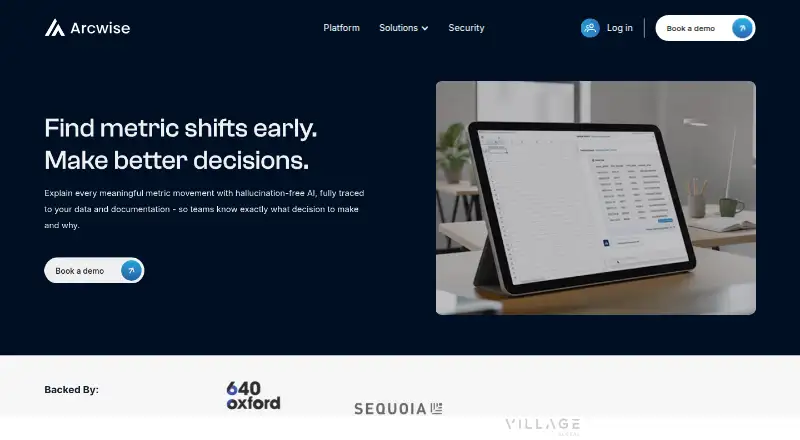
Arcwise uses AI to explain meaningful changes in business metrics, drawing on company data and documentation. It aims to identify performance shifts early and turn them into decision-focused insights and detailed reports. Teams can add documents, metric definitions and operating logic to provide business context, then save validated explanations and decisions for reuse. Arcwise connects to Snowflake, BigQuery and Databricks. Reports can appear in the Arcwise app or be embedded in documents and slides. Spreadsheet capabilities include formula generation, table transformation, spreadsheet analysis and custom functions. The product is listed for web and extension use, though setup requires a Chrome extension that appears in Google Sheets; users sign in with Google OAuth 2.0. Arcwise says it is SOC 2 Type II certified and GDPR compliant, encrypts data in transit and at rest, and does not store sensitive business data. Pulled data is cached only while an operation runs, while metadata such as table and column names may persist. The company says its AI Analyst uses Azure OpenAI and that AI interactions are not used for model training. Pricing is available on request.
Who it suits
Arcwise may suit teams that analyze business metrics using Snowflake, BigQuery or Databricks and want to retain explanations as shared knowledge. Its spreadsheet workflow requires a Chrome extension and Google sign-in.
What it does well
- Connects to Snowflake, BigQuery and Databricks.
- Reports can be embedded in documents and slides.
- Teams can save explanations for reuse.
- SOC 2 Type II certified and GDPR compliant.
- Admin tools track AI usage and query history.
What to know first
- Requires a Chrome extension in Google Sheets.
- Pricing is available on request.
- Uses Google OAuth 2.0 for sign-in.
Limits
Arcwise's pricing is available by request, and setup requires its Chrome extension in Google Sheets. Pulled data is cached while an operation runs, while metadata such as table and column names persists.
Getting started
- Open the Arcwise website
- Install the Chrome extension
- Open Arcwise in Google Sheets
- Sign in with Google OAuth 2.0
- Connect Snowflake, BigQuery, or Databricks
- Add documents, definitions, and operating logic as business context
Verdict
Arcwise links metric analysis, business context and reusable team knowledge, with spreadsheet functions and embedded reporting. Consider its Chrome extension requirement and request pricing details before choosing it.
Questions
What does Arcwise do?
It explains meaningful metric movements with AI grounded in company data and documentation, then produces decision-focused insights and reports.
Which data sources can Arcwise connect to?
The listed sources are Snowflake, BigQuery, and Databricks.
How do users access Arcwise?
Arcwise is available on the web and as an extension. Its setup documentation requires a Chrome extension that appears in Google Sheets.
How does Arcwise handle sign-in and data security?
Users authenticate with Google OAuth 2.0. Arcwise says it encrypts data in transit and at rest, is SOC 2 Type II and GDPR compliant, and does not store sensitive business data.
What does Arcwise cost?
Arcwise uses a paid model, with pricing provided on request.
Facts from Arcwise's own pages
- AI processing
- Arcwise says its AI Analyst uses Azure OpenAI and that neither Arcwise nor Azure uses AI interactions for model training. · arcwise.app, 11 Oct 2026
- Authentication
- Users authenticate with Google OAuth 2.0 rather than separate Arcwise credentials. · arcwise.app, 11 Oct 2026
- Availability and pricing
- The site invites visitors to book a demo and does not state a price on the pages reviewed. · arcwise.app, 11 Oct 2026
- Business context
- Users can bring in documents, definitions, and operating logic for Arcwise to use in grounded explanations. · arcwise.app, 11 Oct 2026
- Company
- The maker identifies the company as Archimedes Labs, Inc.; its paid terms list an office address in San Francisco, California. · arcwise.app, 11 Oct 2026
- Custom functions
- Yes · arcwise.app, 20 Sept 2026
- Spreadsheet analysis
- Yes · arcwise.app, 20 Sept 2026
- Data connections
- The site names Snowflake, BigQuery, and Databricks as data sources Arcwise can connect to. · arcwise.app, 11 Oct 2026
- Data handling
- Arcwise says it processes metadata and queries and does not store sensitive business data. · arcwise.app, 11 Oct 2026
- Data persistence
- Pulled data is temporarily cached only while an operation runs; Arcwise says it does not persist that data on its servers, though it does persist metadata such as table and column names. · arcwise.app, 11 Oct 2026
- Data sources
- The site lists Snowflake, BigQuery, and Databricks among supported data sources. · arcwise.app, 11 Oct 2026
- Decision insights
- It turns metric changes into decision focused insights and deep dive reports teams can act on. · arcwise.app, 11 Oct 2026
- Encryption
- Arcwise says data is encrypted in transit and at rest. · arcwise.app, 11 Oct 2026
- Formula generation
- Yes · arcwise.app, 20 Sept 2026
- Governance
- Arcwise provides admin tools to track AI usage and query history and enforce security policies. · arcwise.app, 11 Oct 2026
- Headquarters
- San Francisco, California, USA · arcwise.app, 28 Sept 2026
- Institutional memory
- Teams can preserve explanations and decisions as reusable shared knowledge. · arcwise.app, 11 Oct 2026
- Metric detection
- Arcwise identifies meaningful performance shifts before they appear in reviews. · arcwise.app, 11 Oct 2026
- Platform
- The maker's setup documentation says Arcwise requires a Chrome extension, which appears in Google Sheets. · docs.arcwise.app, 11 Oct 2026
- Primary platform
- standalone · arcwise.app, 20 Sept 2026
- Product
- Arcwise explains meaningful metric movements with AI grounded in company data and documentation. · arcwise.app, 11 Oct 2026
- Purpose
- Arcwise says it explains meaningful metric movements with AI grounded in company data and documentation. · arcwise.app, 11 Oct 2026
- Security certification
- Arcwise says it is SOC 2 Type II certified. · arcwise.app, 11 Oct 2026
- Security compliance
- Arcwise states it is SOC 2 Type II and GDPR compliant and undergoes annual security audits and penetration tests. · arcwise.app, 11 Oct 2026
Where Arcwise stands on Freedom251
- AI Spreadsheet Tools#28 of 31
- Spreadsheet apps#30 of 31