Freedom251 › AI Architectural Rendering Software

Archome AI
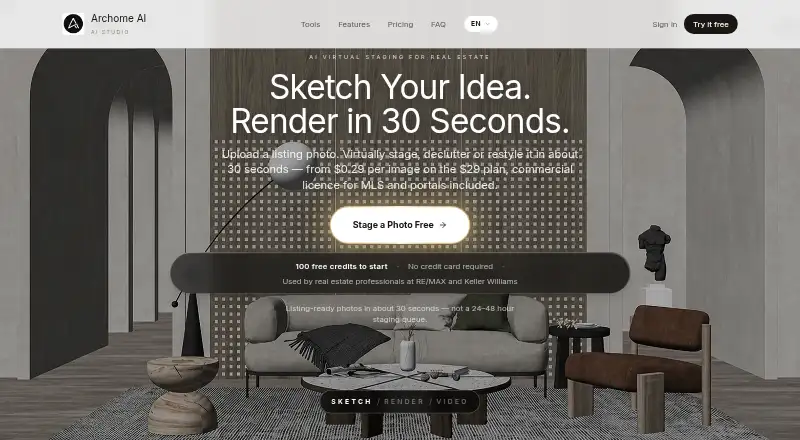
What Archome AI is
Archome AI creates architectural renders from photos, sketches, floor plans, CAD screenshots, viewport captures and prompts. It runs in a browser and says a render takes about 30 seconds; no GPU or local installation is required. For image-to-image work, its structure lock keeps massing, openings, proportions and camera position fixed while materials, lighting and atmosphere change. Tools include interior and exterior rendering, sketch and plan rendering, masterplans, materials, inpainting, landscapes, detail work, 2D-to-3D, video and upscaling.
Free plugins connect Archome to SketchUp 2021 and newer on Windows and macOS, Rhino 7 and 8 on Windows and macOS, and 3ds Max 2021 and newer on Windows. A public REST API accepts a base64 PNG, tool and prompt, then returns a render URL. API calls use the web app's credit balance; image data is limited to about 10 MB, calls are rate-limited, and the API exposes interior, exterior and sketch_to_render tools. A free trial includes 100 credits for three renders. Paid choices include one-time credit packs and monthly plans, with commercial-use rights included in the listed paid packs and plans.
Who it suits
Archome AI suits architects, designers and property professionals who want to turn visual references or design views into architectural renders. It may also suit teams connecting supported SketchUp, Rhino or 3ds Max versions, or developers using its rendering API.
What it does well
- Renders photos, sketches, plans, CAD screenshots and viewport captures.
- Structure lock preserves key geometry and camera position.
- Runs in a browser without a GPU or local installation.
- Free plugins support SketchUp, Rhino and 3ds Max.
- Free trial includes 100 credits for three renders.
- Paid plans and packs include commercial-use rights.
What to know first
- API image data is limited to about 10 MB.
- API calls are rate-limited and expose three tools.
- The free trial is limited to three renders.
- API use draws from the same credits as the web app.
Limits
The Free Trial includes 100 credits for three renders. API images are limited to about 10 MB, requests are rate-limited, and API access exposes interior, exterior and sketch_to_render tools; API calls draw on the web app's credit balance.
Plans
| Plan | Billed and limits | Price |
|---|---|---|
| Free Trial | one-time · 100 credits · about 3 renders · community support · personal/evaluation use | Free |
| Studio | monthly · 10,000 credits/mo · 1,000 Fast or 333 Ultra renders · 100 videos · 4K upscaling · commercial licence · brand kit/team logo · dedicated support | $119 a month |
| Starter Credit Pack | one-time payment; no subscription · 500 credits · 50 Fast or 16 Ultra renders · 5 videos · 4K upscaling · commercial licence · 12-month validity | $15, paid once |
| Lite | monthly · 1,000 credits/mo · 100 Fast or 33 Ultra renders · 10 videos · 4K upscaling · commercial licence · email support | $29 a month |
| Studio Credit Pack | one-time payment; no subscription · 1,500 credits · 150 Fast or 50 Ultra renders · 15 videos · 4K upscaling · commercial licence · 12-month validity | $39, paid once |
| Enterprise | monthly · 30,000 credits/mo · 3,000 Fast or 1,000 Ultra renders · 300 videos · shared team credits on request · commercial licence · priority support · API · SLA and onboarding | $399 a month |
| Plus | monthly · 3,000 credits/mo · 300 Fast or 100 Ultra renders · 30 videos · 4K upscaling · commercial licence · priority support | $49 a month |
| Agency Credit Pack | one-time payment; no subscription · 5,000 credits · 500 Fast or 166 Ultra renders · 50 videos · 4K upscaling · commercial licence · 12-month validity | $99, paid once |
As archome.ai lists them, read 15 Oct 2026. The maker's own page has the final word.
Getting started
- Open https://archome.ai/ in a browser.
- Start with the Free Trial for 100 credits and three renders.
- Upload a supported image or provide a prompt, then choose a rendering tool.
- Install a free plugin for a supported SketchUp, Rhino or 3ds Max version to send its active viewport.
- Choose a one-time credit pack or monthly plan for paid use.
- For API use, send a base64 PNG, tool and prompt to the public REST endpoint.
Verdict
Choose Archome AI if you need browser-based architectural rendering from images, sketches or plans, especially with its geometry-preserving image-to-image workflow or supported design plugins. The free trial covers three renders; ongoing use requires a credit pack or monthly plan, and API users share the web app credit balance.
Questions
Does Archome AI have a free plan?
It offers a Free Trial at no cost, billed one-time, with 100 credits for three renders.
What do the paid plans cost?
The Starter Credit Pack is $15, paid once, the Studio Credit Pack is $39, paid once, and the Agency Credit Pack is $99, paid once. Monthly plans are Lite at $29 a month, Plus at $49 a month, Studio at $119 a month and Enterprise at $399 a month; each is shown as billed monthly at $58, $98, $238 and $798 respectively, with -50% noted.
Which platforms does it support?
Archome lists API, extension, macOS, web and Windows. The SketchUp and Rhino plugins support Windows and macOS; the 3ds Max plugin supports Windows.
Can I use Archome AI commercially?
Commercial-use rights are included with the listed paid credit packs and monthly plans.
Does it have an API?
Yes. Its public REST endpoint accepts a base64 PNG, tool and prompt and returns a render URL. API calls share credits with the web app, are rate-limited, and accept image data up to about 10 MB.
What happens to unused credits if I request a refund?
Unused-credit purchases can be fully refunded within 14 days. Used credits are not refundable except in cases of service errors.
Facts from Archome AI's own pages
- 2D to 3D
- The 2D-to-3D tool outputs GLB models from an image. · archome.ai, 15 Oct 2026
- 3ds Max integration
- The free 3ds Max plugin supports 3ds Max 2021 and newer on Windows. · archome.ai, 1 Oct 2026
- 3ds Max requirements
- The 3ds Max plugin is version 1.0.0 and supports 3ds Max 2021 or newer on Windows. · archome.ai, 15 Oct 2026
- API authentication
- API access uses bearer tokens generated in dashboard settings; keys are shown once, stored hashed and invalidated when regenerated. · archome.ai, 15 Oct 2026
- API limits
- API image data is limited to about 10 MB and requests are rate-limited; a 429 requires backoff. · archome.ai, 15 Oct 2026
- API pricing
- API calls draw from the web-app credit balance, with paid-plan costs of 10 credits for interior or exterior and 15 for sketch_to_render. · archome.ai, 15 Oct 2026
- API scope
- The public endpoint exposes interior, exterior and sketch_to_render; video, 2D-to-3D, material analysis and inpainting remain web-only. · archome.ai, 15 Oct 2026
- API SDK examples
- The API documentation includes Node.js fetch and Python requests examples. · archome.ai, 15 Oct 2026
- Browser delivery
- Archome runs in the browser and requires no GPU or local installation. · archome.ai, 1 Oct 2026
- Company history
- Archome says its foundations were laid in 2020 and its development drew on architects, interior designers, property professionals, photographers and developers. · archome.ai, 15 Oct 2026
- Data processors
- Named processors are Supabase, Replicate, Vercel, Cloudflare and Dodo Payments, and the policy says user data is not sold for advertising. · archome.ai, 15 Oct 2026
- Documentation and support
- The site provides API documentation, a help center, FAQ pages and email support at [email protected]. · archome.ai, 15 Oct 2026
- Geometry preservation
- Its structure-lock workflow keeps massing, wall and opening positions, proportions and camera while changing materials, lighting and atmosphere. · archome.ai, 15 Oct 2026
- Image tools
- The platform offers interior, exterior, sketch-to-render, plan, masterplan, material, inpainting, landscape, detail, 2D-to-3D, video and upscaling tools. · archome.ai, 1 Oct 2026
- Integrations
- Official integrations include SketchUp, 3ds Max and Rhino plugins, while the enterprise API accepts captures from Revit, Rhino, Blender, ArchiCAD and AutoCAD. · archome.ai, 15 Oct 2026
- Interior and exterior tools
- The product includes interior and exterior rendering from photos or other existing views. · archome.ai, 15 Oct 2026
- Licence
- The terms state that generated images belong to users, while Archome software, design, logo and content are proprietary and cannot be copied or distributed. · archome.ai, 15 Oct 2026
- Limit: AI inference
- The company warns that hidden information is inferred and structural arithmetic such as adding exactly two floors is unreliable. · archome.ai, 15 Oct 2026
- Limit: CAD/BIM authoring
- Archome does not draft CAD, author BIM data or export DWG or RVT files. · archome.ai, 15 Oct 2026
- Limit: construction accuracy
- Archome says renders are visual studies rather than construction documents and floor-plan dimensions are not authoritative. · archome.ai, 15 Oct 2026
- Limit: generated layouts
- The service does not generate a floor-plan layout from a description or resolve room sizing and circulation. · archome.ai, 15 Oct 2026
- Limit: outages
- Terms say temporary outages may result from maintenance, updates or third-party service disruptions and the service is provided without quality or accuracy warranties. · archome.ai, 15 Oct 2026
- Limit: refunds and expiry
- Used credits are non-refundable and purchased credits expire after 12 months; unused-credit refunds can be requested within 14 days. · archome.ai, 15 Oct 2026
- LinkedIn company profile
- A LinkedIn profile named archome store lists the organization in Architecture and Planning. · linkedin.com, 15 Oct 2026