Freedom251 › Texture Libraries

Architextures
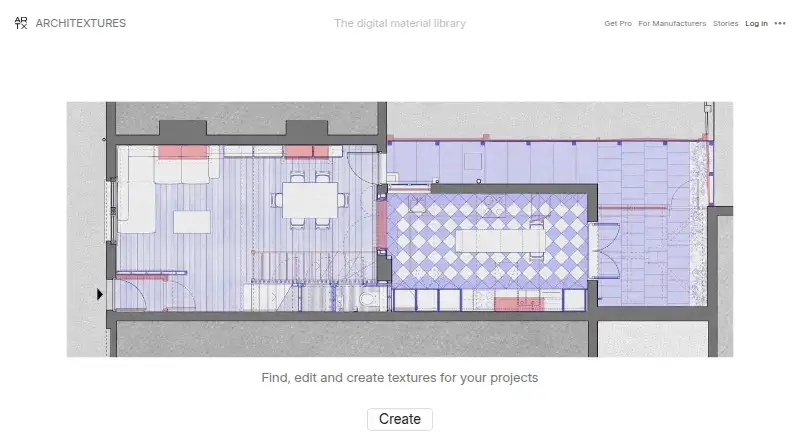
What Architextures is
Architextures is a web-based materials library and editor for architects, interior designers, and other design professionals. It offers more than 8,000 seamless textures in high-quality PNG format. In the Create editor, users can adjust patterns, scale, and grout; because the textures are procedural, their dimensions, patterns, and colours can be changed as well. Users can also upload a material from a photo. Official plugins are listed for SketchUp, Rhino 8, Revit, and Vectorworks, and file formats include PNG, DXF, SVG, AutoCAD hatch, and Revit model and drafting patterns. The Free plan costs nothing for personal and educational use with standard texture downloads. Pro costs $89.99 a year and includes high-resolution downloads, PBR options and maps, CAD and Revit hatches, additional patterns, custom materials, commercial use, and team management. Commercial use requires Pro, and downloaded content cannot be used commercially after the subscription expires. Architextures describes its content as visual reference, not guaranteed to be dimensionally accurate.
Who it suits
Architextures suits architects, interior designers, and other design professionals who need editable material textures for visual reference. Its free tier is for personal and educational use; commercial use requires Pro.
What it does well
- Library includes over 8,000 seamless textures
- Procedural textures allow dimension and colour changes
- Users can upload materials from photos
- Plugins listed for four design applications
- Offers PNG, DXF, SVG, and hatch formats
What to know first
- Commercial use requires a Pro subscription
- Downloaded content loses commercial-use permission when Pro ends
- Content is not guaranteed dimensionally accurate
Limits
The Free plan covers personal and educational use with standard texture downloads. Commercial use requires Pro at $89.99 a year, and downloaded content may not be used commercially after the subscription expires.
Plans
| Plan | Billed and limits | Price |
|---|---|---|
| Free | Personal and educational use · standard texture downloads | Free |
| Onboarding/texture creation add-on | Per texture · Texture creation or onboarding support | $13, paid once |
| Essential | Monthly · 50 published textures · 30-day analytics · self-serve onboarding · high-resolution textures · hatch patterns · PBR maps | $190 a month |
| Standard | Monthly · 150 published textures · 90-day analytics · self-serve onboarding · high-resolution textures · hatch patterns · PBR maps | $360 a month |
| Embedded ARTX app add-on | Monthly · Embedded branded ARTX app | $450 a month |
| Advanced | Monthly · 500 published textures · 180-day analytics · self-serve onboarding · high-resolution textures · hatch patterns · PBR maps | $655 a month |
| Pro | Renews automatically; cancel at any time · High-resolution downloads · PBR options · CAD & Revit hatches · commercial use · custom materials · team management · bump, normal, displacement, roughness and metalness maps | $89.99 a year |
| Custom | Unlimited published textures · 365-day analytics · included onboarding · high-resolution textures · hatch patterns · PBR maps | On request |
As architextures.org lists them, read 15 Oct 2026. The maker's own page has the final word.
Getting started
- Visit https://architextures.org/.
- Use the web app to find textures or open the Create editor.
- Customize a procedural texture or upload a material from a photo.
- Choose Free for personal and educational use, or Pro for commercial use and its additional downloads and tools.
- Use an official plugin for SketchUp, Rhino 8, Revit, or Vectorworks, if applicable.
Architextures is a web-based materials library and procedural texture workspace for architects, interior designers and visualisation teams. It suits professionals who need to adapt surfaces for drawings and renders rather than rely on fixed image files. Its extensive catalogue and CAD-focused workflow are strong reasons to consider it, provided commercial users keep the required subscription active.
Overview
Founded in 2020, Architextures pairs a library of more than 8,000 seamless textures with tools for creating and revising materials. The catalogue is delivered as high-quality PNGs, while procedural assets remain editable in the Create editor. Users can alter dimensions, pattern scale, colours and grout, making it practical to tune a repeating surface to a particular design instead of accepting a baked bitmap.
The service also supports authoring: a simple photograph can be uploaded as a custom material. That combination of browsing and adaptation is useful for project teams that need consistent visual treatments across drawings and presentations. The content is for visual reference and is not guaranteed to be dimensionally accurate, so it should not substitute for verified measurements or construction specifications.
Key features
Procedural editing
Create gives control over pattern dimensions, scale, colour and grout. Procedural editing is valuable when a tile repeat or joint layout must match a specific scheme, and it avoids rebuilding a material whenever the design changes.
Professional outputs and plugins
Downloads include PNG, DXF, SVG, AutoCAD hatch, Revit model pattern and Revit drafting pattern formats. Official plugins are listed for SketchUp, Rhino 8, Revit and Vectorworks, which can reduce format conversion in established design workflows. Pro also adds PBR options and bump, normal, displacement, roughness and metalness maps for teams producing more detailed visualisations.
Custom materials
Uploading a material from a photograph makes the service more useful for project-specific finishes that are absent from the catalogue. The resulting material can be treated as a procedural asset rather than a one-off reference image.
Terms and privacy
Commercial use is licensed through Pro, and downloaded content cannot be used commercially after that subscription expires. The terms also prohibit automated website use and mass downloading. Architextures says it does not use third-party analytics software or trackers and hashes passwords; Stripe handles payment processing. Support is available through the User Guide or by email at [email protected].
Pricing
Free
The Free plan costs nothing and permits personal and educational use with standard texture downloads. It is suitable for learning, concept work and non-commercial studies, but it does not provide the commercial licence or the production-oriented extras included with Pro.
Pro
Pro costs $89.99 a year, billed with automatic renewal; cancellation is allowed at any time. It adds high-resolution downloads, PBR options, CAD and Revit hatches, more patterns, custom materials, team management and commercial use, along with the full set of specialised surface maps. This is the appropriate tier for paid client work and teams that need editable, application-ready assets. Because commercial rights end when the subscription expires, teams should account for renewal when retaining project files in ongoing work.
Platforms
Architextures runs on the web. Its official plugins extend workflows into SketchUp, Rhino 8, Revit and Vectorworks, while the listed file formats also support AutoCAD and Revit drafting tasks.
Who it's for
Architects, interior designers and other design professionals are the natural audience. It is particularly well matched to practices that repeatedly adjust tile, paving or other patterned surfaces and need CAD-oriented exports or PBR maps. Students and hobbyists can use the Free plan for personal or educational work. It is a weaker fit for anyone seeking dimensionally authoritative product data, offline-first software or unrestricted commercial use without an annual licence.
Pros and cons
- Pros: More than 8,000 seamless PNG textures provide substantial starting breadth.
- Pros: Procedural controls let users change dimensions, scale, colours and grout instead of settling for static images.
- Pros: DXF, SVG, AutoCAD hatch and Revit pattern outputs, plus plugins for four design applications, suit production documentation.
- Pros: Pro includes PBR maps and custom-material uploads for richer visualisation work.
- Cons: Commercial use requires Pro and ends for downloaded content when the subscription expires.
- Cons: Visual-reference content is not guaranteed dimensionally accurate, limiting its role in construction decisions.
- Cons: Automated use and mass downloading are prohibited, which matters for bulk asset pipelines.
Alternatives
Texture Libraries is the broader starting point for comparing texture sources. ambientCG is a better pick when permanently free CC0 assets and broad platform coverage, including API access, matter more than procedural editing. Choose Mextures for an iOS, macOS or Windows-oriented paid library with an $89.00 yearly membership or a $10.00 monthly X-Film Overlay Pack. Poliigon suits users wanting a free Polydex tier with automatic identification, PBR textures, models, HDRIs, local search and drag-and-drop import.
SketchUp Texture Club is cheaper for light use, with a free account allowing up to 15 low- and medium-resolution downloads per day, while some textures remain unavailable. Texturelabs is a suitable choice for free original textures and tutorials with commercial use allowed under its terms, or its $39.00 Photoshop plugin. Textures.com offers a free sample selection and a $13.00-per-month Starter plan with 1,000 credits. CGBookcase provides 566 CC0 1.0 PBR textures and a free open-source tiling tool. FreePBR is another free-oriented source for game and 3D-design assets.
Verdict
Choose Architextures if your architecture or interiors workflow benefits from a large, editable procedural catalogue, CAD and Revit outputs, and application plugins. Pro makes it a credible production resource by adding commercial rights, high-resolution and PBR deliverables, and team features. Look elsewhere if you need dimensionally reliable specifications, bulk automated downloading, or commercial assets that remain licensed without an annual renewal.
Verdict
Architextures combines a large texture library with procedural editing and application plugins. Check the commercial-use terms and accuracy limitation before using a download in a project.
Questions
Is Architextures free?
Yes. The Free plan costs nothing and permits personal and educational use with standard texture downloads.
How much does Pro cost?
Pro costs $89.99 a year. It renews automatically and can be cancelled at any time.
Which platforms and design tools are supported?
Architextures is a web app. Official plugins are listed for SketchUp, Rhino 8, Revit, and Vectorworks.
Can Architextures materials be used commercially?
Commercial use is licensed through Pro. Downloaded content may not be used commercially after the subscription expires.
What file formats are available?
Listed formats are PNG, DXF, SVG, AutoCAD hatch, Revit model pattern, and Revit drafting pattern.
Are the textures dimensionally accurate?
The content is for visual reference and is not guaranteed to be dimensionally accurate.
Facts from Architextures's own pages
- Accuracy limitation
- The terms state that materials are visual references and are not guaranteed to be dimensionally accurate. · architextures.org, 15 Oct 2026
- Audience
- The service is built for architects, interior designers and other design professionals; its community exceeds 500,000 architects and designers. · architextures.org, 30 Sept 2026
- CAD and BIM exports
- The editor exposes PNG, SVG, DXF, AutoCAD hatch, Revit model pattern and Revit drafting pattern formats. · architextures.org, 15 Oct 2026
- Collections
- The user guide documents saving generated materials into collections for later access. · architextures.org, 15 Oct 2026
- Commercial licensing
- Commercial use is licensed through a Pro subscription, and downloaded content may not be used commercially after the subscription expires. · architextures.org, 30 Sept 2026
- Commercial-use restriction
- Commercial use of downloaded content requires an active Pro subscription, and the licence ends when that subscription expires. · architextures.org, 15 Oct 2026
- Company audience
- LinkedIn says the service supports a community of more than 500,000 architects and designers. · linkedin.com, 15 Oct 2026
- Company history
- The company says it was founded in Glasgow in 2020 by a team of architects, interior designers and software developers. · architextures.org, 15 Oct 2026
- Company legal name
- The terms identify the maker as Architextures Software Limited, a company registered in Scotland. · architextures.org, 15 Oct 2026
- Company scale
- LinkedIn lists ARCHITEXTURES as privately held, headquartered in Glasgow, founded in 2020 and employing 2–10 people. · linkedin.com, 15 Oct 2026
- Custom materials
- Users can upload their own materials from a simple photo. · architextures.org, 30 Sept 2026
- Custom uploads
- Users can upload their own material photos and adjust them inside the editor. · architextures.org, 15 Oct 2026
- Documentation coverage
- The user guide covers editor use, material uploads, profiles, finishes, placement, collections, PBR options, plugins and subscription administration. · architextures.org, 15 Oct 2026
- Founded
- 2020 · architextures.org, 28 Sept 2026
- Independent documentation caveat
- DataDrivenAEC says it found no independently tested performance results, project-specific data-processing terms or independent accuracy measurements. · datadrivenaec.com, 15 Oct 2026
- Independent limitation: compatibility
- A SketchUp Community report says the extension window stopped appearing after upgrading from SketchUp 2022 to 2024, even after reinstalling. · forums.sketchup.com, 15 Oct 2026
- Independent limitation: subscription
- A SketchUp forum commenter noted that PBR-ready outputs require an Architextures subscription. · forums.sketchup.com, 15 Oct 2026
- Independent praise: ease of use
- A SketchUp Community user called the free version useful and said the plugin improved the native material browsing experience. · forums.sketchup.com, 15 Oct 2026
- Independent praise: workflow
- The SketchUp Essentials describes the extension as enabling custom wood, tile and other materials directly inside SketchUp. · thesketchupessentials.com, 15 Oct 2026
- Independent workflow classification
- DataDrivenAEC describes Architextures as a web application and CAD/BIM add-in used in architecture, interior design and landscape-architecture workflows. · datadrivenaec.com, 15 Oct 2026
- Integrations
- Official plugins are listed for SketchUp, Rhino 8, Revit and Vectorworks. · architextures.org, 30 Sept 2026
- Library size
- The homepage states that more than 8,000 seamless textures are available for download as high-quality PNG files. · architextures.org, 15 Oct 2026
- Licence
- Architextures is proprietary software; its terms prohibit copying website source code or reverse engineering. · architextures.org, 15 Oct 2026
- Manufacturer platform
- Manufacturer accounts provide texture creation from product photography, analytics, lead capture, brand pages and embeddable branded ARTX apps. · manufacturers.architextures.org, 15 Oct 2026
Where Architextures stands on Freedom251
- Texture Libraries#3 of 27