Freedom251 › Image Annotation Software

Annota AI
What Annota AI is
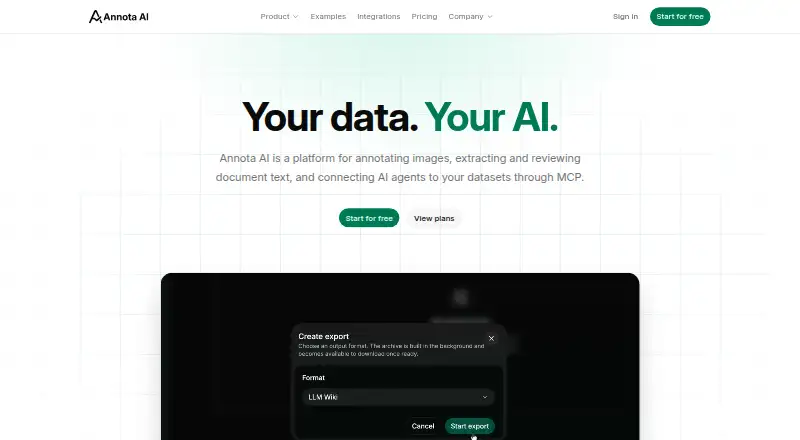
Annota AI combines image annotation, document OCR and review, and AI tools in a web or self-hosted workspace. For image work, Magic Select creates an object mask for review and Magic Annotate finds selected labels in images or datasets. Users can also draw and edit bounding boxes and polygons, then export images and annotations in COCO format. Document datasets accept PDF, PNG, and JPEG files; OCR extracts content page by page for review and correction. Document work can be exported as a Markdown ZIP or an Obsidian-compatible LLM Wiki workspace. Compatible AI agents connect through MCP remote servers using Streamable HTTP and OAuth, with existing organization permissions and shared app credits for billable operations. The maker says its core infrastructure and AI models run in EU regions, and AI features do not use external AI providers' APIs. Free costs nothing; Pro costs €21.96 a month including 22% VAT. Team costs €29.28 a month per member, including 22% VAT, with a two-member minimum. YOLO object-detection training is in private beta and requires separate organization approval; paid plans do not provide access.
Who it suits
Annota AI may suit teams that need image labeling alongside document OCR and review, with exports for image or document workflows. Its self-hosted option may be relevant to organizations considering private-cloud, on-premise, or air-gapped deployments.
What it does well
- Combines image annotation and document OCR.
- Exports image annotations in COCO format.
- Document OCR supports PDF, PNG, and JPEG.
- Offers web and self-hosted access.
- Workspace permissions govern access.
What to know first
- Free plan has one member and two datasets.
- Free storage is limited to 4 GB.
- YOLO training requires separate approval.
- Brain is listed as coming soon.
Limits
The Free plan includes one member, two datasets, 4 GB of storage and €4 in monthly credits. Pro includes one member, unlimited datasets, 20 GB of storage and €30 in monthly credits. Team requires at least two members and provides 40 GB of storage and €30 in monthly credits per member.
Plans
| Plan | Billed and limits | Price |
|---|---|---|
| Free | 1 member · 2 datasets · 4 GB storage · €4 in monthly credits | Free |
| Pro | Includes 22% VAT · 1 member · unlimited datasets · 20 GB storage · €30 in monthly credits | €21.96 a month |
| Team | per member; includes 22% VAT; minimum 2 members · 40 GB storage per member · €30 in monthly credits per member · shared datasets and member roles | €29.28 a month |
| Enterprise | A quote for your installation · Private cloud deployment · on-premise deployment · air-gapped environments | On request |
As annota.ai lists them, read 7 Oct 2026. The maker's own page has the final word.
Getting started
- Visit annota.ai and choose web access or self-hosting
- Choose the Free, Pro or Team plan, or request an enterprise quote
- Create a workspace and add image or document datasets
- Use Magic Select, Magic Annotate or manual tools for image annotation, or review OCR output
- Export image annotations in COCO format or document work as Markdown ZIP or an Obsidian-compatible workspace
Annota AI is a workspace for image annotation, document OCR review, and AI-assisted data preparation. It fits solo practitioners and small teams handling both visual datasets and document text; projects limited to one of those jobs may be better served by a narrower tool. The free tier is useful for a small start, while collaboration and higher-volume work require paid capacity.
Overview
Annota AI combines image and document workflows in one product. Image projects support PNG and JPEG files, with bounding boxes, polygons, and segmentation masks. Document datasets accept PDF, PNG, and JPEG files, with page-by-page OCR extraction for review and correction.
That combination is the product's main practical distinction. A team preparing training images and cleaning scanned documents can keep both tasks in one workspace instead of maintaining separate systems. Conversely, an image-only labeling project may not benefit from the document tooling.
Key features
Magic Select generates an object mask that users can inspect, while Magic Annotate finds selected labels across an image or dataset. These model-assisted operations can reduce repetitive labeling, but they do not remove the need for human checking. Manual tools let users draw and edit boxes and polygons, and exports include images and annotations in COCO format, a useful handoff for workflows built around that dataset structure.
OCR processes document content one page at a time, allowing corrections before export. A Markdown ZIP suits general text pipelines; an Obsidian-compatible LLM Wiki workspace is aimed at users who organize knowledge in Obsidian-style structures.
Compatible AI agents can connect through MCP using remote servers with Streamable HTTP and OAuth. Agents inherit existing organization permissions, and billable operations consume the same credits as activity in the app. That keeps access governance consistent, but automated usage can draw down a shared allowance quickly.
YOLO object-detection training remains in private beta and needs separate organization approval; subscribing to a paid plan does not provide access. Brain, the proposed private knowledge base for questions across document datasets, is coming soon rather than part of the current offering.
The maker says core infrastructure and AI models run in EU regions and that AI features do not use external AI-provider APIs. Workspace permissions control access, connected app authorizations can be revoked, and SOC 2, ISO 27001, and ISO 42001 programs are in progress.
Pricing
Annota AI has a free plan and paid plans from €18/mo in its pricing note, with the displayed Pro rate at €21.96 a month including 22% VAT. There is no free trial.
- Free — free: one member, two datasets, 4 GB storage, and €4 in monthly credits. It is suitable for an individual evaluating the workflow or running a small project, but the dataset, storage, and credit ceilings make sustained or varied work restrictive.
- Pro — €21.96 a month: one member, unlimited datasets, 20 GB storage, and €30 in monthly credits; billed with 22% VAT included. This is the logical solo upgrade when dataset count is the main constraint, though it remains a single-seat plan.
- Team — €29.28 a month per member: minimum two members, 40 GB storage per member, €30 in monthly credits per member, shared datasets, and member roles; 22% VAT is included. It adds genuine collaboration, but the minimum commitment means it costs more than Pro even for a two-person operation.
- Enterprise — custom pricing: a quote for the installation, with private-cloud, on-premise, and air-gapped deployment options. This targets organizations with deployment or isolation requirements rather than ordinary project teams.
Platforms
Annota AI is offered as self-hosted software and a web application. Enterprise deployment options extend to private cloud, on-premise, and air-gapped environments.
Who it's for
Choose it when one workflow needs both assisted image labeling and OCR-based document review, particularly as a solo user on Pro or a small group that needs shared datasets and roles on Team. EU-region infrastructure and organization-level permissions may matter to teams with explicit access-control or data-location requirements.
It is less compelling for image-only work, for users needing generally available YOLO training, or for anyone expecting Brain now. The free tier is best treated as an evaluation allowance rather than a long-term team workspace.
Pros and cons
Pros
- Two data-preparation modes in one workspace: image annotation and page-level document OCR cover different but commonly connected tasks.
- Useful export routes: COCO for image datasets, plus Markdown ZIP and an Obsidian-compatible workspace for documents.
- Governed agent access: MCP connections use existing permissions, with revocable authorizations.
- Flexible deployment at Enterprise: private-cloud, on-premise, and air-gapped options address stricter environments.
Cons
- Small free allowance: two datasets, 4 GB, one member, and €4 in credits limit ongoing use.
- Collaboration raises the bill: Team requires at least two members and charges per member.
- YOLO training is not assured: private-beta access requires separate approval, regardless of plan.
- Brain is not ready: the planned document knowledge base cannot currently be relied on.
Alternatives
Label Studio is the better choice for a broad, established platform mix including API, desktop, self-hosted, and web use, with both free and trial access.
MakeSense.ai suits readers wanting a free, browser-based photo-labeling tool with no paid tier.
Roboflow is worth considering when a free tier with 10 monthly credits and a stated model-training and inference allowance matches the project.
VGG Image Annotator is a free option with no paid tiers or usage limits stated.
Vailabel Studio is free and open source, with no account required.
CVAT offers a free MIT-licensed community plan and a hosted free tier for small-scale use.
Draw Attention is aimed at interactive images, with a free edition and a paid single-site license.
Labellerr provides a free researcher plan with 2,500 data credits and one seat, while its Pro plan is priced for larger commitments.
For a wider directory of options, see Image Annotation Software.
Verdict
Annota AI is a strong fit for individuals and small teams that genuinely need image annotation and document OCR review together, especially when COCO and document-oriented exports matter. Its main reasons to look elsewhere are the limited free capacity, per-member Team pricing, and the fact that YOLO training and Brain are not broadly available.
Verdict
Annota AI combines image and document preparation tools, with multiple export routes and organization-level permissions. Check plan limits and feature availability first, especially because YOLO training requires approval and Brain is not yet listed as available.
Questions
Is Annota AI free?
Yes. The Free plan costs nothing and includes one member, two datasets, 4 GB of storage and €4 in monthly credits.
What do the paid plans cost?
Pro is €21.96 a month, billed with 22% VAT. Team is €29.28 a month per member, includes 22% VAT and has a two-member minimum. Enterprise pricing is by quote.
What platforms can I use?
Annota AI is listed for web and self-hosted use.
What image formats and annotation types does it support?
Image formats include PNG and JPEG. Annotation types include bounding boxes, polygons and segmentation masks; image and annotation exports are available in COCO format.
Can I train a YOLO model with Annota AI?
YOLO object detection training is in private beta and requires separate organization approval. A paid plan does not grant access.
How does Annota AI handle hosting and AI providers?
The maker says core infrastructure and AI models run in EU regions, and AI features do not use external AI providers’ APIs. Enterprise deployments can be quoted for private cloud, on-premise or air-gapped environments.
Facts from Annota AI's own pages
- Brain availability
- Brain, a private knowledge base for questions across document datasets, is listed as coming soon in the plan comparison. · annota.ai, 7 Oct 2026
- Company
- The maker describes itself as an Italian team building tools to prepare data for AI. · annota.ai, 7 Oct 2026
- Document exports
- Document work can be exported as Markdown ZIP or as an Obsidian-compatible LLM Wiki workspace. · annota.ai, 7 Oct 2026
- Document OCR
- Document datasets accept PDF, PNG, and JPEG files; OCR extracts content page by page for review and correction. · annota.ai, 7 Oct 2026
- Headquarters
- Grosseto, Italy · annota.ai, 28 Sept 2026
- Hosting and AI providers
- The maker says core infrastructure and AI models run in EU regions and AI features do not use external AI providers' APIs. · annota.ai, 7 Oct 2026
- Image annotation
- Magic Select generates an object mask for review, while Magic Annotate finds selected labels in an image or dataset. · annota.ai, 7 Oct 2026
- Integrations
- Compatible AI agents can connect through MCP using remote servers with Streamable HTTP and OAuth. · annota.ai, 7 Oct 2026
- Manual annotation
- Users can draw and edit bounding boxes and polygons, then export images and annotations in COCO format. · annota.ai, 7 Oct 2026
- MCP access
- Connected agents use existing organization permissions, and billable operations draw on the same credits as the app. · annota.ai, 7 Oct 2026
- Model training
- YOLO object detection training is in private beta and requires separate organization approval; a paid plan does not grant access. · annota.ai, 7 Oct 2026
- Product
- Annota AI combines image annotation, document OCR and review, and AI tools in one workspace. · annota.ai, 7 Oct 2026
- Security controls
- Workspace permissions govern access, users can revoke connected app authorizations, and SOC 2, ISO 27001, and ISO 42001 programs are in progress. · annota.ai, 7 Oct 2026
Where Annota AI stands on Freedom251
- Image Annotation Software#6 of 28