Freedom251 › Code Clone Detection Tools
Amimica
What Amimica is
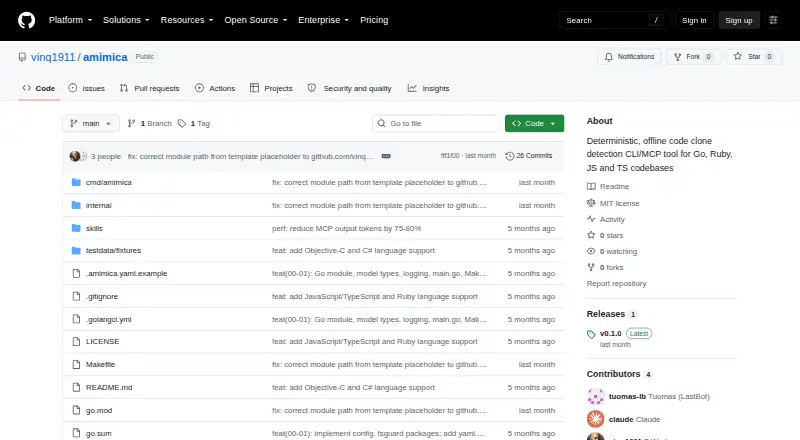
Amimica is a free, offline tool for finding repeated code across repositories. Its hybrid detection covers exact copies, renamed fragments, near-duplicates, and recurring patterns. The project describes its operation as deterministic and offers two ways to use it: a standalone command-line interface or an MCP server for Claude Code, VS Code, and other compatible clients. The CLI can return text or JSON, including output written to a file, and offers controls for clone scores and sizes, normalization, test-file handling, caching, and analysis depth. Project or global YAML files can store settings, with environment variables available to override them. Through stdio, the MCP server can scan a repository, list and explain findings, and compare source regions. Scan data stays in memory only for that server session and is discarded when it stops. The README lists Go, JavaScript, TypeScript, Ruby, Objective-C, and C# support. Amimica is MIT-licensed; building from source requires Go 1.25 or later. Its findings are intended to inform a human’s decision about refactoring.
Who it suits
Amimica suits developers who want to locate repeated code in repositories and review findings before deciding whether to refactor. It offers CLI and MCP-server workflows, with self-hosted use.
What it does well
- Free plan and MIT license.
- Detects exact, renamed, near-duplicate, and recurring clones.
- CLI supports text, JSON, and file output.
- Configurable thresholds, test handling, and analysis depth.
- MCP tools explain findings and compare source regions.
What to know first
- Building from source requires Go 1.25 or later.
- MCP scan results disappear when the server stops.
- No release assets are listed on the repository page.
Limits
Building and installing the documented source requires Go 1.25 or later. MCP scan results exist only in memory for the current server session and are discarded when it stops.
Getting started
- Open the Amimica GitHub repository
- Clone the project with Git
- Install Go 1.25 or later
- Build the tool from source
- Install the binary to GOPATH/bin
- Run the CLI or configure the MCP server over stdio
Verdict
Amimica provides configurable repository clone detection through a CLI or MCP server, with results meant to support human review. Its offline operation and session-only MCP results may matter when choosing how to run it.
Questions
Is Amimica free?
Yes. It is described as a free tool with a free plan and is distributed under the MIT license.
Which languages can it scan?
The README lists Go, JavaScript, TypeScript, Ruby, Objective-C, and C# support.
How can I use Amimica?
You can run the standalone CLI or use the MCP server with Claude Code, VS Code, and other MCP-compatible clients through stdio.
What output does the CLI provide?
The CLI can print text or JSON results and can write results to a file.
Can I configure clone detection?
Yes. Settings include clone score and size thresholds, normalization, test-file handling, caching, and thorough-analysis options. YAML files and environment variables can supply configuration.
What happens to MCP scan results?
Results are held in memory for the server session and disappear when the server stops.
Facts from Amimica's own pages
- Analysis controls
- Users can set clone score and size thresholds, normalization level, test-file handling, caching, and thorough-analysis options. · github.com, 7 Oct 2026
- Analysis options
- The CLI supports text or JSON output, score and size thresholds, test exclusion, deeper analysis, caching controls, and configuration files. · github.com, 7 Oct 2026
- Build requirement
- Building from source requires Go 1.25 or later. · github.com, 7 Oct 2026
- Clone types
- It detects exact, renamed, near-duplicate, and recurring-pattern clones. · github.com, 7 Oct 2026
- Configuration
- Amimica supports project or global YAML configuration, with environment variables able to override configuration. · github.com, 7 Oct 2026
- Detection
- It detects exact, renamed, near-duplicate, and recurring-pattern clones. · github.com, 7 Oct 2026
- Distribution
- The README documents building from a Git clone and installing to GOPATH/bin; no release assets are listed on the repository page. · github.com, 7 Oct 2026
- Editor integration
- The MCP server can integrate with Claude Code, VS Code, and other MCP-compatible clients using stdio transport. · github.com, 7 Oct 2026
- Intended users
- The README describes using findings as evidence for a human to decide whether and how to refactor code. · github.com, 7 Oct 2026
- Interfaces
- It works as a standalone CLI and as an MCP server for Claude Code and other MCP-compatible editors. · github.com, 7 Oct 2026
- Languages
- The README lists Go, JavaScript, TypeScript, Ruby, Objective-C, and C# support. · github.com, 7 Oct 2026
- License
- The project is distributed under the MIT license. · github.com, 7 Oct 2026
- Local results
- MCP scan results are held in memory for the server session and are discarded when the server stops. · github.com, 7 Oct 2026
- Maker profile
- The GitHub profile for vinq1911 displays the name T-Work and the location Europe. · github.com, 7 Oct 2026
- MCP integration
- The MCP server uses stdio transport and exposes scan, finding-list, explanation, and source-region comparison tools. · github.com, 7 Oct 2026
- MCP session data
- MCP scan results are stored in memory for the session and disappear when the server stops. · github.com, 7 Oct 2026
- Operation
- It is described as a deterministic, offline code clone detection tool. · github.com, 7 Oct 2026
- Output
- The CLI can print text or JSON results, including an option to write results to a file. · github.com, 7 Oct 2026
- Privacy posture
- The project describes Amimica as offline; its README does not state a security certification or compliance standard. · github.com, 7 Oct 2026
- Purpose
- Amimica scans repositories for repeated code, from exact copy-paste clones to structurally similar renamed fragments. · github.com, 7 Oct 2026
Where Amimica stands on Freedom251
- Code Clone Detection Tools#8 of 23