Freedom251 › Backup and Disaster Recovery Software

Amanda
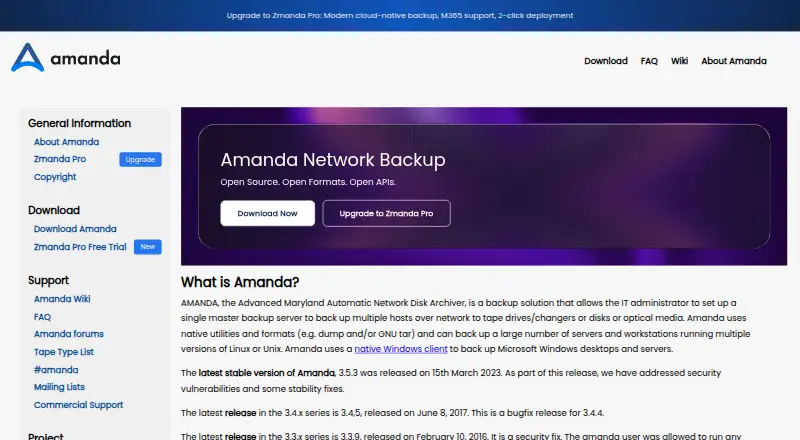
What Amanda is
Amanda is a free backup system that lets administrators protect multiple networked hosts from one master server. It can write backups to disk, tape drives or changers, and cloud storage; bundled device drivers cover DVD-RW, RAIT, and Amazon S3. Amanda schedules full and incremental backups, adjusting their distribution across the backup cycle. Its catalog records files and media locations, helps identify tapes needed for restoration, and manages tapes to prevent accidental overwrites. For security, it supports OpenSSH for server-client communication, GPG or another encryption program for archives, and Kerberos 5. Archives can be compressed before or after transfer with compress, gzip, or a custom program. The Application API allows custom backups for applications such as relational databases and special file systems. A native Windows client is available, alongside clients for Linux, macOS, and Unix systems. Amanda Community is a free open-source project provided as-is and continues to receive critical security updates. The listed plan is free.
Who it suits
Amanda suits administrators who need to back up several networked hosts from a central server, especially in Linux and Unix labs or testing environments. It can also serve environments that need tape, disk, or cloud destinations and custom application backups.
What it does well
- Central server backs up multiple networked hosts
- Supports disk, tape, and cloud destinations
- Schedules full and incremental backups
- Catalog tracks files and tape locations
- Native Windows client is available
What to know first
- Free support is unavailable
- Without a holding disk, backups run sequentially to tape
- Community edition is provided as-is
Limits
The free Community Edition is provided as-is, and free support is unavailable. Amanda works best with one or more large holding-disk partitions; without one, backups run sequentially to the tape drive.
Plans
| Plan | Billed and limits | Price |
|---|---|---|
| Amanda Community Edition | Free open-source project · provided as-is | Free |
| Amanda Community | Free open-source community edition · provided as-is · no free formal support | Free |
| Business | per device · Linux and Windows backup · database and Microsoft 365 backup · ransomware protection · standard support | $5.99 a month |
| Business Plus | per device · Business features · 24/7 premium support · SSO · self-hosted servers · disaster recovery · webhooks | $6.99 a month |
| Enterprise | Custom deployment · integrated data-resiliency solutions · automation scripts · SIEM integration | On request |
As amanda.org lists them, read 2 Oct 2026. The maker's own page has the final word.
Getting started
- Visit the Amanda website.
- Choose the Amanda Community Edition, provided as a free, open-source project.
- Set up Amanda on a supported Linux, macOS, Unix, or Windows client environment.
- Connect networked hosts to a master backup server.
- Choose disk, tape, or cloud destinations and configure a holding-disk partition if available.
- Use mailing lists or forums to seek community help.
Overview
Amanda is a self-hosted backup system that lets an administrator coordinate backups for multiple networked computers from one server.
Its combination of scheduling, media cataloging, multiple destinations, and security options makes it capable of managing a varied backup setup. The trade-off is operational: without a holding disk, backups go sequentially to tape, and community users must turn to mailing lists or forums for help.
Key features
Centralized scheduling
Amanda schedules full and incremental backups across hosts and adjusts the schedule to distribute work over the backup cycle. That central control can help administrators coordinate a network-wide routine rather than handling each machine independently.
Destinations and media management
Backups can be written to disk, tape drives or changers, and cloud storage. Bundled device drivers support DVD-RW, RAIT, and Amazon S3. Amanda catalogs files and their media locations, identifies tapes needed for recovery, and manages tapes to reduce the risk of overwriting the wrong one. This breadth suits environments with established tape or mixed-media workflows, though it also leaves administrators responsible for managing the storage setup.
Security and data handling
Secure server-client communication can use OpenSSH, archives can be encrypted with GPG or another encryption program, and Kerberos 5 is supported. Compression with compress, gzip, or a custom program can happen before or after network transfer, giving administrators options to manage transfer and archive size.
Application support
The Application API allows custom backup handling for applications such as relational databases and special file systems. That flexibility is useful when a lab needs to protect data beyond ordinary files, but it implies configuration work rather than a turnkey application-specific workflow.
Holding-disk requirement
Amanda works best with one or more large holding-disk partitions for buffering. Without one, backups run sequentially to the tape drive, a meaningful constraint for administrators who need a workable throughput plan. Its design is a better fit for setups that can allocate this disk capacity than for environments unable to reserve space for staging.
Pricing
Amanda Community Edition costs nothing. It is a free open-source project provided as-is, with no paid tier or subscription term in the stated plan. The project says free support is unavailable; users can seek help through mailing lists and forums, while formal or commercial support may be available from vendors. This price suits labs and testing setups able to rely on community channels, but organizations requiring an included support commitment should consider a supported product instead.
Platforms
Amanda provides a native Windows client, and its README says it backs up both 32-bit and 64-bit Windows machines. Linux and Mac OS X are among its tested client platforms, as are multiple Unix systems; the project says it should run on modern Unix systems meeting its requirements. The listed platforms are Linux, macOS, self-hosted, and Windows. This mix supports a heterogeneous network, though the project frames the community edition primarily as a Linux and Unix backup option.
Who it's for
Amanda suits administrators in labs and testing environments who want centralized control across networked hosts, need disk, tape, or cloud destinations, and can provide holding-disk partitions. Media cataloging and security choices are useful where tape handling and protected transfers matter. It is a weaker fit for users seeking a managed, low-configuration service or support included with the free edition.
Pros and cons
- Pro: One server coordinates full and incremental backups across multiple hosts, reducing the need to schedule each computer separately.
- Pro: Disk, tape, and cloud destinations, plus media-location cataloging, give administrators options for varied storage environments.
- Pro: OpenSSH, GPG-compatible encryption, and Kerberos 5 provide several security mechanisms.
- Con: Large holding-disk partitions are recommended; without them, backups proceed sequentially to tape.
- Con: The free edition is provided as-is and has no free support, so troubleshooting depends on community channels unless vendor support is arranged.
Alternatives
Bareos is worth comparing for readers looking for another open-source community backup option across Linux, macOS, web, and Windows platforms.
MSP360 Backup may suit someone seeking a free personal workstation option with file and image-based backup and forum support, or a paid Pro plan for macOS and Linux.
Storware Backup & Recovery is an option for readers who want a free license without technical support or a 60-day trial capped at 20 virtual environments.
Veeam Agent for Mac is a Mac-specific alternative with a free edition limited to one backup job and no direct backup to object storage.
Datto Endpoint Backup for Windows uses consumption-based pricing tied to storage used, so it may suit readers who prefer a paid, usage-based model.
UrBackup offers an open-source, self-hosted server with file and image backups for readers comparing another community option.
AvePoint Cloud Backup has custom pricing and may suit readers looking for a paid cloud backup product.
Proxmox Backup Server is another freemium option for Linux and web platforms; its Community plan is €560 a year for unlimited backup storage and clients.
Browse Backup and Disaster Recovery Software or Backup software for more options.
Verdict
Choose Amanda if you administer a Linux-, Unix-, and Windows-capable network in a lab or testing setting, can allocate holding-disk space, and value centralized scheduling with media tracking and security options. Its free open-source edition is the draw; its holding-disk demands and lack of free support are the reasons to choose another system when predictable support or simpler operations matter more.
Verdict
Amanda combines centralized backup management with several storage destinations, media cataloging, and security options. Its best fit is a lab or testing setup that can accommodate its holding-disk recommendation and rely on community channels for help.
Questions
Is Amanda free?
Yes. Amanda Community Edition is listed as free as a free, open-source project provided as-is.
Which platforms does Amanda support?
The listed platforms are Linux, macOS, self-hosted, and Windows. The project also lists Linux, Mac OS X, and multiple Unix systems among tested client platforms, and provides a native Windows client.
Where can Amanda store backups?
It can back up to disk, tape changers or drives, and cloud storage. Bundled device drivers include DVD-RW, RAIT, and Amazon S3.
What restore options does Amanda provide?
Its catalog tracks backed-up files and media locations and identifies the tapes needed for a restore. The listed restore mode is file.
Is Amanda open source?
Yes. Amanda Community Edition is described as a free, open-source project.
What support is available?
Free support is unavailable. Users can seek help through mailing lists and forums; formal or commercial support may be available from vendors.
Facts from Amanda's own pages
- Application API
- An application API allows custom backup handlers for databases and specialized file systems. · amanda.org, 21 Oct 2026
- Application integrations
- Its Application API supports custom backups for applications such as relational databases and for special file systems. · amanda.org, 2 Oct 2026
- Backup architecture
- The system uses native tools such as GNU tar and dump and supports centralized scheduling across multiple clients. · amanda.org, 21 Oct 2026
- Backup destinations
- It can back up to disk, tape changers or drives, and cloud storage, with bundled device drivers for DVD-RW, RAIT, and Amazon S3. · amanda.org, 2 Oct 2026
- Backup scheduling
- Amanda schedules full and incremental backups and adjusts the schedule to spread work across the backup cycle. · amanda.org, 2 Oct 2026
- Backup scope
- mixed · amanda.org, 20 Sept 2026
- Catalog
- Amanda maintains a catalog showing which files were backed up and where their images are stored. · amanda.org, 21 Oct 2026
- Cloud integration
- The bundled storage drivers include Amazon S3, and release notes document OpenStack Keystone and Google Cloud storage support. · amanda.org, 21 Oct 2026
- Commercial alternative
- The maker positions Zmanda Pro as a modern cloud-native alternative with web management, professional support and a 15-day free trial. · amanda.org, 21 Oct 2026
- Company founded
- LinkedIn states that Zmanda was founded in 2005 and acquired by BETSOL in 2018. · linkedin.com, 21 Oct 2026
- Company headquarters
- BETSOL's LinkedIn profile lists Broomfield, Colorado as headquarters. · linkedin.com, 21 Oct 2026
- Company size
- BETSOL's LinkedIn profile lists 501–1,000 employees. · linkedin.com, 21 Oct 2026
- Compression
- Archives can be compressed before or after network transfer using compress, gzip or a custom program. · amanda.org, 21 Oct 2026
- Computer backup
- Yes · amanda.org, 20 Sept 2026
- Current steward
- The official site says Amanda development is supported by Zmanda, a BETSOL company. · amanda.org, 21 Oct 2026
- Device API
- A pluggable device API lets developers add storage drivers and control tape libraries or other media systems. · amanda.org, 21 Oct 2026
- Documentation
- Project resources include a README, wiki, FAQ, forums, mailing lists, developer documentation and release notes. · amanda.org, 21 Oct 2026
- Encryption
- Client-side or server-side archive encryption is supported through GPG or another encryption program. · amanda.org, 21 Oct 2026
- Extensibility
- User-defined pre-backup and post-backup scripts can enforce application consistency and other operational policies. · amanda.org, 21 Oct 2026
- Free plan
- Yes · amanda.org, 20 Sept 2026
- Implementation
- The project is written in C and Perl and is built on standard Unix archival utilities. · amanda.org, 21 Oct 2026
- Intended users
- The project describes Amanda Community as a free, open-source backup option for Linux and Unix, and says it is best suited to labs and testing in its comparison with Zmanda Pro. · amanda.org, 2 Oct 2026
- Licence
- The documentation describes freely distributable code under a University of Maryland BSD-style licence and GPL components. · amanda.org, 21 Oct 2026
- Limit: polish
- A SourceForge reviewer characterized the software as functional but not especially polished. · sourceforge.net, 21 Oct 2026
Where Amanda stands on Freedom251
- Backup and Disaster Recovery Software#1 of 36
- Backup software#5 of 151