Freedom251 › Photo Restoration Software

AIPhotor
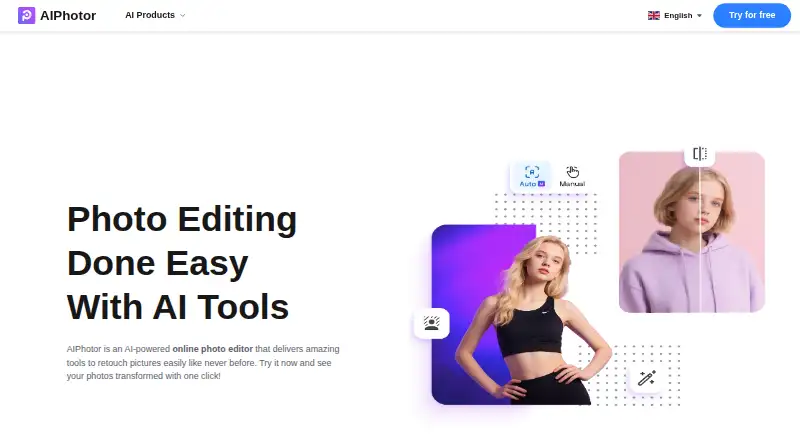
What AIPhotor is
AIPhotor is an online photo editor for retouching images, available on Android, iOS and the web. Its listed tools include object and background removal, enhancement, colorization, skin retouching, text removal, restoration, sky changes, auto lighting, art enhancement and background blur. Object removal can detect unwanted objects automatically, with a manual brush for adjustments. The background remover accepts JPG, PNG and JPEG images and offers background colors, replacement images and templates. The pricing page also lists BMP support. Images must be under 4096 × 4096 pixels and no larger than 10 MB. A registered free account includes 5 credits; one credit is used for each successful background removal, object removal or colorization. Photo enhancement uses one credit when the image's long edge is no more than 4096 pixels. Monthly subscriptions start at $3.99 a month for 100 credits, and pay-as-you-go credits are also listed. The object-removal page advertises a 3-day free trial. AIPhotor says uploaded images, results and face data are deleted within about an hour.
Who it suits
AIPhotor may suit casual users, designers, photographers and online entrepreneurs seeking image-retouching tools on mobile or web. Its free account offers a small credit allowance to try listed tools.
What it does well
- Available on Android, iOS and web.
- Object removal includes automatic detection and a manual brush.
- Background removal offers colors, replacements and templates.
- Uploaded images and related data are deleted within about an hour.
What to know first
- Images must be under 4096 × 4096 pixels and 10 MB.
- Registered free accounts include 5 credits.
- Subscriptions renew automatically unless canceled.
Limits
The registered free account includes 5 credits, and one image uses one credit for background removal, object removal, and colorization. Photo enhancement uses one credit when the long edge is 4096 pixels or less. Images must be under 4096 × 4096 pixels and no larger than 10 MB.
Plans
| Plan | Billed and limits | Price |
|---|---|---|
| Free Account | 5 credits for registered users | Free |
| AIPhotor Pro Yearly | $29.99 · iOS in-app purchase | $29.99 a year |
| 100 credits monthly | $3.99/month · 100 credits · web credits only | $3.99 a month |
| Monthly Subscription — 100 credits | $3.99/month · 100 credits/month · 1 credit per successful background removal, object removal, and colorization; photo enhancement uses 1 credit when long edge ≤ 4096px | $3.99 a month |
| 100 credits pay as you go | $4.99 · 100 credits · web credits only | $4.99, paid once |
| Pay As You Go — 100 credits | $4.99 · 100 credits · Lifetime credits do not expire | $4.99, paid once |
| Monthly Subscription — 150 credits | $4.99/month · 150 credits/month · 1 credit per successful background removal, object removal, and colorization; photo enhancement uses 1 credit when long edge ≤ 4096px | $4.99 a month |
| AIPhotor Pro Monthly | $4.99 · iOS in-app purchase | $4.99 a month |
The first 8 of 15 plans, as aiphotor.com lists them, read 14 Oct 2026. The maker's own page has the final word. Every plan
Getting started
- Open https://www.aiphotor.com/en.
- Use the web editor or choose the Android or iOS app.
- Register for a free account to receive 5 credits.
- Try the 3-day free trial advertised on the object-removal page.
- Choose a monthly subscription or one-time credit plan if you need more credits.
AIPhotor is an AI photo editor for people who want to handle several kinds of retouching in one service. Its mix of cleanup and enhancement tools makes it a practical fit for casual editors and small creative or online businesses. The main trade-off is credit-metered use, with strict file-size and image-dimension limits.
Overview
AIPhotor brings removal, restoration, enhancement and portrait editing together in a web editor, with Android and iOS apps as well. That breadth is useful for varied, occasional jobs; the credit system is less suited to users who expect to process images continuously.
Registered users get five free credits. Each image uses one credit for supported operations, so the free account is a small trial of the workflow rather than a standing allowance for regular editing.
Key features
The toolset includes object and background removal, photo enhancement, colorization, skin retouching, text removal, photo restoration, sky changes, auto lighting, art enhancement and background blur. Scratch repair and face enhancement are also supported. This range can cover mixed edits in one place, though someone focused solely on restoration may prefer a dedicated restoration service.
Object removal detects unwanted objects automatically and includes a manual brush for adjustment. That combination offers a way to refine a cleanup when the automatic selection is not enough. The background remover accepts JPG, PNG and JPEG images and supports background colors, replacement images and templates, which makes it useful for scene changes as well as cutouts.
Files must be under 4096 × 4096 pixels and no larger than 10 MB. PNG, JPG, JPEG and BMP are supported. These caps will accommodate many routine images, but rule out larger source files; photo enhancement consumes a credit when the long edge is 4096 pixels or less.
The privacy policy says uploads are transmitted over SSL/TLS, stored using AWS and Google Cloud, and deleted along with results and face data within about an hour. It describes GDPR-related rights and says server logs are kept for up to three months. Support is by email, with replies potentially taking two to four business days during peak periods.
Pricing
The free account costs nothing and gives registered users five credits. A 3-day free trial is advertised on the object-removal page. The trial is brief, so it is best treated as a chance to assess a specific task rather than a sustained evaluation.
Monthly subscriptions provide recurring credits: 100 credits for $3.99 a month, 150 for $4.99 a month, or 300 for $6.99 a month. One credit is charged per successful background removal, object removal or colorization; photo enhancement uses one credit when the long edge is 4096 pixels or less. These tiers suit regular users who can estimate their monthly volume, but unused monthly credits should not be confused with the lifetime credits of the one-time options.
Pay As You Go packages cost $4.99, paid once for 100 credits, $5.99, paid once for 150 credits, and $9.99, paid once for 300 credits. Their credits do not expire, making them the more flexible choice for occasional editing. The privacy policy says subscriptions renew automatically unless canceled and paid-service payments are generally non-refundable to the extent permitted by law, so subscribers should account for renewal and cancellation terms.
Platforms
AIPhotor is available on the web, Android and iOS. Its supported image formats are PNG, JPG, JPEG and BMP, subject to the 10 MB and under-4096 × 4096 limits.
Who it's for
AIPhotor suits casual users, designers, photographers and online entrepreneurs who need a selection of cleanup and retouching tools and can work within a credit budget. Occasional users may prefer non-expiring pay-as-you-go credits; people editing regularly can choose a monthly allowance. It is a weaker fit for high-volume work or images that exceed its upload limits.
Pros and cons
- Pros: A broad toolset combines removal, restoration, colorization, enhancement and portrait edits, which is useful when projects require different kinds of fixes.
- Pros: The five-credit free account and low-priced paid tiers give users ways to start with a small commitment; pay-as-you-go credits do not expire.
- Cons: One credit per image for several core operations makes usage costs scale with volume, and monthly credits differ from non-expiring credits.
- Cons: The 10 MB and under-4096 × 4096 limits exclude larger files, while the advertised free trial lasts only three days.
Alternatives
ImageColorizer is worth considering for users who want colorization with a free tier of 50 credits per month and support across Android, iOS, macOS, web and Windows. Its free plan includes ads and single processing.
Restore.Photo may suit users seeking a restoration-focused service with three free restorations per month, standard quality and a 1024 × 1024 resolution cap. Its free plan also includes basic scratch removal, color correction and 24-hour file storage.
Hotpot AI Photo Restorer offers a free allowance of two images daily; its premium plan advertises unlimited use, commercial use, faster VIP speed, private images and no ads.
HitPaw FotorPea is another option for users comparing paid photo-editing software with a free plan and trial.
VanceAI Photo Restorer is an alternative for users looking for a restoration service with monthly credit plans.
HitPaw FotorPea offers a one-month license with 100 credits and automatic renewal that can be canceled at any time.
DaVinci AI Photo Restoration is another freemium option for photo restoration, available on web, iOS and Android.
AKVIS Enhancer is a paid option for users who prefer software available on Windows, macOS and Linux, with a lifetime Home license listed for two computers.
For a broader comparison of restoration tools, see Photo Restoration Software.
Verdict
Choose AIPhotor if you want a versatile set of retouching tools across web and mobile and can match your image volume to its credit plans. Its combination of five free credits, inexpensive monthly tiers and non-expiring pay-as-you-go credits is appealing for small or intermittent workloads. Look elsewhere if you routinely process large files or need unrestricted, high-volume editing.
Verdict
AIPhotor combines a broad set of retouching tools with credit-based free and paid access. Check its image-size limits and credit use before choosing a plan.
Questions
Is AIPhotor free?
AIPhotor has a free plan. A registered free account includes 5 credits.
What does AIPhotor cost?
Monthly plans listed are $3.99 a month for 100 credits, $4.99 a month for 150 credits, and $6.99 a month for 300 credits. One-time plans are 4.99 USD for 100 credits, 5.99 USD for 150 credits, and 9.99 USD for 300 credits.
Is there a free trial?
The object-removal page advertises a 3-day free trial.
Which platforms and image formats does it support?
AIPhotor is available on web, Android, and iOS. Listed image formats are PNG, JPG, JPEG, and BMP.
How are uploaded images handled?
AIPhotor says images are transmitted using SSL/TLS, stored using AWS and Google Cloud, and deleted with results and face data within about one hour after upload.
Do subscriptions renew automatically?
The privacy policy says subscriptions renew automatically unless canceled. It also says paid-service payments are generally non-refundable to the extent permitted by law.
Facts from AIPhotor's own pages
- Android requirements
- The Android app requires Android 7.0 or later, is about 61 MB and contains ads. · appbrain.com, 14 Oct 2026
- API availability
- The terms allow AIPhotor to change or discontinue the API without notice and provide it as-is; they prohibit copying, resale and reverse engineering. · aiphotor.com, 14 Oct 2026
- API policy
- AIPhotor mentions an API requiring keys, concurrent-call limits and waiting periods, with monitoring and possible suspension for misuse. · aiphotor.com, 14 Oct 2026
- App changelog
- The iOS version added object removal and colorization in July 2024, AI Art in June 2024, and style transfer earlier that month; version 1.0.42 was released May 16, 2025. · apps.apple.com, 14 Oct 2026
- Apple requirements
- The iOS app requires iOS 15.1 or later; the Mac version requires macOS 12 with Apple silicon. · apps.apple.com, 14 Oct 2026
- AutoLight
- AutoLight automatically brightens underexposed images and provides before-and-after comparison. · aiphotor.com, 14 Oct 2026
- Background blur
- The blur tool starts at intensity 20, allows adjustment and is marketed for portraits, products and isolating scene elements. · aiphotor.com, 14 Oct 2026
- Background editing
- The background remover supports JPG, PNG, and JPEG images and offers background colors, replacement images, and templates. · aiphotor.com, 4 Oct 2026
- Background removal
- The background tool removes subjects in under five seconds, supports transparent or replacement backgrounds and offers more than 1,500 templates. · aiphotor.com, 14 Oct 2026
- Company developer
- The app seller/developer is identified as SMOB JOINT STOCK COMPANY, with an address in Hanoi, Vietnam. · play.google.com, 14 Oct 2026
- Credit consumption
- Background removal, object removal and colorization each use one credit per successful call; enhancement uses one credit when the long edge is at most 4096 pixels. · aiphotor.com, 14 Oct 2026
- Credit limits
- The pricing page says one image consumes one credit and describes credit use for background removal, object removal, photo enhancement, and colorization. · aiphotor.com, 4 Oct 2026
- Domain registration
- ScamAdviser reports aiphotor.com was registered on February 24, 2023 to Pho Duc Hai in Thanh Hoa, Vietnam, and assigns a trust score of 0 with cautionary notes. · scamadviser.com, 14 Oct 2026
- Download availability
- AIPhotor marks iPhone/iPad and Android downloads as available, while Windows and Mac downloads are marked coming soon on its download page. · aiphotor.com, 14 Oct 2026
- Editing tools
- Its listed tools include object and background removal, photo enhancement, colorization, skin retouching, text removal, photo restoration, sky changing, auto lighting, art enhancement, and background blur. · aiphotor.com, 4 Oct 2026
- Image limits
- The pricing page says images must be under 4096 × 4096 pixels and no larger than 10 MB, and lists PNG, JPG, JPEG, and BMP support. · aiphotor.com, 4 Oct 2026
- Image requirements
- The web service accepts PNG, JPG, JPEG and BMP files below 4096×4096 pixels and 10 MB. · aiphotor.com, 14 Oct 2026
- Intended users
- AIPhotor says it is designed for casual users, designers, photographers, and online entrepreneurs. · aiphotor.com, 4 Oct 2026
- Limit: advertising
- App Store reviewers repeatedly complain that long, unskippable advertisements make the app difficult or impossible to use. · apps.apple.com, 14 Oct 2026
- Limit: output and pricing
- Google Play reviewers report 30-second ads, forced Pro prompts, weak face enhancement, poor background removal and limited upscale choices. · play.google.com, 14 Oct 2026
- Limit: reliability
- AppBrain comments report the app sometimes fails to open or stops working after a subscription is purchased. · appbrain.com, 14 Oct 2026
- Object removal
- The object-removal tool can automatically detect unwanted objects and offers a manual brush for adjustments. · aiphotor.com, 4 Oct 2026
- Photo enhancement
- The enhancer compares before and after results and offers 2x or 4x output resolution, including portrait, product and illustration enhancement. · aiphotor.com, 14 Oct 2026
- Photo restoration
- The restoration tool sharpens old photos, restores missing colors and details, and can produce a transformation video. · aiphotor.com, 14 Oct 2026
Where AIPhotor stands on Freedom251
- Photo Restoration Software#1 of 26