Freedom251 › Audio Player Software

AIMP
by AIMP
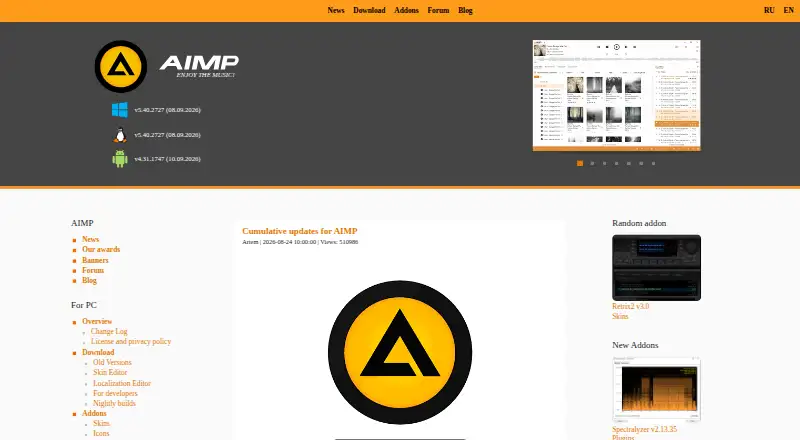
What AIMP is
AIMP is a free audio player for Windows, Linux, and Android. Its listed format support includes common choices such as MP3, WAV, OGG, FLAC, AAC, OPUS, and WMA, as well as formats including AIFF, MIDI, DSF, AC3, DTS, and MPEG-DASH. The broader list also covers tracker formats such as MOD, MO3, S3M, MTM, and XM. Network playback is supported. AIMP does not support subtitles, and 4K playback is listed as unavailable. The maker is AIMP, which was founded in 2006. Its supported platforms cover desktop operating systems and Android, while the format list spans many audio file types. If you need subtitles or 4K playback, those capabilities are not included in the listed feature set.
Who it suits
AIMP suits listeners looking for a free audio player on Windows, Linux, or Android, especially if they need support for a wide range of formats or network playback.
What it does well
- Free to use.
- Available on Windows, Linux, and Android.
- Supports network playback.
- Supports formats including FLAC, OPUS, MIDI, and MPEG-DASH.
What to know first
- Subtitle support is unavailable.
- 4K playback is unavailable.
Limits
The freeware plan is provided “AS IS.” The listed capabilities do not include subtitle support or 4K playback.
Plans
| Plan | Billed and limits | Price |
|---|---|---|
| AIMP | Freeware; provided “AS IS”; may be used at home or by organizations | Free |
As aimp.ru lists them, read 8 Oct 2026. The maker's own page has the final word.
Getting started
- Visit the AIMP website.
- Choose the Windows, Android, or Linux option that fits your device.
- For stable PC use on Linux, run the PC release through Wine, or consider the native Linux PC beta.
- Install the player and open music files or connect a listed network or cloud location.
AIMP is a free audio player for Windows, Linux and Android. It suits listeners with varied music libraries who want broad format support without paying for playback. Its strengths are audio coverage and network playback; it is a poor fit when subtitles or 4K video matter.
Overview
AIMP is focused on listening rather than serving as a complete video player. Its wide audio-format coverage and network playback make it a flexible option across local and network listening, while its free license removes the cost barrier. The missing subtitle support and 4K playback set a clear boundary: choose another player for a setup centered on subtitled viewing or high-resolution video.
Key features
Support spans familiar formats such as MP3, WAV, FLAC, AAC, OPUS and WMA, alongside less common options including APE, MIDI, DSF, DFF, TAK and MPEG-DASH. That breadth is useful for listeners whose libraries mix formats, since AIMP is not limited to a narrow set of common files. Network playback adds flexibility beyond files stored locally.
Those strengths are specifically audio-oriented. AIMP does not support subtitles and cannot play 4K video, so it should not be the only media player for people who depend on either capability.
Pricing
AIMP is free, with a free plan and free license. There is no paid tier or subscription to weigh against its capabilities, making it a straightforward choice for listeners who want wide format coverage at no software cost. The free price does not change the trade-off for video users: the missing subtitle and 4K support may rule it out regardless of cost.
Platforms
AIMP is available on Windows, Linux and Android. That combination suits people who listen across desktop and mobile devices, though it does not cover every desktop or mobile platform.
Who it's for
AIMP is best for cost-conscious listeners who use Windows, Linux or Android and keep audio in a mixture of common and less familiar formats. Network playback also makes it relevant to people who listen to audio over a network. It is not the right choice for someone seeking a single player for both audio and subtitled or 4K video.
Pros and cons
- Pros: Broad support for audio formats, including MP3, FLAC, OPUS, MIDI and less common types, helps accommodate mixed libraries.
- Pros: Network playback extends use beyond locally stored audio.
- Pros: Free plan and license mean no software charge for playback.
- Cons: No subtitle support makes it unsuitable for subtitled viewing.
- Cons: No 4K playback limits its role in high-resolution video setups.
- Cons: Windows, Linux and Android availability leaves out other platforms.
Alternatives
For other options, browse Audio Player Software or Media Player Software. foobar2000 is another free-plan player, with support across Android, iOS, Linux, macOS and Windows; choose it if you need its broader platform coverage. Music Player Daemon is also free and spans Android, Linux, macOS and Windows, making it an option if macOS support matters.
Winamp for Artists is a freemium service for web, iOS and Android, with artist-profile plans including an Ultra tier at €12.99 a month; consider it if those platforms and its artist-profile offering suit your needs. Audacious, fooyin and Quod Libet are free options for Linux, macOS and Windows. Audirvāna is a paid option with a free trial, spanning Android, iOS, Linux, macOS and Windows; its Studio Classic plan is $7.99 a month on a monthly subscription. Elisa is a free option for Android, Linux and Windows.
Verdict
Choose AIMP if you want a free, format-flexible audio player with network playback on Windows, Linux or Android. Its main reason to choose it is broad audio support without a software cost; look elsewhere if subtitles or 4K video are essential, or if you need a platform it does not support.
Verdict
AIMP covers several desktop and mobile platforms and supports a broad range of formats. Its listed limitations are the lack of subtitle support and 4K playback.
Questions
How much does AIMP cost?
The AIMP plan is free. It is freeware for home or organizational use.
Is there a free plan or trial?
AIMP has a free plan. There is no free trial.
Which platforms does AIMP support?
The listed platforms are Windows, Linux, and Android. The stable PC download runs on Linux through Wine, and a native Linux PC beta is also listed.
What can AIMP play?
It supports the listed audio formats, including APE, MP3, WAV, FLAC, AAC, OPUS, MIDI, and MPEG-DASH, among many others. Network playback and CUE sheets are also supported.
Does AIMP support subtitles or 4K playback?
No. Subtitle support and 4K playback are both listed as unavailable.
Who makes AIMP?
The maker is AIMP, founded in 2006.
Facts from AIMP's own pages
- Android edition
- AIMP for Android is a playlist-based audio player with internet radio, album art, CUE sheets, and customizable playback modes. · aimp.ru, 8 Oct 2026
- Audio tools
- PC features include a 20-band equalizer, sound effects, volume normalization, audio conversion, CD grabbing, and tag editing. · aimp.ru, 8 Oct 2026
- Cloud storage
- The PC player lists support for OneDrive, Google Drive, Dropbox, Mail.ru Cloud, Yandex Disk, and custom WebDAV clouds. · aimp.ru, 8 Oct 2026
- Desktop privacy
- The desktop privacy policy says an update request sends a derived unique identifier and localization name, and crash reports may include hardware, OS, plugins, recent actions, and a crash trace. · aimp.ru, 8 Oct 2026
- Format support
- APE,MP3,WAV,OGG,MPGA,UMX,MOD,MO3,WV,IT,S3M,MTM,XM,FLAC,MP4,M4A,M4B,MPC,AIFF,AAC,OPUS,DSF,DFF,TTA,WEBM,CDA,AC3,DTS,MIDI,RMI,SPX,TAK,WMA,MKA,MPEG-DASH · aimp.ru, 21 Sept 2026
- Founded
- 2006 · aimp.ru, 28 Sept 2026
- 4K playback
- No · aimp.ru, 21 Sept 2026
- Free plan
- Yes · aimp.ru, 21 Sept 2026
- Integrations
- The PC player has a built-in scrobbler for Last.fm, Libre.fm, and ListenBrainz. · aimp.ru, 8 Oct 2026
- License model
- free · aimp.ru, 21 Sept 2026
- Linux support
- The stable PC download runs on Linux through Wine and the maker warns that some things may not work as expected; a native Linux PC beta is also listed. · aimp.ru, 8 Oct 2026
- Mobile integrations
- The Android player supports Android Auto and shared music folders on Windows networks using Samba v2/v3. · aimp.ru, 8 Oct 2026
- Mobile privacy
- The mobile privacy policy says the app does not collect, store, or send user-related information to AIMP or third-party servers except in connection with crash reports. · aimp.ru, 8 Oct 2026
- Network playback
- Yes · aimp.ru, 21 Sept 2026
- Supported platforms
- Windows,Linux,Android · aimp.ru, 21 Sept 2026
- Playback
- The PC player supports many audio formats, CUE sheets, and DirectSound, ASIO, WASAPI, and WASAPI Exclusive output. · aimp.ru, 8 Oct 2026
- Purpose
- AIMP for PC is a free audio player for local files, NAS, cloud storage, and podcasts, with tools for working with audio files. · aimp.ru, 8 Oct 2026
- Radio and recording
- The PC player supports internet radio and can capture streams in several audio formats. · aimp.ru, 8 Oct 2026
- Subtitle support
- No · aimp.ru, 21 Sept 2026
- Support
- The site lists [email protected] and a user forum for support and feedback. · aimp.ru, 8 Oct 2026
- WebDAV
- The Android player can play music from cloud storage that supports the WebDAV protocol. · aimp.ru, 8 Oct 2026
Where AIMP stands on Freedom251
- Audio Player Software#1 of 18
- Media Player Software#19 of 76