Freedom251 › Window Management Software
AeroSpace
What AeroSpace is
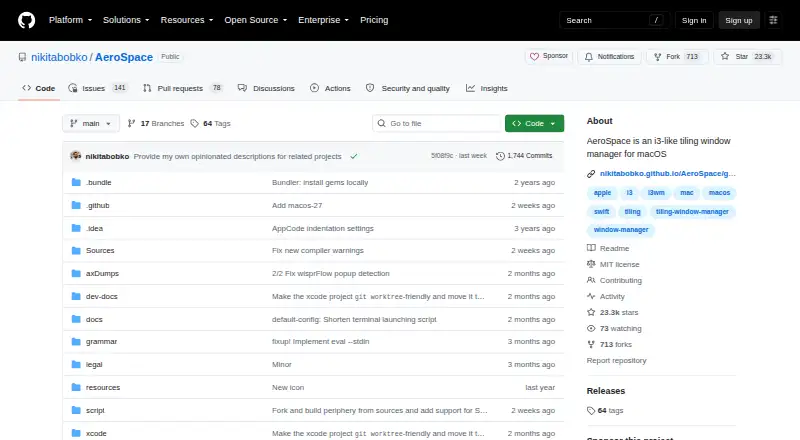
AeroSpace is a free, keyboard-centric tiling window manager for macOS, aimed at advanced users and developers. It arranges windows through a tree-based model with tile, accordion, and floating layouts, including horizontal and vertical variants. Instead of native macOS Spaces, it provides virtual workspaces shared across monitors, with each workspace assigned to a monitor. Configuration uses plain-text TOML, and the command-line interface includes shell completion. Keys can be bound to AeroSpace commands, while callbacks run commands when windows, focus, or workspaces change. Application rules can place apps on selected workspaces. Workspace callbacks can pass the focused workspace name to SketchyBar, and a Unix-domain socket protocol supports custom clients such as status bars, editor plugins, and scripts. The binary runs on macOS 13 or later. AeroSpace is in public beta, and the project warns that breaking changes may occur before version 1.0.
Who it suits
AeroSpace suits advanced macOS users and developers who prefer keyboard-driven layouts, virtual workspaces, scripting, and multi-monitor control.
What it does well
- Free with a macOS 13-or-later binary
- Offers tile, accordion, and floating layouts
- Uses plain-text TOML configuration
- Supports workspace and application rules
- Provides callbacks and a Unix-domain socket
What to know first
- Public beta may bring breaking changes
- Not notarized by Apple
- Requires macOS 13 or later
- Support starts with GitHub Discussions
Verdict
AeroSpace provides configurable tiling, virtual workspaces, callbacks, and scripting for keyboard-focused Mac workflows. Its beta status and Apple notarization limitation deserve attention before installation.
Facts from AeroSpace's own pages
- Automation
- Callbacks can run commands when windows, focus, or workspaces change, including rules that place apps on specified workspaces. · nikitabobko.github.io, 4 Oct 2026
- CLI
- Users can bind keys to AeroSpace commands or run commands through its CLI. · nikitabobko.github.io, 5 Oct 2026
- Compatibility
- The AeroSpace binary runs on macOS 13 or later. · github.com, 5 Oct 2026
- Configuration
- It uses TOML configuration files and supports keyboard bindings and binding modes. · nikitabobko.github.io, 5 Oct 2026
- Custom clients
- A documented Unix-domain socket protocol allows custom clients such as status bars, editor plugins, and scripts to interact with AeroSpace. · nikitabobko.github.io, 5 Oct 2026
- Integration
- A workspace change callback can trigger Sketchybar and pass it the focused workspace name. · nikitabobko.github.io, 4 Oct 2026
- Integrations
- Callbacks can run commands when the focused workspace changes, with the guide showing an example that notifies SketchyBar. · nikitabobko.github.io, 5 Oct 2026
- Intended users
- The project says AeroSpace targets advanced users and developers and is keyboard-centric. · github.com, 5 Oct 2026
- Layouts
- It provides horizontal and vertical tile layouts and horizontal and vertical accordion layouts. · nikitabobko.github.io, 5 Oct 2026
- Maturity
- AeroSpace is in public beta, and the project says breaking changes may occur before version 1.0. · github.com, 5 Oct 2026
- Multi-monitor
- The project describes its multi-monitor support as i3-like and lets users assign workspaces to monitors. · github.com, 5 Oct 2026
- Multi monitor support
- Workspaces are shared across monitors, and each workspace has an assigned monitor. · nikitabobko.github.io, 4 Oct 2026
- Notarization
- The project states that AeroSpace is not notarized by Apple and documents removing the quarantine attribute for manual installation. · github.com, 5 Oct 2026
- Product
- AeroSpace is an i3-like tiling window manager for macOS. · github.com, 4 Oct 2026
- Project status
- AeroSpace is in public beta; the project says breaking changes may occur before version 1.0. · github.com, 4 Oct 2026
- Purpose
- AeroSpace is an i3-like tiling window manager for macOS. · github.com, 5 Oct 2026
- Security
- The project says AeroSpace does not require users to disable System Integrity Protection (SIP). · github.com, 5 Oct 2026
- Support
- The project asks users to start with GitHub Discussions rather than filing issues directly. · github.com, 5 Oct 2026
- System requirements
- The AeroSpace binary runs on macOS 13 or later. · github.com, 4 Oct 2026
- Window layouts
- It arranges windows using a tree based model with tiles, accordion, and floating layouts. · nikitabobko.github.io, 4 Oct 2026
- Workspaces
- AeroSpace implements its own virtual workspaces rather than relying on native macOS Spaces. · nikitabobko.github.io, 5 Oct 2026
Where AeroSpace stands on Freedom251
- Window Management Software#21 of 65