Freedom251 › Malware Removal Software

Adlice Protect
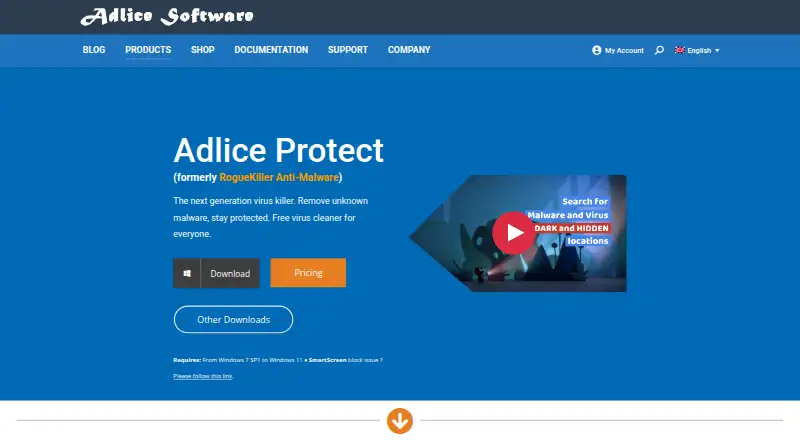
What Adlice Protect is
Adlice Protect is Windows security software that scans for and removes known and unknown malware, including viruses, ransomware, and trojans. It combines AI heuristics with a cloud signatures engine to detect threats. Real-time protection is described as stopping infected programs before they run; ransomware protection blocks encryption and can shield selected folders. The software also detects and removes rootkits that tamper with Windows, and clipboard protection is intended to prevent suspicious programs from accessing or changing sensitive copied data. Users can scan on demand or schedule weekly scans, review scan history, and inspect detections in quarantine, where restoration is available. The Free plan includes scanning and removal, anti-rootkit protection, personal use, and forum support. Premium costs $15 a year and adds malware, ransomware, and clipboard protection, enterprise use, and email support. Technician costs $35 a year and adds portable configuration and licensing, unlimited machines, and scriptable software. Adlice Software says it started in 2010 and is based in Sautron, France.
Who it suits
The Free plan suits personal users who want Windows malware scanning and removal. The Technician plan is recommended by the maker for IT remediation and repair technicians needing portable licensing, unlimited machines, and scriptable software.
What it does well
- Free plan includes malware scanning and removal.
- Uses AI heuristics and cloud signatures for detection.
- Can schedule weekly scans and retain scan history.
- Quarantined detections can be restored.
- Technician plan supports unlimited machines.
What to know first
- Available only for Windows.
- Free plan is for personal use only.
- Free plan support is through forums.
- Paid plans cost $15.00 or $35 a year.
Limits
The Free plan is for personal use and includes Scan & Remove Malware and AntiRootkit. Premium costs $15 a year and adds Malware Protection, Ransomware Protection, Clipboard Protection, and enterprise use; Technician costs $35 a year and includes all Premium features plus portable configuration and licensing, unlimited machines, and scriptable software.
Plans
| Plan | Billed and limits | Price |
|---|---|---|
| Free | $0.00/year · Scan & Remove Malware · AntiRootkit · Personal Use Only · Forum support | Free |
| Premium | $15.00/year · Scan & Remove Malware · AntiRootkit · Malware Protection · Ransomware Protection · Clipboard Protection · Enterprise Use Allowed · Email support | $15 a year |
| Technician | $35.00/year · All Premium Features · Portable Config & License · Unlimited machines · Scriptable software · Email support | $35 a year |
As adlice.com lists them, read 8 Oct 2026. The maker's own page has the final word.
Getting started
- Open the Adlice Protect website.
- Choose the Free, Premium, or Technician plan.
- Install the software on Windows.
- Use on-demand scanning or schedule weekly scans.
Adlice Protect is a Windows malware scanner and removal tool for home users and repair technicians. It is most compelling when you need rootkit cleanup, with paid tiers adding prevention features and technician-focused tools.
Overview
Adlice Protect scans for known and unknown malware, including viruses, ransomware and trojans, using AI heuristics and a cloud signatures engine. It can also detect and remove rootkits that tamper with Windows. That makes it useful both for routine checks and for cleaning up an affected PC; the free tier, however, is restricted to personal use and does not include the paid protection features.
Users can run scans on demand or schedule them weekly, then review scan history. Detections go to quarantine, where they can be checked and restored. That recovery option is useful when a detection needs a second look, while weekly scheduling provides a modest layer of routine maintenance without relying on manual reminders.
Key features
- Detection and remediation: AI heuristics and cloud signatures support detection of known and unknown threats. Remediation is assisted, so the product is suited to users who want to review quarantined detections rather than assume every cleanup is automated.
- Real-time protection: The product is designed to stop infected programs before they execute. This is a meaningful distinction from scan-only cleanup, but it is included as Malware Protection in Premium rather than Free.
- Rootkit removal: AntiRootkit detects and removes rootkits affecting Windows. Its inclusion in Free gives personal users a useful specialist cleanup capability without a subscription.
- Ransomware and clipboard safeguards: Premium can block encryption and protect selected folders. Clipboard protection is intended to stop suspicious programs from reading or changing copied sensitive data, such as passwords, payment-card numbers or cryptocurrency addresses. These features suit users seeking preventive safeguards, not just malware removal.
- Scan controls and quarantine: On-demand and weekly scans, scan history, quarantine and restore options provide basic control over checks and detections.
Pricing
| Plan | Price | Best fit |
|---|---|---|
| Free | free (billed $0.00/year) | Personal scanning and rootkit removal |
| Premium | $15 a year (billed $15.00/year) | Users needing additional malware, ransomware and clipboard protection, or enterprise use |
| Technician | $35 a year (billed $35.00/year) | IT remediation and repair technicians working across machines |
Free covers Scan & Remove Malware and AntiRootkit for personal use, with forum support. It is a sensible no-cost option for home cleanup, but it excludes Malware Protection, Ransomware Protection and Clipboard Protection, and it cannot be used for enterprise work.
Premium adds those three protections, allows enterprise use and provides email support. At $15.00 per year, it is the practical upgrade for users who want ongoing safeguards rather than scanning alone. Technician includes all Premium features, portable configuration and licensing, unlimited machines, scriptable software and email support. Its $35.00 per year price is aimed at repair professionals; the portable and scripting tools are more relevant to repeated remediation work than to a single household PC. The published plans do not state a seat or scan quota, so the Technician tier's unlimited-machine allowance is its clearest usage distinction.
Platforms
Adlice Protect is available for Windows only. That focus suits Windows cleanup and protection, but rules it out for households seeking one product across Windows, macOS, Linux or mobile devices.
Who it's for
Choose Free for personal Windows scans and rootkit removal when forum-based support is acceptable. Premium suits individuals or organizations that need real-time malware protection, ransomware safeguards, clipboard protection and email support. Technician is the fit for IT remediation and repair technicians who value portable configuration, scripting and use on unlimited machines. Look elsewhere if you need cross-platform coverage or a free tier with the paid preventive protections.
Pros and cons
- Pros: Free includes malware scanning and AntiRootkit for personal use; weekly scheduling, scan history and restorable quarantine support ongoing checks and review; Premium adds several distinct safeguards for $15.00 per year; Technician permits unlimited machines and includes portable and scriptable tools.
- Cons: Windows-only coverage excludes users with other operating systems; Free lacks the paid protection features and limits use to personal needs; its support is forum-based, unlike the paid tiers' email support.
Alternatives
For a broader directory of options, browse Malware Removal Software. Consider Certo AntiSpy if you want spyware detection and a privacy audit across Android, iOS, macOS and Windows, with a free plan. BitNinja is a broader-platform option with free and paid VPS plans, rather than a Windows-only malware-removal product.
Microsoft Quick Assist is a free choice for support interactions on Windows, macOS and the web. Choose ClamAV for a free, open-source antivirus engine under GPL with support across Windows, macOS, Linux, APIs and self-hosted environments. Dr.Web LiveDisk offers free system recovery from DVD or USB for 64-bit Windows systems, making it a recovery-media alternative.
Advanced Policy Firewall is a free, GPL v2 option for Linux and self-hosted use. Comodo Internet Security is another Windows freemium option, with antivirus and firewall features; its Pro plan is $39.99 per year. Dr.Web CureIt! offers free one-time scanning on Windows, with paid Pro options shown for 5 or 10 days.
Verdict
Adlice Protect is a solid fit for Windows users who want malware and rootkit cleanup with a low-cost path to real-time, ransomware and clipboard safeguards. The Technician tier has a clear case for repair professionals who need unlimited-machine and scriptable workflows. Choose another product if you need protection beyond Windows, or if forum-only support on the free plan is not enough.
Verdict
Adlice Protect offers a free personal-use plan and two paid tiers, with added protection features in Premium and technician tools in Technician. The product is limited to Windows, and Free-plan support is forum-based.
Questions
Is Adlice Protect free?
Yes. Its Free plan costs nothing and is for personal use.
How much do the paid plans cost?
Premium costs $15 a year. Technician costs $35 a year.
What platforms does it support?
The listed platform is Windows.
What does the Free plan include?
It includes malware scanning and removal, AntiRootkit, personal use, and forum support.
What does Technician add?
Technician includes all Premium features, portable configuration and licensing, unlimited machines, scriptable software, and email support.
Who makes Adlice Protect?
Adlice Software makes it. The company says it started in 2010 and is headquartered in Sautron, France.
Facts from Adlice Protect's own pages
- Clipboard protection
- Clipboard protection is intended to prevent suspicious programs from reading or changing sensitive copied data such as passwords, card numbers, and crypto addresses. · adlice.com, 8 Oct 2026
- Company history
- Adlice Software says it started in 2010 and that its flagship product has been downloaded 20 million times. · adlice.com, 8 Oct 2026
- Detection
- The product uses AI heuristics and a cloud signatures engine to detect threats. · adlice.com, 8 Oct 2026
- Founded
- 2010 · adlice.com, 28 Sept 2026
- Headquarters
- The company lists its address as BP 20005, Sautron, France. · adlice.com, 8 Oct 2026
- Platforms
- The download page lists Windows 7 SP1 through Windows 11, with 32-bit, 64-bit, and ARM64 builds. · adlice.com, 8 Oct 2026
- Purpose
- Adlice Protect scans for and removes known and unknown malware, including viruses, ransomware, and trojans. · adlice.com, 8 Oct 2026
- Quarantine
- Detections are sent to quarantine for review, with an option to restore them. · adlice.com, 8 Oct 2026
- Ransomware
- Its ransomware protection blocks encryption and can protect selected folders. · adlice.com, 8 Oct 2026
- Real-time protection
- Its real-time protection is described as stopping infected programs before they execute. · adlice.com, 8 Oct 2026
- Rootkits
- The product detects and removes rootkits that tamper with Windows. · adlice.com, 8 Oct 2026
- Scanning
- Users can scan on demand or schedule weekly scans, and the product keeps scan history. · adlice.com, 8 Oct 2026
- Support
- The Free plan lists forum support, while Premium and Technician list email support. · adlice.com, 8 Oct 2026
- Technician use
- The Technician license includes portable configuration and licensing, unlimited machines, and scriptable software; the maker recommends it for IT remediation and repair technicians. · adlice.com, 8 Oct 2026
Where Adlice Protect stands on Freedom251
- Malware Removal Software#4 of 30
- Malware removal tools#12 of 31