Freedom251 › Antivirus software

Malwarebytes Premium
What Malwarebytes Premium is
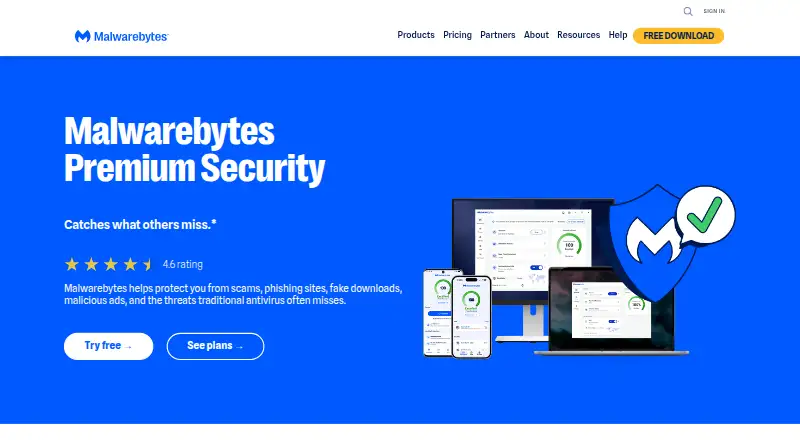
Malwarebytes Premium Security provides ongoing protection against malware, ransomware, phishing, malicious sites, scams, and other online threats. It runs automatically to help prevent attacks, and Web Protection blocks phishing sites and malicious URLs before they load. Listed protections also include detection of potentially unwanted programs, along with Windows exploit and brute-force protection.
Scam Guard identifies suspicious content and recommends next steps, while Trusted Advisor offers personalized security advice. The product page lists Privacy VPN for desktop and mobile, plus webcam and Remote Desktop monitoring for Windows. Malwarebytes Browser Guard is included; it blocks ads, prevents third-party cookie tracking, and flags suspicious sites, with support for Chrome, Firefox, Edge, and Safari. The product is listed for Windows, macOS, Android, and iOS, with a device limit of 20. A free plan is listed, but Malwarebytes Free is described as a cleanup tool for attacks that have already damaged a device. Feature availability varies by operating system; the help-center comparison lists ransomware and exploit protection as paid on Windows and unavailable on Mac.
Who it suits
It suits people seeking ongoing security protection across supported Windows, macOS, Android, or iOS devices. It may also appeal to users who want browser protection and scam guidance alongside malware protection.
What it does well
- Runs automatically for ongoing protection.
- Web Protection blocks phishing sites and malicious URLs.
- Browser Guard supports four named browsers.
- Scam Guard identifies suspicious content.
- Listed device limit is 20.
What to know first
- Features vary by operating system.
- Ransomware and exploit protection are unavailable on Mac.
- Malwarebytes Free is described as cleanup after damage.
Plans
| Plan | Billed and limits | Price |
|---|---|---|
| Standard | 1 device | On request |
| Sole proprietor | 3 devices | On request |
| Boutique business | 10 devices | On request |
| Small office | 20 devices | On request |
As malwarebytes.com lists them, read 20 Sept 2026. The maker's own page has the final word.
Getting started
- Visit the Malwarebytes Premium Security website.
- Choose a plan: Standard for one device, Sole proprietor for three, Boutique business for ten or Small office for 20.
- Download for Windows or Mac, or get the app through Microsoft Store, Apple App Store or Google Play.
- Install Malwarebytes Browser Guard in Chrome, Firefox, Edge or Safari.
Overview
Malwarebytes Premium is a security product for people who want automatic protection against malware, ransomware, phishing and scams across their devices. Its combination of threat prevention and browser tools suits households or small offices covering several operating systems, though protection differs by platform. It is a better fit for prevention than Malwarebytes Free, which is intended for cleanup after an attack.
Key features
Threat and web protection
Real-time protection runs automatically to help prevent attacks, with detection for malware and potentially unwanted programs. Web Protection blocks phishing sites and malicious URLs before they load, adding a browsing safeguard rather than relying only on cleanup. Ransomware protection is included, as are Windows exploit and brute-force protections. The operating-system split is consequential: ransomware and exploit protection are paid on Windows but unavailable on Mac, so Mac buyers should not assume the same coverage.
Scam, privacy and browser tools
Scam Guard identifies suspicious content and suggests next steps; Trusted Advisor offers personalized security advice. Privacy VPN is offered for desktop and mobile, while Windows adds webcam and Remote Desktop monitoring. Malwarebytes Browser Guard blocks ads, prevents third-party cookie tracking and flags suspicious sites. It supports Chrome, Firefox, Edge and Safari, making it useful to people who want browser-level protections alongside device security.
Pricing
Malwarebytes uses a freemium model. Malwarebytes Free is a cleanup tool for cyberattacks that have already affected a device, not a substitute for Premium's ongoing prevention. The paid plans are custom pricing:
- Standard: 1 device; suits an individual covering one device.
- Sole proprietor: 3 devices; a fit for an individual covering a few devices.
- Boutique business: 10 devices; for a small business with a modest device fleet.
- Small office: 20 devices; the largest stated plan, for offices needing broader coverage.
The 20-device limit is the maximum stated plan capacity. All plans include free customer support and a 60-day money-back guarantee. No trial length or renewal term is stated.
Platforms
Supported systems are Windows, macOS, Android and iOS. Downloads are offered directly for Windows and Mac, and through the Microsoft Store, Apple App Store and Google Play for their respective devices. The Browser Guard extension works with Chrome, Firefox, Edge and Safari. Because features vary by operating system, buyers should weigh the Windows-only exploit and ransomware protections against their device mix.
Who it's for
Choose Malwarebytes Premium if you want ongoing prevention, web and scam safeguards, and coverage options from one device up to 20. It is especially relevant when browser protections and multi-device coverage matter. It is less compelling for Mac buyers whose priority is ransomware or exploit protection, since those features are unavailable on Mac. For one-off remediation rather than ongoing defense, Malwarebytes Free better matches the job.
Pros and cons
- Pro: Automatic, ongoing protection and web blocking address threats before they reach a device.
- Pro: Scam Guard, Trusted Advisor and Browser Guard extend coverage to suspicious content and browsing.
- Pro: Plans scale from one to 20 devices, with customer support and a 60-day money-back guarantee across plans.
- Con: Mac lacks the ransomware and exploit protection available on Windows, an important gap for buyers comparing platform coverage.
- Con: Malwarebytes Free is for cleanup, so users seeking ongoing protection need a paid plan.
Alternatives
For an alternative malware-removal listing, see Malware Removal Software; for a broader antivirus category, see Antivirus software.
- Certo AntiSpy suits readers looking for a free spyware detection, threat removal and privacy audit plan across mobile and desktop platforms; its premium plan has a price not listed.
- Dr.Web LiveDisk is a free choice for recovering a Windows system from DVD or USB, rather than ongoing protection.
- Microsoft Quick Assist is another free option for readers comparing tools available on Windows, macOS and web.
- BitNinja is another freemium option spanning web, Linux, iOS and Android.
- Comodo Internet Security is a Windows-only alternative with antivirus and firewall features; its Pro plan costs $39.99 a year.
- Dr.Web CureIt! is a Windows option for one-time scanning, including a free plan.
- ESET Mobile Security for Android is a focused alternative for Android, with a free plan and a premium plan.
- MalCare targets self-hosted and web use; its free plan includes weekly scans and basic protection, but not malware removal.
Verdict
Malwarebytes Premium is a sensible choice for people who want automatic threat prevention, browser safeguards and plans that cover up to 20 devices. Its strongest reason to choose it is that broad mix of protections across Windows, Mac, Android and iOS. Look elsewhere if Mac ransomware or exploit protection is essential, or if you need only a free cleanup tool rather than ongoing security.
Verdict
Malwarebytes Premium Security combines ongoing threat prevention with browser and scam tools. Check the operating-system feature differences, especially if ransomware or exploit protection matters to you.
Questions
Is Malwarebytes Premium Security free?
A free plan is listed. Malwarebytes Free is described as a cleanup tool for attacks that have already damaged a device, while Premium Security provides ongoing prevention.
What platforms does Premium Security support?
It is listed for Windows, macOS, Android and iOS. Downloads are available directly for Windows and Mac, and through Microsoft Store, Apple App Store and Google Play.
How many devices can a plan cover?
The listed plans cover one device for Standard, three for Sole proprietor, ten for Boutique business and 20 for Small office.
How much does it cost?
Prices are not provided for the listed plans.
Does it include a browser extension?
Yes. Malwarebytes Browser Guard is included and supports Chrome, Firefox, Edge and Safari.
Who makes Malwarebytes Premium Security?
The maker is Malwarebytes, founded in 2008 and based in Santa Clara, California, USA.
Facts from Malwarebytes Premium's own pages
- Browser extension
- Malwarebytes Browser Guard is included with Premium Security and blocks ads, prevents third-party cookie tracking, and flags suspicious sites; it supports Chrome, Firefox, Edge, and Safari. · malwarebytes.com, 29 Sept 2026
- Company
- Malwarebytes says it is based in Santa Clara, California, and its company page describes the company as seventeen years past its founding. · malwarebytes.com, 29 Sept 2026
- Device limit
- 20 · malwarebytes.com, 20 Sept 2026
- Downloads
- Downloads are available directly for Windows and Mac, through Microsoft Store for Windows, Apple App Store for iPhone and iPad, and Google Play for Android. · malwarebytes.com, 29 Sept 2026
- Feature availability
- Exact features vary by operating system; the help center comparison lists ransomware and exploit protection as paid on Windows and unavailable on Mac. · help.malwarebytes.com, 29 Sept 2026
- Founded
- 2008 · malwarebytes.com, 28 Sept 2026
- Free plan
- Yes · malwarebytes.com, 20 Sept 2026
- Free product
- Malwarebytes Free is described as a cleanup tool for cyberattacks that have already damaged a device, while Premium Security provides ongoing prevention. · malwarebytes.com, 29 Sept 2026
- Headquarters
- Santa Clara, California, USA · malwarebytes.com, 28 Sept 2026
- Privacy tools
- The product page lists Privacy VPN for desktop and mobile, plus Windows webcam and Remote Desktop monitoring. · malwarebytes.com, 29 Sept 2026
- Protection scope
- complete security · malwarebytes.com, 20 Sept 2026
- Purpose
- Malwarebytes Premium Security provides ongoing protection against malware, ransomware, phishing, malicious sites, scams, and other online threats. · malwarebytes.com, 29 Sept 2026
- Ransomware protection
- Yes · malwarebytes.com, 20 Sept 2026
- Real-time protection
- The product runs automatically on an ongoing basis to help prevent attacks before they happen. · malwarebytes.com, 29 Sept 2026
- Scam tools
- Scam Guard identifies suspicious content and recommends next steps, while Trusted Advisor gives personalized security advice. · malwarebytes.com, 29 Sept 2026
- Support
- The pricing page says all plans include free customer support and a 60-day money-back guarantee. · malwarebytes.com, 29 Sept 2026
- Supported platforms
- Windows,macOS,Android,iOS · malwarebytes.com, 20 Sept 2026
- Threat protection
- The listed protections include malware and potentially unwanted program detection, ransomware protection, and Windows exploit and brute-force protection. · malwarebytes.com, 29 Sept 2026
- Web protection
- Web Protection blocks phishing sites and malicious URLs before they load. · malwarebytes.com, 29 Sept 2026
Where Malwarebytes Premium stands on Freedom251
- Antivirus software#6 of 120
- Anti Malware Software#3 of 16
- Malware Removal Software#6 of 30
- Malware removal tools#11 of 31