Freedom251 › Speed Reading Apps
AccelaReader
What AccelaReader is
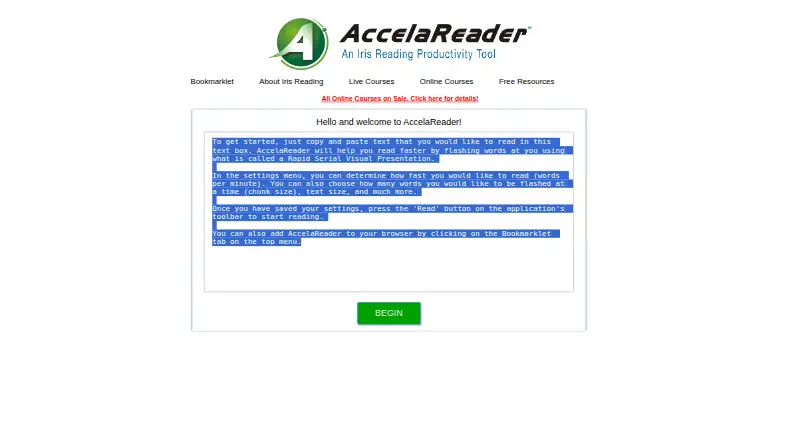
AccelaReader is an online reading tool that presents text a few words at a time, letting readers practice at a chosen pace. Paste text into the reader to begin, or use its bookmarklet to open selected text from a web page without copying it manually. Settings let you choose a reading speed in words per minute and the number of words shown at once. You can also adjust the window size, font size and color, background color, and alignment. Reading options include variable pacing, sentence or paragraph chunks, pauses, and skipping stopwords. Keyboard shortcuts cover playback, restarting, loading text, opening settings, navigating through text, and changing speed. AccelaReader is available on the web and as an extension, and has a free plan with customizable reading settings. Its listed features focus on presenting imported text; it has no comprehension exercises or guided training. The maker describes it as an online tool and offers a bookmarklet, but does not name specific browser integrations.
Who it suits
AccelaReader suits readers who want to set the pace and display of text they bring to a reading tool. It may also suit people who want to open selected web-page text through a bookmarklet.
What it does well
- Free plan with customizable reading settings
- Choose speed and chunk size
- Adjust font, colors, window, and alignment
- Bookmarklet loads selected web-page text
- Keyboard shortcuts cover common controls
What to know first
- No comprehension exercises
- No guided training
- Graphs? no named browser integrations are listed
Limits
The free plan is an online RSVP reader with customizable reading settings. It does not include comprehension exercises or guided training.
Plans
| Plan | Billed and limits | Price |
|---|---|---|
| Free | Online RSVP reader · customizable reading settings | Free |
As accelareader.com lists them, read 7 Oct 2026. The maker's own page has the final word.
Getting started
- Visit the AccelaReader website or use its extension.
- Copy and paste text into the reader, or select web page text and open it with the bookmarklet.
- Choose a reading speed and the number of words to display at a time.
- Adjust display settings and reading options.
- Start reading and use keyboard shortcuts to pause, restart, navigate, or change speed.
Overview
AccelaReader is an online RSVP reader that flashes imported text a few words at a time. It suits people who want to practice reading at a chosen pace using their own material, rather than follow a course. Its adjustable display and playback options are useful; the experience stays focused on reading presentation.
Key features
Paste text into the reader, choose a speed in words per minute, and set the number of words shown at once. Variable speed, sentence or paragraph chunking, pauses, and stopword skipping let readers shape the pace and flow. Those controls offer more flexibility than a fixed word-by-word presentation, but they do not provide comprehension practice or instruction.
Display options include window dimensions, font size and color, background color, and alignment. Keyboard shortcuts cover playback, restarting, loading text, opening settings, moving through text, and changing speed. That range makes frequent adjustments accessible without relying only on on-screen controls.
A bookmarklet can open selected web-page text in AccelaReader, avoiding a manual copy-and-paste step. The product is described as an online tool with a browser bookmarklet, rather than named browser integrations. The maker's support contact is [email protected] or 312-857-4747.
Pricing
AccelaReader has one Free plan at no cost. It includes an online RSVP reader and customizable reading settings, and the reader can import content. This is a straightforward fit for someone who wants adjustable pacing without a subscription. There are no paid tiers to compare, and no published seat count, usage quota, or trial term to weigh.
Platforms
AccelaReader is available on the web and as a browser extension. The bookmarklet also provides a route from selected web-page text into the reader, but no named browser integrations are specified.
Who it's for
Choose AccelaReader if you want a free, adjustable way to read text you bring yourself, especially when you value control over chunk size, pace, pauses, and display. Look elsewhere if you want guided training or exercises that check comprehension; those are not part of its offer.
Pros and cons
- Pros: The free plan includes the customizable RSVP reader, so speed and display controls do not require a paid tier.
- Pros: Sentence and paragraph chunking, pauses, speed variability, and stopword skipping give readers several ways to alter the flow.
- Pros: The bookmarklet can preload selected web text, reducing the effort of moving material into the reader.
- Cons: AccelaReader offers no comprehension exercises or guided training, limiting its value for readers seeking structured instruction.
- Cons: Its purpose centers on imported text and RSVP pacing, so it is not a broader reading curriculum.
Alternatives
For a wider selection of options, browse Speed Reading Apps.
- Reading Trainer is a better fit if you want a curriculum and exercises: its free plan includes the first curriculum unit and a couple of exercises, with a free trial also available.
- Ledor suits readers who want all features included without ads or an account; it is free across Android, iOS, Linux, and web.
- Superead is an option for readers seeking thousands of e-books and articles, with a limited-features free plan and a Premium Monthly plan.
- LightSpeedRead may suit readers who want a speed test, calculator, and guides alongside a website reader; its free tier includes a Chrome extension that reads up to 600 wpm, while Pro monthly costs $2.99 a month.
- Outread is an alternative for readers on iOS, macOS, or extension platforms who want basic free features and the option to purchase Outread+; Outread+ Monthly costs $4.99 a month.
- Dogear is a free option for readers using iOS or macOS who prefer no ads, subscription, or account.
- FastReadi is worth considering on iOS if you want reading and capture alongside AI summaries, quizzes, study guides, and chat with a book; its free plan has a weekly allowance for those AI features.
- Flash-Read offers a web-based alternative with three free stories for guests and a Starter plan at $4.49 a month for unlimited stories and .txt uploads.
Verdict
AccelaReader is a sensible choice for readers who want free RSVP pacing with meaningful control over speed, chunks, and display, plus a shortcut for bringing in web text. Its narrow focus is also its main limitation: readers who need a curriculum or comprehension work should choose a more instructional alternative.
Verdict
AccelaReader offers flexible pacing and display settings for reading imported text, with a free plan. Readers looking for comprehension exercises or guided training will not find them listed.
Questions
Is AccelaReader free?
Yes. It has a Free plan listed as free, and Iris Reading describes the tool and its reading settings as free.
What platforms does AccelaReader support?
It is available on the web and as an extension.
How do I load text?
You can copy and paste text into the reader. Its bookmarklet can also open selected text from a web page with the text preloaded.
Can I change the reading speed and display?
Yes. Settings include words per minute, chunk size, window dimensions, font size and color, background color, and alignment.
Does it provide reading exercises or training?
No. The listed feature set does not include comprehension exercises or guided training.
How can I contact support?
Iris Reading lists [email protected] and 312-857-4747.
Facts from AccelaReader's own pages
- Bookmarklet
- The bookmarklet can open selected text from a web page in AccelaReader preloaded, avoiding manual copy and paste. · accelareader.com, 7 Oct 2026
- Browser use
- The maker describes AccelaReader as an online tool and provides a browser bookmarklet; it does not list named browser integrations on these pages. · irisreading.com, 7 Oct 2026
- Chunk size
- Users can set how many words are flashed at a time. · accelareader.com, 7 Oct 2026
- Cost
- Iris Reading describes AccelaReader as free and says its reading settings are available free. · irisreading.com, 7 Oct 2026
- Display settings
- Settings include window dimensions, font size, font color, background color, and alignment. · accelareader.com, 7 Oct 2026
- How to read
- Users can copy and paste text into the reader to get started. · accelareader.com, 7 Oct 2026
- Keyboard shortcuts
- Keyboard shortcuts include starting or pausing, restarting, loading new text, opening settings, moving through text, and changing speed. · accelareader.com, 7 Oct 2026
- Purpose
- AccelaReader is an online tool that flashes words on screen to help users practice reading faster. · irisreading.com, 7 Oct 2026
- Reading options
- The reader offers speed variability, sentence and paragraph chunking, pauses, and an option to skip stopwords. · accelareader.com, 7 Oct 2026
- Reading speed
- The settings let users choose the reading speed in words per minute. · accelareader.com, 7 Oct 2026
- Security
- The opened AccelaReader and Iris Reading pages do not state security certifications or compliance claims. · accelareader.com, 7 Oct 2026
- Support
- Iris Reading lists [email protected] and 312-857-4747 on its software and apps page. · irisreading.com, 7 Oct 2026
Where AccelaReader stands on Freedom251
- Speed Reading Apps#3 of 27