Freedom251 › 3D Visualization Software

3DVista Virtual Tour Suite
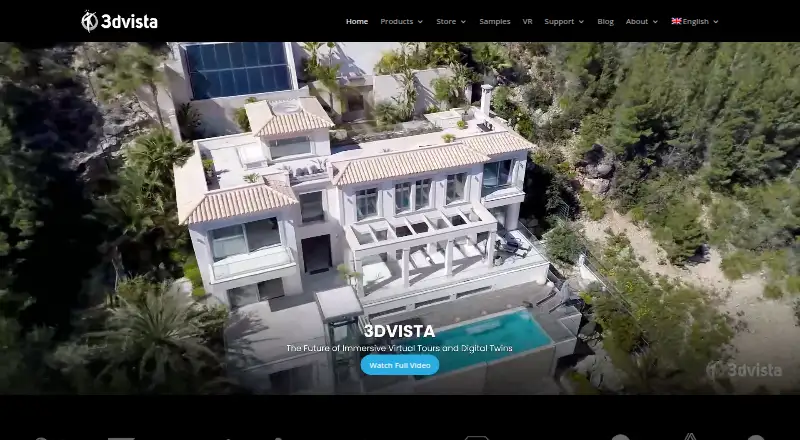
What 3DVista Virtual Tour Suite is
3DVista Virtual Tour Suite is paid desktop software for creating interactive virtual tours from panoramas, 360º video, sounds, photos, and floorplans. Virtual Tour Pro adds customizable frames and hotspots, interactive 3D models, and Gaussian Splatting scenes using GLB or GLTF formats. Tours can include quizzes, scoring, reporting, LMS integration, and SCORM-compliant training content. They can be viewed on computers, tablets, and phones, work online or offline, and support VR. Creators may host tours on their own server, publish standalone offline packages, or use optional 3DVista Cloud hosting. Publishing options include Google Street View and YouTube. The free 3DVista app provides previews and offline viewing across desktop, mobile, and VR devices. Virtual Tour Pro costs $499, paid once, with a 30-day trial that includes all features but places a watermark on published tours. The plan includes unlimited tours, one year of free upgrades, Stitcher 4, and three months of optional hosting. Cloud plans have storage and daily bandwidth limits.
Who it suits
3DVista suits creators in architecture, engineering, marketing, education, real estate, and training. It is useful for projects needing interactive tours, VR viewing, offline delivery, or structured learning content.
What it does well
- Creates interactive 360º tours
- Supports 3D and Gaussian Splatting scenes
- SCORM-compliant training tours
- Online, offline, and VR viewing
- Own-server and standalone publishing
What to know first
- 499.00 USD one-time fee
- Trial publications carry a watermark
- Cloud storage and bandwidth limits
- No free plan
Limits
The 30-day trial includes all features, but published tours show a watermark. 3DVista Cloud plans impose storage and daily bandwidth limits, and a tour may be unavailable for the rest of a day after its daily allowance is consumed.
Plans
| Plan | Billed and limits | Price |
|---|---|---|
| Virtual Tour Pro | $499 one-time fee; 499€ also shown · unlimited tours · 1 year of free upgrades · Stitcher 4 included · 3-month optional hosting included | $499, paid once |
As 3dvista.com lists them, read 7 Oct 2026. The maker's own page has the final word.
Getting started
- Open the 3DVista website
- Install Virtual Tour Pro on a supported desktop platform
- Start the 30-day trial or purchase the Virtual Tour Pro license
- Import panoramas, 360º videos, sounds, photos, floorplans or supported 3D scenes
- Customize frames, hotspots and optional training elements
- Publish to your server, an offline package, 3DVista Cloud, Google Street View or YouTube
Verdict
3DVista combines tour creation, training features, multiple publishing routes, and broad viewing support. The paid license and cloud limits should be considered alongside the full-featured trial.
Questions
How much does Virtual Tour Pro cost?
The Virtual Tour Pro plan costs $499, paid once, billed as a $499 one-time fee; 499€ is also shown.
What is included with the purchase?
It includes unlimited tours, one year of free upgrades, Stitcher 4 and three months of optional hosting.
Is there a free plan or trial?
There is no free plan. A 30-day trial includes all features, with a watermark on published tours.
Where can tours be viewed?
Tours can be viewed on computers, tablets and phones, online or offline, with VR support. The free 3DVista app offers previews and offline viewing across desktop, mobile and VR devices.
Can tours be self-hosted?
Yes. Creators can use their own server, publish offline standalone packages or upload tours to optional 3DVista Cloud hosting.
Facts from 3DVista Virtual Tour Suite's own pages
- 3D content
- The product supports interactive 3D models and Gaussian Splatting scenes, including GLB/GLTF formats. · 3dvista.com, 7 Oct 2026
- App
- The free 3DVista app provides tour previews and offline viewing across desktop, mobile and VR devices. · 3dvista.com, 7 Oct 2026
- Founded
- 1999 · 3dvista.com, 28 Sept 2026
- Hosting limits
- 3DVista Cloud plans have storage and daily bandwidth limits; tours may be unavailable for the rest of a day after the daily bandwidth allowance is used. · 3dvista.com, 7 Oct 2026
- Integrations
- The product supports direct publishing to Google Street View and describes publishing tours to YouTube. · 3dvista.com, 7 Oct 2026
- Privacy
- The privacy policy identifies 3DVista España SL as the data controller and gives its address as Avenida Fernando de los Ríos 58, Granada. · 3dvista.com, 7 Oct 2026
- Publishing
- Tours can be hosted on the creator’s own server, published offline as standalone packages, or uploaded to optional 3DVista Cloud hosting. · 3dvista.com, 7 Oct 2026
- Security and hosting
- 3DVista Cloud lists Google Cloud-based storage, password protection for tours and secure HTTPS access. · 3dvista.com, 7 Oct 2026
- Support
- The maker offers video tutorials, a knowledge base, demo projects and a user group. · 3dvista.com, 7 Oct 2026
- Tour viewing
- Tours can be viewed on computers, tablets and phones, work online or offline, and support VR. · 3dvista.com, 7 Oct 2026
- Training
- Training tours can include quizzes, scoring, reporting and LMS integration, and the product can create SCORM-compliant tours. · 3dvista.com, 7 Oct 2026
- Trial limit
- The 30-day trial includes all features, while published tours carry a watermark. · 3dvista.com, 7 Oct 2026
- What it does
- Virtual Tour Pro creates interactive 360º tours from panoramas, 360º videos, sounds, photos and floorplans, with customizable frames and hotspots. · 3dvista.com, 7 Oct 2026
- Who it serves
- The maker highlights uses in architecture, engineering, marketing, education, real estate and training. · 3dvista.com, 7 Oct 2026
Where 3DVista Virtual Tour Suite stands on Freedom251
- 3D Visualization Software#29 of 51
- 3D Virtual Tour Software#18 of 31
- Virtual Tour Software#12 of 20