Freedom251 › 3D Visualization Software
VR Sketch
What VR Sketch is
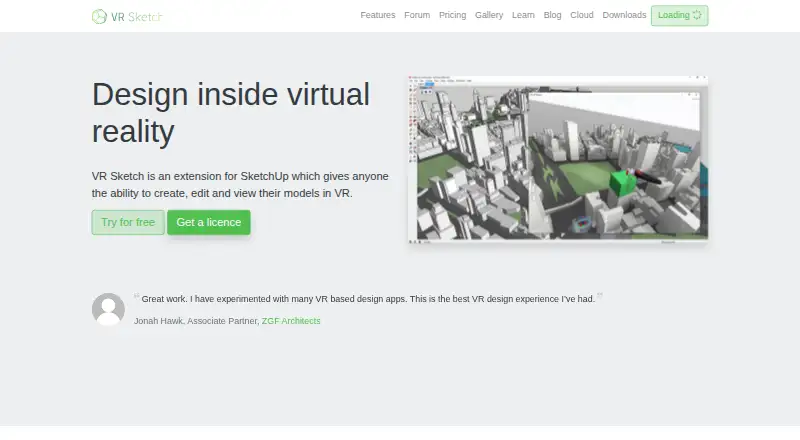
VR Sketch is a SketchUp extension for creating, editing, and viewing models in virtual reality. An open SketchUp model can be sent into VR without importing or exporting, while changes synchronize between SketchUp and VR in real time. In VR, users can draw, push and pull, move, copy, and scale with SketchUp tools. Supported headsets listed by the maker include HTC Vive, Valve Index, Oculus Rift, Meta Quest, and Pico Neo 3, with some support depending on platform or connection mode. SketchUp 2017 through 2026 are listed as supported on Windows and Mac. Collaboration can happen locally between a VR user and someone at the SketchUp screen, or remotely through uploaded models with avatars and voice over IP. Cloud sessions allow annotations but not model editing. Uploading requires a non-trial license, while viewing another shared model needs no license. Local files work offline. Plans include free access for students and educators, Hobbyist at €9/month, Standard at €45/month, and Enterprise at €100/month.
Who it suits
VR Sketch suits SketchUp users who want to inspect or edit models in VR and collaborate locally or remotely. Students, educators, hobbyists, commercial users, and enterprise teams have separate plan options.
What it does well
- Real-time synchronization between SketchUp and VR
- Supports drawing, moving, copying, and scaling in VR
- Works with listed major VR headsets
- Local files can be used offline
- Free plan for students and educators
What to know first
- Cloud collaboration does not allow model editing
- Uploading models requires a non-trial license
- PC VR performance depends strongly on GPU
- Windows use requires a headset and controllers
Limits
The free Student plan is for students and educators. Hobbyist is €9 per month for non-commercial, private use; Standard is €45 per month per user for commercial use; Enterprise is €100 per month and adds priority support and custom features. Cloud uploading requires a non-trial license, and cloud collaboration does not support model editing.
Plans
| Plan | Billed and limits | Price |
|---|---|---|
| Student | Free for students and educators · For students and educators | Free |
| Enterprise | 100€ / month · yearly payment also available · Priority support · Custom features | €100 a month |
| Standard | 45€ / month · yearly payment also available · Commercial use · Per user | €45 a month |
| Hobbyist | 9€ / month · Non-commercial use · Private use only | €9 a month |
As vrsketch.eu lists them, read 11 Oct 2026. The maker's own page has the final word.
Getting started
- Open the VR Sketch website
- Use a supported Windows or Mac computer with the required headset setup
- Install or open a supported SketchUp version from 2017 through 2026
- Choose the Student, Hobbyist, Standard, or Enterprise plan
- Send an open SketchUp model to VR without importing or exporting
Verdict
VR Sketch connects SketchUp workflows with interactive VR editing and viewing, including local and remote collaboration. Its licensing separates educational, private, commercial, and enterprise use, while cloud-upload and hardware requirements shape how teams work.
Questions
Is VR Sketch free?
Yes. The Student plan is free for students and educators. Paid plans start at €9 per month.
Which platforms and SketchUp versions are supported?
VR Sketch lists Windows and Mac support, with SketchUp 2017 through 2026 covered in its getting-started guidance.
Which VR headsets are listed?
The maker lists HTC Vive, Valve Index, Oculus Rift, Meta Quest, and Pico Neo 3, subject to platform or connection-mode restrictions.
Can VR Sketch work offline?
Yes. Local SketchUp files can be used offline. Uploading is needed for simultaneous multi-person viewing of a model.
Can people edit a model together remotely?
Cloud collaboration supports annotations but not model editing. Local collaboration can place one person in VR and another at the SketchUp screen.
Who makes VR Sketch?
The service terms identify Baroque Software OÜ as its owner or controller.
Facts from VR Sketch's own pages
- Cloud model limitation
- Cloud collaboration permits annotations but not model editing, and uploading models requires a non-trial license; viewing someone else's shared cloud model needs no license. · vrsketch.eu, 11 Oct 2026
- Collaboration
- Users can collaborate locally between a person in VR and one at the SketchUp screen, or upload models for remote VR viewing with avatars and voice over IP. · vrsketch.eu, 11 Oct 2026
- Company
- The terms identify Baroque Software OÜ as the owner or controller of the VR Sketch service. · vrsketch.eu, 11 Oct 2026
- Headsets
- The maker lists HTC Vive, Valve Index, Oculus Rift, Meta Quest, and Pico Neo 3 headset support, with some headsets limited by platform or connection mode. · vrsketch.eu, 11 Oct 2026
- Large model constraint
- For PC VR, performance depends strongly on the computer's GPU; the FAQ says models above 5 or 10 million faces generally require a higher-end GPU. · vrsketch.eu, 11 Oct 2026
- Model workflow
- Users send an open SketchUp model to VR without importing or exporting, and changes sync between SketchUp and VR in real time. · vrsketch.eu, 11 Oct 2026
- Offline use
- VR Sketch works offline with local SketchUp files; uploading is needed for simultaneous multi-person viewing of a model. · vrsketch.eu, 11 Oct 2026
- Privacy
- The privacy policy says VR Sketch collects names and email addresses, gathers telemetry and automatic error reports in a non-personally identifiable way, and uses Google login and Chargebee/Braintree for payments. · vrsketch.eu, 11 Oct 2026
- SketchUp versions
- The getting-started page lists SketchUp 2017 through 2026 as currently supported on Windows and Mac. · vrsketch.eu, 11 Oct 2026
- Support
- The maker lists priority support as an Enterprise feature and provides email support at [email protected]. · vrsketch.eu, 11 Oct 2026
- System requirements
- Windows use requires a VR headset and controllers, while Mac documentation specifies Meta Quest 2, 3, or Pro or Pico Neo 3. · vrsketch.eu, 11 Oct 2026
- VR tools
- In VR, users can draw, push/pull, move, copy, and scale models with SketchUp tools. · vrsketch.eu, 11 Oct 2026
- What it does
- VR Sketch is a SketchUp extension that lets users create, edit, and view models in virtual reality. · vrsketch.eu, 11 Oct 2026
Where VR Sketch stands on Freedom251
- 3D Visualization Software#30 of 51