Freedom251 › Keyword Clustering Tools

100 SEO Tools Keyword Clustering Tool
Visit 100 SEO Tools Keyword Clustering Tool Alternatives Pricing
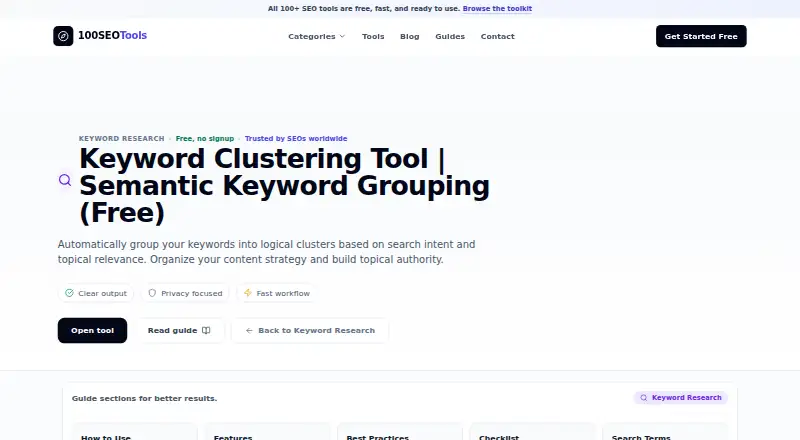
What 100 SEO Tools Keyword Clustering Tool is
100 SEO Tools Keyword Clustering Tool groups keywords by semantic similarity, search-result overlap, and shared search intent. For each cluster, it suggests a primary keyword, supporting terms, a content type, and an estimated priority score. It can flag potential content opportunities and themes that may overlap with existing pages, helping teams organize their content plans and reduce keyword cannibalization. The guide recommends preparing 100–500 keywords, removing duplicates and irrelevant terms, then clustering them and mapping themes to URLs. Users can review results and copy or download them. Processing happens in the browser; the page says inputs and results are not stored, transmitted, or shared. The web interface supports touch, keyboard, and screen-reader input across screen sizes. Batch upload is supported. The tool is free, with no signup, limits, or hidden costs, and belongs to a broader collection of more than 100 browser-based SEO tools. Related tools cover keyword intent, competitor overlap, keyword gaps, internal linking, and long-tail keyword generation.
Who it suits
It suits SEO practitioners and content teams planning topic clusters, mapping themes to URLs, or looking for gaps and overlap in existing content. Its responsive interface and browser-based processing may also suit people who want to work across device types without submitting their inputs to be stored or shared.
What it does well
- Suggests a primary keyword and supporting terms per cluster
- Flags potential content opportunities and page overlap
- Results can be copied or downloaded
- Browser-side processing; inputs and results are not stored or shared
- Responsive interface supports touch, keyboard, and screen readers
What to know first
- Guide recommends preparing 100–500 keywords first
- Available on the web
Plans
| Plan | Billed and limits | Price |
|---|---|---|
| Free | 100+ tools · no signup · no usage limits · browser-based | Free |
As 100seotools.com lists them, read 15 Oct 2026. The maker's own page has the final word.
Getting started
- Open the tool on its website
- Prepare a keyword list, with the guide recommending 100–500 terms
- Remove duplicate and irrelevant terms
- Upload the batch and run clustering
- Review the clusters and map themes to URLs
- Copy or download the results
Verdict
100 SEO Tools Keyword Clustering Tool combines keyword grouping with content-planning suggestions and export options. Its stated workflow starts with cleaning a keyword set, then clustering themes and mapping them to URLs.
Questions
How much does the tool cost?
It is free: free. The plan has no signup, limits, or hidden costs.
Does it require an account or offer a free trial?
No signup is required, and there is no free trial.
What platforms does it support?
It runs on the web. Its responsive interface supports touch, keyboard, and screen-reader input across screen sizes.
How does it group keywords?
It uses a hybrid method based on semantic similarity, SERP overlap, and shared search intent.
Can I export the results?
Yes. You can copy or download them.
Are inputs and results stored or shared?
The page says processing happens client-side in the browser and that inputs and results are not stored, transmitted, or shared.
Facts from 100 SEO Tools Keyword Clustering Tool's own pages
- AI implementation
- The maker says its AI tools use local WebLLM models through WebGPU in the browser and can export Markdown or JSON. · 100seotools.com, 15 Oct 2026
- Analytics disclosure
- The privacy policy says privacy-oriented analytics, including anonymized IP addresses and aggregated usage patterns, are used. · 100seotools.com, 15 Oct 2026
- Build timeline
- The founder says the first full version took 45 nights of work. · linkedin.com, 15 Oct 2026
- Client-side processing
- The maker says processing occurs locally in the browser and inputs are not transmitted or stored. · 100seotools.com, 15 Oct 2026
- Cluster details
- Each cluster gets a suggested primary keyword, supporting terms, recommended content type, and estimated priority score. · 100seotools.com, 3 Oct 2026
- Company founder
- Abhishek Adhikari identifies himself as founder of 100 SEO Tools. · linkedin.com, 15 Oct 2026
- Company origin
- The founder says the product was created after frustration with switching among many paid SEO services and recurring paywalls. · linkedin.com, 15 Oct 2026
- Company size
- The founder describes building the platform alone without a co-founder, designer, backend engineer or investor. · linkedin.com, 15 Oct 2026
- Content opportunities
- The tool identifies clusters that may be new content opportunities or overlap with existing site pages. · 100seotools.com, 3 Oct 2026
- Content-type recommendations
- Clusters can be assigned content types such as blog post, product page, comparison or guide. · 100seotools.com, 15 Oct 2026
- Development approach
- The founder says AI-assisted coding environments including TRAE and Antigravity were used during development. · linkedin.com, 15 Oct 2026
- Device support
- The FAQ says the interface is responsive and supports touch, keyboard, and screen-reader input on all screen sizes. · 100seotools.com, 3 Oct 2026
- Export
- Users can copy or download cluster results for later use. · 100seotools.com, 15 Oct 2026
- Funding
- The founder says the project had no investor during its initial build. · linkedin.com, 15 Oct 2026
- Input guidance
- The guide recommends preparing lists of 100–500 keywords and removing duplicates and noise. · 100seotools.com, 15 Oct 2026
- Keyword-tool portfolio
- The toolkit includes keyword suggestion, long-tail generation, density checking, clustering, intent identification, difficulty estimation, gap finding, comparison and expansion tools. · 100seotools.com, 15 Oct 2026
- Limit: no native distribution stated
- The maker’s pages describe browser access and responsive mobile use but do not document native desktop or mobile applications. · 100seotools.com, 15 Oct 2026
- Limit: no public developer interface stated
- The product and documentation pages describe browser features but do not publish a keyword-clustering API, SDK or self-hosting package. · 100seotools.com, 15 Oct 2026
- Limit: reliability issues
- A LinkedIn commenter reported seeing some 400 errors and repeated responses in sections of the tool. · linkedin.com, 15 Oct 2026
- Maker toolkit
- 100 SEO Tools describes its broader toolkit as 100+ free browser-based SEO tools that require no signup. · 100seotools.com, 3 Oct 2026
- Notable news
- The founder published his build story on December 11, 2025, describing the 45-night development process. · linkedin.com, 15 Oct 2026
- Opportunity detection
- The tool distinguishes possible new content opportunities from clusters overlapping existing pages. · 100seotools.com, 15 Oct 2026
- Praise: speed and usefulness
- A LinkedIn commenter described the tool as valuable for daily SEO work and said it was fast and helpful. · linkedin.com, 15 Oct 2026
- Primary keyword selection
- Each cluster receives a suggested primary keyword and supporting secondary terms. · 100seotools.com, 15 Oct 2026
Where 100 SEO Tools Keyword Clustering Tool stands on Freedom251
- Keyword Clustering Tools#1 of 27