Yes—the Anbernic RG35XX H can play the original Xbox version of Halo: Combat Evolved, but not through its normal emulator list. A community project provides a native ARM64 port for the handheld’s Allwinner H700/Mali-G31 platform. The RG35XX H is listed as tested, and the project reports roughly 40–55 frames per second in campaign at its default render scale.
This is an unofficial installation. You need compatible Linux-based firmware, the port package, and your own original Xbox Halo game data. The manufacturer does not list original Xbox among the RG35XX H’s built-in systems, so this should be treated as a targeted community port—not ordinary Xbox emulation.
As an Amazon Associate I earn from qualifying purchases.
What “playing Halo” means on the RG35XX H
The RG35XX H runs Halo: Combat Evolved through a native AArch64 port based on a decompilation of the Xbox game. The software executes ARM64 code on the handheld and uses the firmware’s SDL2 layer plus the Mali-G31 OpenGL ES driver. It is not loading an Xbox emulator and translating the console hardware in real time.
The project identifies Xbox build 01.01.14.2342 as its foundation. That distinction matters because the manufacturer’s stock software list covers systems such as PSP, PlayStation, Dreamcast, Nintendo DS, arcade platforms, and older 8-bit and 16-bit consoles, but does not claim original Xbox support. Installing the port adds a separate community-maintained application to a compatible firmware environment.
#1 Best Overall

- [RG35XX H Handheld Game Console]The RG35XX H retro handheld game console is powered by an H700 quad-core ARM Cortex-A53 processor with a 1.5GHz clock speed, delivering smooth and responsive performance for an enhanced gaming experience.
- [Massive Storage for Game Downloads] The RG35XXH hand held game console comes with 64GB TF card, supporting expansion up to 2TB. It allows users to add emulators and games in various formats.
- [3.5-Inch IPS Display] Featuring OCA full lamination and multi-touch support, the 640*480 resolution IPS screen ensures sharp visuals. The tempered glass provides dual protection (scratch-resistant and drop-proof) while reducing eye strain.
- [3300mAh High-Capacity Battery] With long-lasting battery life, the RG 35XXH retro gaming console handheld offers up to 8 hours of continuous gameplay and supports fast charging via USB Type-C, making it perfect for gaming on the go.
- [Multiple Connectivity Modes for Interactive Fun] The RG35XX H handheld gaming console supports 2.4G wireless/wired controllers, Bluetooth controllers, HDMI TV output, vibration feedback, Wi-Fi multiplayer, and game streaming. The HDMI mode is ideal for family gatherings or parties, adding excitement to social gaming sessions.
The project documentation lists the RG35XX H as tested. That is stronger evidence than a device being merely listed as “expected to work,” but it remains maintainer testing rather than an independent laboratory benchmark. Updates, firmware changes, game areas, thermal conditions, and configuration can alter the result.
RG35XX H hardware relevant to Halo
ANBERNIC’s technical page lists the following specifications for the RG35XX H. These are manufacturer specifications; the battery figure is a manufacturer runtime claim rather than a measured result.
| Component | RG35XX H specification | Why it matters for the port |
|---|---|---|
| Display | 3.5-inch, 640×480 | Matches the compact 4:3 form factor of many classic games, but text and HUD elements are viewed on a small panel. |
| Processor | Allwinner H700, quad-core ARM Cortex-A53 at 1.5 GHz | Provides the ARM64 CPU target used by the native build. |
| Graphics | Mali-G31 MP2 | The port uses the firmware’s Mali-G31 OpenGL ES driver. |
| Memory | 1 GB RAM | Part of the fixed hardware envelope for the port and its cache. |
| Storage | 64 GB TF/MicroSD storage listed; dual-card slots with expansion up to 512 GB | The port needs room for the source image, extracted maps, and cache. |
| Battery | 3,300 mAh; manufacturer claims up to eight hours | Runtime depends on brightness, wireless radios, firmware, and game load; eight hours is not an independent Halo measurement. |
| Wireless | Wi-Fi and Bluetooth 4.2 | Useful for the handheld’s general functions, but the documented port instructions do not make online Xbox services a requirement. |
For the Halo installation, storage management is more important than the headline capacity. The project asks for about 3 GB of free card space for extracted maps and cache and says the original image remains on the card during extraction. A card with less free space can fail even when its printed capacity appears sufficient.
Free tools Windows power users keep installed
One-click scans. No signup required.
The 640×480 screen is also a practical consideration. It preserves a 4:3 presentation without requiring a large device, but menus, subtitles, and aiming details are physically smaller than on a Windows gaming handheld. That is a form-factor trade-off rather than a software limitation.
Confirmed devices and firmware status
Compatibility varies by both hardware and operating system. The project’s device matrix should be treated as a live status list, not a guarantee for every H700 handheld.
Rank #2
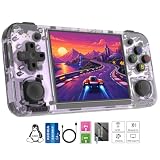
- Premium Retro Handheld Game Console Hardware:This RG35XX H retro handheld game console adopts H700 quad-core CPU and G31 GPU, equipped with 1GB LPDDR4 memory and 64GB TF card preloaded with massive classic games. Built for smooth emulator running, this portable pocket game console supports more than 20 mainstream emulators, delivering stable and fluent retro gaming experience for all leisure scenarios.
- 3.5 Inch IPS OCA Screen Immersive Visuals:Featured with 3.5 inch IPS OCA full lamination screen and 640×480 high resolution, this retro emulator console provides delicate color, ultra-wide viewing angle and eye-friendly display. The high-definition screen greatly enhances visual enjoyment, perfect for long gaming hours at home or while traveling outdoors.
- Long Battery Life & Ultra-Portable Design:Built-in 3300mAh rechargeable battery offers up to 8 hours of continuous gameplay, making this retro handheld game console ideal for long trips and daily use. Compact pocket size and lightweight design are easy to carry, perfectly fitting travel, commute, camping and home casual entertainment anytime.
- WiFi Bluetooth & HDMI TV Output Function:This RG35XX H portable pocket game console supports dual-band WiFi 2.4G/5G and Bluetooth 4.2, enabling online multiplayer, game streaming and wireless controller connection. With HDMI TV output function, you can project game content to large screen devices to enjoy immersive big-screen retro gaming at home.
- Expandable Storage & All-Scenario Entertainment:Dual TF card slots support up to 512GB storage expansion to store more classic retro games. Running on mature Linux system with multi-language support and simple operation, this retro emulator console fits home relaxation, travel leisure, outdoor gathering and retro game collection perfectly.
| Device or firmware | Status in project documentation | What that status means |
|---|---|---|
| Anbernic RG35XX H | Tested | The specific model in this guide has a documented test result. |
| Knulli Gladiator II | Tested firmware | The port documentation identifies this firmware as a tested route for H700 hardware. |
| muOS 2601 Jacaranda | PortMaster package documented as compatible from version 2026.10.07 | Use the current release notes; the project warns that earlier releases had problems. |
| RG35XX Plus, RG35XX SP, RG35XX 2024, RG40XX H and RG40XX V | Expected to work, but untested | They share relevant H700 characteristics, yet there is no equivalent confirmed test result in the documentation. |
| Other H700 devices | Often expected or untested | Do not transfer the RG35XX H result to another model without checking its current device and firmware entry. |
The project status is volatile. Before changing firmware or installing a package, read the current release notes on the Halo: Combat Evolved RG35XX H project page, especially if your muOS build predates 2601 Jacaranda or you are using a device marked untested.
Game data requirements and what is not included
The port requires data from the Xbox release of Halo: Combat Evolved. The project accepts an Xbox ISO/XISO or extracted Xbox maps, depending on the documented installation method. It explicitly says PC-version files do not work. A PC installation, even if it contains the same campaign name and assets, is not an interchangeable input for this port.
Crashes, No Sound, or Screen Glitches?
Random freezes, missing sound and display glitches usually trace back to one bad driver. Find and replace yours safely.Free scan · under a minuteWindows Errors? Fix Them Before They Spread
Repair common Windows errors and clear accumulated junk for a smoother, more stable PC - no reinstall needed.Free scan · no reinstallThe release does not contain Halo game files, disc images, or maps. You must supply data you are entitled to use. Do not download an ISO from an unverified file-sharing site or assume that a PC copy can be converted simply by renaming files. The project’s own documentation says legal treatment of decompilation varies by jurisdiction and is not legal advice.
Microsoft’s separate Halo: The Master Chief Collection End User License Agreement applies to that collection. It should not be treated as a statement that the original Xbox port is endorsed, nor should its Xbox Live account language be conflated with the requirements of this community project.
How to install Halo on an RG35XX H
The exact filenames and folder names can change with a release, so use the project README for the package-specific path. The following sequence describes the documented workflow without inventing a fixed path that may become stale.
Rank #3
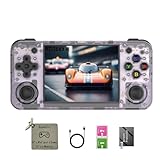
- 【3.5-inch HD creen】 3.5-inch HD Screen With Dual Joysticks, Vibration Motors, and Dual Speakers for better Fighting and Racing Gaming Experience.
- 【3300 mAh High-Capacity Battery】3300mAh High-Capacity Battery, Range of up to 8 Hours, USB Type-C Fast Charging. Enjoy Games Anytime, Anywhere.
- 【Built-in 10+ Emulators】64G TF Card built-in 10+ Emulators, Support PSP, Covering Adventure, Shooting, Action, Racing and Other types of Games.Supports 30+ Emulators, You Can Download Games For Related Emulators.
- 【Game Console Configuration】H700 Quad-core ARM Cortex-A53 with 1.5GHz Makes Retro Gaming Run Smoother and Ensures Higher Stability and Efficient Operation Speed.
- 【Anbernic retro gaming console】Screen is More Stable Using OCA Full Lamination, Horizontal Screen Design Makes the Grip More Comfortable and Easy to Operate. If There is a Problem, You Can Leave us a Message, We Try Our Best to Help You Out.
- Back up the card. Copy your ROMs, saves, BIOS files, and configuration from the RG35XX H card to a computer. Firmware installation can overwrite partitions, and a backup is the simplest recovery if the card must be re-imaged.
- Choose a supported firmware route. Use a firmware listed as tested, such as Knulli Gladiator II, or a current muOS build with the documented PortMaster compatibility. Confirm the release date and device target before writing the image. The project specifically identifies muOS 2601 Jacaranda compatibility beginning with PortMaster package version 2026.10.07; earlier releases had reported problems.
- Install or update the firmware. Follow the firmware developer’s card-imaging instructions, then boot the RG35XX H once so the system creates its normal partitions and folders. Do not interrupt the first boot while it expands storage or creates configuration files.
- Install the Halo port package. Place the project’s Knulli or PortMaster package on the appropriate SD-card partition, using the current README’s method for your firmware. On PortMaster systems, the package should appear through the handheld’s ports interface after installation. If it does not, stop and verify the partition and package version rather than repeatedly launching an incomplete install.
- Prepare the original Xbox game data. Put your Xbox ISO/XISO in the documented port folder, or provide the extracted Xbox maps in the structure specified by the release. Keep the image available during the first run because the project says the image is retained while maps and cache are extracted.
- Reserve free space. Check the card before launching. The documentation calls for about 3 GB free for extracted maps and cache. This is free space in addition to the source image and the operating system’s own files, not merely the nominal capacity printed on the card.
- Launch from Ports. Start the port from the firmware’s Ports section. The first run extracts the maps and builds its cache. The maintainer documentation estimates about four minutes for initial map extraction and about one additional minute for first-game setup on its documented configuration; those times are not a guarantee for every card or firmware.
- Test a campaign session. Confirm that the title reaches the main menu, that a new campaign can load, and that the controls respond before copying additional files or changing render settings. Menus are reported at 60 fps, while campaign performance is reported separately.
- Record the working combination. Note the firmware name, package version, game-data format, and card location that worked. That information makes it easier to restore the setup after a firmware update or card replacement.
- Read release notes before updating. Native ports are still under development. A newer package may improve a rendering issue but require a different folder or firmware version. Keep the known-good package and a card backup until the replacement has booted and loaded a level.
This process does not require Xbox emulation BIOS files, and it does not turn the RG35XX H into a general-purpose Xbox console. It installs one targeted native game port whose compatibility depends on the specific build and its expected data layout.
Quick wins for a faster PC:
Fix the driver behind crashes, sound loss and screen glitchesFind Drivers →Clear out junk files and repair common Windows errorsFree Scan →Scan for outdated or missing drivers - takes under a minuteDriver Scan →Expected performance and its limits
The project reports approximately 40–55 fps during campaign play at the default render scale and 60 fps in menus. Those figures come from the project documentation, not from independent testing. They should be read as a maintainer’s current target and observation rather than a guaranteed frame rate for every mission, firmware version, or card.
The documentation identifies tested campaign areas and says performance work is ongoing. Consequently, a level that stays near the top of the reported range does not establish that every encounter will do the same. A different render scale, background processes, thermal state, or firmware graphics driver can change frame pacing. If you need a reproducible comparison, keep the firmware, port version, render scale, and campaign location constant and record them with any result you share.
The 60-fps menu figure also should not be used as a proxy for gameplay. Menus perform less work than a live scene with AI, physics, effects, and streaming. The useful expectation is that the project has a documented, playable campaign path on tested RG35XX H hardware, with reported campaign performance below the menu rate.
RG35XX H versus other handheld choices
There is no single “best” classic-Halo handheld because the alternatives use different delivery methods. The RG35XX H offers a compact local port; other H700 devices offer varying levels of untested compatibility; and supported Windows handhelds use the Xbox app, Game Pass, or streaming features rather than this ARM64 port.
Rank #4

- Built-in Linux system. The Anbernic RG35XX H handheld game console for seniors is equipped with the H700 processor quad-core ARM Cortexi-A53 1GB. It is a smooth and sensitive operating system that significantly improves the player's gaming experience.
- Long battery life. The rg 35xxh built-in high-capacity 3300mAh lithium battery, ultra-long standby, battery life and battery life. It can sustain up to 8 hours of gaming time and support fast charging with a USB Type-C cable.
- Multiple connection methods. The rg35xxh new handheld game console 2025 for kids retro classic supports 2.4G wireless controller and wired controller connection, Bluetooth connection controller, providing multiple options to enrich the gaming experience
- 3.5-inch IPS screen. The RG 35XX H preloaded handheld game console 3.5-inch IPS screen is fully laminated with OCA and has a resolution of 640*480, giving players a clear gaming experience. In addition, the screen is sturdy and not fragile.
- 64G storage space. The rg35xx h retro handheld game console for kids is used with a 64GTF card. It supports more than 30+ game formats. It supports Dual card slots and TF card expansion, and the maximum capacity can reach 512G to meet your diverse gaming needs.
| Option | How Halo is delivered | Setup difficulty | Local or streamed | Evidence available | Main trade-off | Purchase cost evidence |
|---|---|---|---|---|---|---|
| RG35XX H with native port | Community native ARM64 port for the original Xbox build | Moderate: firmware, package, correct Xbox data, extraction, and cache setup | Local after installation | RG35XX H and selected firmware are documented as tested; campaign is reported at about 40–55 fps | Unofficial software, small screen, and version-sensitive maintenance | Not stated in the cited material; varies by seller and region |
| Other H700 retro handhelds | The same project may target the same hardware family | Potentially similar, but device-specific package and firmware support must be checked | Potentially local if the device is actually supported | Several models are marked expected to work but untested | Do not treat shared silicon as a confirmed result | Not stated in the cited material |
| Supported Windows gaming handheld | Xbox’s supported-handheld features, including handheld-optimized games and Game Pass or select owned-game streaming where available | Usually involves Windows, Xbox app, account, network, and catalog setup | May be local or streamed depending on the title and service | Xbox publishes a compatibility overview, but it does not establish Halo support for every model, title, account, or region | Larger device and potentially higher hardware, software, account, and network requirements | Not stated in the cited material |
When the RG35XX H is the sensible choice
Choose the RG35XX H route if you want a genuinely small 4:3 retro handheld, already have the required Xbox game data, and are comfortable maintaining community firmware. The documented test result removes much of the uncertainty present on untested H700 models. The game runs from local storage once configured, so a network connection is not part of the port’s launch process.
When another H700 handheld may make sense
A different H700 model could offer a larger screen, a different shell, or controls you prefer, but those advantages do not establish Halo compatibility. The project marks the RG35XX Plus, RG35XX SP, RG35XX 2024, RG40XX H, and RG40XX V as expected rather than tested. Buy one of those for its hardware features only if you accept the possibility of troubleshooting an unverified combination.
When a Windows handheld is a better fit
A Windows gaming handheld is the more conventional choice if you want access to the Xbox app, Game Pass features, or supported streaming instead of installing a decompilation-based port. Xbox’s handheld compatibility overview describes supported handheld experiences, including handheld-optimized games and select owned-game streaming. It does not prove that every Halo title is available on every model or in every country, so check the live catalog, account requirements, and network conditions for the exact device you are considering.
Independent reader supportYour contribution helps us test, update, and keep practical guides available for everyone.Decision checklist before you buy or install
- Hardware: Confirm that you are buying the RG35XX H, not a visually similar H700 model with an untested status.
- Firmware: Decide whether your setup will use tested Knulli Gladiator II or a current muOS/PortMaster combination documented by the project.
- Game data: Verify that you have the original Xbox version. PC files are not compatible with this port.
- Storage: Leave about 3 GB free for extraction and cache while retaining the source image.
- Maintenance: Be willing to read release notes and restore a card backup after firmware changes.
- Display: Make sure a 3.5-inch 640×480 screen suits your eyesight and preferred subtitle size.
- Delivery method: Choose local native play if you value a self-contained retro setup; choose a supported Windows handheld if Xbox services and a larger general-purpose device matter more.
- Evidence standard: Treat “tested” as stronger than “expected,” and treat project-reported frame rates as provisional rather than guaranteed.
Troubleshooting common failures
The Halo entry does not appear under Ports
Check that the package matches the firmware and that it was copied to the partition the README specifies. Reboot after installation so the launcher refreshes its application list. If you are using muOS, verify that the package is at least the documented 2026.10.07-compatible release. A package from an earlier release may not register correctly.
The port launches but cannot find the game
Confirm that the source is an Xbox ISO/XISO or the documented extracted Xbox maps. PC-version files will not work. Recheck the folder name and capitalization against the current project instructions, and make sure the image was not renamed in a way that breaks the package’s detection logic.
Best Value

- Premium Retro Handheld Game Console Hardware:This RG35XX H retro handheld game console adopts H700 quad-core CPU and G31 GPU, equipped with 1GB LPDDR4 memory and 64GB TF card preloaded with massive classic games. Built for smooth emulator running, this portable pocket game console supports more than 20 mainstream emulators, delivering stable and fluent retro gaming experience for all leisure scenarios.
- 3.5 Inch IPS OCA Screen Immersive Visuals:Featured with 3.5 inch IPS OCA full lamination screen and 640×480 high resolution, this retro emulator console provides delicate color, ultra-wide viewing angle and eye-friendly display. The high-definition screen greatly enhances visual enjoyment, perfect for long gaming hours at home or while traveling outdoors.
- Long Battery Life & Ultra-Portable Design:Built-in 3300mAh rechargeable battery offers up to 8 hours of continuous gameplay, making this retro handheld game console ideal for long trips and daily use. Compact pocket size and lightweight design are easy to carry, perfectly fitting travel, commute, camping and home casual entertainment anytime.
- WiFi Bluetooth & HDMI TV Output Function:This RG35XX H portable pocket game console supports dual-band WiFi 2.4G/5G and Bluetooth 4.2, enabling online multiplayer, game streaming and wireless controller connection. With HDMI TV output function, you can project game content to large screen devices to enjoy immersive big-screen retro gaming at home.
- Expandable Storage & All-Scenario Entertainment:Dual TF card slots support up to 512GB storage expansion to store more classic retro games. Running on mature Linux system with multi-language support and simple operation, this retro emulator console fits home relaxation, travel leisure, outdoor gathering and retro game collection perfectly.
Extraction stops or reports insufficient space
Free roughly 3 GB on the card in addition to the image and firmware files. Do not delete the source image until extraction and the first game setup finish. If space is marginal, move unrelated ROMs temporarily or use a larger compatible card, then repeat the extraction from a clean backup.
The screen is black or the game crashes on startup
Recheck the firmware and port pairing. Knulli Gladiator II and the documented muOS 2601 Jacaranda route have the clearest stated support; an untested firmware may lack the expected SDL2 or Mali-G31 graphics behavior. Restore the known-good package, verify the Xbox build, and remove a partially generated cache before trying first-run setup again.
Menus are smooth but campaign performance is inconsistent
That behavior is consistent with the project’s separate reports of 60-fps menus and approximately 40–55 fps campaign play. Keep the default render scale while diagnosing, close other applications, and compare the same campaign area after a cold boot. Do not infer a hardware defect from a level that falls outside the maintainer’s reported range, because the figures are not independent benchmarks.
Recommended Free Tools
An update breaks a previously working installation
Restore the card image and the port package that you recorded as working. Then read the new release notes before upgrading again. Because the project is still under active development, a firmware or package update can change dependencies even when the handheld itself has not changed.
Legal and ownership boundaries
The port project supplies executable code and installation instructions, not the copyrighted Halo game data. Use only game data you are legally allowed to possess and use, and follow the law where you live. The project’s statement that decompilation legality varies by jurisdiction is a limitation on what can be concluded from the installation guide.
Do not describe this setup as an official Xbox release or as support from the handheld manufacturer. The accurate description is a community native ARM64 port, tested on the RG35XX H, that requires the original Xbox build’s data and compatible Linux-based firmware.
Bottom line: which handheld should you choose?
For the smallest local setup with a documented path, the RG35XX H is the most defensible choice in this comparison. Its native port is a real, tested route to classic Halo, with project-reported campaign performance of about 40–55 fps and 60-fps menus at the default render scale. The price of that compact solution is technical maintenance: you must install community firmware, supply Xbox-version data, keep about 3 GB free, and accept that the software is still evolving.
What’s actually slowing this PC down?
Pick the symptom - the matching free tool is one click away.
Other H700 handhelds may work, but their “expected” status is not confirmation. A supported Windows gaming handheld is better for Xbox-service integration and a broader modern handheld experience, but Halo availability depends on the exact model, account, region, catalog, and whether the game is delivered locally or by streaming. Decide first which delivery method you want; then choose the hardware whose evidence and compromises match it.
Quick Recap
Product prices and availability are accurate as of the date/time indicated and are subject to change. Any price and availability information displayed on Amazon at the time of purchase will apply.

