Crashes, No Sound, or Screen Glitches?
Random freezes, missing sound and display glitches usually trace back to one bad driver. Find and replace yours safely.Free scan · under a minutePC Slower Than It Used to Be?
A free scan shows the junk files, broken settings and background clutter dragging Windows down - then fixes them in one click.Free scan · Windows 10 & 11The Alienware AW2726DM pairs a 26.5-inch QD-OLED panel with 2560 × 1440 resolution and a 240Hz refresh rate. That combination makes it a compelling option for gamers seeking OLED contrast and fast motion at a relatively accessible price. The key compromise is HDR brightness: a review describes it as relatively dim, so it is not the obvious pick if bright HDR is your top priority.
What the Alienware AW2726DM offers
Dell identifies the AW2726DM as a 26.5-inch Quantum Dot OLED monitor; reviews commonly describe it as a 27-inch QHD gaming display. Its 2560 × 1440 resolution provides a practical middle ground between sharpness and the graphics performance needed to drive high frame rates. At 240Hz, it is designed for fluid motion in fast-paced games.
As an Amazon Associate I earn from qualifying purchases.
Tom’s Guide reports a 0.03ms response-time specification. Treat that as the stated response-time figure, not as a measure of total input lag or a guarantee of how quickly a complete gaming system responds. See Dell’s AW2726DM specifications and the Tom’s Guide review.
Free tools Windows power users keep installed
One-click scans. No signup required.
Why the QD-OLED panel matters for gaming
QD-OLED is the central draw: it brings OLED’s contrast characteristics together with quantum-dot color. Combined with 1440p resolution and a 240Hz refresh rate, the AW2726DM targets players who want rich-looking images and smooth motion without moving to a higher-resolution display that may demand more from a gaming PC.
#1 Best Overall
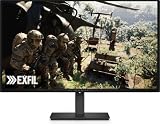
- Alienware 27 240Hz QD-OLED Gaming Monitor – AW2726DM
That mix is the value proposition, not proof that the monitor is the cheapest or best in every market. Tom’s Hardware places the model in the QHD 240Hz QD-OLED category and discusses its value positioning in its AW2726DM review.
Price: attractive snapshots, not a permanent deal
Prices depend on retailer, region, and date. Dell’s US product page displayed $319.99 when accessed for the 2026 listing, while TechSpot framed its review around a $350 monitor. These are separate snapshots—not a guaranteed current price, a promise of future pricing, or an Amazon listing. Check the price and availability in your own region before deciding.
Rank #2

- Speed and Precision for Every Gamer: A 27-inch QHD IPS panel delivers the detail, speed, and responsiveness competitive players need.
- QHD at 280Hz: 2560x1440 resolution and up to 280Hz refresh rate combine sharp detail with fast, fluid motion for competitive gaming.
- Responsive, Fluid Motion: A 1ms gray-to-gray response time helps reduce blur and ghosting so fast-paced gameplay stays clear.
- Tear-Free Play: AMD FreeSync Premium and VESA AdaptiveSync help reduce tearing and stutter for smoother gameplay with any GPU.
- Great Color From Any Angle: DCI-P3 93% color coverage and IPS technology deliver vivid, consistent color across wide viewing angles.
Dell’s product page also carries a PC Gamer endorsement calling it “The best budget OLED gaming monitor.” That is PC Gamer’s review endorsement as surfaced by Dell, not a universal ranking or a like-for-like market comparison.
What’s actually slowing this PC down?
Pick the symptom - the matching free tool is one click away.
The main trade-off: relatively dim HDR
Tom’s Guide identifies relatively dim HDR as a weakness. If bright HDR highlights and impact in a sunlit room are priorities, compare independent measurements and HDR behavior across the monitors you are considering rather than relying on the QD-OLED label alone. HDR results depend on more than panel type; the available evidence does not establish that the AW2726DM is a brightness leader.
Rank #3

- QD-OLED technology enables stunningly rich color and clarity, while QHD resolution (2560x1440) provides high level of detail.
- 360Hz refresh rate translates to superb motion clarity, empowering players to see and react to in-game situations at high speed.
- 0.03 ms gray-to-gray minimum response time** virtually eliminates blurring and ghosting and keeps latency to an absolute minimum.
- Infinite contrast ratio and VESA DisplayHDR True Black 400 make for deep blacks and stunning brights, all in the same scene.
- Excellent color performance with DCI-P3 99.3% color coverage and Delta E<2 accuracy for true-to-life visuals.
Who should consider the AW2726DM?
A strong fit
- You want OLED contrast and color for gaming.
- You prefer 2560 × 1440 resolution and a high refresh rate over prioritizing a higher pixel count.
- You can take advantage of a 240Hz display with your games and hardware.
- You are weighing OLED value more heavily than maximum HDR brightness.
Look more closely at alternatives if
- Bright HDR is a primary reason for your upgrade.
- You need particular ports, console features, or compatibility details: verify them against the exact devices you plan to connect. Tom’s Guide discusses ports, but the specifications in the available product material do not establish every buyer’s requirements.
- You want to prove it is the cheapest or best option available. Compare current local prices and equivalent models rather than treating one retailer listing or endorsement as a market-wide result.
- Warranty coverage, burn-in terms, or returns will affect your purchase. Confirm the terms that apply to the seller, country, and unit before ordering.
How to decide before buying
- Confirm the listing names the exact model, AW2726DM, and check that the listed panel, resolution, and refresh rate match your needs.
- Compare the price available to you on the day you purchase; the cited $319.99 Dell US listing and $350 TechSpot review context are dated snapshots.
- For HDR-sensitive use, compare measured brightness and HDR behavior in independent reviews of the specific alternatives you are considering.
- Check the ports and device compatibility you need, then review local warranty, burn-in, and return terms.
Sources: Dell product listing; Tom’s Hardware review; TechSpot review; Tom’s Guide review.
Quick Recap
Rank #4

- Vivid Color, Fast Response, Total Control - The 27" UltraGear QHD (2560 x 1440) IPS gaming monitor delivers ultra-smooth 200Hz speed, and 1ms response time clarity. FreeSync Premium keeps gameplay tear-free. The sleek, slim design keep you focused and in control.
- QHD Clarity, Bold Colors Brilliance - Bold QHD on a 27” IPS display with up to 99% sRGB color coverage. Experience deeper blacks, vibrant hues, and enhanced contrast, delivering breathtaking detail and crisp visuals for captivating gaming and entertainment.
- Blazing 200Hz Speed. Every Frame Counts. - Enjoy fluid, crystal-clear gameplay with a fast 200Hz native refresh rate. Minimized motion blur keeps every frame sharp, so you can stay locked in on the action.
- 1ms Response (GtG) for Crisp Gameplay - 1ms Response Time (GtG) keeps fast-paced gameplay sharp by minimizing blur and ghosting. Whether you're tracking enemies or racing to the finish, every frame stays crisp—giving you the edge when it matters most.
- Ultimate Frame Sync: FreeSync Premium - Say goodbye to screen tearing and stutter. With AMD FreeSync Premium, this UltraGear monitor delivers ultra-smooth, tear-free visuals, giving you frame sync across PC and next-gen console gaming.
Product prices and availability are accurate as of the date/time indicated and are subject to change. Any price and availability information displayed on Amazon at the time of purchase will apply.

